
Introduction
Thank you for choosing the Domo DO7280S Vacuum Cleaner. This manual provides essential information for the safe and efficient use, maintenance, and troubleshooting of your appliance. Please read it thoroughly before first use and keep it for future reference.
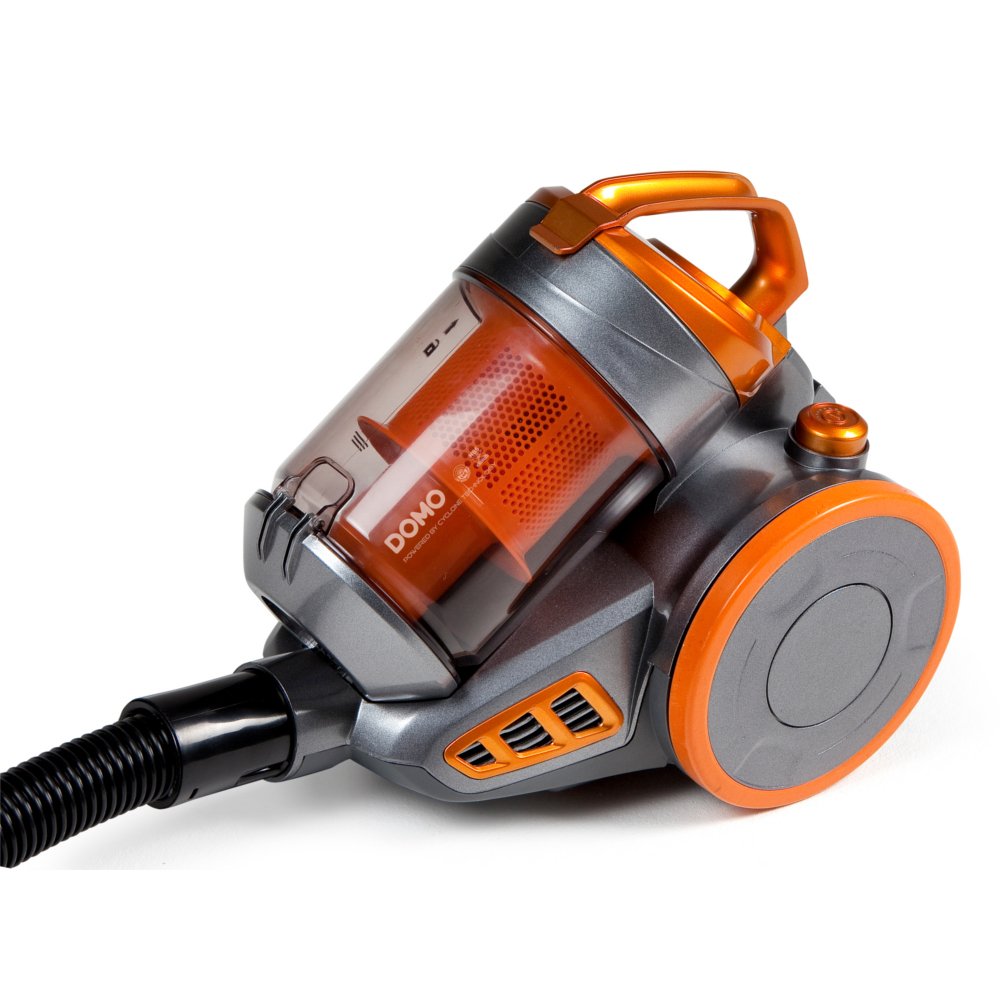
Image: The Domo DO7280S vacuum cleaner, fully assembled with its hose, telescopic tube, and floor brush, ready for use. The main unit is grey and orange.
Safety Instructions
Always observe basic safety precautions when using electrical appliances to reduce the risk of fire, electric shock, and personal injury.
- Ensure the power supply voltage matches the rating label on the appliance.
- Do not use the vacuum cleaner to pick up water or wet substances.
- Do not vacuum flammable or combustible materials, hot ashes, or sharp objects.
- Keep hair, loose clothing, fingers, and all parts of the body away from openings and moving parts.
- Unplug the appliance from the power outlet before cleaning or performing maintenance.
- Do not operate the vacuum cleaner with a damaged cord or plug.
- This appliance is for household use only.
Product Overview
The Domo DO7280S is a cylinder vacuum cleaner designed for efficient cleaning across various surfaces. It features a multi-filter system and electronic suction control.
Main Components:
- Main Unit (Motor, Dust Container, Filters)
- Flexible Hose
- Telescopic Metal Tube
- Eco-brush Floor Nozzle
- Crevice Tool with Brush (Accessory)

Image: Side view of the Domo DO7280S vacuum cleaner, highlighting the main unit, large wheels, and the connection point for the hose and telescopic tube.
Setup
- Unpacking: Carefully remove all components from the packaging. Retain packaging for future storage or transport.
- Attaching the Flexible Hose: Insert the end of the flexible hose into the suction inlet on the main unit until it clicks securely into place.
- Assembling the Telescopic Tube: Connect the handle end of the flexible hose to the telescopic metal tube. Adjust the tube length by pressing the release button and sliding it to the desired height.
- Connecting the Floor Nozzle: Attach the Eco-brush floor nozzle to the end of the telescopic tube. Ensure it is firmly connected.
- Power Connection: Extend the power cord from the main unit and plug it into a suitable electrical outlet.
Operating
- Power On/Off: Press the power button located on the main unit to switch the vacuum cleaner on or off.
- Adjusting Suction Power: Use the electronic suction control dial or buttons on the main unit to adjust the suction strength according to the surface being cleaned. Lower settings are suitable for delicate fabrics, while higher settings are for carpets and hard floors.
- Using the Eco-brush: The Eco-brush is designed for efficient cleaning on various floor types. For optimal performance, move the nozzle slowly over the surface.
- Using Accessories: For specific cleaning tasks, detach the Eco-brush and attach the crevice tool with brush for corners, edges, and upholstery.
- Dust Container Full Indicator: The vacuum cleaner is equipped with an indicator that signals when the dust container needs to be emptied. Observe this indicator for optimal performance.
Maintenance
Regular maintenance ensures the longevity and optimal performance of your Domo DO7280S vacuum cleaner. Always unplug the appliance before performing any maintenance.
Emptying the Dust Container:
- Press the release button to detach the dust container from the main unit.
- Hold the dust container over a waste bin.
- Open the bottom lid of the dust container to release the collected dirt.
- Close the lid securely and reattach the dust container to the main unit.
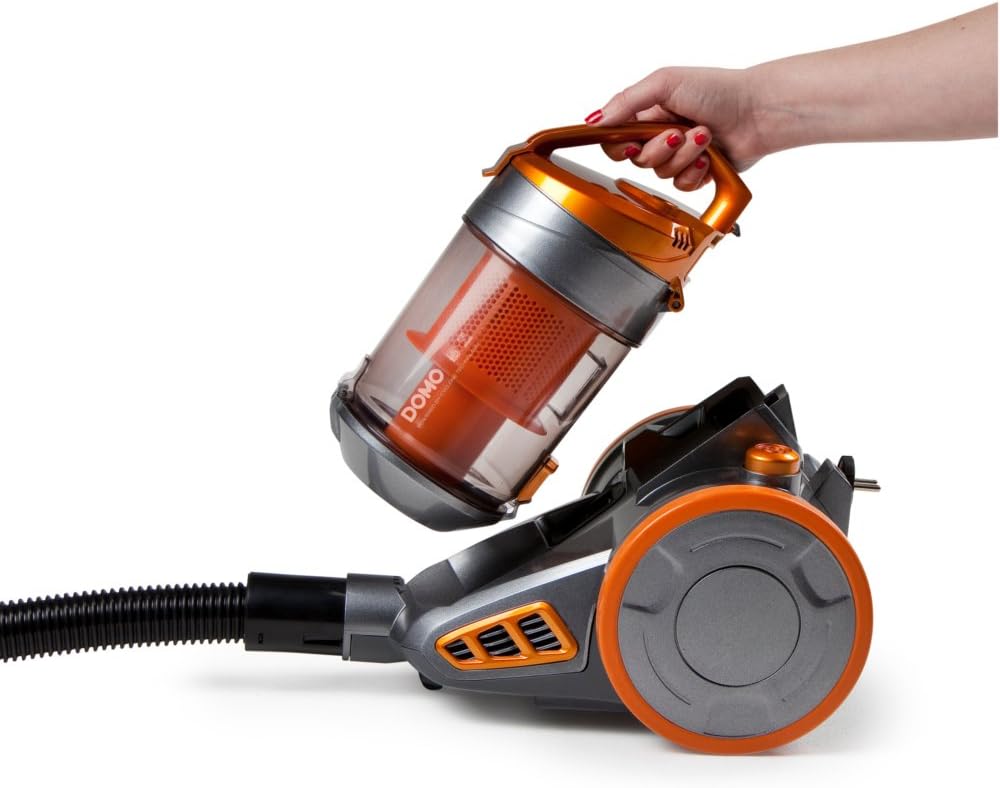
Image: A hand demonstrating the removal of the transparent orange dust container from the main body of the Domo DO7280S vacuum cleaner.

Image: A hand opening the bottom lid of the transparent orange dust container, revealing the internal filter system, ready for emptying.
Cleaning the Filters:
The Domo DO7280S features a multi-filter system. Regular cleaning of these filters is crucial for maintaining suction power.
- After emptying the dust container, remove the internal filters.
- Tap the filters gently over a bin to dislodge fine dust.
- If washable, rinse filters under cold running water. Ensure they are completely dry before reinserting.
- Do not use detergents or hot water on filters unless specified.
- Replace filters if they are damaged or excessively worn.
Troubleshooting
| Problem | Possible Cause | Solution |
|---|---|---|
| No power | Not plugged in; power outlet faulty; power button not pressed. | Check plug connection; test outlet with another appliance; press power button firmly. |
| Low suction power | Dust container full; filters clogged; hose/tube/nozzle blocked. | Empty dust container; clean or replace filters; check for and remove blockages. |
| Unusual noise | Blockage in hose/tube/nozzle; motor issue. | Check for and remove blockages. If noise persists, contact customer support. |
| Dust escaping | Dust container not properly closed; filters not correctly installed or damaged. | Ensure dust container is securely closed; check filter installation; replace damaged filters. |
Specifications
| Feature | Detail |
|---|---|
| Brand | Domo |
| Model Number | DO7280S |
| Product Dimensions | 43 x 32.99 x 27 cm |
| Item Weight | 5.58 kg |
| Capacity (Dust Container) | 1.5 Liters |
| Wattage | 1000 watts |
| Energy Efficiency Class | C |
| Annual Energy Consumption | 38 Kilowatt-hours per year |
| Surface Recommendation | All floors |
| Form Factor | Canister |
Warranty and Support
For warranty information, technical support, or service inquiries, please refer to the warranty card included with your product or contact Domo customer service directly. Keep your proof of purchase for warranty claims.


