Product Overview
The Theefun Bubble Machine is engineered to create a vibrant and fun atmosphere with its high bubble output. Featuring a durable metal body and a large 750ml liquid tank, it ensures extended periods of bubble generation without frequent refills. The included remote control offers convenient operation, making it ideal for various events and settings.
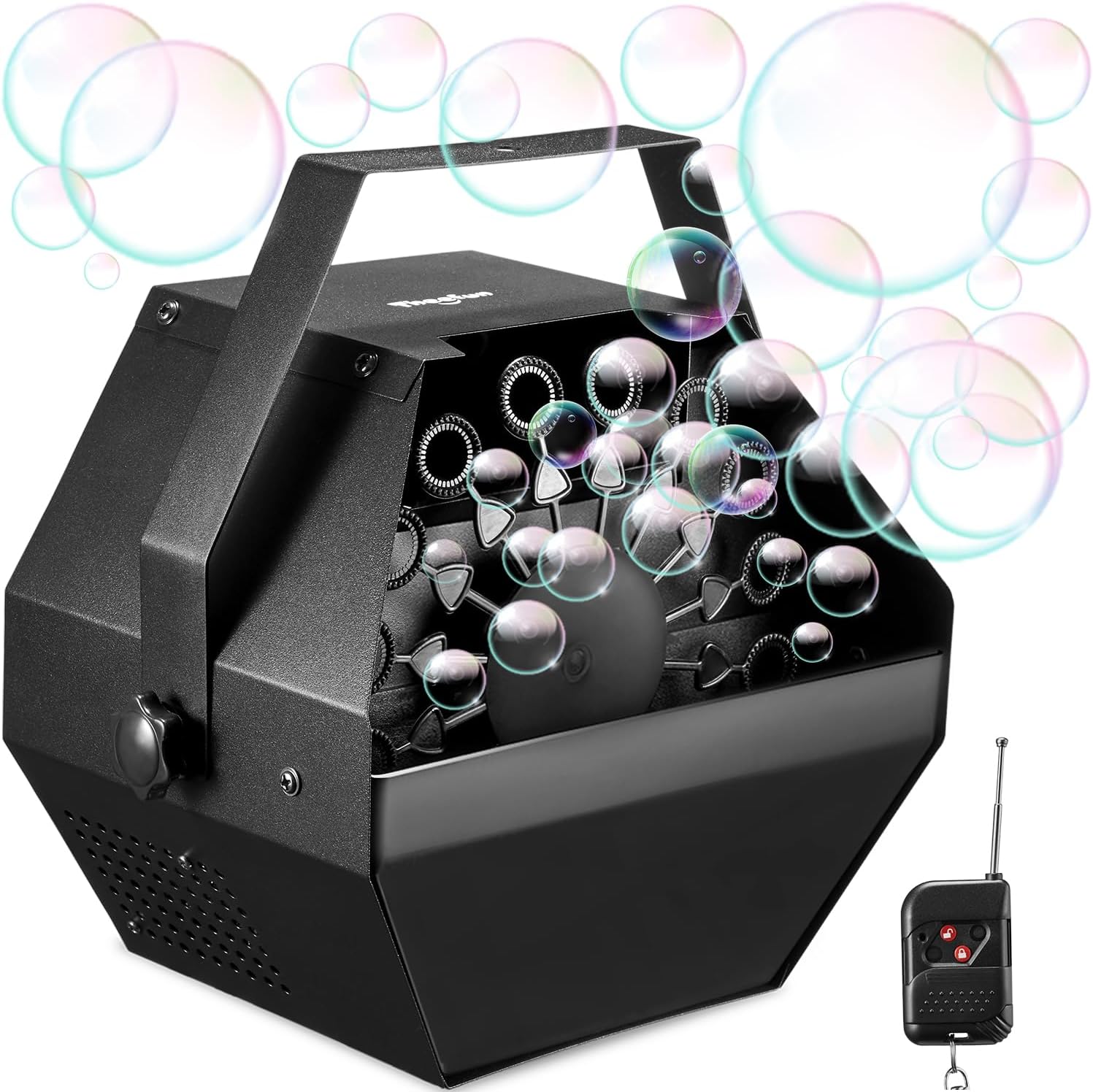
Figure 1: Theefun Bubble Machine with Remote Control
Key features include a robust metal construction for enhanced durability, a high-velocity fan and 16 bubble wands for over 1500 bubbles per minute, and a generous 750ml tank capacity for uninterrupted use. Unlike battery-operated models, this machine is plug-in powered, eliminating the need for constant battery replacements.

Figure 2: Key Features of Theefun Bubble Machine
What's in the Box
- 1 x Theefun Bubble Machine
- 1 x Handle
- 1 x Remote Control
- 1 x User Manual
Setup Instructions
Follow these steps to set up your Theefun Bubble Machine for optimal performance:
- Attach the Handle: Securely attach the provided handle to the top of the bubble machine using the screws. This allows for easy portability.
- Place on a Stable Surface: Set the bubble machine on a flat, stable surface. For outdoor use, consider placing it on a slightly elevated position to help bubbles fly further.
- Fill with Bubble Solution: Carefully pour professional bubble solution into the liquid tank up to the 'Max' level. Ensure not to overfill.
- Connect Power: Plug the power cord into a standard electrical outlet.

Figure 3: Manual Mode Setup Steps
Operating Instructions
The Theefun Bubble Machine offers both manual and remote control operation.
Manual Operation:
- After setup, locate the power on/off switch on the machine.
- Switch the power on/off switch to the 'I' gear to start generating bubbles automatically.
- To stop the bubble machine, switch the button to the 'O' gear.
Remote Control Operation:
- Ensure the bubble machine is set up and plugged in.
- Switch the power on/off switch on the machine to the 'II' gear to activate the remote control mode.
- Using the remote control, press the unlock button to start making bubbles. The remote control has a range of approximately 10m (32.8ft).
- Press the lock button on the remote control to stop the bubble machine.

Figure 4: Wireless Remote Control for Theefun Bubble Machine
Important Usage Tips:
- To prevent any leakage of bubble solution, carefully inspect the container to ensure it is properly installed, without tilting, shaking, or overfilling.
- When using indoors, walk carefully to avoid slipping and falling due to bubble residue.
- For best results, place the machine at a high place to help the bubbles fly longer.
- If mixing your own solution, a reference ratio of bubble oil to water ranges from 1:13 to 1:15.
- Do NOT shake the bubble solution before pouring.

Figure 5: Important Usage Tips
Maintenance
Proper maintenance ensures the longevity and optimal performance of your bubble machine:
- To best care for any bubble machine, please wipe the bubble residue with a dry towel after each use. This prevents buildup and potential rusting of metal components.
- Store the machine in a dry, cool place when not in use to protect its internal components.
Troubleshooting
If you encounter any issues with your Theefun Bubble Machine, consider the following common troubleshooting steps:
- No Bubbles: Ensure the liquid tank is filled to the appropriate level with bubble solution. Check that the power cord is securely plugged into a working outlet. Verify the power switch is in the correct 'I' (manual) or 'II' (remote) position.
- Low Bubble Output: This could indicate low bubble solution levels or a need to clean the wands and internal mechanism from dried residue. Ensure the fan is unobstructed.
- Remote Control Not Working: Check if the machine is in 'II' mode. Ensure the remote control's battery (if applicable) is functional and you are within the 10m operating range.
- Unusual Noise: Turn off the machine and inspect for any foreign objects obstructing the fan or rotating wands.
If problems persist after attempting these steps, please refer to the support section for further assistance.
Specifications
| Product Dimensions | 9.25 x 8.26 x 6.69 inches |
| Item Weight | 3.89 pounds |
| Item Model Number | TBM01 |
| Manufacturer Recommended Age | 8 years and up |
| Manufacturer | Theefun |
Warranty and Support
For detailed warranty information and customer support, please refer to the official user manual provided with your product. You can also access a digital version of the user manual via this link: Theefun Bubble Machine User Manual (PDF).
For additional inquiries or technical assistance, please visit the official Theefun store or contact their customer service directly.


