1. Introduction
The Gigaset E560HX is a DECT cordless handset designed for enhanced comfort and security. It features large, illuminated keys, an optimized display for readability, and an intuitive menu for ease of use. This handset is compatible with DECT/CAT-iq enabled routers (e.g., AVM FRITZ!Box, Speedport) and existing Gigaset DECT base stations, functioning as an additional handset.
Key features include adjustable audio profiles, an extra volume boost button, a hands-free function, and a dedicated emergency call button with four programmable numbers.
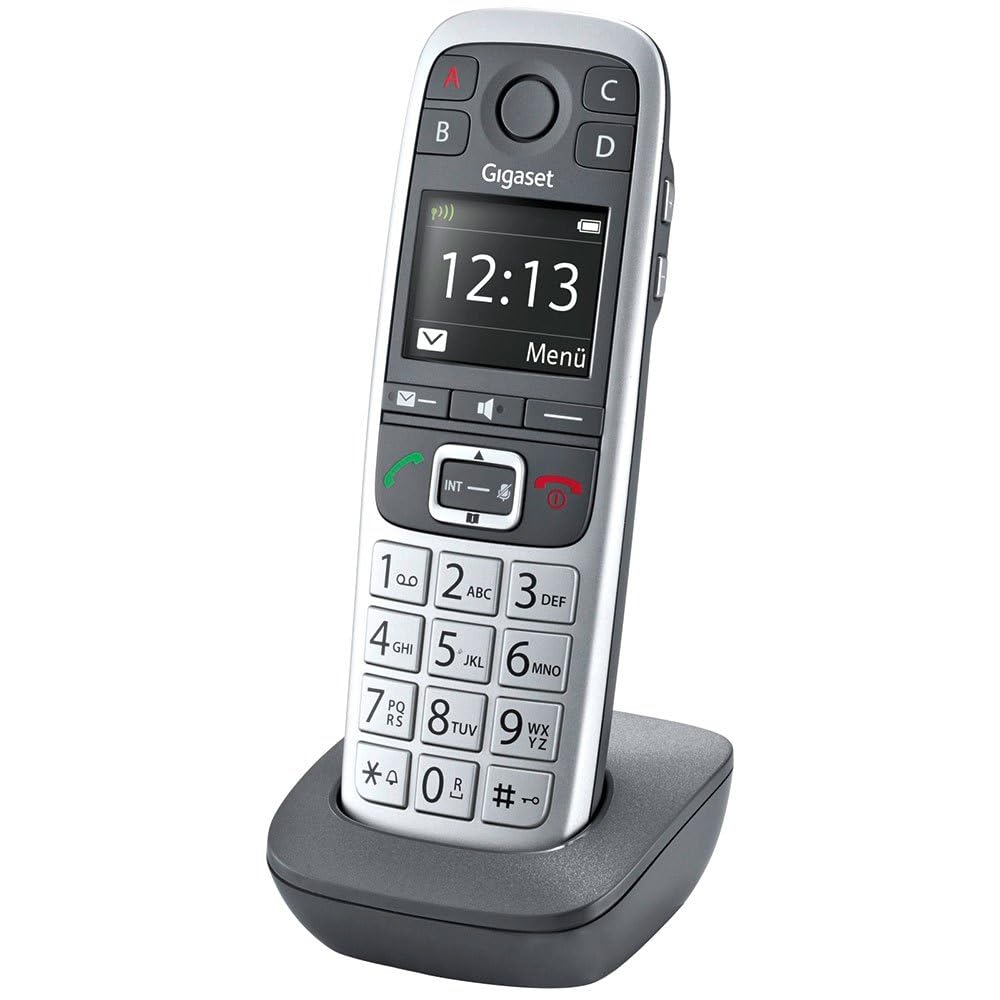
Image 1.1: The Gigaset E560HX DECT Handset in use.
2. Setup
2.1 Unpacking and Contents
Carefully unpack all items and check the contents against the list below:
- 1 Gigaset E560HX Handset
- 1 Charging Cradle
- 1 Power Adapter
- 2 AAA NiMH Rechargeable Batteries
- 1 User Manual
2.2 Battery Installation
- Open the battery compartment cover on the back of the handset.
- Insert the two AAA NiMH rechargeable batteries, observing the correct polarity (+/-).
- Close the battery compartment cover securely.
2.3 Charging the Handset
Place the handset into the charging cradle. Ensure the power adapter is connected to the cradle and a power outlet. The battery icon on the handset display will indicate charging status. For optimal battery life, charge the handset for at least 8 hours before initial use.

Image 2.1: The charging cradle for the Gigaset E560HX handset.
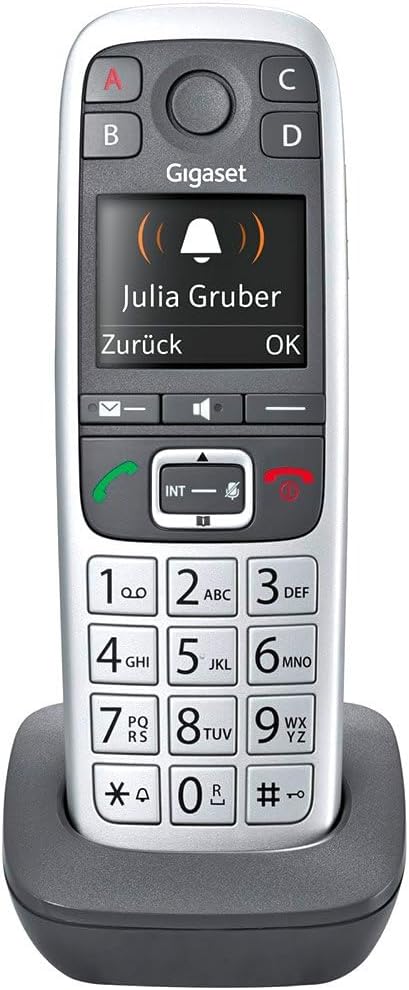
Image 2.2: The Gigaset E560HX handset placed in its charging cradle.
2.4 Registering the Handset
The Gigaset E560HX is an HX handset, meaning it connects directly to a DECT/CAT-iq compatible router or an existing Gigaset DECT base station. It does not include its own base station for line connection.
- On your router/base station: Activate the registration mode. This usually involves pressing and holding the DECT/pairing button on your router (e.g., FRITZ!Box) or base station for a few seconds until an indicator light flashes. Refer to your router's or base station's manual for specific instructions.
- On the Gigaset E560HX handset: Access the menu, navigate to 'Settings' or 'Registration', and select 'Register Handset'. Follow the on-screen prompts. You may be asked to enter a PIN (default is usually 0000).
- Once successfully registered, the handset will display the base station name or a confirmation message.
3. Operating the Handset
3.1 Making and Receiving Calls
- Making a Call: Enter the phone number using the keypad and press the green call button (Call).
- Receiving a Call: When the phone rings, press the green call button (Call) to answer.
- Ending a Call: Press the red end call button (End Call).
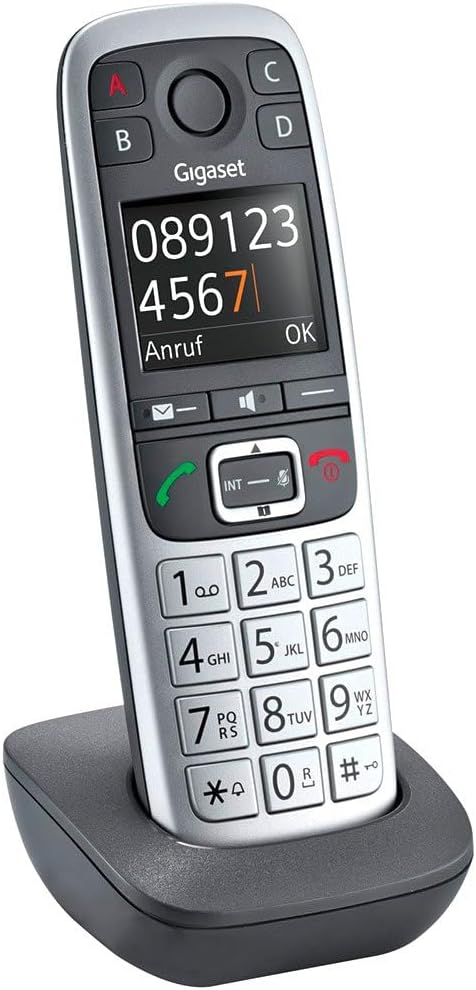
Image 3.1: The Gigaset E560HX handset displaying a dialed number.
3.2 Adjusting Volume and Hands-Free Function
- Call Volume: During a call, use the navigation keys (up/down) to adjust the earpiece volume.
- Extra Volume: Press the dedicated 'Extra Volume' button (often marked with a speaker icon or '+') to significantly boost the call volume.
- Hands-Free: Press the hands-free button (speaker icon) during a call to activate the speakerphone function. Press it again to switch back to the earpiece.
3.3 Emergency Call Function
The Gigaset E560HX features four direct selection keys (A, B, C, D) for important numbers. Key A is specifically designed for the emergency call function.
- Programming Emergency Numbers: Access the menu to assign up to four SOS numbers to the emergency call key (Key A).
- Initiating an Emergency Call: In an emergency, press and hold Key A. The handset will sequentially dial the pre-programmed SOS numbers until a connection is established.
3.4 Menu Navigation and Display
The handset features an optimized, high-contrast display and an intuitive menu structure. Use the central navigation key to scroll through menu options and confirm selections. The large, illuminated keys ensure easy dialing and menu access.

Image 3.2: Close-up view of the Gigaset E560HX handset's keypad and display.
4. Maintenance
4.1 Cleaning the Device
To clean your Gigaset E560HX handset and charging cradle, use a soft, slightly damp cloth. Do not use abrasive cleaners, solvents, or strong detergents, as these can damage the surfaces. Ensure no liquid enters the device openings.
4.2 Battery Care
The handset uses NiMH rechargeable batteries. To prolong battery life:
- Avoid fully discharging the batteries frequently.
- Store the handset in a cool, dry place if not used for extended periods.
- Replace batteries when their performance significantly degrades. Use only recommended replacement batteries.
4.3 Software Updates
Gigaset provides software updates to improve performance and add features. Ensure your handset is connected to a compatible base station or router that supports over-the-air updates. Check your base station/router's manual or Gigaset's website for information on how to check for and install updates. Software updates are guaranteed until December 31, 2027.
5. Troubleshooting
If you encounter issues with your Gigaset E560HX, refer to the following common problems and solutions:
| Problem | Possible Cause | Solution |
|---|---|---|
| Handset does not power on. | Batteries are not charged or incorrectly inserted. | Check battery polarity. Place handset in charging cradle for several hours. |
| No dial tone / Cannot make calls. | Handset not registered to a base station/router or out of range. | Ensure handset is registered. Move closer to the base station/router. Check base station power. |
| Poor audio quality / Static. | Interference or weak signal. | Move away from other electronic devices. Move closer to the base station/router. |
| Emergency call not working. | Emergency numbers not programmed or incorrect. | Verify that emergency numbers are correctly stored under Key A. |
If the problem persists, please contact Gigaset customer service for further assistance.
6. Specifications
| Feature | Detail |
|---|---|
| Brand | Gigaset |
| Model Number | S30852-H2766-B101 |
| Product Type | DECT Phone |
| Color | Platinum |
| Operating System | Gigaset proprietary |
| Screen Size | 15.6 (implied diagonal, likely refers to display clarity/size for readability) |
| Special Features | Hands-free function, Adapted for seniors |
| Compatible Devices | Routers with DECT/Cat-IQ, DECT bases, Routers with DECT Cat-iq 2.0/2.1 |
| Battery Composition | NiMH |
| Batteries Included | 2 AAA |
| Guaranteed Software Updates Until | December 31, 2027 |
| Item Dimensions (L x W x H) | 5.5 x 3 x 17 centimeters |
| Item Weight | 180 Grams |
| Material | Metal (likely referring to internal components or finish) |
| Power Source | Battery Powered |
7. Warranty and Support
7.1 Product Quality
The Gigaset E560HX is a quality product designed and manufactured in Germany. It incorporates Eco DECT technology for reduced energy consumption.
7.2 Customer Service
For any questions or support regarding your Gigaset E560HX, please contact Gigaset customer service at 02871-912 912 (standard landline rates apply).
7.3 Software Update Guarantee
Software updates for this product are guaranteed until December 31, 2027.


