1. Introduction
Welcome to the instruction manual for your Gigaset E560A DECT Cordless Phone. This phone is specifically designed to offer ease of use and enhanced safety features, making it ideal for seniors. It combines a user-friendly interface with robust functionality, including an integrated answering machine, a clear color display, hands-free operation, and large, easy-to-press buttons. The dedicated SOS emergency call button provides an additional layer of security.
Please read this manual carefully to ensure proper setup, operation, and maintenance of your device. Keep it for future reference.
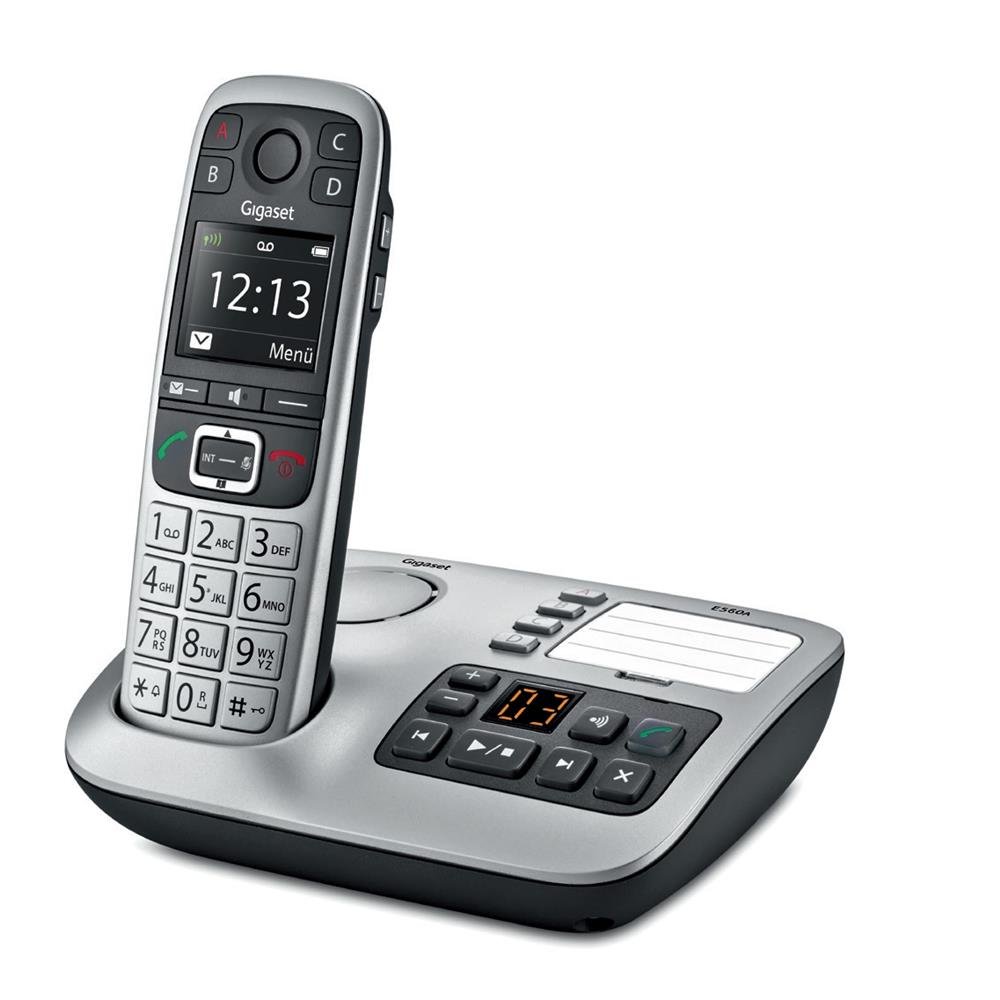
Image 1.1: The Gigaset E560A DECT Cordless Phone handset docked in its base station. The handset features a color display and large, clearly labeled buttons. The base station includes an integrated answering machine with control buttons.
2. Safety Information
- Use only the power adapter and batteries supplied with the device.
- Do not expose the phone to extreme temperatures, direct sunlight, or high humidity.
- Avoid dropping the handset or base station.
- Keep the device away from medical equipment, as it may cause interference.
- Do not open the device casing. Repairs should only be performed by authorized service personnel.
- Dispose of batteries responsibly according to local regulations.
3. Package Contents
Please check that all items are present in your package:
- 1 Gigaset E560A Handset
- 1 Base Station with Integrated Answering Machine
- 1 Power Adapter for the Base Station
- 1 Telephone Connection Cable
- 2 AAA (NiMH) Rechargeable Batteries
- 1 User Manual (this document)
If any items are missing or damaged, please contact your retailer or Gigaset customer support.
4. Setup
4.1 Connecting the Base Station
- Connect the telephone connection cable to the socket marked with a telephone symbol on the base station and to your telephone wall outlet.
- Connect the power adapter to the socket marked with a power symbol on the base station and plug it into a mains power outlet.
- Ensure the base station is placed on a flat, stable surface, away from other electronic devices that might cause interference.
4.2 Inserting Batteries into the Handset
- Open the battery compartment cover on the back of the handset.
- Insert the two AAA NiMH rechargeable batteries, observing the correct polarity (+/-).
- Close the battery compartment cover.
- Place the handset in the base station to charge. The display will indicate charging. Allow the batteries to charge for at least 6 hours before initial use.
4.3 Initial Setup and Registration
The handset is pre-registered to the base station at the factory. If registration is lost or you are adding a new handset, follow these steps:
- On the base station, press and hold the registration/paging button for approximately 3 seconds. The base station will enter registration mode.
- On the handset, navigate to the 'Settings' menu, then 'Registration', and select 'Register Handset'.
- Enter the system PIN (default is 0000) when prompted.
- The handset will display a confirmation message once successfully registered.
5. Operating Instructions
5.1 Basic Call Functions
- Making a Call: Enter the phone number using the keypad and press the green call button (→).
- Answering a Call: When the phone rings, press the green call button (→).
- Ending a Call: Press the red end call button (→).
- Adjusting Volume: During a call, use the navigation keys to adjust the earpiece volume. Press the 'Extra Volume' button for an additional boost.
- Hands-Free Calling: During a call, press the hands-free button (speaker icon) to activate the speakerphone.
5.2 SOS Emergency Call Function
The Gigaset E560A features a dedicated SOS button (Key A) for emergency situations. You can program up to four emergency numbers.
- Programming SOS Numbers: Navigate to 'Settings' > 'SOS Function' > 'SOS Numbers'. Enter up to four contact numbers.
- Initiating an SOS Call: In an emergency, press and hold the 'A' button on the handset. The phone will sequentially dial the programmed SOS numbers until one is answered.
Note: SOS functionality may have regional limitations; refer to the Gigaset website for specific details regarding your region.
5.3 Answering Machine
The base station has an integrated answering machine with up to 25 minutes of recording time.
- Activating/Deactivating: Press the ON/OFF button on the base station.
- Playing Messages: Press the PLAY button on the base station.
- Recording an Announcement: Access the answering machine settings via the handset menu to record a personalized greeting.
5.4 Phonebook
Store frequently called numbers in the phonebook for quick access.
- Adding a Contact: Go to 'Menu' > 'Phonebook' > 'New Entry'. Enter the name and number, then save.
- Dialing from Phonebook: Press the phonebook button, select the desired contact, and press the green call button.
6. Maintenance
- Cleaning: Use a soft, damp cloth to clean the handset and base station. Do not use abrasive cleaners or solvents.
- Battery Care: For optimal battery life, fully discharge and recharge the batteries periodically. Replace batteries when their performance significantly decreases. Use only recommended NiMH rechargeable batteries.
- Storage: If storing the phone for an extended period, remove the batteries from the handset.
7. Troubleshooting
| Problem | Possible Cause | Solution |
|---|---|---|
| No dial tone | Telephone cable not connected or faulty. | Check the telephone cable connection to the base station and wall outlet. Try a different cable if available. |
| Handset not charging | Handset not correctly placed in base station; dirty charging contacts; faulty batteries. | Ensure handset is properly seated. Clean charging contacts on handset and base with a dry cloth. Replace batteries if old. |
| Poor sound quality | Handset too far from base station; interference from other devices. | Move closer to the base station. Relocate the base station away from other electronics (e.g., Wi-Fi routers, microwaves). |
| SOS button not working | SOS numbers not programmed; regional restrictions. | Verify that SOS numbers are correctly programmed in the settings. Check Gigaset website for regional compatibility. |
If the problem persists after attempting these solutions, please contact Gigaset customer support.
8. Specifications
- Brand: Gigaset
- Model: E560A
- Product Type: DECT Cordless Phone with Answering Machine
- Color: Platinum
- Screen Size: 1.8 Inches
- Connectivity: Cordless (DECT)
- Special Features: Hands-free function, Large buttons, SOS emergency call button, Suitable for seniors
- Compatible Devices: Gigaset GO-Box, Gigaset Box100, Gigaset Box200
- Battery Type: 2 x AAA NiMH (included)
- Answering System Type: Digital, up to 25 minutes recording time
- Item Dimensions (L x W x H): 30 x 55 x 170 millimeters
- Item Weight: 140 Grams
- Manufacturer: Gigaset
9. Warranty and Support
9.1 Warranty Information
Spare parts for the Gigaset E560A are available for a period of 1 year from the date of purchase. Please retain your proof of purchase for warranty claims.
9.2 Customer Support
For any questions regarding your Gigaset E560A DECT Cordless Phone, technical assistance, or warranty inquiries, please contact Gigaset customer service:
- Telephone: 02871-912 912 (Standard landline rates apply)
Please have your model number (E560A) and purchase details ready when contacting support.


