
1. Introduction
The Clockwise Tools Digital Indicator, model DIGR-0105, is a precision measuring instrument designed for accurate dimensional measurements in various industrial and workshop environments. It features dual unit conversion (inch/metric), an extra-large LCD screen, auto-off functionality, and an RS232 data transfer port for seamless integration with PC systems. This manual provides essential information for the proper setup, operation, and maintenance of your digital indicator.
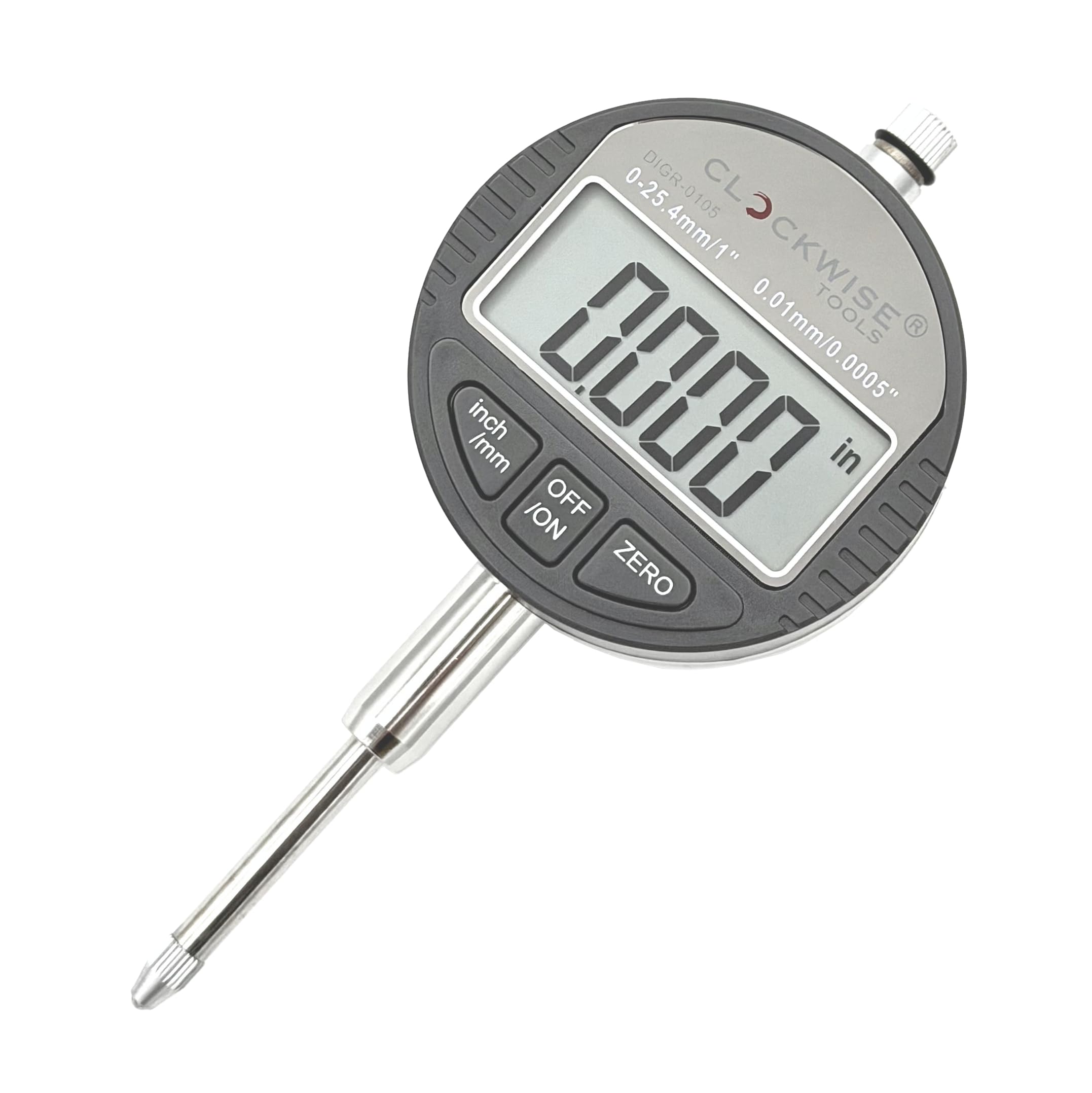
Figure 1: Clockwise Tools Digital Indicator DIGR-0105
2. What's in the Box
Upon opening the package, verify that all the following items are included:
- 1 x Clockwise Tools Digital Indicator (DIGR-0105)
- 2 x CR2032 Lithium Batteries (one pre-installed, one spare)
- 1 x User Guide
- 1 x Factory Calibration Certificate
- 1 x Lug Back (for alternative mounting)
- 1 x Durable Storage Case

Figure 2: Contents of the Digital Indicator package, including the indicator, spare battery, user guide, calibration certificate, and lug back, all housed in a durable case.

Figure 3: Detailed view of the included items: Digital Indicator, Lug Back, User Guide, Factory Calibration Certificate, Extra Battery, and Durable Case.
3. Product Features
- Dual Unit Conversion: Easily switch between inch and metric readings for versatile use in various applications.
- Extra-Large LCD Screen: A 1.6" x 0.7" high-contrast display ensures clear and easy-to-read measurements.
- Auto-Off Feature: Automatically turns off after 5-7 minutes of inactivity to conserve battery life. The device remembers the last measured result when powered on again.
- Zero Position Memory: Retains the zero setting even after power cycling.
- Versatile Mounting: Includes both flat back and lug back options (6.5mm hole size) for flexible installation.
- Standard Stem and Tip: Features a 3/8" stem diameter and a UNF 4-48 threaded tip for compatibility with various fixtures and stands.
- High Precision & Resolution: Offers a measuring range of 0-1" (25.4mm) with graduations of 0.0005" (0.01mm) and an accuracy of ±0.001" (0.03mm).
- RS232 Data Transfer: Equipped with an RS232 port for seamless measurement logging to a PC (requires 'Clockwise Tools DTCR-01' cable, not included).
- Certified Accuracy: Comes with a professional calibration certificate for reliable performance.

Figure 4: Overview of the DIGR-0105 Digital Indicator highlighting its dual inch/metric display, large LCD, mounting options, measurement range, RS232 output, and included calibration certificate.
4. Product Overview and Components
4.1 Dimensions and Display

Figure 5: Detailed dimensions of the digital indicator and examples of its digital display showing measurements in millimeters and inches.
4.2 Back Plate and Tip

Figure 6: The digital indicator with its standard flat back and the included lug back option, along with the M2.5 back plate screw and UNF 4-48 threaded tip.
4.3 Battery and Data Port

Figure 7: Close-up view of the Micro USB RS232 data port and the 3V CR2032 lithium battery compartment, highlighting the long-lasting battery.
5. Setup
5.1 Battery Installation
- Locate the battery compartment cover on the side of the indicator.
- Gently slide the cover open.
- Insert the 3V CR2032 lithium battery with the positive (+) side facing up.
- Close the battery compartment cover securely.
5.2 Mounting the Indicator
The digital indicator can be mounted using either the pre-installed flat back or the included lug back.
- To change the back plate, unscrew the small M2.5 screw on the back of the indicator.
- Remove the current back plate and replace it with the desired option (flat or lug).
- Secure the new back plate with the M2.5 screw.
- Insert the 3/8" diameter stem into a suitable fixture or stand. The UNF 4-48 threaded tip allows for various contact points.
6. Operating Instructions
6.1 Basic Functions
- Power ON/OFF: Press the ON/OFF button to turn the indicator on or off.
- Unit Conversion: Press the in/mm button to switch between inch and millimeter display modes.
- Zero Setting: Position the contact point at the desired reference and press the ZERO button to set the display to zero. This establishes a relative measurement point.
6.2 Auto-Off Feature
The digital indicator is equipped with an auto-off function that activates after 5-7 minutes of inactivity to preserve battery life. When the indicator is turned back on, it will recall the last measured value, allowing you to resume your work without losing your reference point.
Video 1: This video demonstrates the calibration process for the Clockwise Tools Digital Dial Indicator, showing how to ensure accurate readings.
7. Data Transfer (RS232)
The DIGR-0105 digital indicator features an RS232 data transfer port, enabling you to log measurements directly to a PC for analysis and record-keeping. This functionality requires the separate purchase of a 'Clockwise Tools DTCR-01' data cable.
7.1 Connecting for Data Transfer
- Ensure the digital indicator is powered on.
- Connect the 'IN' end of the 'Clockwise Tools DTCR-01' data cable to the Micro USB RS232 port on the digital indicator.
- Connect the 'OUT' end of the data cable to a USB port on your computer.
- The red indicator light on the DTCR-01 cable will illuminate, confirming a successful connection.
Important: Do NOT use a regular USB cable to connect the indicator to your PC. This port is for data transfer ONLY and is not designed for charging. Using an incorrect cable may cause battery damage or explosion.
7.2 Transferring Data
Once connected, open a spreadsheet program (e.g., Microsoft Excel) or a compatible data logging software on your PC. With the cursor in the desired cell, simply press the 'DATA' button on the DTCR-01 cable to transfer the current measurement from the indicator to your computer.

Figure 8: The Clockwise Tools Digital Indicator (DITR-0105 model shown) connected to a laptop via the DTCR-01 Data Cable for data logging. Note that the PC and data cable are not included with the indicator.
8. Maintenance
- Cleaning: Wipe the indicator clean with a soft, dry cloth after each use. Avoid using solvents or harsh chemicals.
- Storage: Store the indicator in its durable case in a dry, dust-free environment when not in use.
- Battery Replacement: Replace the CR2032 battery when the display becomes dim or erratic. Always use a fresh, high-quality battery.
- Calibration: For continued accuracy, periodic calibration by a qualified technician is recommended, especially in professional settings.
9. Troubleshooting
| Problem | Possible Cause | Solution |
|---|---|---|
| Display is blank or dim | Low or dead battery | Replace the CR2032 battery. |
| Inaccurate readings | Dirty contact point or stem; improper zeroing; environmental factors (temperature changes) | Clean the contact point and stem. Re-zero the indicator. Allow the instrument to acclimate to the ambient temperature. Consider professional calibration. |
| Data transfer not working | Incorrect data cable; loose connection; software issue | Ensure you are using the 'Clockwise Tools DTCR-01' data cable. Check all connections. Verify software compatibility and drivers. |
| Buttons unresponsive | Low battery; internal malfunction | Replace battery. If problem persists, contact customer support. |
10. Specifications
- Brand: Clockwise Tools
- Model: DIGR-0105
- Material: Stainless Steel
- Measuring Range: 0-1 inch (0-25.4 mm)
- Resolution: 0.0005 inch (0.01 mm)
- Accuracy: ±0.001 inch (±0.03 mm)
- Stem Diameter: 3/8 inch
- Tip Thread: UNF 4-48
- Back Options: Flat back, Lug back (6.5mm hole)
- Power: 3V CR2032 Lithium Battery
- Auto-Off: Yes (5-7 minutes)
- Data Output: RS232 (requires DTCR-01 cable, not included)
- Product Dimensions: 4.88"L x 2.19"W
- Item Weight: 4.4 Ounces
11. Warranty & Support
Clockwise Tools products are manufactured to high-quality standards. For warranty information, technical support, or service inquiries, please refer to the contact information provided in your product packaging or visit the official Clockwise Tools website. Keep your purchase receipt for warranty claims.
Video 2: An overview video from Clockwise Tools providing a general review of their digital indicators, including features and usage demonstrations.