
1. Introduction
This manual provides essential information for the safe and efficient operation, installation, and maintenance of your Acova Cotona LCD PC 55390033 Fluid Inertia Aluminum Electric Radiator. Please read all instructions carefully before installation and use, and retain this manual for future reference.
2. Safety Information
- Electrical Safety: Ensure the radiator is connected to a properly grounded electrical outlet. Do not operate with a damaged cord or plug. Disconnect power before any maintenance or cleaning.
- Placement: Install the radiator away from flammable materials, curtains, and furniture. Maintain adequate clearance around the unit for proper air circulation.
- Children and Vulnerable Persons: This appliance can be used by children aged 8 years and above and persons with reduced physical, sensory or mental capabilities or lack of experience and knowledge if they have been given supervision or instruction concerning use of the appliance in a safe way and understand the hazards involved. Children shall not play with the appliance. Cleaning and user maintenance shall not be made by children without supervision.
- Overheating: Do not cover the radiator. Covering can lead to overheating and fire risk.
- Liquid Content: This radiator contains a thermoactive fluid. Do not attempt to open or repair the sealed fluid system. Contact qualified personnel for service.
- Water Exposure: Do not install the radiator directly below a fixed socket outlet. Do not use this radiator in the immediate surroundings of a bath, a shower or a swimming pool.
3. Product Overview
The Acova Cotona LCD PC 55390033 is a high-performance fluid inertia aluminum electric radiator designed for efficient and comfortable heating. Key features include:
- Fluid Inertia Heating: Utilizes a thermoactive fluid for gentle, homogeneous, and long-lasting heat distribution.
- Digital Consumption Indicator: Provides real-time feedback on energy usage.
- Window Open/Close Detector: Automatically adjusts heating to prevent energy waste when a window is open.
- Programmable Settings: Offers both free and pre-recorded programs for customized heating schedules.
- Rapid Temperature Increase: Designed for quick heating response.

Figure 1: Front view of the Acova Cotona LCD PC 55390033 Electric Radiator, showing the white aluminum fins and the integrated LCD control panel on the right side.
4. Setup and Installation
Installation should be performed by a qualified electrician in accordance with local electrical codes and regulations.
- Unpacking: Carefully remove the radiator from its packaging. Inspect for any damage.
- Mounting Location: Choose a suitable wall location, ensuring sufficient clearance from obstacles and flammable materials. Avoid areas prone to drafts or direct sunlight, which can affect temperature readings.
- Wall Mounting: Use the provided mounting bracket and hardware. Mark and drill holes according to the template. Secure the bracket firmly to the wall.
- Electrical Connection: Connect the radiator to a dedicated, properly grounded electrical circuit. Ensure the power supply matches the radiator's specifications (1500 watts).
- Final Placement: Carefully hang the radiator onto the wall bracket, ensuring it is securely seated.
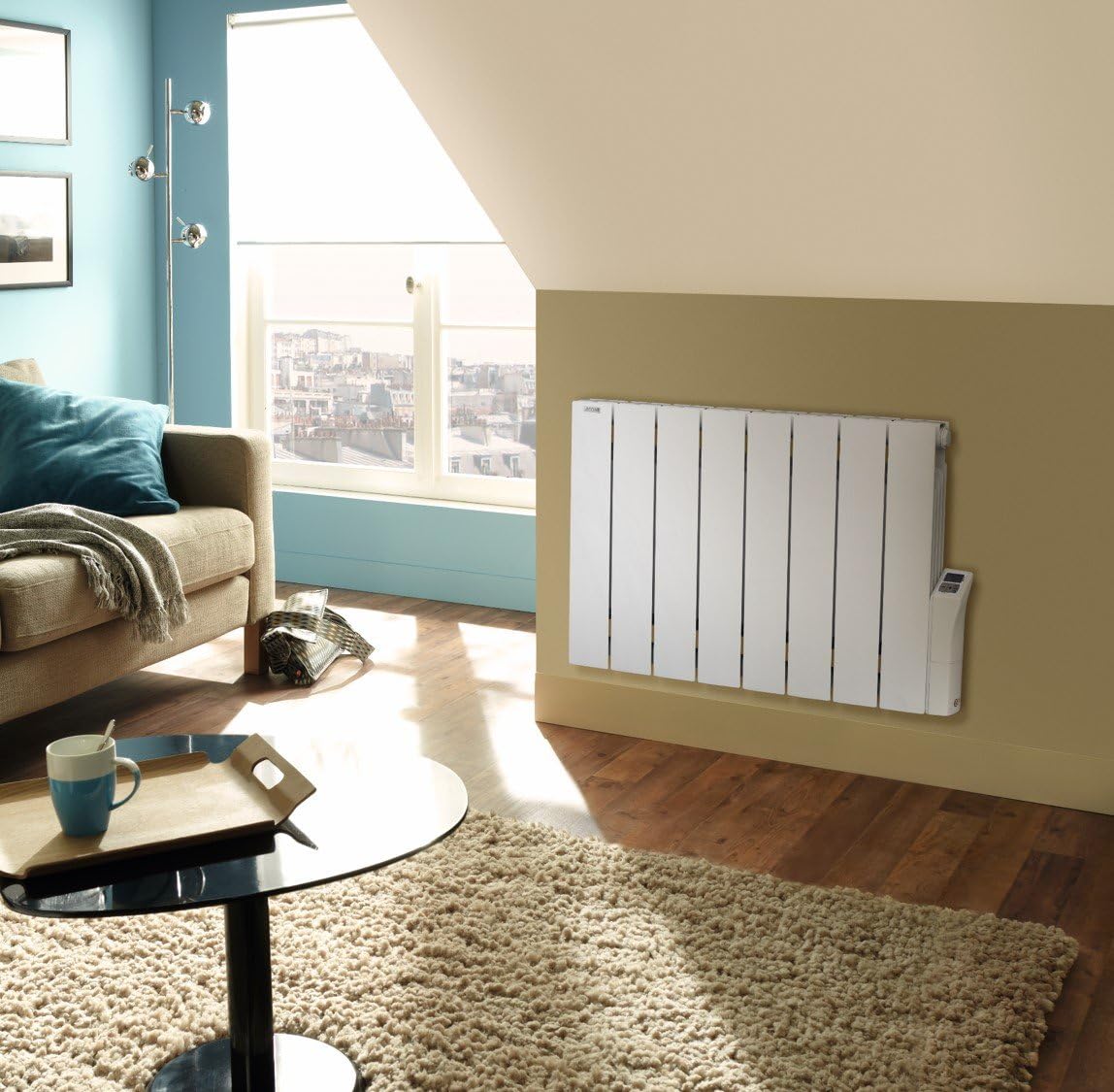
Figure 2: The Acova Cotona LCD PC 55390033 Electric Radiator installed on a wall in a modern living room setting, demonstrating typical placement.
5. Operating Instructions
The Acova Cotona radiator features an intuitive LCD control panel for easy operation.
- Power On/Off: Use the main power switch, usually located on the side or bottom of the control panel.
- Temperature Setting: Use the '+' and '-' buttons on the LCD panel to adjust the desired room temperature. The set temperature will be displayed.
- Mode Selection: Press the 'Mode' button to cycle through available operating modes (e.g., Comfort, Eco, Frost Protection, Program).
- Programming: Access the programming menu to set custom heating schedules for different days and times. Refer to the on-screen prompts for detailed programming steps.
- Digital Consumption Indicator: The LCD panel will display real-time energy consumption. Consult the manual's specific section for interpreting these readings.
- Window Detection: The radiator automatically detects open windows and temporarily reduces heating to save energy. Normal operation resumes when the window is closed.
6. Maintenance
Regular maintenance ensures optimal performance and longevity of your radiator.
- Cleaning: Disconnect the power supply before cleaning. Wipe the exterior surfaces with a soft, damp cloth. Do not use abrasive cleaners, solvents, or polishes.
- Dust Removal: Periodically remove dust from the radiator fins and air vents using a soft brush or vacuum cleaner attachment.
- Inspection: Regularly check the power cord and plug for any signs of damage. If damage is found, contact a qualified technician for repair.
- No Internal Maintenance: The fluid system is sealed and requires no user maintenance. Do not attempt to open the unit.
7. Troubleshooting
If you encounter issues with your radiator, refer to the following common problems and solutions:
- Radiator not heating:
- Check if the power supply is connected and the main switch is on.
- Verify the thermostat setting is higher than the current room temperature.
- Ensure no circuit breaker has tripped.
- Error message on LCD:
- Note the error code and consult the specific troubleshooting section in the full product manual (if available) or contact customer support.
- Uneven heating:
- Ensure the radiator is not covered and there is adequate air circulation around it.
- Check for drafts near the radiator that might affect temperature sensing.
- Radiator making unusual noises:
- Minor expansion and contraction noises are normal during heating and cooling.
- If noises are loud or persistent, disconnect power and contact customer support.
8. Specifications
| Feature | Specification |
|---|---|
| Brand | ACOVA |
| Model Number | 50040060 |
| Manufacturer Product ID | 50040060 |
| Material | Aluminum |
| Color | White |
| Electrical Power | 1500 watts |
| Dimensions (Package) | 117.6 x 71.88 x 10 cm |
| Product Weight | 17 kg |
| Batteries Required | No |
| Certifications | NF; CE |
9. Warranty and Support
For warranty information, technical support, or service inquiries, please refer to the documentation provided with your purchase or contact Acova customer service directly. Keep your proof of purchase for warranty claims.


