1. Introduction
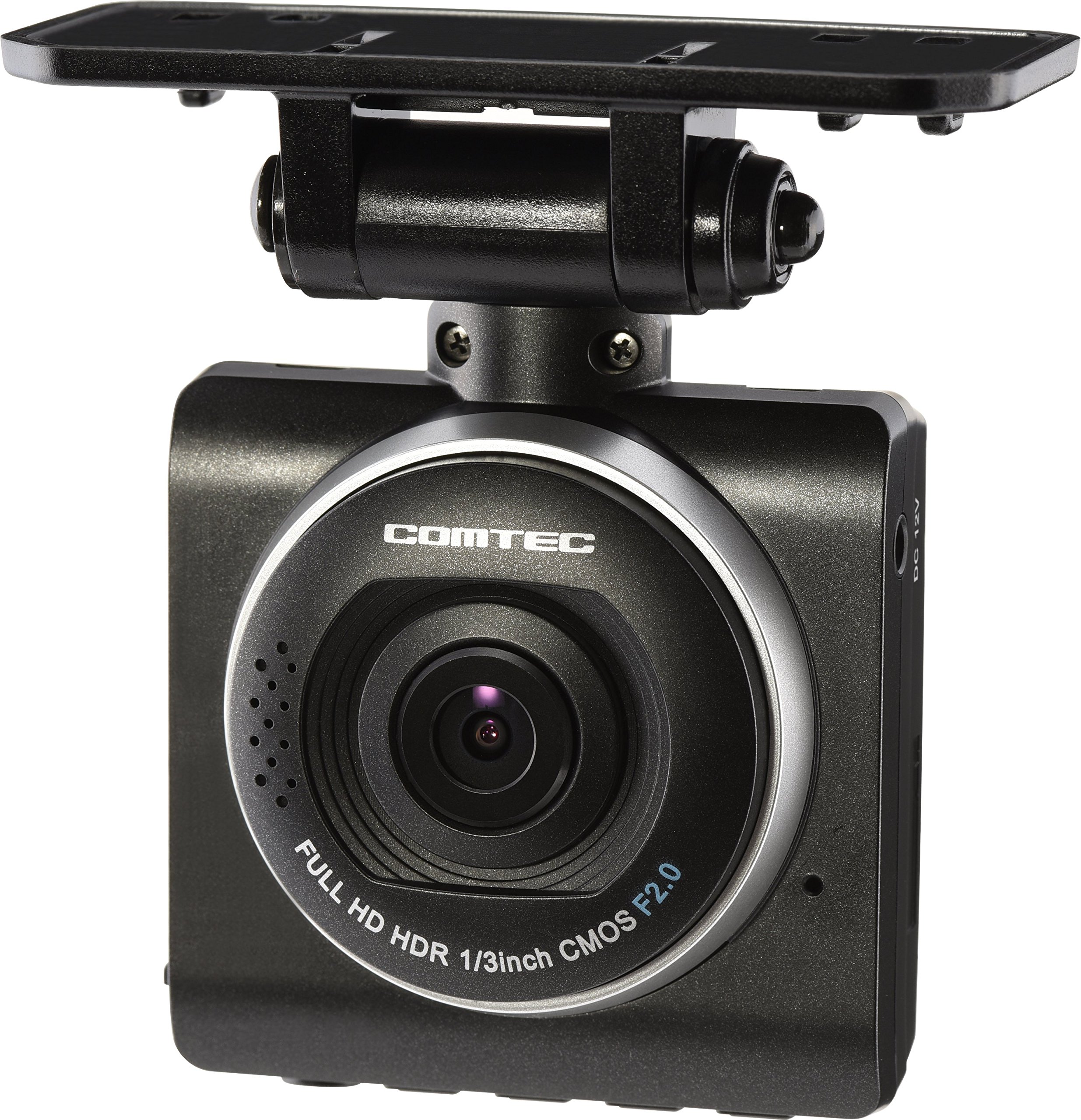
Thank you for purchasing the COMTEC ZDR-012 Full HD Drive Recorder. This device is designed to record driving footage in high definition, providing valuable evidence in case of an incident and allowing you to capture memorable moments from your journeys. Please read this manual carefully before use to ensure proper installation and operation. Keep this manual for future reference.
2. Product Overview and Key Features
- High-Speed Recording: Equipped with a newly developed high-speed startup system, recording begins approximately 1 second after the engine is turned ON, ensuring no immediate driving footage is missed.
- HDR/WDR Functionality: Features HDR (High Dynamic Range) and WDR (Wide Dynamic Range) to prevent overexposure in bright areas and underexposure in dark areas, providing clear images even in strong backlight or at night.
- 2-Megapixel Full HD: Records vivid, high-quality images at 2 million pixels, useful for accident analysis and enjoyable as a record of your drives.
- Enhanced Night Shooting: Incorporates a 1/3-inch image sensor, which is larger than conventional sensors, to record clearer images and improve brightness during night recordings.
- LED Traffic Signal Support: Compatible with LED traffic signals across Japan, ensuring reliable recording regardless of regional power frequency differences.
- Three Reliable Recording Modes:
- Continuous Recording: Records footage from engine ON to OFF. Older footage is automatically overwritten when the recording limit is reached.
- Impact Recording: Automatically records and saves footage as impact data when the built-in G-sensor detects a significant impact.
- Manual Recording: Allows users to record footage at any desired timing by pressing a dedicated switch.
- Data Protection Features:
- File Protection Function: A proprietary file system minimizes data corruption and maximizes recovery rates for saved data, even if power is suddenly cut during an accident.
- SD Card Check Function: Checks the microSDHC card upon startup and alerts the user via the LCD if the card is damaged, preventing missed recordings.
- Emergency Recording Stop Function: Automatically stops recording after a major impact to prevent important footage from being overwritten if the vehicle is moved or repaired.
- Convenient Features:
- Reduced Formatting Frequency: The proprietary file system significantly reduces SD card fragmentation, decreasing the need for frequent formatting.
- Noise Countermeasures: Designed to minimize interference with digital terrestrial broadcasting reception and GPS signals from navigation systems.
- Easy Switch: A one-touch switch for frequently used functions, allowing selection between 'Playback', 'Record', and 'Audio Recording ON/OFF'.
- Viewer Software: Dedicated viewer software included on the microSDHC card allows reviewing recorded data, including video, audio, and G-sensor information, on a PC. Data can also be converted to video or still images.
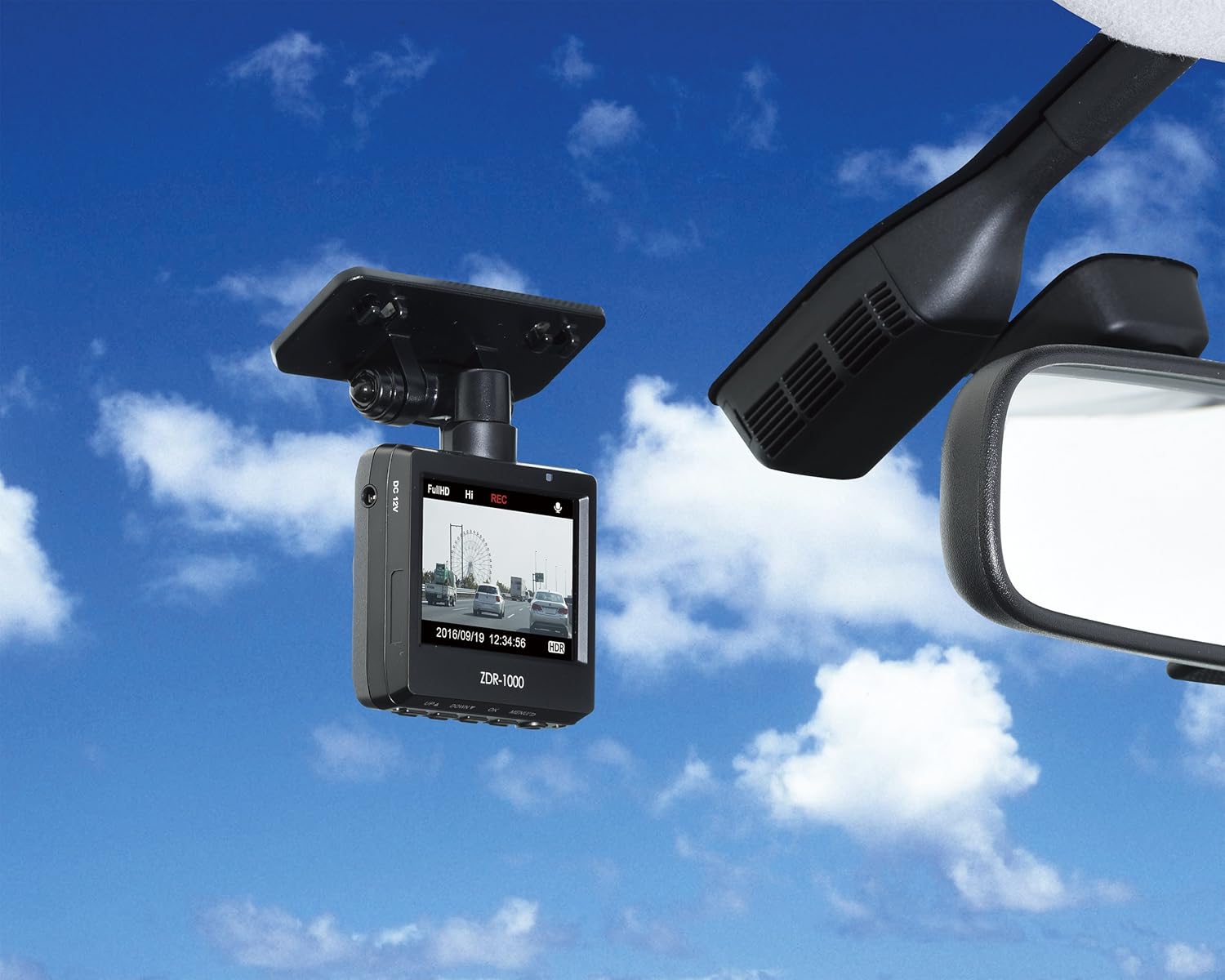
- 2.3-inch LCD: A 2.3-inch LCD screen allows direct viewing of recorded footage and real-time video, simplifying angle adjustment.
- LCD Rotation Function: The built-in G-sensor automatically detects the unit's orientation and rotates the LCD display, enabling flexible installation on dashboards or other surfaces.
3. Setup and Installation
Follow these steps to properly install your COMTEC ZDR-012 Drive Recorder in your vehicle.
Video: Installation Guide for COMTEC Drive Recorder. This video demonstrates the step-by-step process of installing the drive recorder, from mounting the unit to routing the power cable.
- Step 1: Attach Main Unit and Connect Power Cable
Insert the power cord into the drive recorder unit. Secure the unit to the windshield using the provided mounting bracket and double-sided tape. Use the hexagonal wrench to adjust and fix the unit's angle. Ensure the camera has a clear view of the road. - Step 2: Route Cable along A-Pillar
Carefully pull back the A-pillar trim and rubber molding. Route the power cable neatly along the A-pillar, tucking it behind the trim to conceal it. - Step 3: Route Cable through Door Molding
Continue routing the cable down the side of the dashboard, tucking it into the door molding. Guide the cable towards the footwell area. - Step 4: Hide Cable under Floor Mat
Conceal the remaining length of the cable by routing it under the floor mat, ensuring it does not interfere with pedal operation or passenger movement. - Step 5: Connect to Power Socket
Plug the cigar plug power cord into your vehicle's 12V power socket. Ensure the connection is secure.
After installation, turn on your vehicle's engine to confirm the drive recorder powers on and begins recording. Adjust the camera angle as needed using the live view on the LCD screen.
4. Operating Instructions
The COMTEC ZDR-012 offers various recording modes and functions to ensure comprehensive coverage of your drives.
4.1 Recording Modes
- Continuous Recording: The device automatically starts recording when the engine is turned ON and continues until the engine is turned OFF. When the microSD card capacity is full, the oldest files are automatically overwritten. Recording duration varies based on settings (size, frame rate, quality).
- Impact Recording: If the built-in G-sensor detects an impact, the device automatically saves the current recording file, along with the preceding and/or subsequent files, as protected impact data. The impact detection sensitivity can be adjusted in 11 levels (including OFF).
- Manual Recording: Press the 'Record' button on the easy switch to manually save the current recording file, along with the preceding and/or subsequent files, as protected manual data.
4.2 Viewing and Managing Footage
- On-Device Playback: Use the 2.3-inch LCD screen and control buttons to review recorded footage directly on the device. The LCD rotation function allows for flexible viewing angles.
- PC Viewer Software: Insert the microSDHC card into a computer and use the dedicated viewer software (pre-loaded on the card) to access and review recorded data. The software displays video, audio, and G-sensor information. You can also convert recorded data into video or still image files for saving.
4.3 Other Functions
- Audio Recording: The device supports audio recording. This feature can be toggled ON/OFF using the easy switch.
- Date and Time Display: Records and displays date and time information on the footage.
- Drive Support Function: Detects sudden acceleration, deceleration, or sharp turns and provides alerts.
Video: COMTEC Drive Recorder HDR-251GH Sample Footage. This video showcases the high-quality recording capabilities of COMTEC drive recorders, including clear daytime and nighttime footage, and the effectiveness of HDR in various lighting conditions.
5. Maintenance
Proper maintenance ensures the longevity and optimal performance of your drive recorder.
5.1 microSD Card Care
- The COMTEC ZDR-012 uses a proprietary file system that reduces the need for frequent formatting compared to standard FAT file systems. However, it is still recommended to periodically check the microSD card for errors using the device's built-in SD card check function.
- If the SD card check function indicates an error, replace the microSD card immediately to prevent data loss.
- Use only Class 10 or higher microSDHC cards (4GB to 32GB recommended).
5.2 General Cleaning
- Wipe the lens and body of the drive recorder with a soft, dry cloth. Avoid using abrasive cleaners or solvents, as they may damage the unit.
- Ensure the windshield area where the camera is mounted is clean and free from obstructions for optimal recording quality.
6. Troubleshooting
If you encounter issues with your COMTEC ZDR-012, refer to the following common problems and solutions:
| Problem | Possible Cause / Solution |
|---|---|
| Device does not power on. | Check if the power cable is securely connected to both the device and the vehicle's power socket. Ensure the vehicle's ignition is ON. |
| Recording is not starting. | Verify that a functional microSDHC card is inserted. Check the SD card status on the LCD. If an error is displayed, replace the card. |
| Video quality is poor or blurry. | Clean the camera lens. Ensure the protective film has been removed from the lens. Check if the camera angle is correctly adjusted and not obstructed. |
| Date and time are incorrect. | The internal battery for date/time retention may be depleted. Ensure the device is powered for a sufficient period to recharge the internal battery. If the issue persists, the internal battery may need service. |
| SD card error message. | The microSDHC card may be damaged or incompatible. Try formatting the card (if possible) or replace it with a new, compatible Class 10 microSDHC card (4GB-32GB). |
If the problem persists after trying these solutions, please contact COMTEC customer support.
7. Specifications
Detailed technical specifications for the COMTEC ZDR-012 Drive Recorder.
| Feature | Detail |
|---|---|
| Camera Sensor | 1/3-inch CMOS Sensor |
| Effective Pixels | Max 2 Million Pixels |
| Lens Angle | Horizontal 109°, Vertical 57° (Diagonal 135°) |
| F-Value | 2.0 |
| Lens Material | Glass |
| Minimum Illumination | 2 LUX |
| Power Voltage | DC12V |
| Max Current Consumption | Less than 400mA |
| Operating Temperature | -10°C to 60°C |
| Frame Rate | 29 / 19 / 9 fps (LED signal compatible) |
| GPS | None |
| Recording Media | microSDHC card (8GB Class 10 included, supports 4GB-32GB Class 10) |
| G-Sensor | Yes (Adjustable 0.1G to 1.0G in 0.1G increments) |
| LCD Size | 2.3 inches |
| Body Dimensions (W x H x D) | 58mm x 57mm x 27mm |
| Body Weight | 79g |
| Product Warranty Period | 1 year (Excluding consumables) |
| Material | Heat-resistant ABS resin |
| Country of Origin | Korea |
| Included Components | Main unit x1, Mounting bracket x1, Double-sided tape for bracket x1, Hexagonal wrench for angle adjustment x1, Degreasing cleaner x1, Cigar plug power cord (approx. 4m/1A fuse built-in) x1, microSDHC card (8GB) x1, Instruction manual (with warranty) x1 |
8. Warranty and Support
The COMTEC ZDR-012 Drive Recorder comes with a 1-year product warranty from the date of purchase. This warranty covers manufacturing defects but excludes consumables. Please retain your proof of purchase for warranty claims.
For technical support, troubleshooting assistance, or warranty service, please refer to the contact information provided in the included instruction manual or visit the official COMTEC website.
9. Product Images