Introduction
Thank you for choosing the HAVIT HV-SK533BT Portable Wireless Bluetooth Speaker. This manual provides essential information for setting up, operating, and maintaining your speaker to ensure optimal performance and longevity. Please read this manual thoroughly before using the product.
The HV-SK533BT is designed for versatility, featuring IPX5 water-proof and sand-proof capabilities, making it suitable for both indoor and outdoor environments. Enjoy high-quality audio with robust bass and convenient hands-free calling.
Product Overview and Features
The HAVIT HV-SK533BT speaker combines durability with clear audio performance. Its rugged design ensures reliability in various conditions.
- Water-proof and Sand-proof Design: IPX5 rating safeguards the speaker against water submersion, dust, and small particles, ideal for outdoor use.
- Crystal Clear Sound: Equipped with a 3W audio driver for impressive sound quality and robust bass.
- Built-in Microphone: Enables hands-free voice chatting and calls.
- High Capacity Battery: Integrated 1500mAh battery provides 5-8 hours of continuous music playback on a full charge.
- Bluetooth 4.1 Technology: Offers wireless connectivity up to 32 feet (approximately 10 meters) with compatible devices.

Figure 1: HAVIT HV-SK533BT Portable Wireless Bluetooth Speaker.
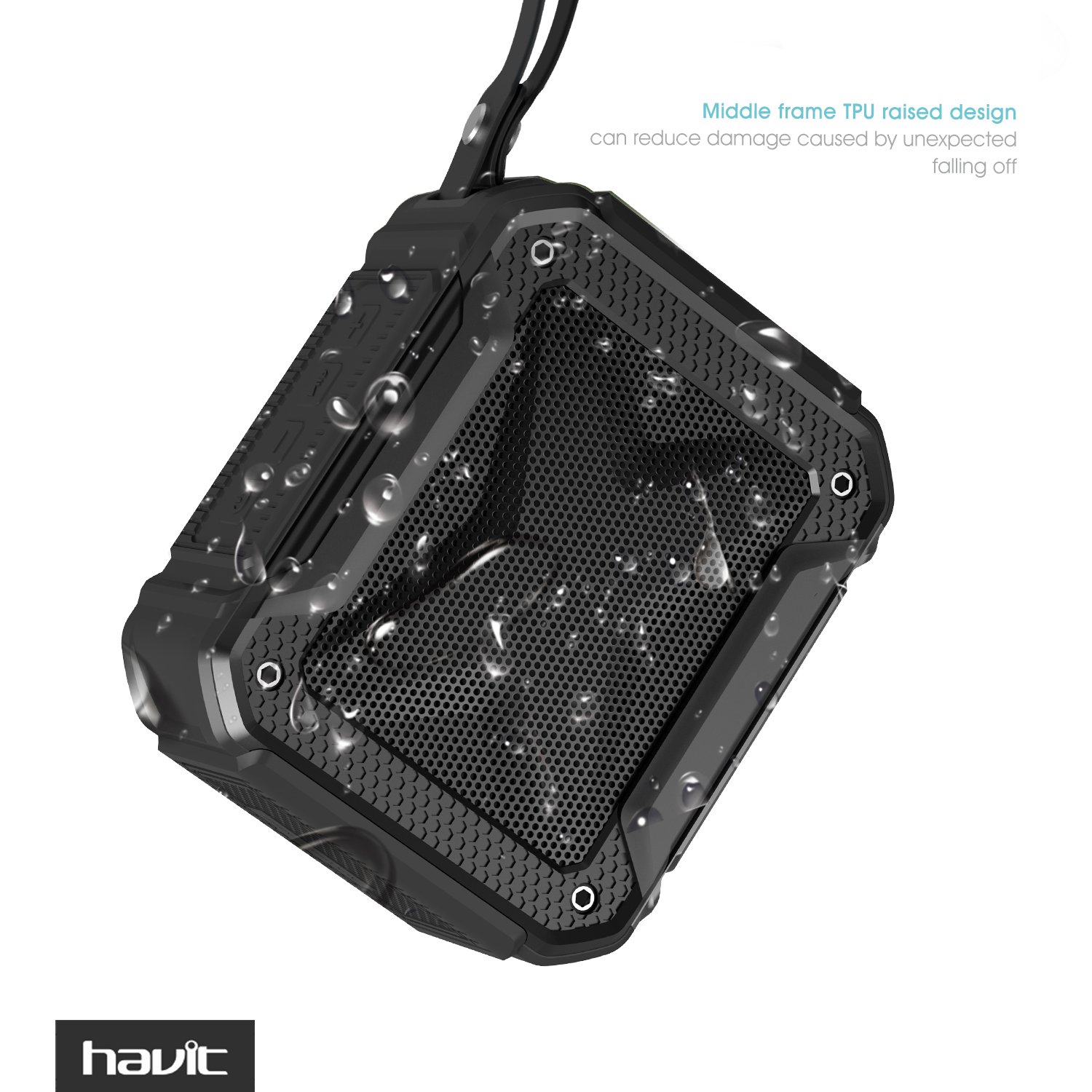
Figure 2: The speaker's middle frame features a TPU raised design to reduce damage from accidental drops, complemented by its water-resistant properties.

Figure 3: The IPX5 waterproof rating ensures the speaker can withstand splashes and light rain, making it suitable for use near water.
Package Contents
Please check the package for the following items:
- 1 x HAVIT HV-SK533BT Portable Wireless Bluetooth Speaker
- 1 x 3.5mm Audio Line (AUX cable)
- 1 x USB Charging Cable
- 1 x User Manual (this document)

Figure 4: The speaker comes with a 3.5mm audio cable and a USB charging cable for versatile connectivity and power options.
Setup
Charging the Speaker
- Connect the supplied USB charging cable to the speaker's charging interface (06 in Figure 5).
- Connect the other end of the USB cable to a USB power adapter (not included) or a computer's USB port.
- The charging indicator light will illuminate during charging. It will turn off or change color once fully charged.
- A full charge typically takes 2-3 hours.
Bluetooth Pairing
- Ensure the speaker is charged.
- Press and hold the Power button (01 in Figure 5) to turn on the speaker. The speaker will enter Bluetooth pairing mode, indicated by a flashing LED light.
- On your mobile device (smartphone, tablet, etc.), enable Bluetooth and search for available devices.
- Select "HAVIT HV-SK533BT" from the list of found devices.
- Once paired, the speaker will emit an audible confirmation, and the LED indicator will stop flashing and remain solid.
- The speaker will automatically reconnect to the last paired device when turned on, if the device is within range and Bluetooth is enabled.
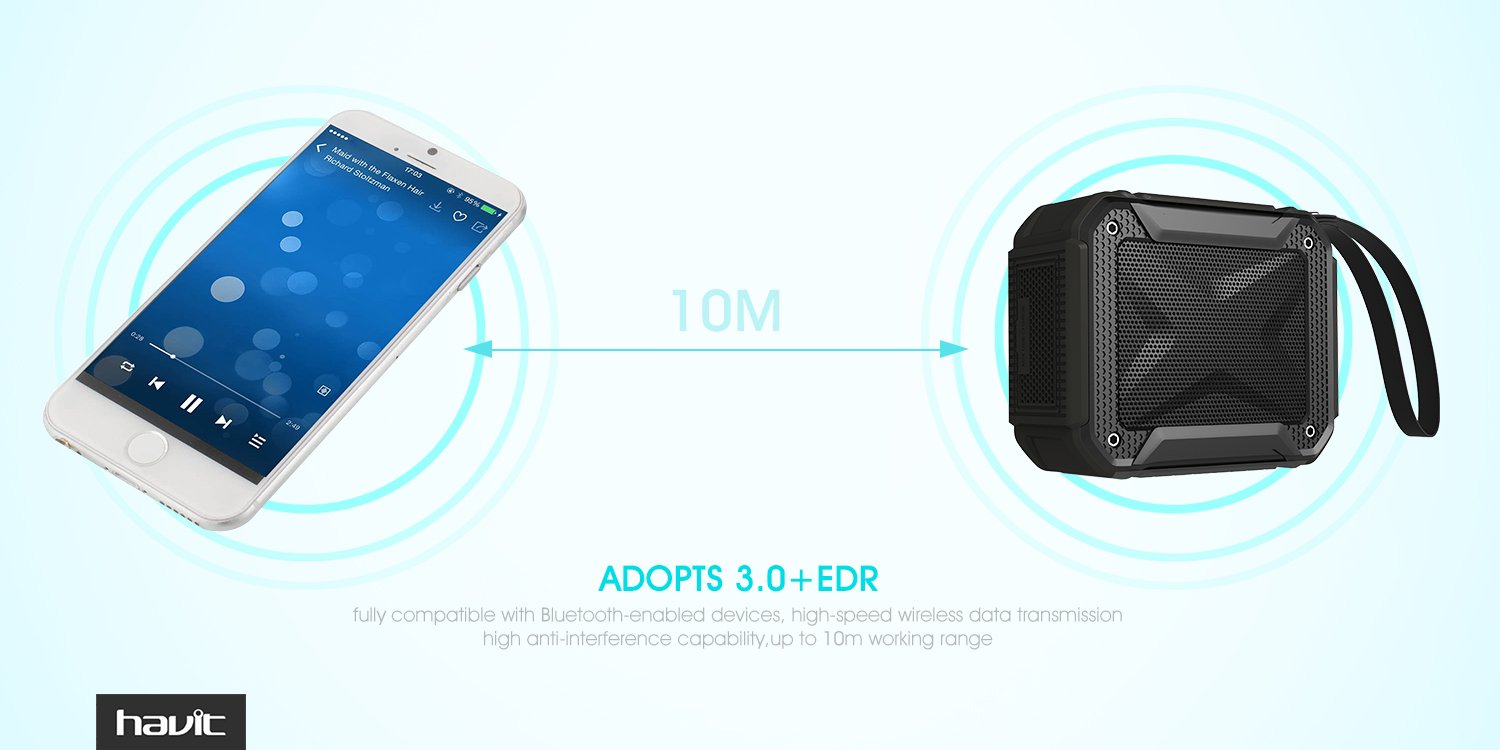
Figure 5: The speaker offers a stable Bluetooth connection up to 10 meters (32 feet) for wireless audio streaming.
AUX Connection
For devices without Bluetooth, you can use the 3.5mm audio cable:
- Connect one end of the 3.5mm audio cable to the speaker's 3.5mm audio jack (07 in Figure 6).
- Connect the other end of the cable to the audio output jack of your device.
- The speaker will automatically switch to AUX mode.
Operating Instructions
Familiarize yourself with the speaker's controls for optimal use.

Figure 6: Button layout and functions of the HAVIT HV-SK533BT speaker.
| No. | Button/Port | Function |
|---|---|---|
| 01 | Turn on/off | Press and hold to power the speaker on or off. |
| 02 | Volume - / Previous Song | Short press to decrease volume. Long press to switch to the previous song. |
| 03 | Multi-function Button | Short press: Play/Pause music. Short press (during call): Answer/End call. Long press (during call): Reject call. |
| 04 | Volume + / Next Song | Short press to increase volume. Long press to switch to the next song. |
| 05 | Lanyard Hole | Attachment point for a lanyard or strap. |
| 06 | Charging Interface | Micro USB port for charging the speaker. |
| 07 | 3.5mm Audio Jack | Input for connecting devices via AUX cable. |
Hands-Free Calling
When connected via Bluetooth, the speaker's built-in microphone allows for hands-free calls:
- Answering a Call: Short press the Multi-function Button (03).
- Ending a Call: Short press the Multi-function Button (03) during a call.
- Rejecting a Call: Long press the Multi-function Button (03) when a call comes in.

Figure 7: The speaker supports hands-free calling via Bluetooth, allowing you to answer or make calls directly through the speaker.
Maintenance
- Cleaning: Use a soft, dry cloth to clean the speaker. Do not use abrasive cleaners or solvents.
- Water Resistance: While IPX5 rated, avoid prolonged submersion or exposure to high-pressure water jets. Ensure the charging port cover is securely closed when near water.
- Battery Care: To preserve battery life, charge the speaker fully before first use and at least once every three months if not used regularly. Avoid extreme temperatures.
- Storage: Store the speaker in a cool, dry place away from direct sunlight and extreme temperatures.
Troubleshooting
| Problem | Possible Cause | Solution |
|---|---|---|
| Speaker does not turn on. | Low battery. | Charge the speaker fully. |
| Cannot pair with Bluetooth device. | Bluetooth is off on device; speaker is not in pairing mode; device is too far. | Ensure Bluetooth is enabled on your device. Put speaker in pairing mode. Move device closer to speaker (within 10m). |
| No sound from speaker. | Volume too low; incorrect input mode; device not playing audio. | Increase speaker and device volume. Ensure correct mode (Bluetooth/AUX). Check if audio is playing on the connected device. |
| Poor sound quality. | Device too far; interference; low battery. | Move device closer. Avoid obstacles or other wireless devices. Charge the speaker. |
| Charging not working. | Cable or adapter issue; charging port damage. | Try a different USB cable or power adapter. Ensure the charging port is clean and undamaged. |
Specifications
| Feature | Detail |
|---|---|
| Model Name | HAVIT HV SK533BT |
| Item Model Number | HV-SK533BT |
| Speaker Type | Bookshelf |
| Special Features | Subwoofer, Waterproof, Built-in Microphone |
| Connectivity Technology | Bluetooth 4.1, Wireless, 3.5mm AUX |
| Wireless Range | Up to 10 meters (32 feet) |
| Audio Output Mode | Stereo |
| Audio Wattage / Speaker Max Output Power | 3 Watts |
| Power Source | Battery Powered |
| Battery Capacity | 1500mAh |
| Battery Life | 5-8 Hours |
| Is Waterproof | TRUE (IPX5) |
| Item Weight | 245 g |
| Package Dimensions | 13.2 x 13 x 5 cm |
| Colour | Black |
| Mounting Type | Tabletop Mount |
Warranty and Support
HAVIT products are built to high quality standards. This product comes with a full 1-year manufacturer's warranty from the date of purchase. This warranty covers manufacturing defects and workmanship.
The warranty does not cover damage caused by misuse, accident, unauthorized modification, or normal wear and tear. Please retain your proof of purchase for warranty claims.
For technical support or warranty inquiries, please refer to the contact information provided on the product packaging or the official HAVIT website.


