1. Introduction and Overview
This instruction manual provides detailed guidance for the safe and effective use of your Ultrasharp Diamond Sharpening Stone Set. This set features micronized monocrystalline diamonds electroplated to metal plates, ensuring outstanding durability and efficient sharpening. The set includes three diamond sharpening stones with varying grits (300, 600, and 1200) and a universal stone holder. It is designed to quickly sharpen all types of cutting edges, including those found on high carbon, stainless, and ceramic knives.
2. Product Components
- One (1) 300 Grit Diamond Sharpening Stone (Coarse)
- One (1) 600 Grit Diamond Sharpening Stone (Medium)
- One (1) 1200 Grit Diamond Sharpening Stone (Extra Fine)
- One (1) Universal Stone Holder

Figure 1: The Ultrasharp Diamond Sharpening Stone Set, including the 300, 600, and 1200 grit stones.
3. Setup
- Prepare Your Workspace: Ensure you have a stable, flat surface for sharpening. A non-slip mat or towel can be placed under the stone holder for added stability.
- Insert Stone into Holder: Place one of the diamond sharpening stones into the universal stone holder. Adjust the holder's clamps to securely grip the stone, ensuring it does not wobble during use. The holder is designed to accommodate stones from 6 to 9 inches long.
- Moisten the Stone: While diamond stones can be used dry, applying a small amount of water or honing oil to the surface can help clear away metal particles and improve sharpening efficiency.

Figure 2: A diamond sharpening stone positioned within the universal stone holder.
4. Operating Instructions: Sharpening Process
Always maintain a consistent angle between the blade and the stone throughout the sharpening process. A common angle for most kitchen knives is 15-20 degrees. For very dull or damaged blades, begin with the coarse grit and progress to finer grits. For routine maintenance, you may start with a medium or fine grit.
4.1. Coarse Sharpening (300 Grit)
Use the 300 grit stone for repairing damaged edges, removing nicks, or establishing a new bevel on very dull knives. This grit removes material quickly.
- Place the blade flat on the stone, then lift the spine until you achieve the desired sharpening angle (e.g., 15-20 degrees).
- Apply light, consistent pressure and push the blade across the stone, moving from the heel to the tip.
- Repeat this motion, alternating sides of the blade, until a burr forms along the entire edge.

Figure 3: Sharpening a knife on a diamond stone.
4.2. Medium Sharpening (600 Grit)
Transition to the 600 grit stone after using the coarse grit, or for general sharpening of moderately dull blades. This refines the edge created by the coarser stone.
- Repeat the sharpening motion as with the 300 grit stone, maintaining the same angle.
- Use lighter pressure than with the coarse stone.
- Continue until the burr is reduced and the edge feels smoother.
4.3. Extra Fine Sharpening (1200 Grit)
The 1200 grit stone is used for final honing and polishing the edge, resulting in a very sharp and refined finish. This step removes any remaining burr and creates a razor-sharp edge.
- Use very light pressure and perform several passes on each side of the blade.
- Finish with alternating single strokes on each side to completely remove the burr.

Figure 4: Sharpening a plane iron on a diamond stone.
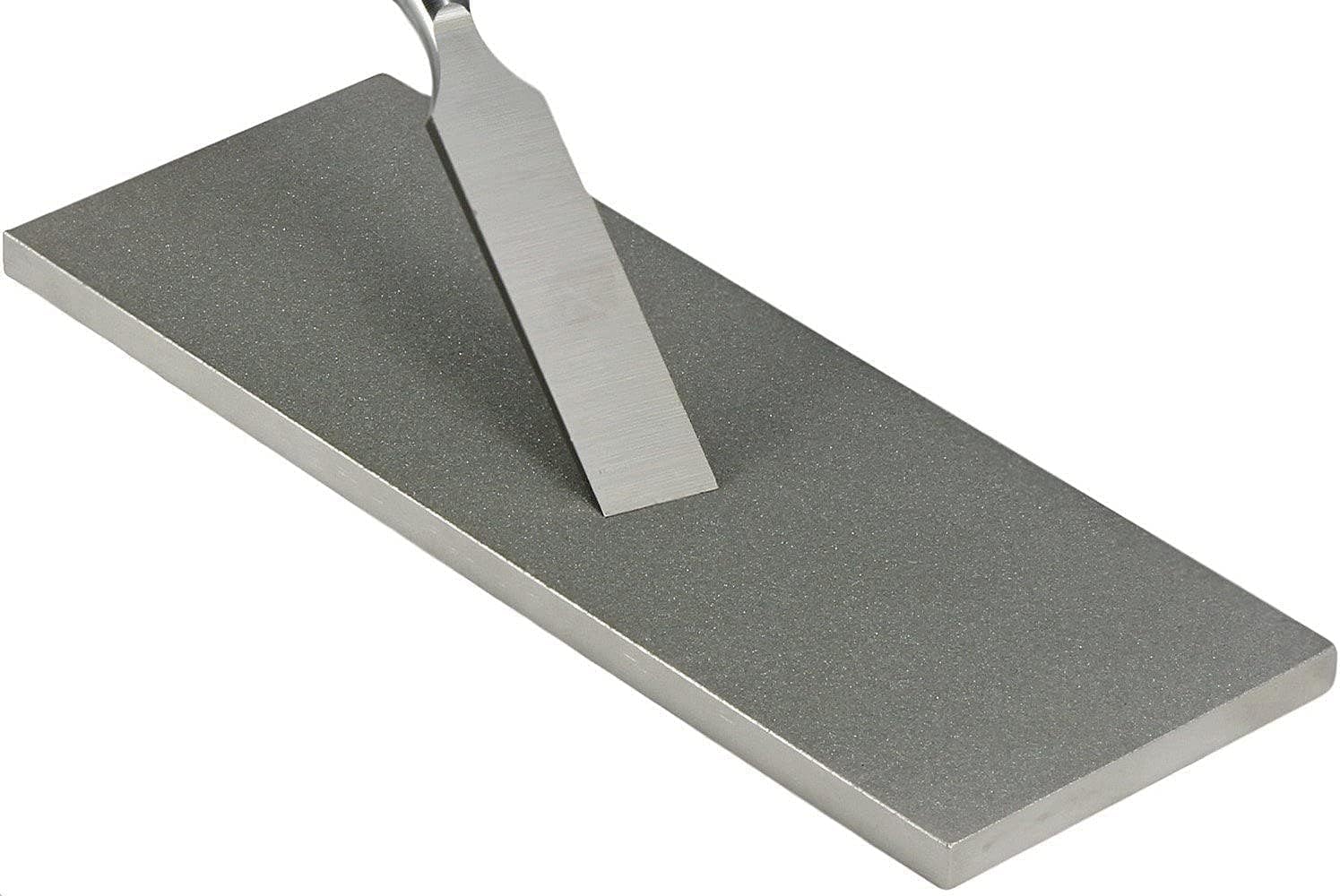
Figure 5: Sharpening a chisel on a diamond stone.
4.4. Sharpening Demonstration Videos
Video 1: Demonstration of a diamond whetstone with honeycomb surface and non-slip base for knife sharpening.
Video 2: Demonstration of a dual-grit diamond sharpening stone (8" x 3") for various tools.
Video 3: Detailed demonstration of knife sharpening using a set of diamond stones.
5. Maintenance
- Cleaning: After each use, clean the diamond stones with water and a mild detergent to remove metal particles. Use a soft brush if necessary. Rinse thoroughly and allow to air dry completely before storage.
- Storage: Store the stones and holder in a dry place to prevent rust or damage. Keep them away from extreme temperatures.
6. Troubleshooting
- Blade Not Sharpening: Ensure you are maintaining a consistent angle. If the blade is very dull, start with the 300 grit stone to re-establish the bevel.
- Stone Clogging: If the stone appears to be losing effectiveness, it may be clogged with metal particles. Clean it thoroughly with water and detergent.
- Uneven Edge: This often results from inconsistent pressure or angle. Practice maintaining a steady hand and even pressure across the entire blade length.
7. Specifications
| Attribute | Detail |
|---|---|
| Brand | Ultrasharp |
| Model Number | D38CFE |
| Material | Steel (with diamond abrasive) |
| Color | Silver |
| Product Dimensions (each stone) | 8"L x 3"W x 0.25"H |
| Item Weight (total package) | 8 Pounds |
| Grit Types Included | 300 (Coarse), 600 (Medium), 1200 (Extra Fine) |
| Number of Items | 3 Sharpening Stones + 1 Holder |
| UPC | 617401201785 |
8. Warranty and Support
This Ultrasharp Diamond Sharpening Stone Set is backed by a "No Questions Asked 100% Satisfaction Guarantee." For any questions, concerns, or support needs regarding your product, please contact Ultrasharp customer service.


