
Perixx PERIDUO-712
Perixx PERIDUO-712 Wireless Keyboard and Mouse Set User Manual
Model: PERIDUO-712
Introduction
The Perixx PERIDUO-712 is a compact 2.4G wireless keyboard and mouse set designed for efficiency and comfort. This set is ideal for users seeking a space-saving solution for home, office, or travel. It features quiet keys, a mini design, and a stable wireless connection, making it compatible with various Windows operating systems.
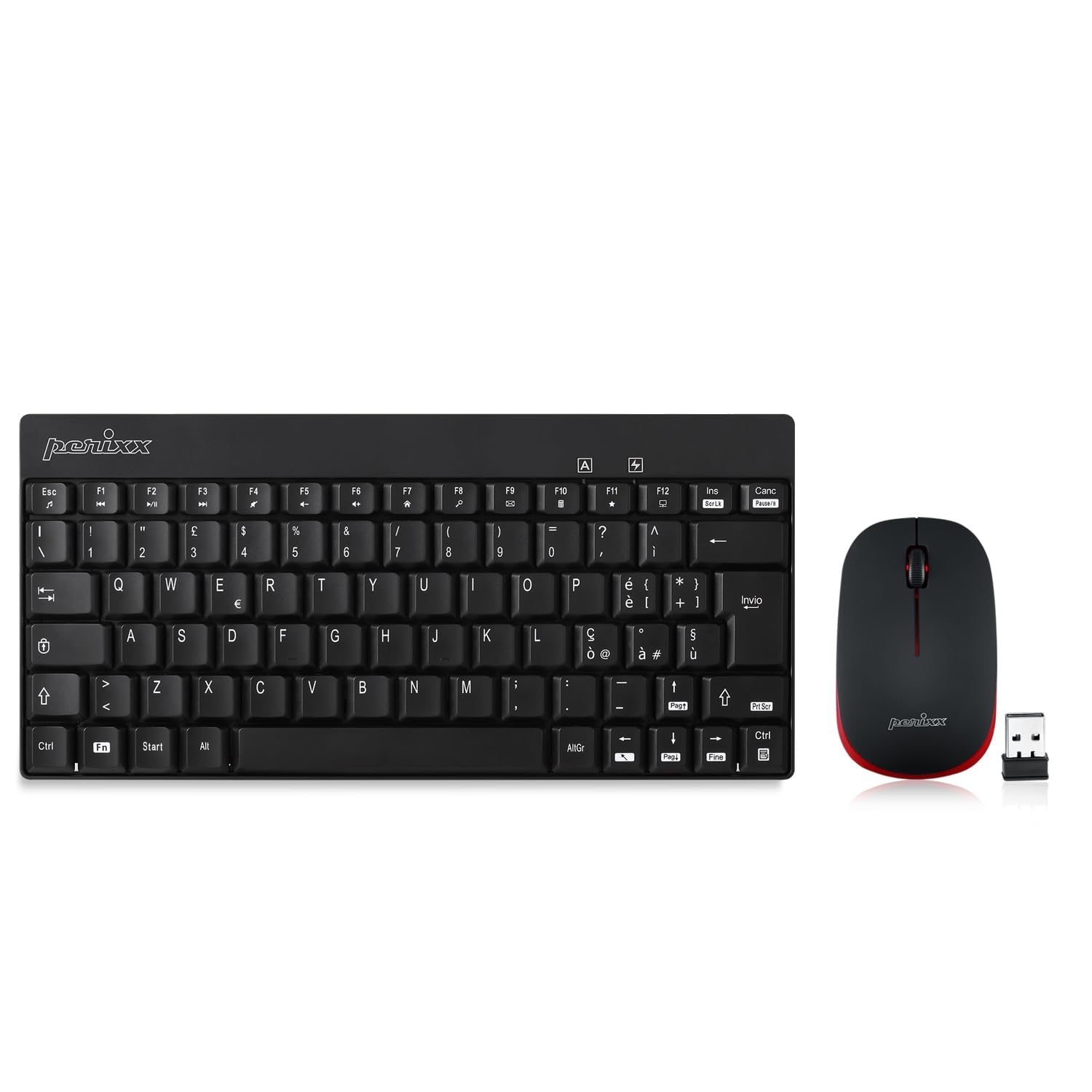
Image: The Perixx PERIDUO-712 wireless keyboard and mouse set, showcasing its compact design.
Package Contents
Please verify that all items are present in your package:
- 1 x Perixx PERIDUO-712 Wireless Keyboard
- 1 x Perixx Wireless Mouse
- 1 x USB Nano Receiver (stored inside the mouse)
- 1 x User Manual

Image: Contents of the Perixx PERIDUO-712 package, including the keyboard, mouse, USB receiver, and user manual.
Setup Instructions
-
Install Batteries: The keyboard and mouse require AA alkaline batteries (not included). Open the battery compartment on the underside of both the keyboard and the mouse and insert the batteries, ensuring correct polarity.


Image: Illustrations showing the battery compartments for the keyboard and mouse.
-
Locate USB Nano Receiver: The USB nano receiver is conveniently stored inside the mouse's battery compartment for safekeeping during transport.

Image: Underside of the mouse showing the storage slot for the USB nano receiver and the optical sensor. The receiver is a single unit for both devices.
- Connect Receiver: Plug the USB nano receiver into an available USB port on your computer. No additional drivers or software are required for installation.
- Power On: The devices should connect automatically. If not, ensure batteries are correctly installed and the receiver is firmly plugged in. The keyboard and mouse are now ready for use.
Operating Instructions
General Use
The PERIDUO-712 provides a comfortable and responsive typing and pointing experience. The keyboard features a low-profile design with membrane switches for quiet operation. The mouse offers precise optical tracking with 1000 DPI.

Image: A user typing on the Perixx PERIDUO-712 keyboard and using the mouse at a desk with a computer monitor.
Multimedia Function Keys
The keyboard includes 12 integrated multimedia keys for quick access to various functions. To activate these functions, press the Fn key simultaneously with the corresponding function key (F1-F12).
| Function | Key Combination | Function | Key Combination |
|---|---|---|---|
| Media Player | Fn + Esc | Volume Up | Fn + F6 |
| Previous Track | Fn + F1 | Open Homepage | Fn + F7 |
| Play/Pause | Fn + F2 | Search | Fn + F8 |
| Next Track | Fn + F3 | Fn + F9 | |
| Mute | Fn + F4 | Calculator | Fn + F10 |
| Volume Down | Fn + F5 | My Favorite | Fn + F11 |
| My Computer | Fn + F12 |

Image: Diagram illustrating the multimedia function keys and their corresponding Fn key combinations on the Perixx PERIDUO-712 keyboard.
Power Saving Mode
Both the keyboard and mouse enter a power-saving standby mode after a period of inactivity. To reactivate the devices, simply click any button on the mouse or press any key on the keyboard.
Maintenance
Battery Replacement
When the devices stop responding or exhibit intermittent connectivity, it is likely time to replace the batteries. Follow the battery installation steps outlined in the Setup section.
Cleaning
To clean the keyboard and mouse, use a soft, dry cloth. For stubborn dirt, a slightly damp cloth with a mild cleaning solution can be used, ensuring no liquid enters the device. Keys can be carefully removed for deeper cleaning if necessary, but exercise caution to avoid damage.
Troubleshooting
-
No Response from Keyboard/Mouse:
- Ensure the USB nano receiver is securely plugged into a working USB port on your computer.
- Check if the batteries in both the keyboard and mouse are correctly installed and have sufficient charge. Replace if necessary.
- Move the keyboard and mouse closer to the USB receiver to rule out range issues. The operating range is up to 10 meters.
- Try plugging the USB receiver into a different USB port on your computer.
- Restart your computer.
-
Intermittent Connection or Lag:
- Ensure there are no large metal objects or other wireless devices (like Wi-Fi routers, cordless phones) interfering with the 2.4 GHz signal between the devices and the receiver.
- Replace batteries if they are low.
- If the signal is interrupted, simply re-establish the connection by moving the devices or re-plugging the receiver.
-
Mouse Cursor Jumps or is Imprecise:
- Ensure the mouse is used on a suitable surface. Highly reflective or transparent surfaces may affect optical tracking. A mouse pad is recommended.
- Clean the optical sensor on the underside of the mouse.
Specifications
| Feature | Detail |
|---|---|
| Brand | Perixx |
| Model Number | PERIDUO-712 (Manufacturer Part No. 11265) |
| Connectivity Technology | 2.4 GHz Wireless |
| Keyboard Layout | QWERTY (Italian) |
| Number of Keys (Keyboard) | 80 |
| Special Feature | Portable, Multimedia Keys |
| Compatible Devices | PC |
| Compatible Operating Systems | Windows 7, 8, 10, 11 |
| Motion Detection (Mouse) | Optical (1000 DPI) |
| Mouse Buttons | 3 (Left, Right, Scroll Wheel Click) |
| Power Source | Battery (2 AA batteries required for the set) |
| Operating Range | Up to 10 meters |
| Keyboard Dimensions | 29.1 × 13.8 × 2.0 cm (approx.) |
| Mouse Dimensions | 10.4 × 6.2 × 3.4 cm (approx.) |
| Weight | 350 Grams (total for set) |
| Color | Black with Red Accents |

Image: Close-up of the Perixx PERIDUO-712 keyboard highlighting its 80 keys and compact design.

Image: Side view of the Perixx PERIDUO-712 mouse, emphasizing its compact size, 3 buttons, and 10-meter operating range.
Warranty and Support
Warranty Information
The Perixx PERIDUO-712 Wireless Keyboard and Mouse Set is covered by a 24-month limited warranty. For warranty claims or detailed information, please visit the official Perixx website.
Customer Support
For further assistance, technical support, or to inquire about replacement parts (such as USB receivers), please refer to the official Perixx website or contact their customer service directly. A digital version of this user manual may also be available on the Perixx support page.
Official Perixx Website: www.perixx.com
User Manual (PDF): Download PDF Manual
Ask a question about this manual
Ask about setup, troubleshooting, compatibility, parts, safety, or missing instructions. Manuals+ will review the question and use this page’s manual context to help answer it.