
1. Product Overview
The Infinity Instruments Forecaster is a 16-inch indoor/outdoor wall clock that combines accurate timekeeping with essential weather monitoring. It features an integrated thermometer and hygrometer, providing both temperature and humidity readings. The clock is designed with a durable, distressed bronze-finish case, suitable for various environments.
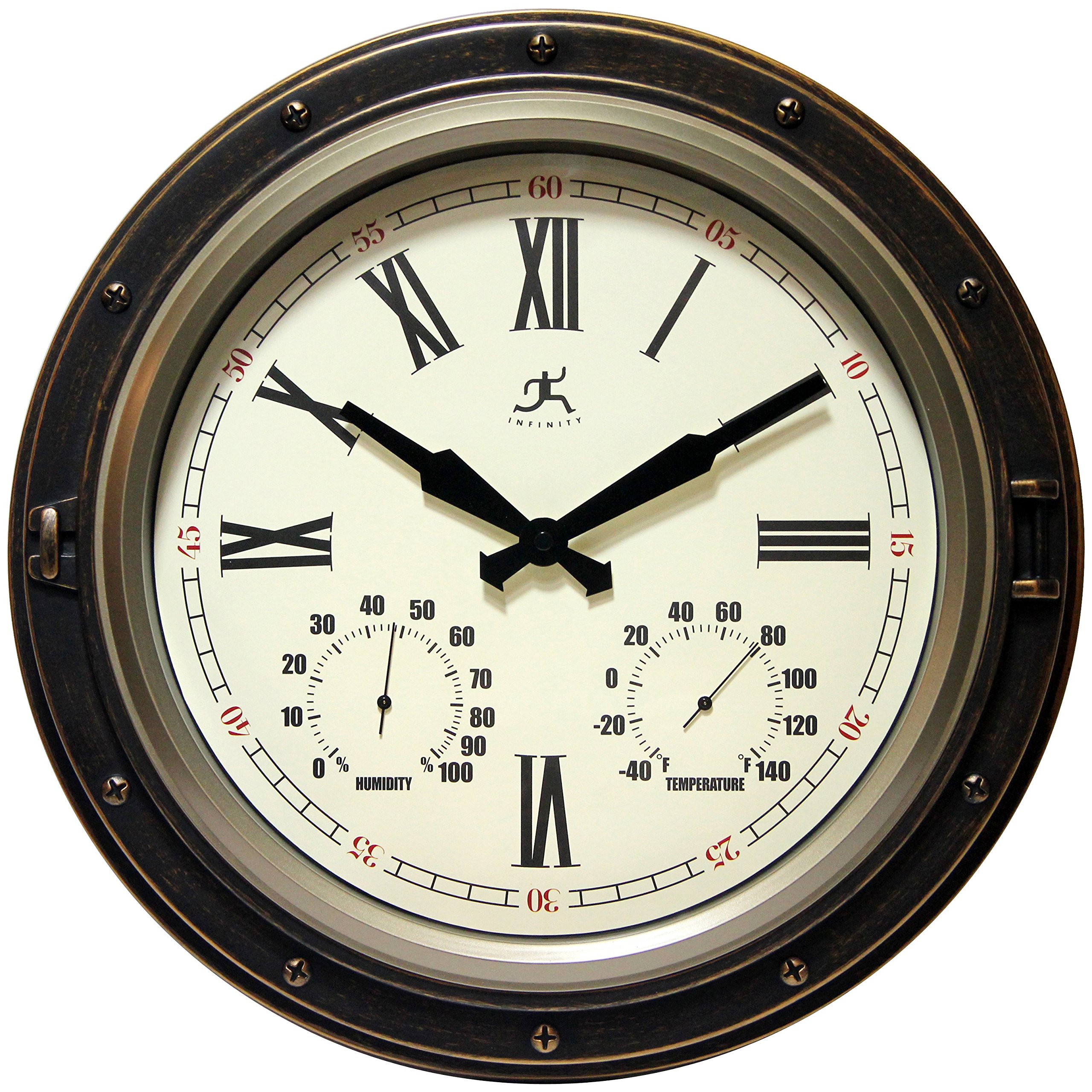
Front view of the Infinity Instruments Forecaster Wall Clock, displaying the clock face, thermometer, and hygrometer.
Key Features:
- 16-inch round design suitable for indoor and outdoor use.
- Integrated hygrometer for measuring humidity levels.
- Integrated thermometer for displaying ambient temperature.
- Quartz movement for accurate timekeeping.
- Durable construction with a distressed bronze finish.
2. Setup and Installation
2.1 Battery Installation
- Locate the battery compartment on the back of the clock. This compartment is typically covered by a protective panel secured with screws to shield against elements.
- Using a small Phillips head screwdriver, carefully remove the screws securing the battery cover.
- Insert one (1) AA battery (not included) into the battery compartment, ensuring the polarity (+/-) matches the diagram inside the compartment.
- Replace the battery cover and secure it with the screws to maintain weather resistance.

Rear view of the clock, highlighting the sealed battery compartment for protection.
2.2 Setting the Time
- After installing the battery, locate the time-setting knob on the back of the clock mechanism.
- Gently turn the knob in either direction to adjust the clock hands to the correct time.
2.3 Calibrating Thermometer and Hygrometer
For optimal accuracy, the thermometer and hygrometer may require calibration. Allow the clock to acclimate to its environment for at least 2-3 hours before attempting calibration.
- Locate the small adjustment screws on the back of the clock, near the thermometer and hygrometer gauges.
- Using a small flathead screwdriver, carefully turn the adjustment screw for the thermometer until it matches a known accurate temperature source.
- Similarly, adjust the hygrometer screw to match a known accurate humidity reading.
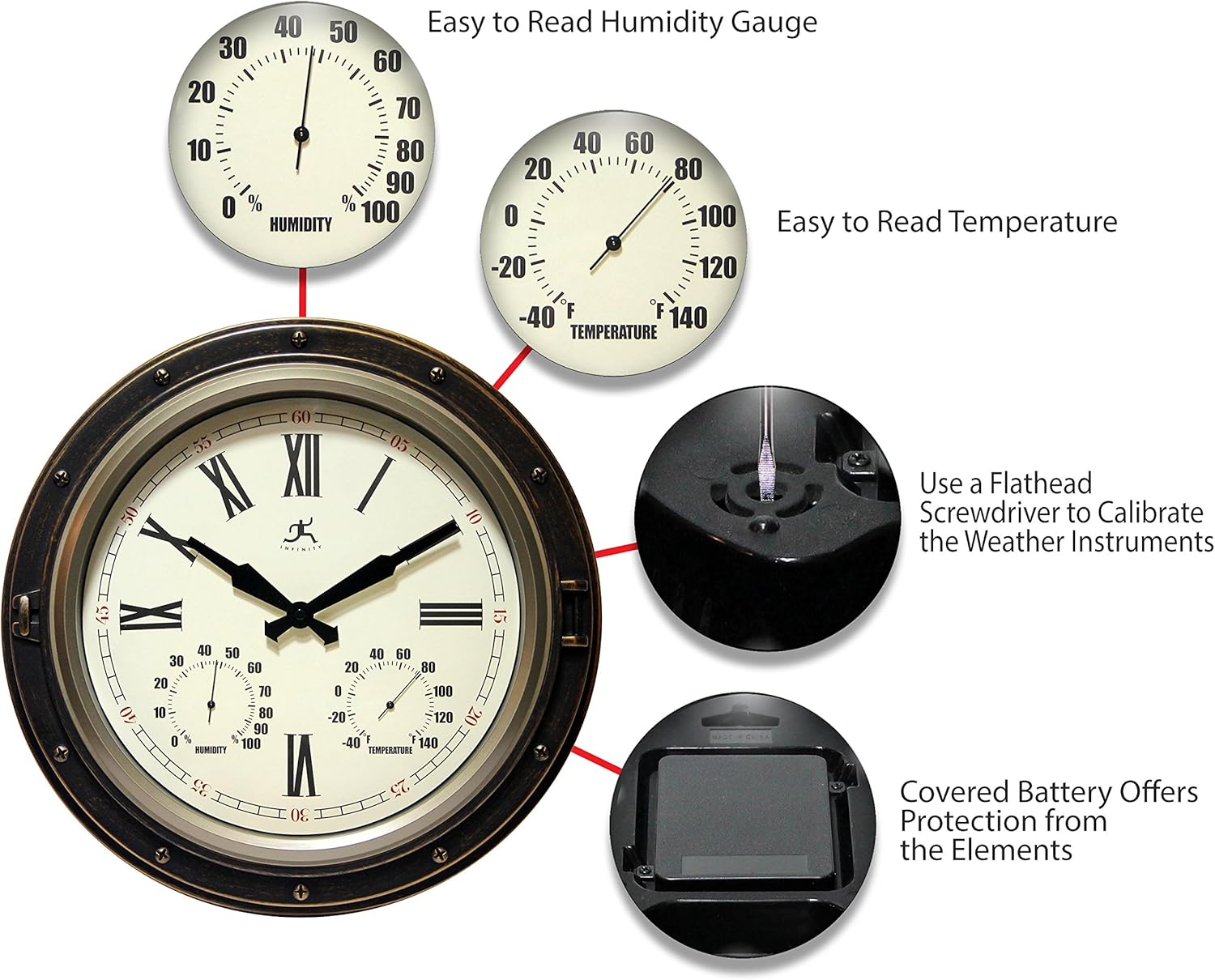
Detailed view illustrating the calibration points for the thermometer and hygrometer on the back of the clock.
2.4 Mounting the Clock
The clock is designed for wall mounting. Choose a location that is easily visible and, for outdoor use, ideally under some cover to prolong its lifespan, though it is waterproof.
- Identify a suitable mounting point on your wall.
- Use a sturdy screw or hook appropriate for the wall material. Ensure the screw/hook is securely fastened.
- Hang the clock using the integrated keyhole hanger on the back.

The Forecaster clock displayed in an outdoor setting, mounted on a wall.
3. Operation
Once set up, the Forecaster clock operates continuously, providing time, temperature, and humidity readings.
3.1 Reading the Time
The clock features an analog display with hour, minute, and second hands. Read the time as you would any standard analog clock.
3.2 Reading Temperature and Humidity
The thermometer displays temperature in both Fahrenheit and Celsius. The hygrometer displays relative humidity as a percentage. Read the current values directly from the respective dials.
4. Maintenance
4.1 Cleaning
- Wipe the clock face and casing with a soft, dry cloth.
- For stubborn dirt, a slightly damp cloth can be used, followed by a dry cloth.
- Avoid using abrasive cleaners or solvents, as these may damage the finish or the clear cover.
4.2 Battery Replacement
Replace the AA battery annually or when the clock begins to lose time. Follow the battery installation steps in Section 2.1.
4.3 Environmental Considerations
While designed for indoor/outdoor use and waterproof, placing the clock in a location with some overhead protection (e.g., under an overhang or porch) can help extend its aesthetic life and protect it from extreme weather conditions.
5. Troubleshooting
5.1 Clock Not Keeping Accurate Time
- Check Battery: Ensure the battery is fresh and correctly installed. Replace if necessary.
- Mechanism Check: Verify that the time-setting knob is not stuck or damaged.
5.2 Inaccurate Temperature or Humidity Readings
- Acclimation: Allow the clock to acclimate to its environment for several hours.
- Recalibrate: Follow the calibration steps in Section 2.3 to adjust the gauges.
- Location: Ensure the clock is not in direct sunlight or near heat/cold sources that could skew readings.
6. Specifications
| Feature | Detail |
|---|---|
| Brand | Infinity Instruments |
| Model Number | 15085AB-4064 |
| Color | Bronze |
| Display Type | Analog |
| Style | Outdoor |
| Special Features | Hygrometer, Temperature Display, Waterproof |
| Product Dimensions | 16"W x 16"H x 2.25"D |
| Power Source | Battery Powered (1 AA battery required, not included) |
| Material | Glass, Metal, Plastic |
| Mounting Type | Wall Mount |
| Item Weight | 1.98 Pounds |
| UPC | 731742150851 |
7. Warranty and Support
For warranty information and customer support, please refer to the official Infinity Instruments website or contact their customer service directly. Keep your purchase receipt as proof of purchase.
You can find more products and information from Infinity Instruments by visiting their official store: Infinity Instruments Store.


