
1. Introduction
This manual provides detailed instructions for the installation, operation, and maintenance of your BENINCA Bull 424R Sliding Gate Opener. The Bull 424R is a silent, powerful, and reliable 24VDC operator designed for intensive use with sliding gates. It features an LCD display for easy programming, internal limit-switches, and multiple electronic settings for torque and timing adjustments.
Please read this manual thoroughly before beginning installation or operation to ensure safe and correct use of the product.
2. Safety Information
WARNING: Failure to follow these safety instructions may result in serious injury or property damage.
- Installation must be performed by qualified personnel in compliance with local safety regulations.
- Ensure the power supply is disconnected before performing any installation, maintenance, or repair work.
- Keep hands, feet, and clothing clear of the gate and opener mechanism during operation.
- Do not allow children to play with or operate the gate opener controls.
- Regularly inspect the gate and opener for signs of wear, damage, or misalignment.
- Ensure all safety devices (e.g., photocells, safety edges) are correctly installed and functioning.
3. Package Contents
Verify that all components listed below are present in your package:
- BENINCA Bull 424R Sliding Gate Opener Unit
- Control Panel (integrated)
- Receiver Unit
- Two (2) Remote Controls
- Five (5) sections of 39-inch Rack Gear
- Installation Hardware (bolts, nuts, washers - specific quantities may vary)
- User Manual (this document)

Figure 3.1: Complete BENINCA Bull 424R Sliding Gate Opener kit components.
4. Setup and Installation
4.1 Mechanical Installation
- Mounting the Opener: Securely mount the BENINCA Bull 424R motor unit on a stable, level concrete base next to the gate, ensuring proper alignment with the gate's movement path.
- Installing the Rack Gear: Attach the rack gear sections along the bottom edge of the sliding gate. Ensure the rack meshes correctly with the opener's pinion gear, maintaining a small clearance (approximately 1-2mm) to prevent binding.
- Limit Switch Adjustment: Adjust the internal limit switches to define the gate's fully open and fully closed positions. Refer to the control panel's specific instructions for precise adjustment.
4.2 Electrical Connections
All electrical connections should be made by a qualified electrician.
- Power Supply: Connect the 24VDC power supply to the designated terminals on the control board. Ensure correct polarity.
- Safety Devices: Connect any external safety devices, such as photocells or safety edges, to their respective terminals on the control board.
- Receiver Unit: Connect the included receiver unit to the control board. This unit allows the remote controls to operate the gate.
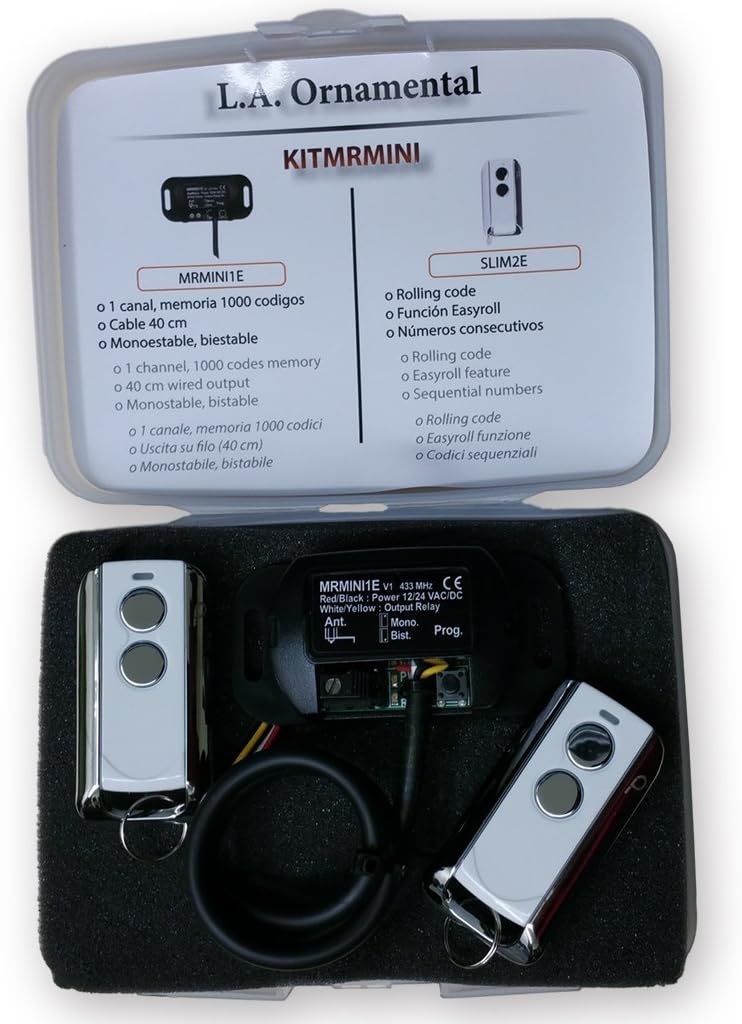
Figure 4.1: BENINCA Receiver and Remote Control Kit.
4.3 Programming the Control Panel and Remotes
The BENINCA Bull 424R features an LCD display for easy programming and digital adjustment of torque and timing.
- Initial Power-Up: After all electrical connections are made, apply power to the unit. The LCD display will illuminate.
- Accessing Menu: Use the control panel buttons (usually labeled MENU, UP, DOWN, ENTER) to navigate the programming menu.
- Learning Remote Controls: Follow the on-screen instructions to program the remote controls. Typically, this involves selecting a "Learn Remote" option and pressing a button on each remote control.
- Adjusting Parameters: Utilize the menu to set parameters such as motor torque, gate speed, automatic closing time, and obstacle detection sensitivity.

Figure 4.2: BENINCA Remote Control.
5. Operating Instructions
Once installed and programmed, operating your BENINCA Bull 424R gate opener is straightforward.
5.1 Using the Remote Control
- Press the designated button on your remote control once to open the gate.
- Press the button again while the gate is moving to stop it.
- Press the button a third time to reverse the gate's direction (if stopped mid-cycle) or to close it (if fully open).
5.2 Manual Release
In case of power failure or malfunction, the gate can be operated manually. Locate the manual release mechanism on the motor unit (refer to the specific diagram in your product's quick start guide for exact location). Engage the release mechanism to disengage the motor, allowing the gate to be moved by hand.
6. Maintenance
Regular maintenance ensures the longevity and reliable operation of your gate opener.
- Monthly: Inspect the gate's movement for any obstructions. Check the rack gear for debris and ensure it is securely fastened.
- Quarterly: Lubricate the gate's wheels, hinges, and any moving parts as recommended by the gate manufacturer. Check the condition of the power cable and all electrical connections.
- Annually: Have a qualified technician inspect the entire system, including the motor, control board, safety devices, and gate structure, for wear or damage.
CAUTION: Always disconnect power to the unit before performing any maintenance.
7. Troubleshooting
This section addresses common issues you might encounter with your BENINCA Bull 424R gate opener.
| Problem | Possible Cause | Solution |
|---|---|---|
| Gate does not respond to remote control. |
|
|
| Gate stops or reverses unexpectedly. |
|
|
| Gate moves slowly or with difficulty. |
|
|
8. Specifications
Key technical specifications for the BENINCA Bull 424R Sliding Gate Opener:
- Model: BENINCA Bull 424R
- Manufacturer: Beninca
- Motor Type: 24VDC
- Control Panel: Integrated with LCD display
- Limit Switches: Internal
- Programming: Digital adjustment for torque and timing
- ASIN: B01FG7NE18
- Date First Available: April 22, 2018
9. Warranty and Support
For warranty information and technical support, please refer to the documentation provided with your purchase or contact your authorized BENINCA dealer. Keep your purchase receipt as proof of purchase.
For further assistance, you may visit the official BENINCA website or contact their customer service department.


