
1. Introduction
This manual provides essential information for the safe and effective use of your UpBright 2-Prong 5V AC/DC Adapter. This power supply is designed to provide reliable charging for compatible devices, specifically the Ceenwes Professional CWS-020 Rechargeable Dog Pet Hair Clipper.
Please read this manual thoroughly before using the adapter and retain it for future reference.
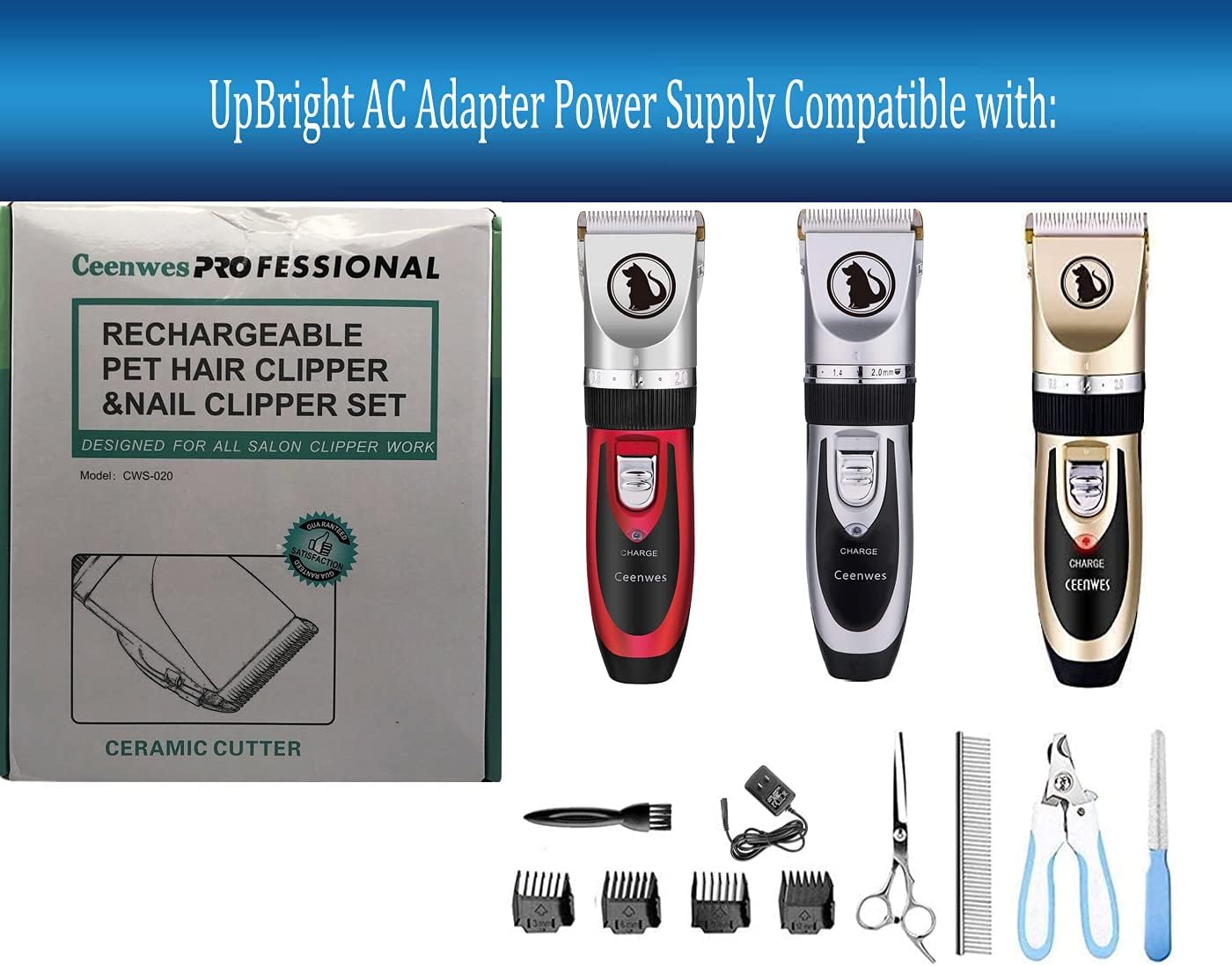
Image 1.1: UpBright AC/DC Adapter and compatible Ceenwes CWS-020 Pet Clipper packaging. This image illustrates the adapter and the type of pet clipper it is designed to charge.
2. Safety Information
To ensure safe operation and prevent damage to the adapter or connected devices, observe the following safety precautions:
- Indoor Use Only: This adapter is designed for indoor use. Do not expose it to rain, moisture, or extreme temperatures.
- Proper Voltage: Ensure the wall outlet voltage matches the adapter's input specifications (100-240VAC).
- Avoid Damage: Do not use the adapter if the cord or plug is damaged. Do not attempt to open or repair the adapter.
- Ventilation: Ensure adequate ventilation around the adapter during use. Do not cover it.
- Protection Features: The adapter includes Over Voltage Protection (OVP), Over Current Protection (OCP), and Short Circuit Protection (SCP) to safeguard your devices.
- Unplug When Not in Use: Disconnect the adapter from the power outlet when not in use for extended periods.
3. Setup
Follow these steps to set up your UpBright AC/DC Adapter:
- Unpack the Adapter: Carefully remove the adapter from its packaging. Inspect it for any visible damage.
- Connect to Device: Locate the charging port on your Ceenwes Professional CWS-020 pet clipper. Insert the 2-prong connector of the UpBright adapter firmly into the clipper's charging port.
- Plug into Power Outlet: Insert the 2-prong plug of the adapter into a standard wall power outlet (100-240VAC).

Image 3.1: Close-up view of the UpBright 2-prong AC/DC adapter. This image shows the adapter's main body and the 2-prong connector for the device.
4. Operating Instructions
Once the adapter is properly connected, it will begin charging your Ceenwes Professional CWS-020 pet clipper.
- Charging Indication: Refer to your Ceenwes CWS-020 pet clipper's instruction manual for specific charging indicators (e.g., LED lights) and estimated charging times. The UpBright adapter itself does not have charging indicators.
- Optimal Charging: For best battery life, avoid completely draining the clipper's battery before recharging.
- Disconnecting: Once charging is complete, or if you need to use the clipper, carefully disconnect the adapter from the clipper and then from the wall outlet.
5. Maintenance
Proper maintenance ensures the longevity and performance of your adapter.
- Cleaning: Disconnect the adapter from all power sources before cleaning. Use a soft, dry cloth to wipe the exterior. Do not use liquid cleaners or abrasive materials.
- Storage: Store the adapter in a cool, dry place away from direct sunlight and extreme temperatures. Avoid tightly winding the cable to prevent damage.
- Cable Care: Do not bend, twist, or pull the cable excessively. Avoid placing heavy objects on the cable.
6. Troubleshooting
If you encounter issues with your UpBright AC/DC Adapter, refer to the following common solutions:
| Problem | Possible Cause | Solution |
|---|---|---|
| Adapter not providing power/charging | Loose connection, faulty outlet, damaged adapter/cable | Ensure all connections are secure. Test the outlet with another device. Inspect the adapter and cable for damage. If damaged, discontinue use. |
| Clipper not charging (even with adapter connected) | Clipper battery issue, clipper charging port issue | Refer to the Ceenwes CWS-020 clipper's manual for troubleshooting charging issues specific to the clipper. |
| Adapter feels unusually hot | Overload, poor ventilation, internal fault | Disconnect immediately. Ensure adequate ventilation. If the issue persists, discontinue use and contact support. |
If the problem persists after attempting these solutions, please contact UpBright customer support.
7. Specifications
| Feature | Detail |
|---|---|
| Input Voltage | 100-240VAC, 50/60Hz |
| Output Voltage | 5VDC |
| Output Current | 1A (1000mA) |
| Connector Type | 2-Prong |
| Protection Features | OVP (Over Voltage Protection), OCP (Over Current Protection), SCP (Short Circuit Protection) |
| Dimensions (approx.) | 3 x 2 x 1 inches |
| Weight (approx.) | 1.76 ounces |
| Manufacturer | UpBright |
8. Warranty and Support
Your UpBright AC/DC Adapter is covered by the following warranty:
- Refund Policy: 30 Days Refund from the date of purchase.
- Exchange Policy: 24 Months Exchange from the date of purchase.
For warranty claims, technical support, or any questions regarding your adapter, please contact the seller or UpBright customer service through the platform where the purchase was made.

Image 8.1: UpBright Limited Warranty Certificate. This image indicates the product comes with a warranty.