
Mobility Lab ML308319
Mobility Lab Universal Tablet Car Mount User Manual
Model: ML308319
Introduction
This manual provides instructions for the proper installation, operation, and maintenance of your Mobility Lab Universal Tablet Car Mount, model ML308319. This mount is designed to securely hold most tablets ranging from 17.8 cm (7 inches) to 25.4 cm (10 inches) on the headrest bars of your car seat, providing entertainment or navigation for rear-seat passengers.
Package Contents
Before beginning installation, please ensure all components are present:
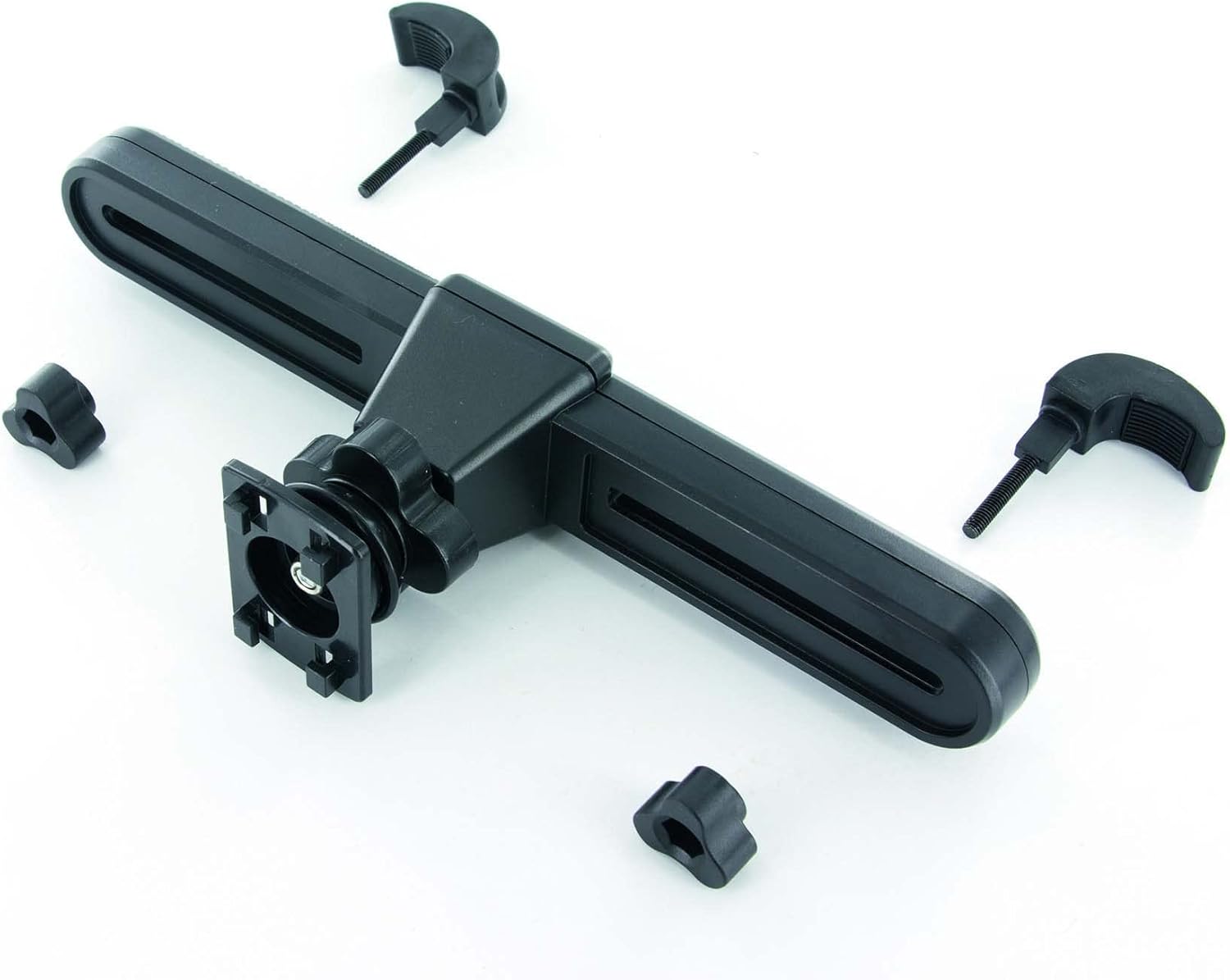
- Tablet Holder
- Headrest Mounting Arm
- Mounting Screws and Nuts (typically 2 sets)
Setup and Installation
Follow these steps to install the tablet car mount:
- Attach the Mounting Arm to Headrest Bars: Position the headrest mounting arm horizontally between the two metal bars of your car's headrest. Ensure the arm is centered and stable.
- Secure the Mounting Arm: Use the provided screws and nuts to securely fasten the mounting arm to the headrest bars. Tighten them firmly to prevent movement during travel.
- Connect Tablet Holder to Mounting Arm: Align the tablet holder with the attachment point on the mounting arm. The tablet holder typically slides or clicks into place. Ensure it is firmly connected.
- Final Position Check: Once assembled, verify that the entire mount is stable and does not wobble.


Operating Instructions
Using your Mobility Lab Tablet Car Mount is straightforward:
- Insert Tablet: Gently expand the adjustable grips of the tablet holder and carefully place your tablet into the holder. The grips will automatically adjust to secure the tablet.
- Adjust Holder: The tablet holder is designed to adjust to the size of your tablet, accommodating devices from 7 to 10 inches. Ensure the tablet is snug and centered.
- Rotate for Viewing Angle: The mount features a rotatable design, allowing you to adjust the tablet's orientation (portrait or landscape) and viewing angle for optimal comfort.

Maintenance
To ensure the longevity and proper function of your tablet car mount:
- Cleaning: Wipe the mount with a soft, damp cloth. Do not use harsh chemicals or abrasive cleaners, as these may damage the plastic.
- Inspection: Periodically check all screws and connections to ensure they remain tight. Re-tighten if necessary.
- Storage: If not in use for extended periods, you may remove the mount and store it in a cool, dry place.
Troubleshooting
If you encounter issues with your tablet car mount, consider the following:
- Mount is Loose: Ensure all screws securing the mounting arm to the headrest bars are fully tightened. Check that the tablet holder is securely attached to the mounting arm.
- Tablet Not Holding Securely: Verify that your tablet's size is within the supported range (7-10 inches). Ensure the tablet is properly seated within the adjustable grips.
- Difficulty Adjusting Angle: Check for any obstructions. The rotatable feature should allow smooth adjustment. Do not force the rotation if resistance is met.
Specifications
| Brand | Mobility Lab |
| Model Number | ML308319 |
| Product Dimensions | 11.5 x 14 x 23 cm |
| Item Weight | 168 g |
| Colour | N/C (Not Classified) |
| Compatible Devices | Tablets (17.8 cm - 25.4 cm / 7" - 10") |
| Mounting Type | Headrest |
| Special Feature | Rotatable |
| Manufacturer | MOBILITY ELECTRONICS |
| Date First Available | 31 May 2016 |
Warranty and Support
For warranty information or technical support, please refer to the documentation included with your purchase or visit the official Mobility Lab website. Keep your proof of purchase for any warranty claims.
Ask a question about this manual
Ask about setup, troubleshooting, compatibility, parts, safety, or missing instructions. Manuals+ will review the question and use this page’s manual context to help answer it.