
1. Introduction
This manual provides essential information for the proper use and maintenance of your Bluestone Digital Body Fat Bathroom Scale. Designed for health and fitness tracking, this electronic scale features a large LCD display for easy reading and a durable tempered glass platform. Please read this manual thoroughly before first use to ensure accurate measurements and safe operation.
2. Safety Information
- Always place the scale on a hard, flat, and stable surface. Using it on carpet or uneven floors may affect accuracy.
- The scale's glass platform can be slippery when wet. Ensure the surface is dry before stepping on it.
- Do not jump on the scale or subject it to excessive force, as this may damage the device.
- This scale is intended for household use only and is not a medical device. Do not use it for medical diagnosis or treatment.
- Keep the scale away from water and extreme temperatures.
- Do not attempt to disassemble or repair the scale yourself. Contact customer support for assistance.
- Proposition 65 Warning: This product may contain chemicals known to the State of California to cause cancer and birth defects or other reproductive harm.
3. Package Contents
Please check the package contents to ensure all items are present:
- 1 x Bluestone Digital Body Fat Bathroom Scale
- 4 x AAA Batteries (included)
- 1 x User Manual (this document)
4. Setup
4.1. Battery Installation
Locate the battery compartment on the underside of the scale. Open the cover and insert the 4 AAA batteries, ensuring correct polarity (+/-) as indicated inside the compartment. Close the battery cover securely.

Image: Top view of the Bluestone Digital Body Fat Bathroom Scale, displaying the LCD screen and the four circular metal electrodes for body composition analysis. The scale is black with a glass surface.
4.2. Initial Placement
Place the scale on a hard, flat, and stable surface, such as tile or hardwood flooring. Avoid placing it on carpets, rugs, or uneven surfaces, as this can lead to inaccurate readings.

Image: The Bluestone Digital Body Fat Bathroom Scale positioned on a light-colored tiled bathroom floor, with a textured bath mat visible in the background. This demonstrates proper placement on a hard surface.
4.3. Unit Selection
On the underside of the scale, near the battery compartment, there is a unit switch (usually a button or slide switch). Press or slide this switch to toggle between measurement units (e.g., pounds (lb) and kilograms (kg)). Select your preferred unit before use.
5. Operating Instructions
5.1. Taking a Weight Measurement
- Ensure the scale is on a flat, hard surface.
- Gently tap the center of the scale with your foot to activate it. The display will show "0.0" or "0.00".
- Once "0.0" is displayed, step onto the scale with bare feet, standing still and centered on the platform. For body fat measurement, ensure your bare feet are in contact with the four metal electrodes.
- Your weight will be displayed and will flash a few times before locking in. Step off the scale once your weight is stable.
- The scale will automatically turn off after a few seconds of inactivity.

Image: A close-up view of the scale's blue backlit LCD display, showing "0.0 lb" and the maximum weight capacity of "Max.180kgx100g/396lbx0.2lb".
5.2. Body Fat Measurement (If Applicable)
While the product title indicates "Body Fat", the provided images and detailed specifications do not offer specific instructions or display indicators for body fat percentage. If your model supports body fat measurement, ensure your bare feet are in full contact with all four metal electrodes on the scale's surface. The scale uses Bioelectrical Impedance Analysis (BIA) to estimate body composition. For accurate readings, it is recommended to measure at the same time of day, under similar conditions.
6. Maintenance and Care
- Clean the scale with a soft, damp cloth. Do not use abrasive cleaners or immerse the scale in water.
- Store the scale in a dry place at room temperature.
- If the scale will not be used for an extended period, it is recommended to remove the batteries to prevent leakage.
- Avoid direct sunlight and extreme temperatures.
7. Troubleshooting
| Problem | Possible Cause | Solution |
|---|---|---|
| "Lo" or "Err" on display | Low battery power. | Replace all 4 AAA batteries. |
| "O-Ld" or "Err" on display | Overload. Weight exceeds maximum capacity. | Step off the scale. The maximum capacity is 396 lbs (180 kg). |
| Inaccurate readings | Scale not on a hard, flat surface; scale moved; initial calibration needed. | Ensure scale is on a stable, flat surface. If moved, tap to activate and wait for "0.0" before stepping on. Recalibrate by stepping on and off quickly. |
| No display | Batteries incorrectly installed or dead. | Check battery polarity or replace batteries. |
8. Specifications
- Model: 80-5117
- Brand: Bluestone
- Product Dimensions: 11.5 x 11 x 0.8 inches
- Item Weight: 1.7 Pounds
- Weight Capacity: Max. 396 lbs (180 kg)
- Measurement Increments: 0.2 lbs (100g)
- Display Type: Large LCD Display
- Power Source: 4 x AAA Batteries (included)
- Material: Tempered Glass Platform
- Color: Black
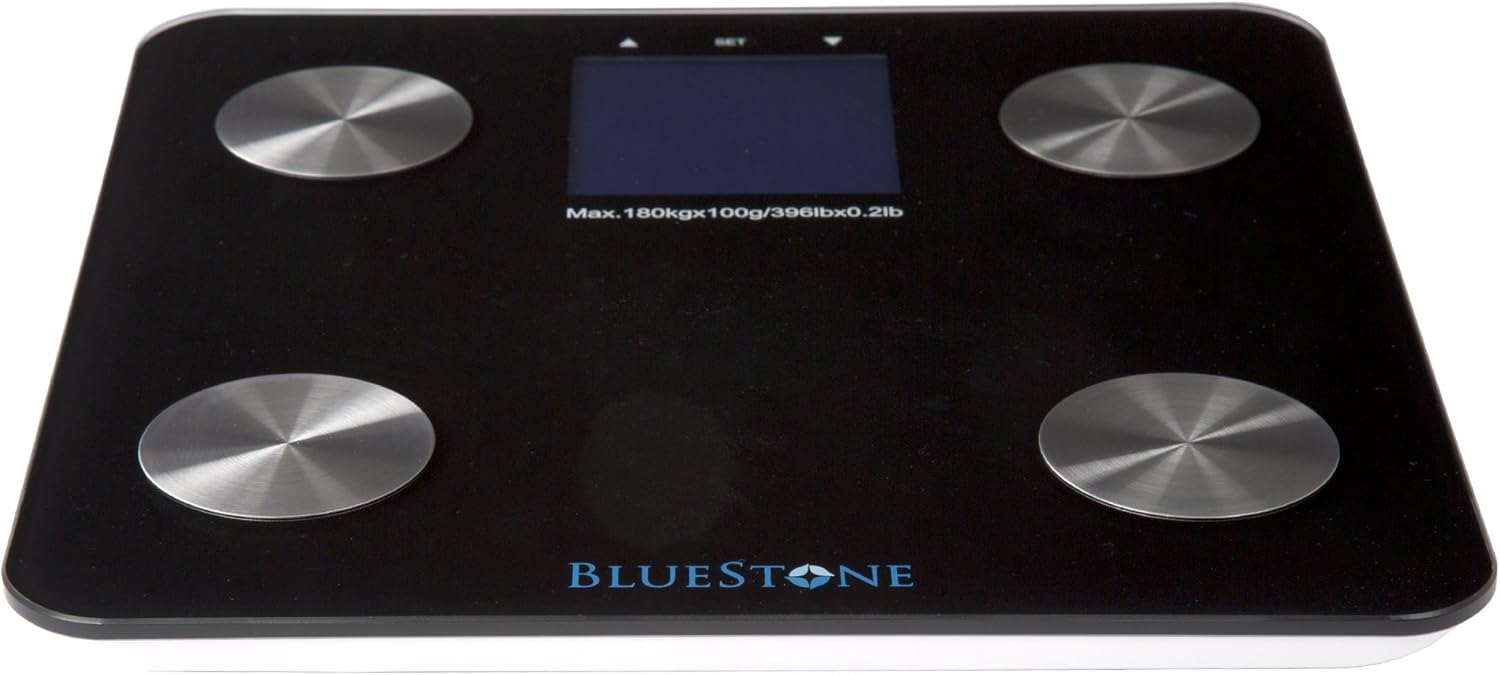
Image: An angled view of the Bluestone Digital Body Fat Bathroom Scale, highlighting its sleek black design and thin profile.
9. Warranty and Support
Bluestone is committed to providing quality products. For any questions, concerns, or support needs regarding your Digital Body Fat Bathroom Scale, please contact Bluestone customer service. Please refer to your purchase documentation for specific warranty details, as warranty terms may vary.
Contact Information: Please visit the official Bluestone website or refer to your product packaging for the most current customer support contact details.
Bluestone is a registered trademark protected by U.S. Trademark law.