
Introduction
This manual provides detailed instructions for the setup, operation, and maintenance of your Singing Machine Portable Karaoke System. Please read this manual thoroughly before using the product to ensure proper function and longevity. This system is designed to provide entertainment for all ages, featuring versatile audio input options and dynamic lighting effects.
Package Contents
Ensure all items are present before proceeding with setup:
- Singing Machine Karaoke System (Model SML385BTW)
- Wired Microphone
- Power Adapter
- RCA Cables (Red/White/Yellow)

Image: Front view of the Singing Machine Portable Karaoke System, showing the main unit and included wired microphone.
Setup
1. Power Connection
Connect the provided power adapter to the DC IN jack on the back of the unit and plug the other end into a standard wall outlet. The unit will power on when connected.
2. Microphone Connection
Insert the wired microphone's plug into one of the MIC jacks on the front of the unit. The system supports two wired microphones for duets (additional microphone sold separately).
3. Connecting Audio Sources
- Bluetooth: Activate Bluetooth on your external device (e.g., smartphone, tablet). Select "SINGING MACHINE" from the list of available devices to pair.
- CD+G Player: Open the CD compartment on top of the unit and insert a CD+G disc. Close the compartment.
- USB: Insert a USB drive containing audio files into the USB port.
- AUX In: Connect an external audio device using a 3.5mm audio cable to the AUX IN jack.
- RCA to TV: Use the provided RCA cables to connect the AUDIO/VIDEO OUT jacks on the back of the unit to the corresponding input jacks on your television. This allows lyrics from CD+G discs to display on your TV screen.

Image: Overview of the system's input and output ports, highlighting USB, CD+G, Bluetooth, RCA, and microphone connections.
Operating Instructions
1. Basic Controls
- Master Volume: Use the large dial to adjust the overall volume of the music and microphone.
- Playback Controls: Use the PLAY/PAUSE, SKIP, and REPEAT buttons to control media playback.
2. CD+G Playback
After inserting a CD+G disc, the system will automatically begin playback. If connected to a TV via RCA cables, lyrics will scroll on the screen.
3. Bluetooth Pairing & Streaming
Once paired, music streamed from your Bluetooth device will play through the karaoke system's speaker. Adjust volume via the Master Volume dial or your connected device.
4. USB Playback & Recording
The USB port allows playback of compatible audio files. You can also record your vocal performances directly to a USB drive by pressing the RECORD button.
5. Microphone Features
- MIC Volume: Adjust the individual microphone volume using the dedicated knob.
- Echo: Turn the ECHO knob to add an echo effect to your vocals.
- Auto Voice Control (AVC): The AVC feature can help balance your vocals with the music by reducing the main vocal track on multiplex recordings when you sing.
6. LED Disco Lights
The unit features built-in LED disco lights that can be turned on or off using the DISCO LIGHT switch. These lights add a dynamic visual element to your performance.
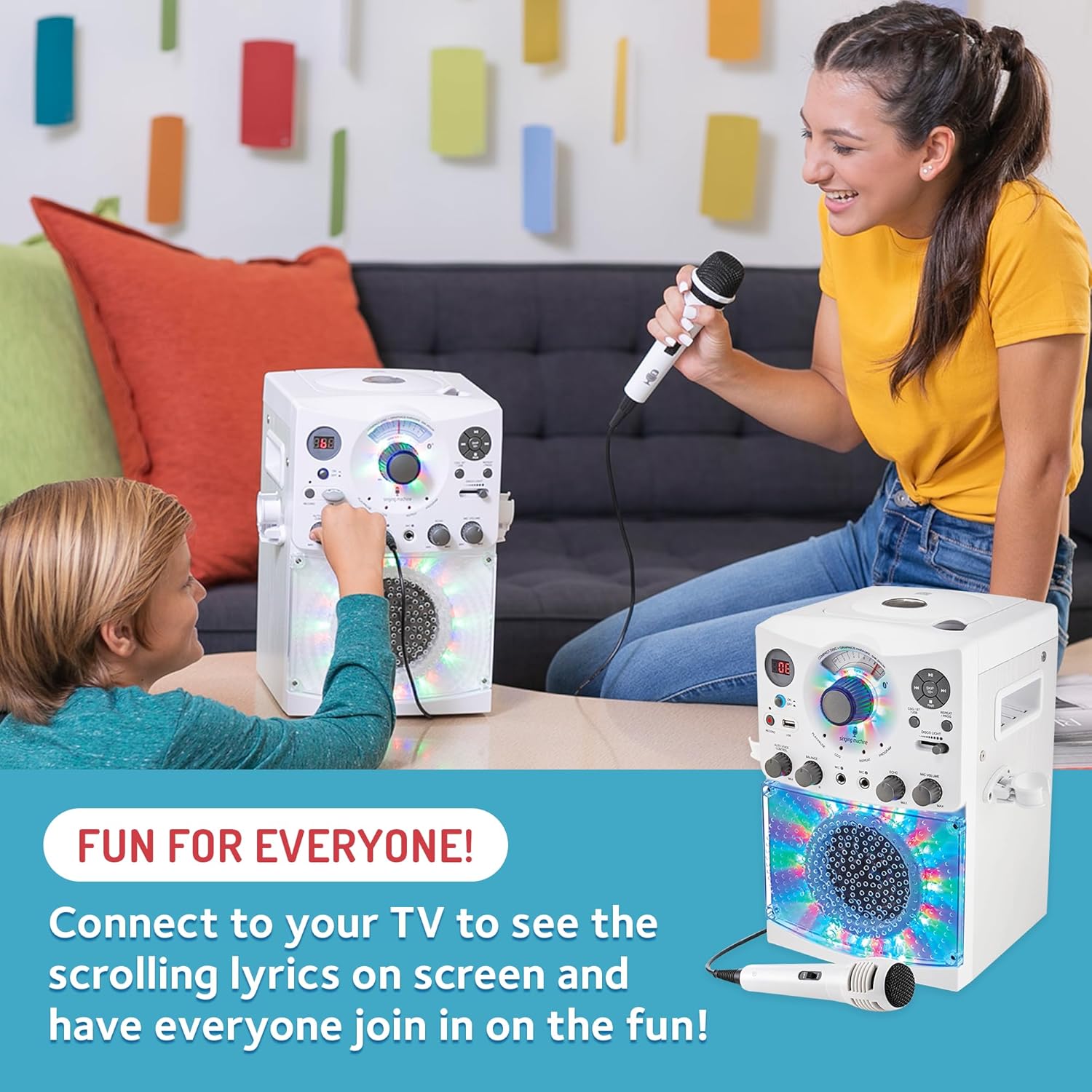
Image: Children enjoying the karaoke system, demonstrating the interactive and fun nature of the product with its colorful disco lights.
Maintenance
To ensure the longevity and optimal performance of your karaoke system:
- Keep the unit clean by wiping it with a soft, dry cloth. Avoid abrasive cleaners or solvents.
- Do not expose the unit to excessive moisture, rain, or direct sunlight.
- Store the unit in a cool, dry place when not in use.
- Handle CD+G discs carefully to prevent scratches.
Troubleshooting
| Problem | Possible Cause | Solution |
|---|---|---|
| No power | Power adapter not connected or outlet not active. | Ensure power adapter is securely plugged into the unit and a working wall outlet. |
| No sound from unit | Volume too low; incorrect source selected; external device not playing. | Increase Master Volume. Select correct input source (CD, BT, USB, AUX). Ensure external device is playing audio. |
| No sound from microphone | Microphone not connected; MIC Volume too low. | Ensure microphone is securely plugged into a MIC jack. Increase MIC Volume. |
| Bluetooth pairing failed | Device too far; Bluetooth not enabled; incorrect device selected. | Move device closer to the unit. Ensure Bluetooth is enabled on your device. Select "SINGING MACHINE" from the list. |
| Lyrics not displaying on TV | RCA cables not connected; TV input incorrect; not a CD+G disc. | Verify RCA cables are correctly connected. Select the correct AV input on your TV. Ensure you are using a CD+G disc. |
Specifications
- Model: SML385BTW
- Dimensions: 10.9 x 11.1 x 16 inches
- Item Weight: 6.94 pounds
- Color: White
- Media Format: CD+G, USB
- Connectivity: Bluetooth, 3.5mm Jack (AUX In), RCA (Audio/Video Out), USB
- Speaker Count: 1
- Special Features: LED Disco Lights, Wired Microphone included
- Power Source: AC Adapter (included)
Warranty and Support
For warranty information or technical support, please refer to the official Singing Machine website or contact their customer service directly. Keep your purchase receipt for warranty claims.


