1. Introduction
The Karlsson Flip Clock is an analog timepiece featuring a unique mechanical flip movement that displays time by rotating number cards. Its design combines modern aesthetics with functional simplicity, making it a distinctive addition to any interior. This manual provides essential information for the proper setup, operation, and care of your new Karlsson Flip Clock.

Figure 1: Front view of the Karlsson Flip Clock.
2. Safety Information
- Always handle the clock with care to avoid damage to the delicate flip mechanism.
- Ensure the clock is placed on a stable, flat surface or securely mounted to a wall to prevent falling.
- Keep the clock away from direct sunlight, extreme temperatures, and high humidity.
- Do not expose the clock to water or other liquids.
- When installing batteries, ensure correct polarity (+/-) to prevent damage to the clock or battery leakage.
- Dispose of used batteries responsibly according to local regulations.
3. Package Contents
Please check that all items are present and in good condition:
- Karlsson Flip Clock (Model KA5601WH)
- Instruction Manual (this document)
Note: One (1) D battery is required for operation and is not included in the package.
4. Setup
4.1. Unpacking
Carefully remove the clock from its packaging. Avoid pulling or forcing any of the flip cards.
4.2. Battery Installation
- Locate the battery compartment, typically on the back or side of the clock.
- Open the battery compartment cover.
- Insert one (1) D battery, ensuring the positive (+) and negative (-) terminals align with the indicators inside the compartment.
- Close the battery compartment cover securely.
4.3. Setting the Time
- Locate the time adjustment knob, usually found on the side or back of the clock.
- Carefully rotate the adjustment knob to set the current time. Turn the knob in the direction indicated (usually clockwise) until the correct hour and minute are displayed.
- Due to the mechanical flip mechanism, it may require gentle and precise adjustment to ensure all number cards align correctly. Avoid forcing the knob.

Figure 2: Side view illustrating the flip mechanism and potential location of the adjustment knob.
4.4. Placement
This clock is designed for versatile placement. It can be:
- Desk or Shelf Placement: Place the clock on a flat, stable surface.
- Wall Mount: If wall-mounting, ensure appropriate hardware (not included) is used to secure the clock firmly. Consult a professional if unsure about wall mounting.
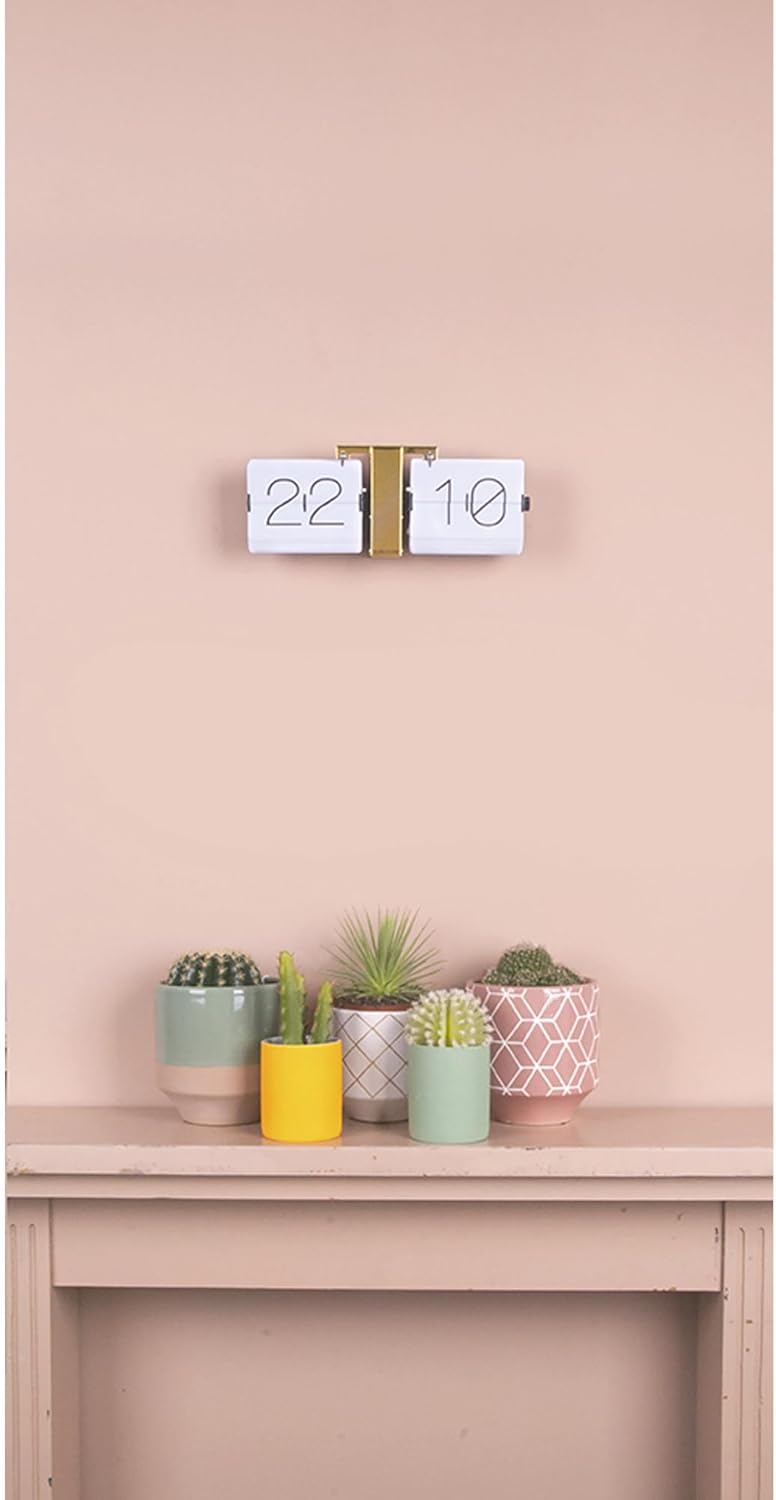
Figure 3: Example of the Karlsson Flip Clock in a home setting.
5. Operating Instructions
Once the battery is installed and the time is set, the Karlsson Flip Clock will automatically advance the time. The mechanical flip movement will cause the number cards to rotate at the turn of each minute. A subtle, characteristic mechanical sound may be heard as the minutes change, which is a normal part of the clock's operation.
6. Maintenance
- Cleaning: Clean the clock regularly with a soft, dry, lint-free cloth. Do not use abrasive cleaners, solvents, or chemical sprays directly on the clock, as these can damage the finish or internal components.
- Battery Replacement: Replace the D battery when the clock stops functioning or timekeeping becomes inaccurate. Promptly remove depleted batteries to prevent leakage.
- Handling: Avoid touching the flip cards directly or attempting to manually force them, as this can damage the mechanism.
7. Troubleshooting
| Problem | Possible Cause | Solution |
|---|---|---|
| Clock not advancing or stopped | Depleted or incorrectly installed battery. | Ensure the D battery is inserted correctly with the proper polarity (+/-). Replace the battery if it is old or depleted. |
| Number cards not flipping correctly or getting stuck | Obstruction, misalignment, or bent cards. | Gently inspect the cards for any obstructions or misalignment. Carefully re-set the time using the adjustment knob, ensuring it is turned smoothly and not forced. If cards are bent, gentle manipulation may be required, but extreme care is advised to avoid permanent damage. |
| Unusual noises during operation | Normal mechanical sound or internal issue. | A subtle click or flap sound is normal as the minutes change. If the noise is loud, grinding, or continuous, ensure the clock is on a level surface and no external objects are interfering with the mechanism. If the issue persists, contact customer support. |
8. Specifications
- Model: KA5601WH
- Brand: Karlsson
- Dimensions: 36 cm (W) x 14 cm (H) x 8.5 cm (D) / 14.17" (W) x 5.51" (H)
- Weight: 1.11 kg (2.44 lbs)
- Material: Alloy Steel, Brass (frame)
- Display Type: Analog, Flip Movement
- Power Source: 1 x D Battery (not included)
- Mounting: Desk or Wall Mount
- Movement: Mechanical
9. Warranty and Support
For warranty information, product registration, or technical support, please refer to the documentation provided at the time of purchase or contact the retailer where the product was acquired. You may also visit the official Karlsson website for further assistance.


