
1. Introduction
This manual provides essential instructions for the proper setup, operation, and maintenance of your NUM'AXES Security Metal Box. This robust steel enclosure is designed to protect your PIE1009 or PIE1025 trail camera from theft and environmental damage. Please read this manual thoroughly before use to ensure optimal performance and security.
2. Package Contents
- NUM'AXES Security Metal Box
- Padlock
3. Setup
3.1 Inserting the Trail Camera
- Open the NUM'AXES Security Metal Box by unlocking and removing the included padlock.
- Carefully slide your PIE1009 or PIE1025 trail camera into the metal box. Ensure the camera is seated correctly and all ports align with the box's openings.
- Close the metal box.
3.2 Securing the Box
- Once the camera is inside and the box is closed, insert the shackle of the padlock through the designated holes on the box.
- Lock the padlock securely. Keep the keys in a safe place.
3.3 Mounting Options
The security box offers several options for mounting and external connectivity:
- Strap Holes: Utilize the dedicated holes to pass a mounting strap (not included) around a tree or post for secure placement.
- External Power Access: The box features an opening to allow for external power supply, such as a battery pack or solar panel (not included), to connect to your camera without removing it from the box.
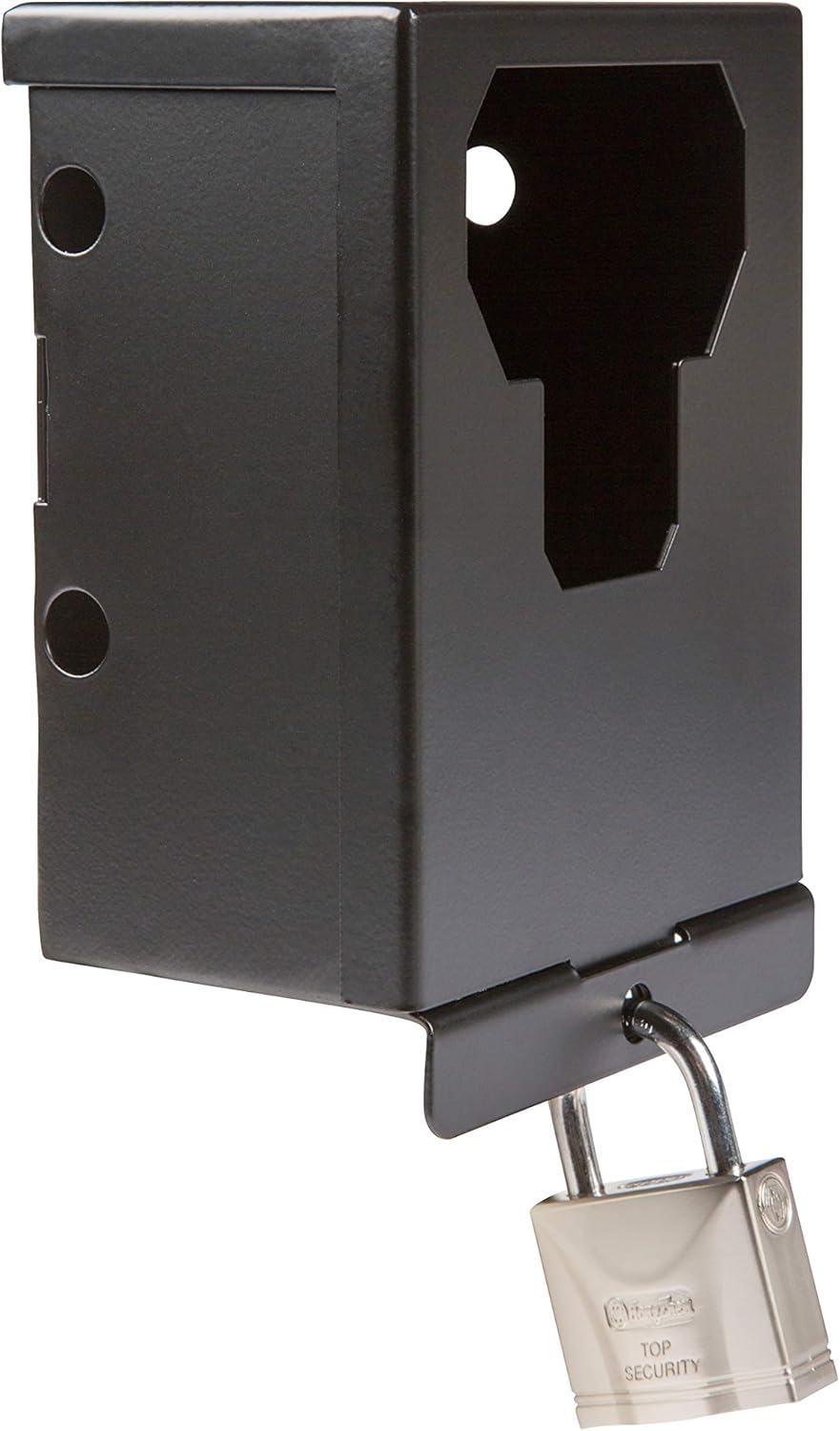
Image 1: The NUM'AXES Security Metal Box shown with an inserted padlock. The box features openings for camera lens, sensors, and external connections, along with mounting points for straps.
4. Operation
The NUM'AXES Security Metal Box functions as a protective enclosure for your trail camera. Once the camera is installed and the box is locked, it provides:
- Theft Deterrence: The robust steel construction and padlock significantly reduce the risk of theft.
- Environmental Protection: It shields the camera from harsh weather conditions, animal interference, and other external elements.
To access the camera for battery changes, memory card retrieval, or settings adjustments, simply unlock the padlock and open the box.
5. Maintenance
Regular maintenance ensures the longevity and effectiveness of your security box:
- Cleaning: Wipe the exterior of the metal box with a damp cloth to remove dirt and debris. Avoid abrasive cleaners.
- Padlock Inspection: Periodically check the padlock for signs of wear or corrosion. Lubricate the lock mechanism if it becomes stiff.
- Structural Integrity: Inspect the metal box for any dents, cracks, or damage that might compromise its protective capabilities.
6. Troubleshooting
- Box not closing properly: Ensure the camera is correctly seated and not obstructing the closing mechanism. Check for any debris.
- Padlock stuck or difficult to open: Apply a small amount of graphite lubricant or a specialized lock lubricant to the keyhole and shackle. Ensure the key is fully inserted and turned correctly.
- External power cable not fitting: Verify that the cable connector is compatible with the camera's port and the box's opening. Do not force connections.
7. Specifications
| Model Number | NGPIEACC007 |
| Compatible Cameras | PIE1009, PIE1025 |
| Material | Steel |
| Dimensions (L x W x H) | 16.5 x 11.4 x 7.5 cm (6.5 x 4.5 x 3 inches) |
| Weight | 650 grams (1.43 lbs) |
| Included Accessories | Padlock |
8. Warranty and Support
For information regarding warranty coverage or technical support, please refer to the documentation provided with your original camera purchase or contact NUM'AXES customer service directly. Contact details can typically be found on the manufacturer's official website.