1. Important Safety Instructions
Please read all instructions carefully before operating this product. Retain these instructions for future reference.
- Power Source: Connect the unit only to an AC 120V, 60 Hz power supply.
- Ventilation: Ensure adequate ventilation. Do not block ventilation openings. Maintain a minimum distance of 20 cm (8 inches) from the rear and sides of the unit for proper airflow.
- Water and Moisture: Do not expose this appliance to rain or moisture. Do not place objects filled with liquids, such as vases, on the apparatus.
- Cleaning: Unplug the unit from the wall outlet before cleaning. Use a dry cloth only. Do not use liquid cleaners or aerosol cleaners.
- Heat: Do not install near any heat sources such as radiators, heat registers, stoves, or other apparatus (including amplifiers) that produce heat.
- Servicing: Do not attempt to service this product yourself. Refer all servicing to qualified service personnel.
- Cables: Protect power cords from being walked on or pinched, particularly at plugs, convenience receptacles, and the point where they exit from the apparatus.
2. What's in the Box
Verify that all items listed below are included in your package:
- Receiver
- Speakers (Front x2, Center x1, Surround x2, Subwoofer x1)
- Remote controller
- AAA (R03) batteries x 2
- Indoor FM antenna
- AM loop antenna
- Speaker setup microphone
- Color-coded speaker cables
- Instruction manual (this document)
3. Product Overview
The Onkyo HT-S7800 is a 5.1.2 channel Dolby Atmos home theater package designed to deliver immersive audio and high-quality video. It features a powerful AV receiver with advanced connectivity and streaming capabilities, paired with a comprehensive speaker system.
Key Features
- Powered Zone 2 and Zone 2 line out for distributed analog/digital audio playback.
- 8 HDMI inputs (1 front/7 rear) and 2 outputs supporting 4K/60 Hz, 3D, ARC, Deep Color, x.V.Color, lip-sync, Dolby Atmos, Dolby TrueHD, DTS:X, DTS-HD Master Audio, DVD-Audio, multichannel PCM, and CEC.
- Chromecast built-in, AirPlay, Wi-Fi, and Bluetooth for app-based audio streaming (requires firmware update).
- Access to streaming services like TuneIn Radio, Pandora, Spotify, TIDAL, and Deezer.
- AccuEQ with AccuReflex room calibration for optimized sound.
System Components
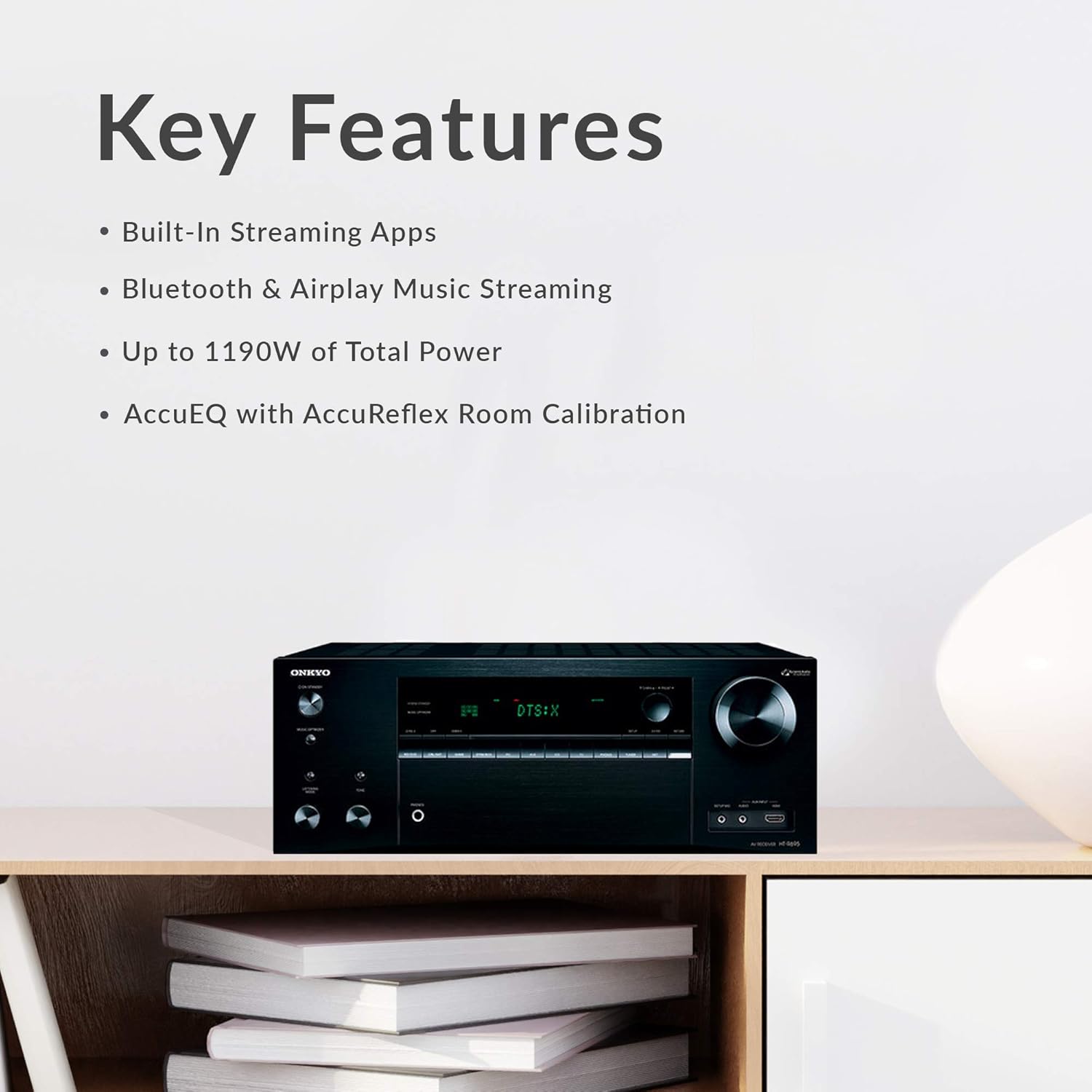
- AV Receiver: Central unit for audio/video processing and amplification.
- Front Speakers (x2): Full-range, acoustic-suspension speakers with integrated Dolby Atmos-enabled modules.
- Center Speaker (x1): Designed for clear dialogue reproduction.
- Surround Speakers (x2): For immersive surround sound effects.
- Powered Subwoofer (x1): 10-inch subwoofer for deep bass frequencies.

4. Setup
4.1 Unpacking
Carefully remove all components from their packaging. Keep the packaging materials for future transport or storage.
4.2 Speaker Placement
Optimal speaker placement is crucial for the best audio experience, especially with Dolby Atmos. For a 5.1.2 setup:
- Front Speakers: Place them equidistant from your main listening position, forming an equilateral triangle.
- Center Speaker: Position directly above or below your TV, centered with the screen.
- Surround Speakers: Place to the sides or slightly behind the main listening position, at ear level.
- Subwoofer: Experiment with placement, typically in a corner or along a wall, to find the best bass response for your room.
- Dolby Atmos-enabled Speakers: The front speakers in this package include upward-firing drivers. Ensure they have a clear path to the ceiling for sound reflection.
4.3 Connecting Speakers
Use the provided color-coded speaker cables to connect the speakers to the receiver. Match the colors on the cables to the corresponding terminals on both the speakers and the receiver. Ensure positive (+) terminals connect to positive and negative (-) to negative.

For a more secure connection, consider using banana plugs for the speaker wires, especially at the receiver terminals.
4.4 Connecting Source Devices
Connect your source devices (e.g., Blu-ray player, game console, cable box) to the HDMI IN ports on the receiver. Connect the HDMI OUT (MAIN) port on the receiver to your TV's HDMI input. Ensure you use HDMI 2.0 compliant cables for 4K/60 Hz and HDR content.
4.5 Power Connection
Once all audio and video connections are made, connect the receiver's power cord to a wall outlet. Insert the batteries into the remote control.
4.6 Initial Setup & AccuEQ Calibration
After powering on the receiver and TV, follow the on-screen setup guide. Use the included speaker setup microphone and the AccuEQ room calibration system to automatically optimize the sound settings for your specific room acoustics and speaker placement. This process measures speaker distances, levels, and crossover frequencies.
5. Operating Instructions
5.1 Basic Operation
- Power On/Off: Press the POWER button on the receiver or remote control.
- Volume Control: Use the VOLUME knob on the receiver or the VOL +/- buttons on the remote control to adjust the sound level.
5.2 Input Selection
Use the input selector buttons on the receiver's front panel or the remote control (e.g., BD/DVD, CBL/SAT, GAME, STRMBOX, CD, TV, TUNER, NET) to switch between connected source devices.

5.3 Audio Modes
The receiver supports various audio formats, including Dolby Atmos and DTS:X. The system will automatically detect and process the appropriate audio format from your source. You can also manually select listening modes via the remote control.
5.4 Network Features
Connect the receiver to your home network via Wi-Fi or Ethernet to access network features. A firmware update may be required to enable all streaming functionalities.
- Chromecast built-in: Stream audio from compatible apps on your smartphone or tablet.
- AirPlay: Stream music from Apple devices.
- Bluetooth: Pair your Bluetooth-enabled devices to stream audio wirelessly.
- Streaming Services: Access integrated services like Pandora, Spotify, TIDAL, and Deezer.
5.5 Remote Control
The included remote control provides full command over the receiver's functions.

Familiarize yourself with the layout for easy navigation and control of your home theater system.
6. Maintenance
Cleaning
To maintain the appearance and performance of your system:
- Wipe the receiver and speakers with a soft, dry cloth.
- Do not use abrasive cloths, waxes, or chemical cleaning agents.
- Avoid spraying liquids directly onto the components.
Firmware Updates
Periodically check the Onkyo website for available firmware updates. Updates can improve performance, add new features, or resolve issues. Follow the instructions provided with the firmware update carefully.
7. Troubleshooting
If you encounter issues with your Onkyo HT-S7800 system, refer to the following common solutions:
- No Power: Ensure the power cord is securely plugged into both the receiver and a working wall outlet. Check the power switch on the receiver.
- No Sound: Verify that the correct input source is selected. Check all speaker connections, ensuring they are secure and correctly wired (positive to positive, negative to negative). Confirm the volume is not muted or set too low. Run AccuEQ calibration again.
- No Picture: Ensure HDMI cables are securely connected between the source device, receiver, and TV. Confirm the correct HDMI input is selected on both the receiver and the TV. Try bypassing the receiver and connecting the source directly to the TV to isolate the issue.
- Subwoofer Not Working: Check the subwoofer's power connection and ensure it is turned on. Verify the subwoofer cable is securely connected to the receiver's SUBWOOFER PRE OUT. Adjust subwoofer settings in the receiver's menu. Note that the subwoofer may only activate when bass signals are present.
- Network Connectivity Issues: Ensure your Wi-Fi router is on and functioning. Re-enter Wi-Fi credentials if necessary. Try connecting via an Ethernet cable if Wi-Fi is unstable. Perform a firmware update if available.
- Remote Control Not Working: Check and replace the batteries. Ensure there are no obstructions between the remote and the receiver's IR sensor.
If the problem persists, consult the detailed troubleshooting section in the full user manual or contact Onkyo customer support.
8. Specifications
| Feature | Specification |
|---|---|
| Model Name | HT-S7800 |
| Surround Sound Channel Configuration | 5.1.2 |
| Input Voltage | 120 Volts (AC) |
| Power Consumption | 580 W |
| Speaker Maximum Output Power | 200 Watts |
| Frequency Response | 10 Hz–100 kHz/+1 dB, -3 dB (Direct/Pure Audio) |
| Connectivity Technology | Bluetooth, HDMI, Wi-Fi |
| Wireless Communication Technology | Bluetooth, Wi-Fi |
| Bluetooth Range | 10 Meters |
| Product Dimensions (Receiver) | 20"D x 30"W x 33"H (Overall System) |
| Item Weight | 81.6 Pounds (Overall System) |
| Woofer Diameter | 12 Inches (Subwoofer) |
| Included Components | Receiver, Speakers, Remote, Batteries, Antennas, Microphone, Cables, Manual |
| Color | Black |
9. Warranty and Support
Warranty Information
This Onkyo product comes with a Limited Warranty. Please refer to the warranty card included in your package or visit the official Onkyo website for detailed terms and conditions regarding coverage, duration, and service procedures.
Customer Support
For technical assistance, product inquiries, or service requests, please contact Onkyo customer support through their official website or the contact information provided in your product documentation. Have your model number (HT-S7800) and purchase date ready when contacting support.


