Introduction
The Pelican Air 1535 Case with Foam is engineered to provide superior protection for your valuable equipment while maintaining a lightweight design. Constructed from Pelican's advanced HPX resin, this case is significantly lighter than traditional polymer cases without compromising durability. It is designed to withstand harsh environments, offering crushproof, dustproof, and watertight protection, making it an ideal solution for professionals and adventurers requiring robust gear transport.
What's in the Box
- Pelican Air 1535 Case (Black)
- Pre-scored Pick N Pluck Foam Set
Key Features
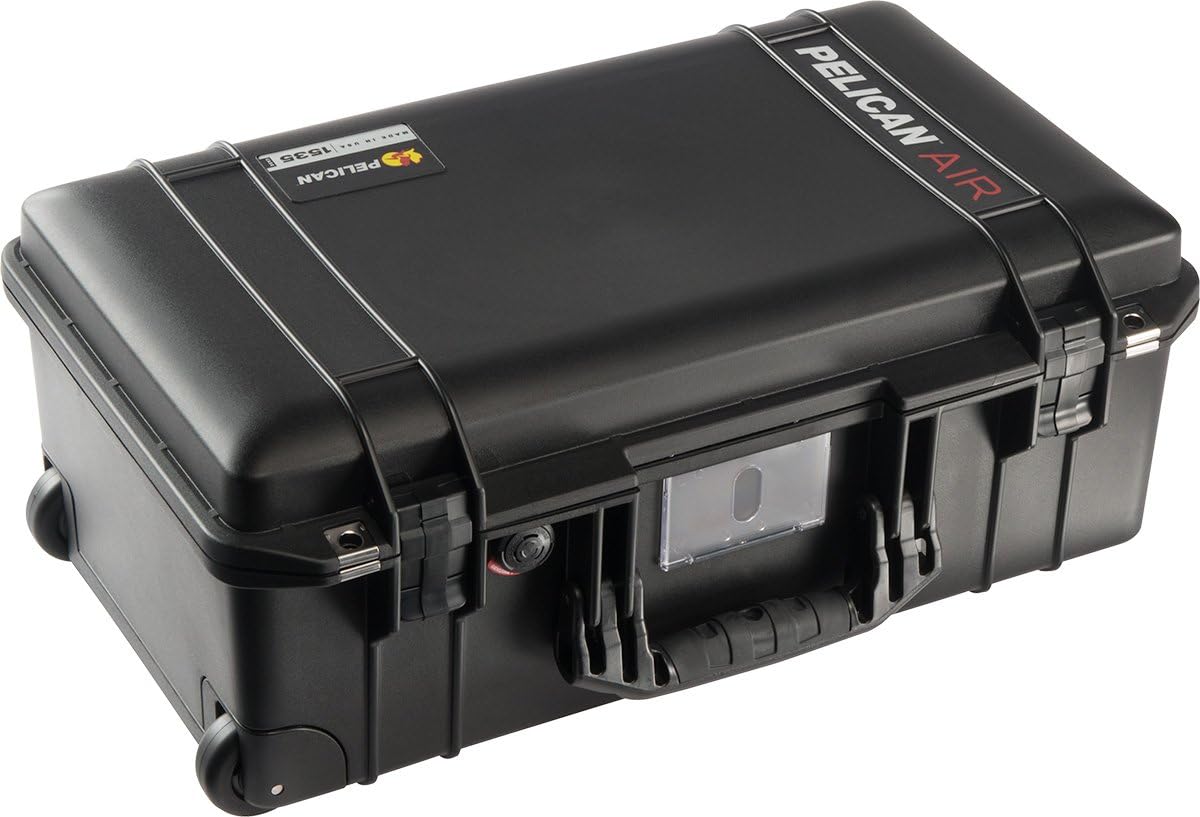
The Pelican Air 1535 Case features a sleek, durable exterior designed for maximum protection and portability. Its robust construction ensures your gear remains safe during transit.
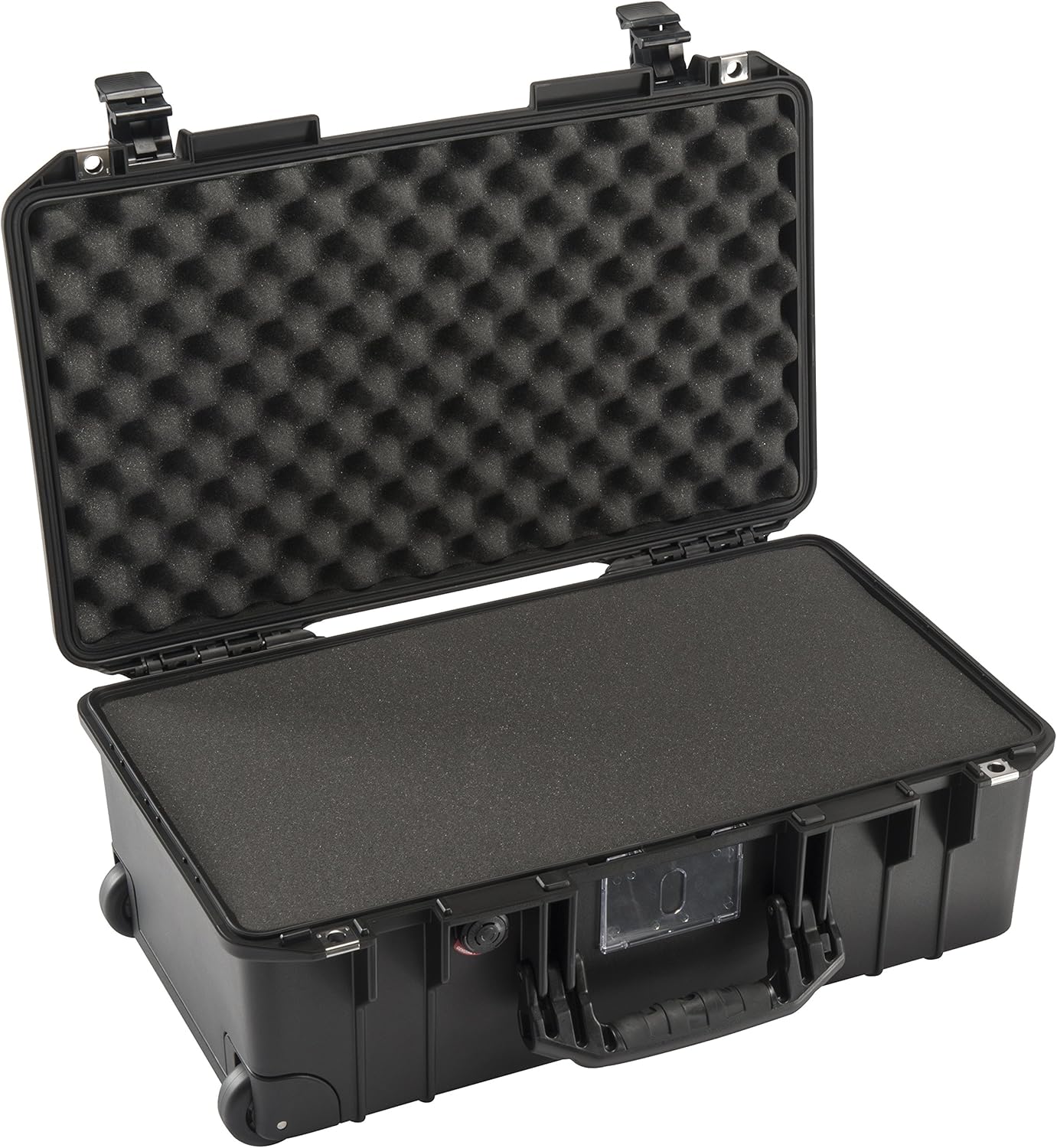
The interior includes Pelican's Pick N Pluck shock-absorbent foam, allowing for custom configuration to securely fit your specific equipment.
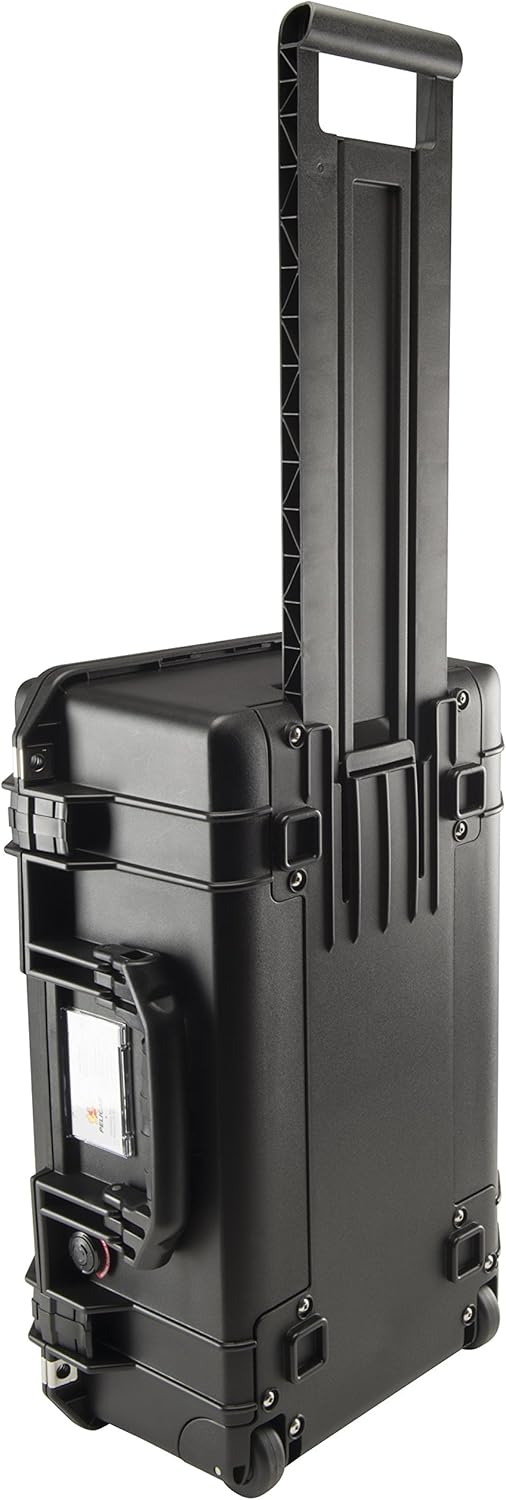
Equipped with rolling stainless-steel bearing wheels and an extending trolley handle, the case offers effortless mobility, making it easy to transport even heavy loads.

Detailed view of the case's advanced features, including the watertight O-ring gasket, double-throw latches, stainless steel hasp protectors, rubber overmolded handles, and an automatic purge valve for pressure equalization.
Additional Features:
- Lightweight HPX Resin: 28% lighter than equivalent cases, up to 40% lighter than other polymer cases, ensuring ease of transport without sacrificing strength.
- Crushproof & Dustproof: Designed to protect contents from extreme impacts and environmental contaminants.
- Watertight Seal: Features a robust O-ring gasket and an automatic purge valve to maintain internal pressure and prevent water ingress.
- Secure Latches: Double-throw latches provide a secure closure, while stainless steel hasp protectors offer additional security for padlocks (not included).
- Comfortable Handling: Rubber overmolded handles provide a comfortable and secure grip.
- Integrated Card Holder: A convenient card holder allows for easy identification of the case contents or owner.
Setup: Customizing the Foam Interior
The Pelican Air 1535 Case comes with Pick N Pluck foam, allowing you to create custom compartments for your equipment. This ensures a snug and protective fit for each item.
- Plan Your Layout: Arrange your equipment on top of the foam layers to determine the optimal layout. Ensure adequate spacing between items and from the case walls for maximum protection.
- Trace Outlines: Using a marker or chalk, carefully trace the outline of each item onto the top foam layer.
- Pluck the Foam: The foam is pre-scored into small cubes. Carefully pluck out the foam cubes within your traced outlines. For a cleaner cut, you may use a sharp utility knife, but this is often not necessary due to the pre-scored design.
- Test Fit: Place your equipment into the newly created cavities to ensure a secure and proper fit. Adjust by plucking more foam if needed.
- Layering: The case typically includes multiple foam layers. The bottom layer provides a solid base, while the top layer (convoluted foam in the lid) presses down on your equipment for added security.
Note: Once foam is plucked, it cannot be reattached. Plan your layout carefully before proceeding.
Operation
Opening and Closing the Case:
- To Open: Lift the double-throw latches upwards and outwards to disengage them from the case body. Once all latches are open, lift the lid.
- To Close: Align the lid with the case body. Press down firmly on the lid to ensure a proper seal. Engage each double-throw latch by pushing it downwards until it clicks securely into place. Ensure all latches are fully engaged for watertight and dustproof protection.
Using the Extendable Trolley Handle and Wheels:
- To Extend Handle: Locate the release button or lever on the top of the handle. Press or pull the mechanism and pull the handle upwards until it fully extends and locks into position.
- To Retract Handle: Press or pull the release mechanism again and push the handle downwards until it fully retracts into the case body.
- Transporting: Once the handle is extended, tilt the case onto its rolling stainless-steel bearing wheels and pull it behind you.
Using the Side and Top Handles:
- The case features rubber overmolded handles on the top and side for comfortable carrying when rolling is not feasible.
Automatic Purge Valve:
- The case is equipped with an automatic purge valve that balances air pressure inside the case, preventing vacuum lock and making it easier to open after changes in altitude or temperature. No manual operation is required for this feature.
Maintenance
- Cleaning: Clean the exterior of the case with mild soap and water. For stubborn dirt, a soft brush can be used. Rinse thoroughly and allow to air dry.
- O-Ring Gasket: Periodically inspect the O-ring gasket located in the lid for any signs of damage, cracks, or debris. Keep the O-ring clean and free of dirt or sand. For optimal performance, a thin coat of silicone grease (not petroleum-based) can be applied to the O-ring annually.
- Latches and Hinges: Ensure latches and hinges operate smoothly. If they become stiff, a small amount of silicone spray can be applied.
- Wheels and Handle: Check wheels for debris and ensure they spin freely. Inspect the extendable handle for smooth operation and ensure it locks securely in both extended and retracted positions.
- Foam: The foam interior can be cleaned by gently vacuuming or shaking out debris. For spills, spot clean with a damp cloth and mild detergent, then allow to air dry completely before reinserting into the case.
Troubleshooting
- Case is difficult to open: This may be due to pressure differential, especially after changes in altitude or temperature. The automatic purge valve should equalize pressure, but if it's still difficult, ensure the valve is clear of debris.
- Water or dust ingress: Check the O-ring gasket for proper seating, cleanliness, and any damage. Ensure all latches are fully and securely closed.
- Handle not extending/retracting smoothly: Inspect the handle mechanism for any obstructions or damage. Apply a small amount of silicone spray if needed.
- Wheels not rolling smoothly: Check for debris (hair, dirt, etc.) wrapped around the wheel axles. Clean as necessary.
For issues not covered here, please refer to the Warranty and Support section for contact information.
Specifications
| Model Number | 015350-0000-110 |
| Exterior Dimensions (LWD) | 21.96 x 13.97 x 8.98 inches (55.8 x 35.5 x 22.8 cm) |
| Interior Dimensions (LWD) | 20.39" x 11.20" x 7.21" (51.8 x 28.4 x 18.3 cm) |
| Item Weight | 8.69 pounds (3.94 kg) |
| Material | Lightweight HPX Resin |
| Protection Features | Crushproof, Dustproof, Watertight (O-ring gasket, Automatic Purge Valve) |
| Mobility | Rolling Stainless-Steel Bearing Wheels, Extending Trolley Handle |
| Handles | Rubber Overmolded Top and Side Handles |
| Latches | Double-Throw Latches with Stainless Steel Hasp Protectors |
Note: Exterior dimension is designed to maximum allowable airline carry-on size. Always check with your specific airline for current carry-on restrictions.
Warranty and Support
Pelican Products, Inc. offers a Lifetime Guarantee on the Pelican Air 1535 Case. This guarantee covers breakage or defects in workmanship for the lifetime of the product. This does not cover abuse, normal wear and tear, or damage caused by improper use.
For warranty claims, technical support, or further assistance, please visit the official Pelican website or contact their customer service department directly. Keep your purchase receipt as proof of ownership.
Manufacturer: Pelican
Website: www.pelican.com (Please refer to the website for the most current contact information and warranty details.)


