
1. Product Overview
The PeakPlus LFX1000 is a high-performance, rechargeable tactical LED flashlight designed for versatility and durability. It features multiple light modes, a zoomable focus, and a robust water-resistant construction, making it suitable for various outdoor activities, emergency situations, and general home use.

Image: The PeakPlus LFX1000 Tactical Flashlight shown alongside its complete kit, including the rechargeable battery, USB charger, and protective case.
2. Package Contents
Upon opening your PeakPlus LFX1000 package, please verify that all the following components are included:
- 1 x PeakPlus Super Bright Tactical LED Flashlight
- 1 x 2200mAh Rechargeable Battery
- 1 x USB Battery Charger
- 1 x Battery Sleeve (for rechargeable battery)
- 1 x AAA Battery Holder (for optional AAA battery use)
- 1 x Hand Strap
- 1 x User Manual (this document)
- 1 x Green Box Case
Note: No standalone lithium batteries are sold with this product. The included rechargeable battery is specifically manufactured for this flashlight.
3. Setup
3.1. Battery Installation
The PeakPlus LFX1000 can be powered by either the included rechargeable battery or three AAA batteries (not included).
- Unscrew the tail cap of the flashlight by turning it counter-clockwise.
- For Rechargeable Battery: Insert the 2200mAh rechargeable battery into the provided battery sleeve. Ensure the positive (+) end of the battery faces towards the head of the flashlight. Carefully slide the sleeved battery into the flashlight body.
- For AAA Batteries: Place three AAA batteries into the AAA battery holder, observing the correct polarity (+/-) as indicated on the holder. Insert the battery holder into the flashlight body with the positive (+) end facing towards the head of the flashlight.
- Screw the tail cap back on clockwise until it is securely tightened.
3.2. Initial Charging (Rechargeable Battery)
Before first use, it is recommended to fully charge the rechargeable battery.
- Remove the rechargeable battery from the flashlight.
- Insert the rechargeable battery into the USB battery charger, ensuring correct polarity.
- Connect the USB charger to a compatible USB power source (e.g., wall adapter, computer USB port).
- The indicator light on the charger will typically change color (e.g., red to green) to indicate charging status and completion.
- Once fully charged, disconnect the charger and re-install the battery into the flashlight.
4. Operating Instructions
4.1. Power On/Off
To turn the flashlight on or off, firmly press the tactical push-button switch located on the tail cap.
4.2. Changing Light Modes
The PeakPlus LFX1000 features 5 distinct light modes: Full Brightness, Medium Brightness, Low Brightness, Strobe, and SOS.
- With the flashlight turned on, lightly press the tactical push-button switch (do not fully click) to cycle through the modes.
- Each light press will advance to the next mode in the sequence: Full → Medium → Low → Strobe → SOS.
- To select a mode, simply stop pressing the switch when the desired mode is active.
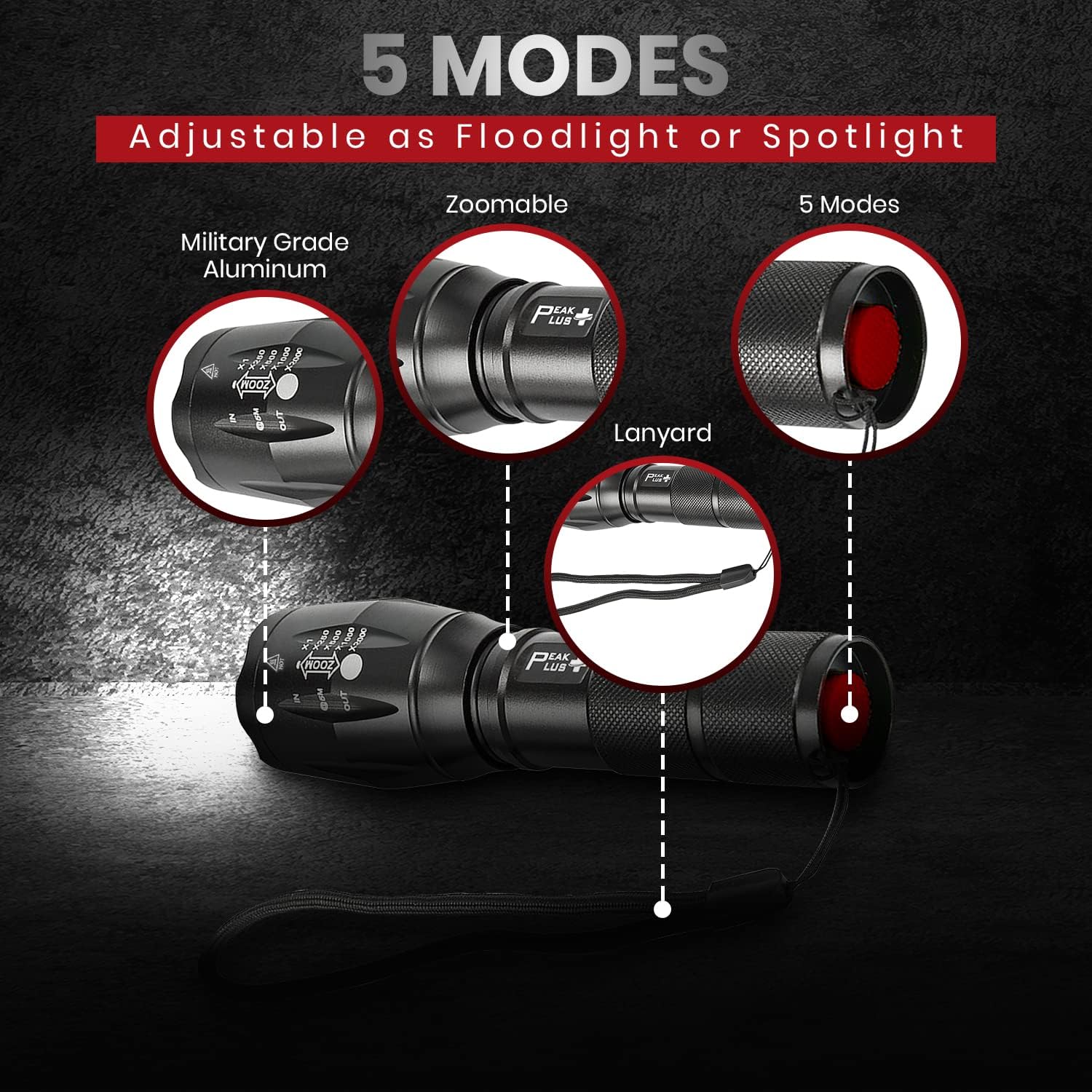
Image: A visual representation of the flashlight's five light modes (Max, Med, Low, Strobe, SOS) and its zoomable head for adjusting beam focus.
4.3. Zoom Function (Adjustable Focus)
The flashlight's head can be adjusted to change the beam from a narrow spotlight to a wide floodlight.
- To achieve a focused spotlight beam, extend the head of the flashlight outwards. This concentrates the light for long-distance illumination, up to 600 feet.
- To achieve a wide floodlight beam, retract the head of the flashlight inwards. This spreads the light to illuminate a larger area.
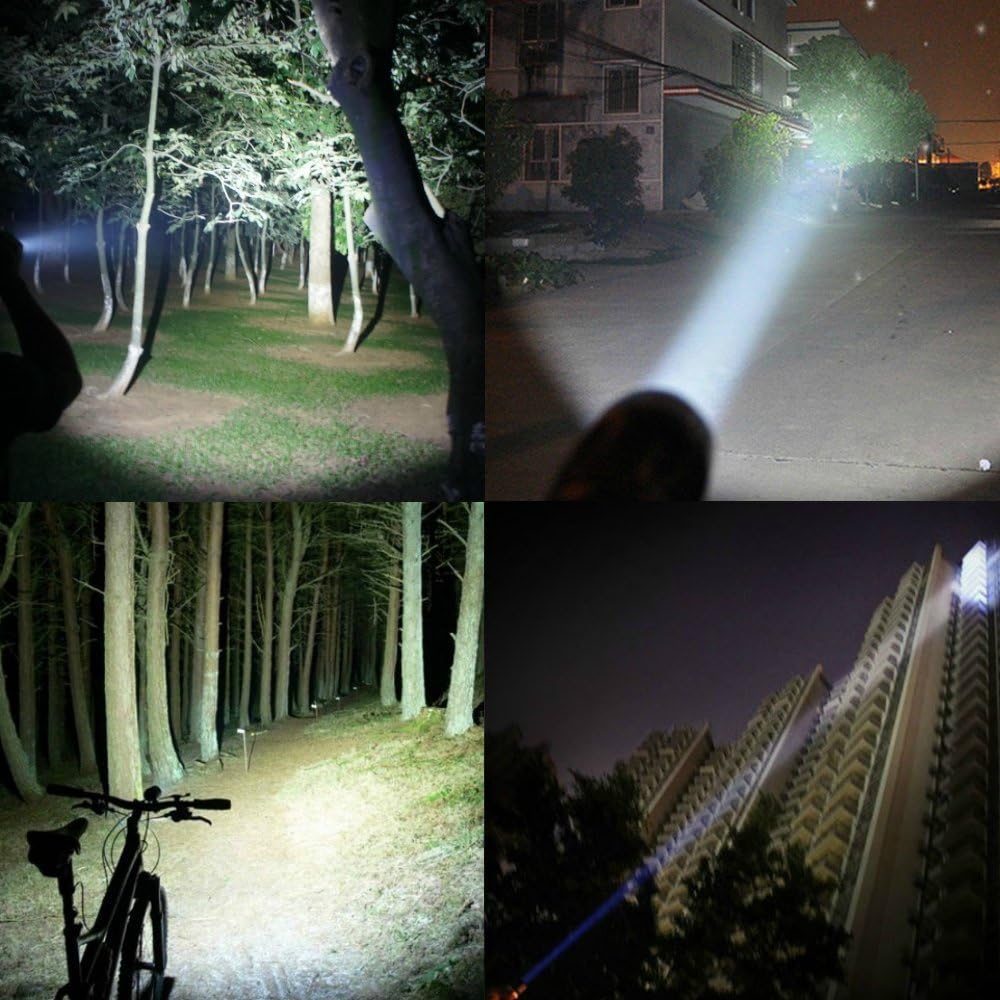
Image: A collage demonstrating the flashlight's powerful beam in different settings, including a forest, an open area at night, and illuminating a tall building, showcasing its versatility.
5. Maintenance
5.1. Cleaning
To maintain optimal performance and appearance, clean the flashlight regularly.
- Wipe the exterior with a soft, damp cloth. Avoid abrasive cleaners or solvents.
- If the lens becomes dirty, gently wipe it with a lens cleaning cloth.
5.2. Battery Care and Storage
- Always use the provided USB battery charger for the rechargeable battery.
- Avoid overcharging or completely draining the rechargeable battery to prolong its lifespan.
- If storing the flashlight for an extended period, remove the batteries to prevent leakage and damage.
- Store the flashlight and batteries in a cool, dry place away from direct sunlight and extreme temperatures.
5.3. Water Resistance
The PeakPlus LFX1000 is designed to be water-resistant, making it suitable for use in rainy conditions or accidental splashes. However, it is not intended for prolonged submersion.

Image: The PeakPlus flashlight shown in a simulated rain environment, highlighting its water-resistant capabilities.

Image: A hand holding the PeakPlus flashlight with its head partially submerged in water, illustrating its water-resistant design.
6. Troubleshooting
If you encounter issues with your PeakPlus LFX1000, please refer to the following common problems and solutions:
| Problem | Possible Cause | Solution |
|---|---|---|
| Flashlight does not turn on. | Low or dead battery; incorrect battery installation; loose tail cap. | Charge the rechargeable battery or replace AAA batteries. Ensure batteries are inserted with correct polarity. Tighten the tail cap securely. |
| Light is dim or flickers. | Low battery; dirty contacts; loose components. | Charge or replace batteries. Clean battery contacts with a dry cloth. Ensure all parts are securely tightened. |
| Cannot change light modes. | Switch not being pressed lightly enough; switch malfunction. | Ensure you are lightly pressing the tail switch, not fully clicking it. If the issue persists, contact customer support. |
| Battery not charging. | Incorrect battery placement in charger; faulty charger or USB cable; faulty battery. | Ensure battery is correctly inserted into the charger. Try a different USB cable or power source. If the issue persists, contact customer support. |
If these solutions do not resolve the issue, please refer to the Support section for further assistance.
7. Specifications
Key technical specifications for the PeakPlus Rechargeable Tactical Flashlight LFX1000:
| Feature | Detail |
|---|---|
| Model Name | PeakPlus LED XML T6 Tactical Flashlight |
| Brightness | 1000 Lumens (White Brightness) |
| Light Source Type | LED |
| Power Source | Battery Powered (1 x Rechargeable battery included OR 3 x AAA batteries not included) |
| Light Modes | Full, Medium, Low Brightness, Strobe, SOS |
| Zoom Function | Adjustable Focus (Spotlight up to 600 feet, or wide Floodlight) |
| Material | Aluminum |
| Water Resistance Level | Water Resistant |
| Product Dimensions | 5.3"D x 1.6"W x 1.1"H |
| Item Weight | 11.2 ounces |
| Runtime | 12 hours (approximate, depending on mode and battery type) |
| Recommended Uses | Outdoor activities, emergency situations, camping, hiking, fishing, home use, power outages |
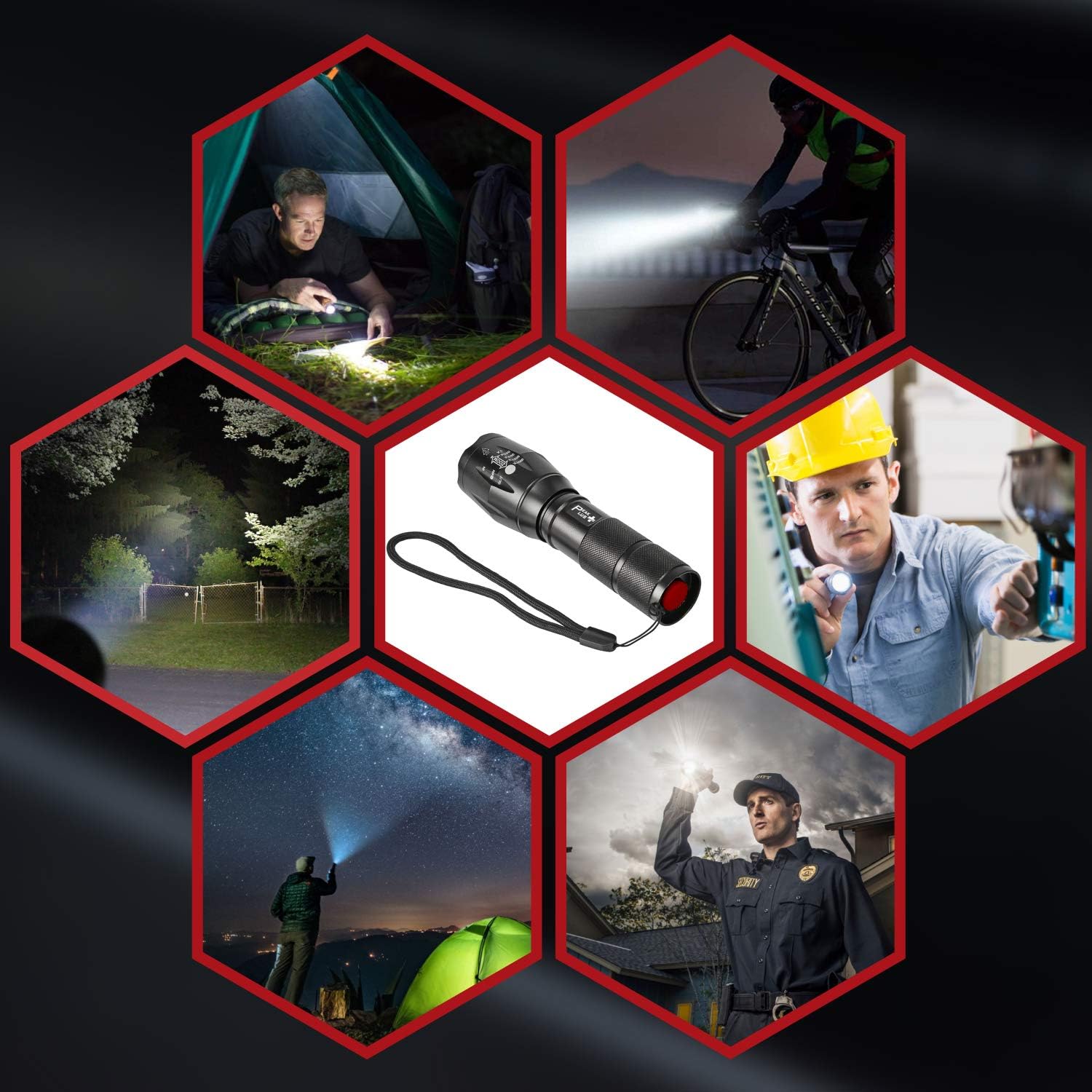
Image: A hexagonal collage illustrating diverse applications of the PeakPlus flashlight, including camping, cycling, home repairs, and security.
8. Warranty Information
PeakPlus provides a comprehensive warranty for your LFX1000 Tactical Flashlight. We offer a one-year no-questions-asked replacement policy from the date of purchase. This warranty covers any manufacturing defects or performance issues that may arise during normal use.
Please retain your proof of purchase for warranty claims.
9. Customer Support
Our dedicated customer support team is available to assist you with any questions, concerns, or issues you may experience with your PeakPlus LFX1000 Tactical Flashlight.
- Contact Method: Please reach out to us via the contact information provided on your product packaging or through the retailer's customer service portal.
- Response Time: We are committed to responding to all inquiries within 24 hours.
Your satisfaction is our priority, and we are here to ensure you have a positive experience with your PeakPlus product.