
Introduction
This instruction manual provides essential information for the proper use and maintenance of your Eheim Filter Media Set, model 2617710. This set includes a pre-filter pad and filter fleece designed for optimal filtration in compatible Eheim external filters. Please read this manual thoroughly before installation and use to ensure efficient operation and longevity of your aquarium filtration system.
Product Overview
The Eheim Filter Media Set 2617710 is a replacement media kit consisting of one pre-filter pad and four filter fleeces. These components are crucial for both mechanical and biological filtration within your Eheim external filter.
- Porous Material: Effectively traps both large and small dirt particles, ensuring clear aquarium water.
- Biological Filtration: Provides excellent colonization conditions for beneficial bacteria cultures, which are vital for breaking down harmful substances in the aquarium.
This filter media set is suitable for the following Eheim external filters:
- professionel 4+ 250, 250T, 350, 350T, 700, 600T
- professionel 4+e 350
- professionel 5e 350, 450, 700, 600T
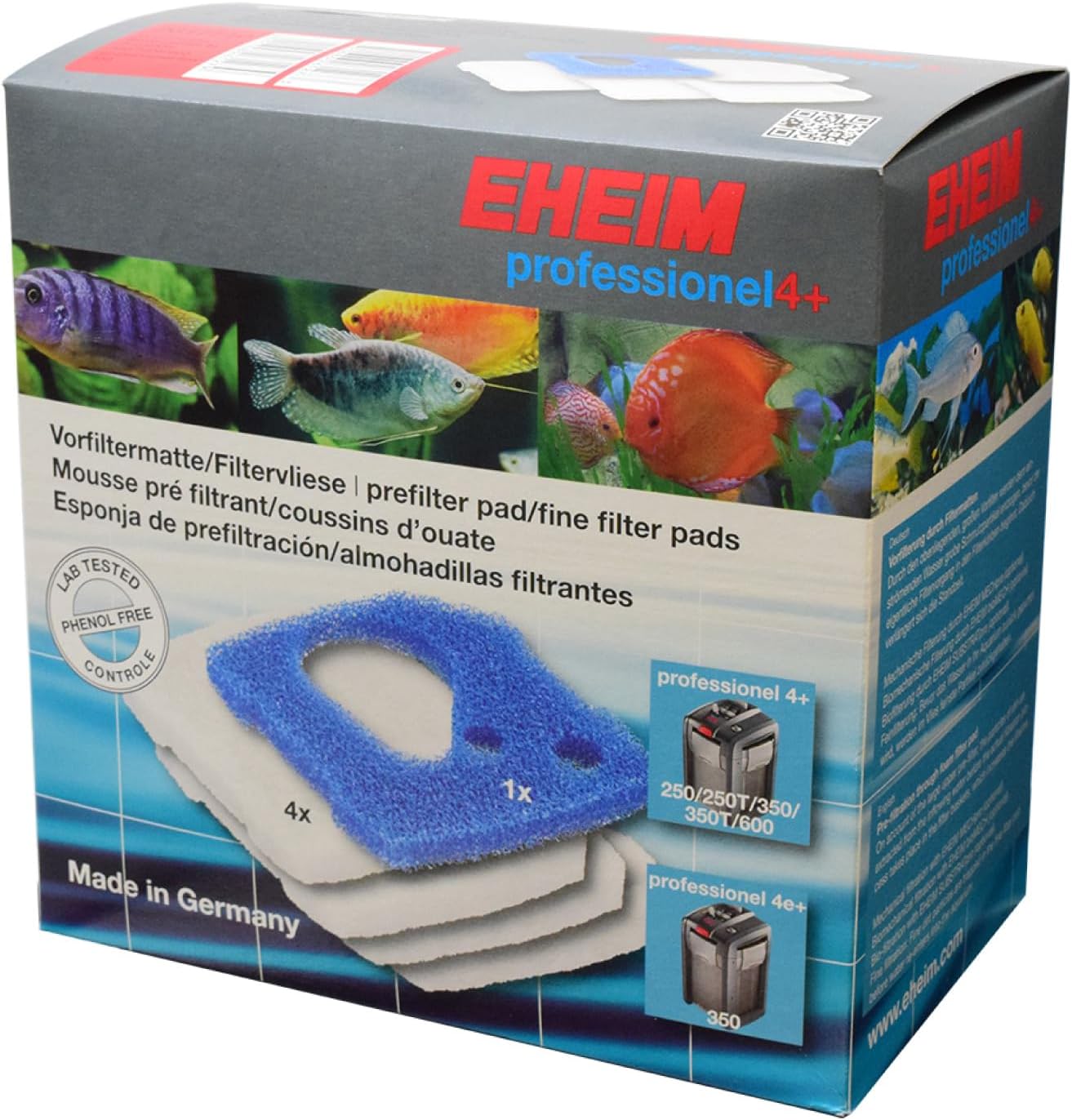
Image: Eheim Filter Media Set 2617710 packaging. The box displays the product name, compatible filter models, and an illustration of the blue pre-filter pad and white filter fleeces.
Setup and Installation
The Eheim Filter Media Set is designed for easy integration into your compatible Eheim external filter. Always refer to your specific Eheim external filter's instruction manual for detailed steps on opening, disassembling, and reassembling the filter canister.
- Preparation: Before handling filter media, ensure your filter is disconnected from power and all hoses are properly clamped to prevent water leakage.
- Access Filter Baskets: Carefully open your Eheim external filter according to its specific instructions to access the internal filter media baskets.
- Remove Old Media: Remove the used pre-filter pad and filter fleeces from their respective positions within the filter baskets. Dispose of old media responsibly.
- Install New Media: Place the new pre-filter pad and filter fleeces into the designated compartments. The blue pre-filter pad typically goes at the top, followed by the white filter fleeces. Ensure they fit snugly without being compressed excessively.
- Reassemble Filter: Carefully reassemble your filter, ensuring all seals are correctly seated and the head is securely fastened. Reconnect hoses and restart the filter as per your filter's manual.

Image: Recommended Eheim filter media set-up diagram. This illustration shows the correct layering of filter media, including the pre-filter pad and filter fleeces, within various Eheim professionel 4+ and 5e external filters.
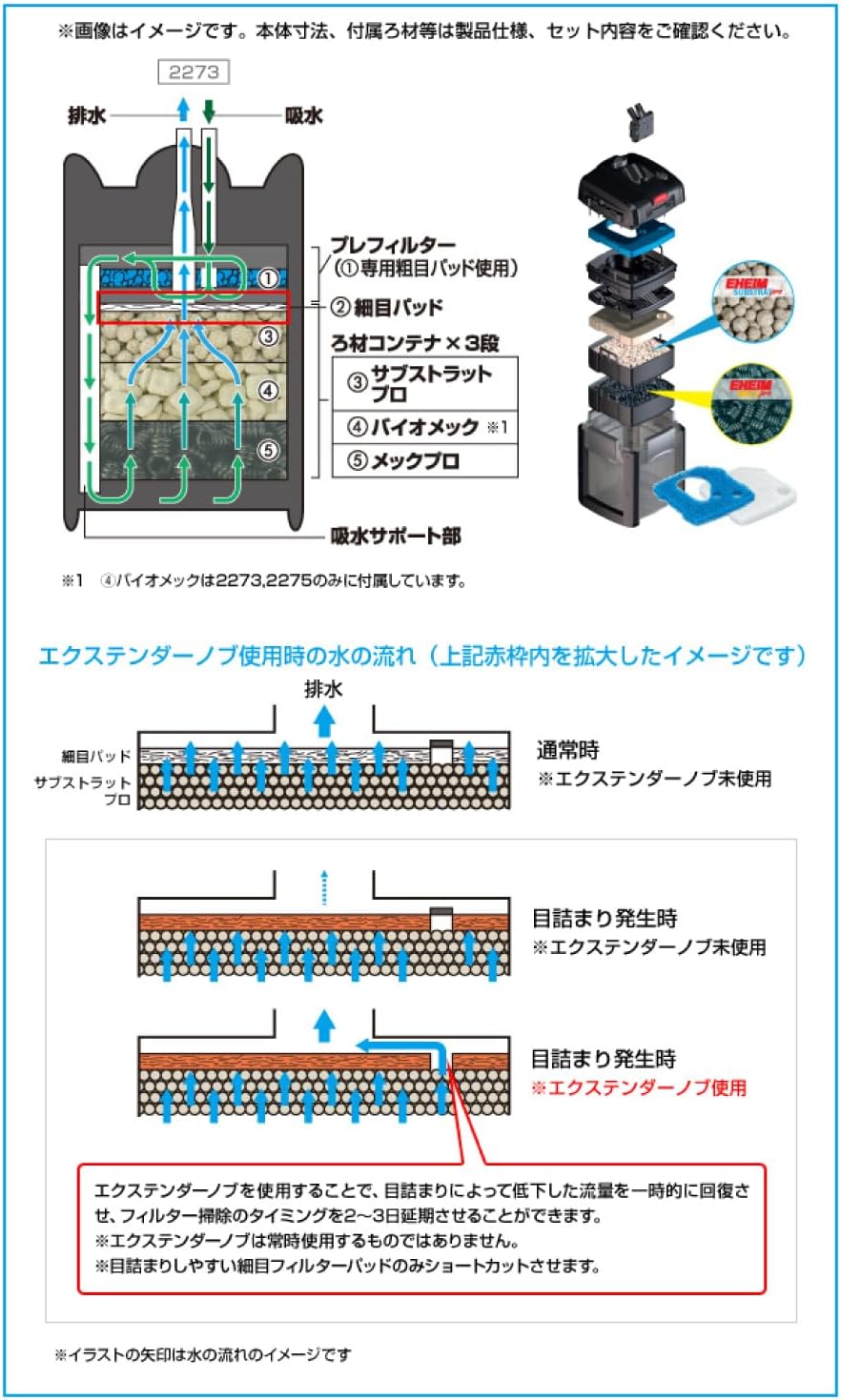
Image: Filter flow diagram. This diagram visually represents the path of water through the filter, highlighting how it passes through different media layers, including the pre-filter and fine filter pads, for effective filtration.
Operating Instructions
Once installed, the Eheim Filter Media Set operates passively within your external filter. The pre-filter pad provides mechanical filtration by capturing larger debris, while the filter fleeces offer finer mechanical filtration and a surface for beneficial bacteria to colonize, contributing to biological filtration. Ensure your filter is running continuously for optimal water quality.
Maintenance
Regular maintenance of your filter media is essential for maintaining a healthy aquarium environment and ensuring the longevity of your filter. The frequency of cleaning and replacement depends on your aquarium's bioload and the specific filter model.
- Cleaning: The filter pads and fleeces can be cleaned by gently rinsing and squeezing them out in old aquarium water (not tap water, as chlorine can kill beneficial bacteria). This removes trapped debris without completely eliminating beneficial bacteria.
- Replacement: Over time, filter media will degrade and become less effective. Replace the pre-filter pad and filter fleeces as recommended by your Eheim external filter's manual, or when they appear heavily soiled and cleaning no longer restores their effectiveness.
Troubleshooting
If you notice a decrease in your filter's performance, such as reduced water flow or cloudy water, the filter media may be clogged or require replacement.
- Reduced Flow: Check the pre-filter pad first, as it is designed to capture larger particles and can become clogged more quickly. Clean or replace as necessary.
- Cloudy Water: If water remains cloudy after cleaning the pre-filter, the finer filter fleeces may be saturated. Consider cleaning or replacing them.
- General Performance: Always ensure all filter components are correctly assembled and seals are intact after maintenance. Refer to your main filter manual for comprehensive troubleshooting steps related to the filter unit itself.
Specifications
| Attribute | Detail |
|---|---|
| Product Model Number | 2617710 |
| Item Weight | 5.3 ounces (0.15 Kilograms) |
| Item Package Dimensions (L x W x H) | 8.27 x 7.87 x 4.72 inches |
| Item Dimensions (L x W x H) | 0.39 x 0.39 x 0.39 inches |
| Contents | 1x Pre-filter Pad, 4x Filter Fleece |
Warranty Information
For specific warranty details regarding Eheim products, please refer to the official Eheim website or the documentation included with your Eheim external filter unit. This filter media set is a consumable item, and its lifespan is subject to usage and maintenance practices.
Support
If you require further assistance or have questions not covered in this manual, please contact Eheim customer support through their official website or authorized distributors. When contacting support, please have your product model number (2617710) and your Eheim filter model information readily available.


