Introduction
This manual provides essential instructions for setting up, operating, maintaining, and troubleshooting your Philips BDM4350UC 43-inch 4K UHD IPS monitor. Please read this manual thoroughly before using your monitor to ensure proper functionality and to maximize your viewing experience.
1. Setup
1.1 Unpacking
Carefully remove all components from the packaging. The box should contain the following items:
- Philips BDM4350UC 43-inch Class IPS-LED Monitor
- Monitor Stand
- D-sub Cable
- DisplayPort (DP) Cable
- HDMI Cable
- USB Cable (for USB 3.0 hub upstream connection)
- Audio Cable
- Power Cable
- User Documentation
1.2 Physical Setup
Attach the monitor stand to the display panel according to the instructions in the included user documentation. Ensure all connections are secure. Alternatively, the monitor supports VESA mounting (200mm x 200mm) for wall or arm installation.
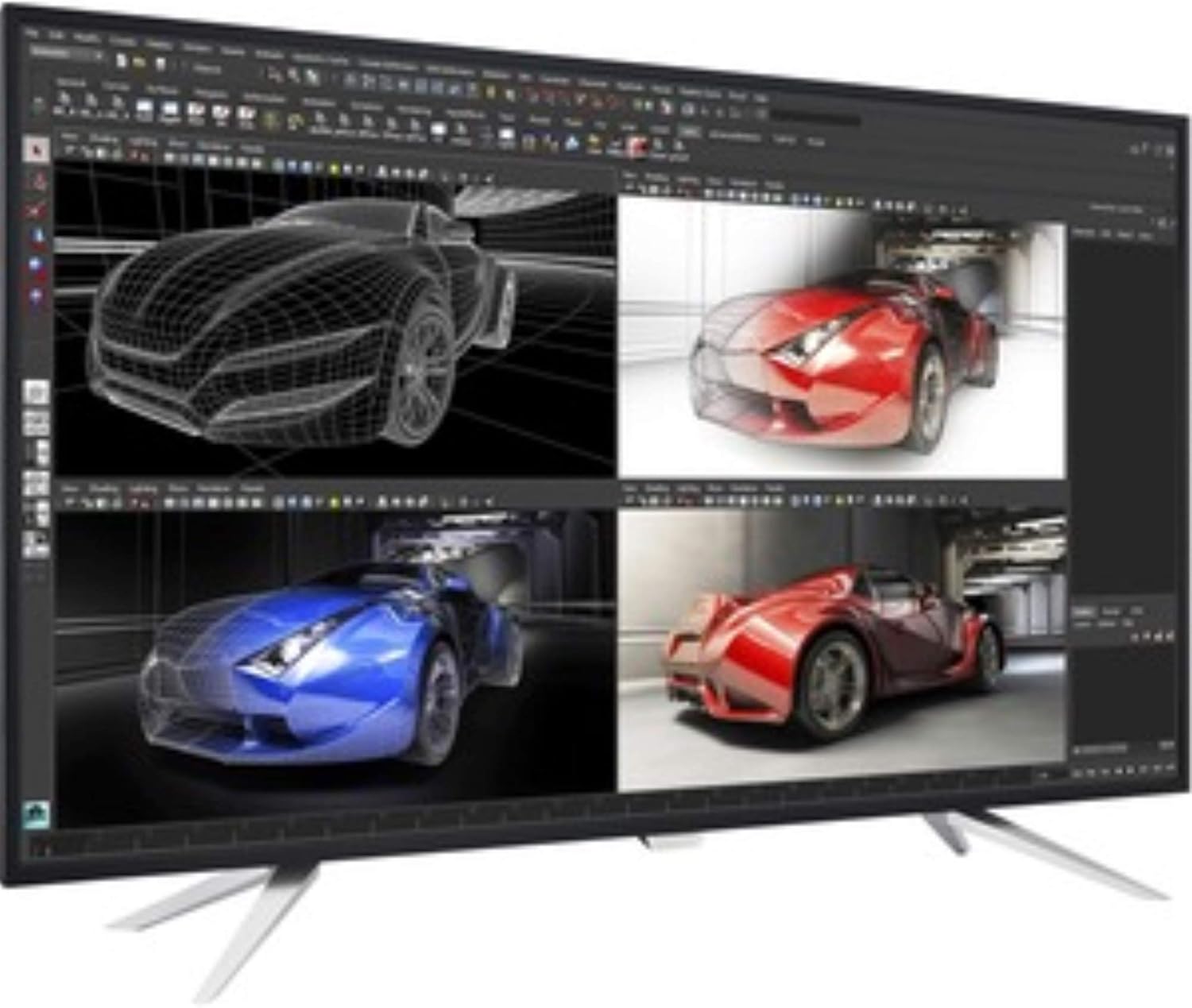
Figure 1: Philips BDM4350UC monitor showcasing its MultiView Picture-by-Picture (PBP) feature, displaying four distinct inputs simultaneously. This setup is beneficial for professional tasks requiring multiple data sources or applications to be viewed concurrently.
1.3 Connectivity
Connect your computer or other devices to the monitor using the appropriate cables. The monitor offers a variety of input options:
- Video Inputs: 2x HDMI 2.0, 2x DisplayPort 1.2, 1x VGA (D-sub).
- USB Hub: 1x USB 3.0 upstream port (connects to your computer to enable the downstream ports), 4x USB 3.0 downstream ports (one with fast charging capability).
- Audio: Audio In, Audio Out.
Ensure the USB 3.0 upstream cable is connected to your computer to utilize the monitor's integrated USB hub and SmartControl software features.
2. Operating the Monitor
2.1 Power On/Off
The monitor features a single toggle button located on the back for power control and OSD menu navigation. Press this button to power the monitor on or off.
2.2 On-Screen Display (OSD) Menu Navigation
The single toggle button on the back of the monitor also serves as a joystick for navigating the OSD menu. Press the button to open the main menu, then use the directional movements (up, down, left, right) to select and adjust settings.
- Push Right: Accesses the main OSD menu.
- Push Left: Activates SmartImage modes.
- Push Up: Toggles MultiView modes.
- Push Down: Selects audio source.
2.3 MultiView (PIP/PBP)
The Philips MultiView technology allows for Picture-by-Picture (PBP) with up to four inputs or Picture-in-Picture (PIP) with two inputs. This enhances productivity by enabling simultaneous viewing of multiple sources. Access MultiView settings via the OSD menu.
2.4 SmartImage
SmartImage provides optimized display settings for various content types, such as Office, Photo, Movie, and Game modes. Select the appropriate mode via the OSD menu or by pushing the OSD button to the left.
2.5 Audio Settings
The monitor includes built-in 7W stereo speakers. You can adjust volume and select audio input sources (e.g., HDMI, DisplayPort, Audio In) through the OSD menu. Note that when switching between MultiView modes, the audio source may need to be manually reselected.
3. Maintenance
To ensure the longevity and optimal performance of your monitor, follow these maintenance guidelines:
- Cleaning the Screen: Gently wipe the screen with a soft, lint-free cloth. For stubborn marks, use a monitor-specific cleaning solution applied to the cloth, not directly to the screen.
- Cleaning the Casing: Use a soft, dry cloth to clean the monitor casing. Avoid abrasive cleaners or solvents.
- Ventilation: Ensure the monitor's ventilation openings are not blocked to prevent overheating.
4. Troubleshooting
If you encounter issues with your monitor, refer to the following common troubleshooting steps:
- No Image on Screen:
- Check if the power cable is securely connected to both the monitor and the power outlet.
- Verify that the video cable (HDMI, DisplayPort, or VGA) is properly connected to both the monitor and your computer.
- Ensure the correct input source is selected via the OSD menu.
- Confirm your computer's video output is active and configured correctly.
- OSD Menu Not Appearing:
- If the OSD button only turns the monitor on/off, try resetting the monitor settings using the SmartControl software on your PC (if connected via USB upstream).
- Ensure the monitor is powered on.
- Image Too Bright/Dim:
- Adjust the brightness and contrast settings through the OSD menu. The default brightness may be set high.
- Check SmartImage settings; some modes may alter brightness levels.
- SmartControl Software Issues:
- Ensure the USB 3.0 upstream cable is connected between the monitor and your PC.
- Download the latest SmartControl software from the Philips support website.
- SmartControl software is typically available for Windows 7, 8, and 10. Mac/Linux versions may not be available.
- Audio Issues:
- Verify the audio cable is connected or that the HDMI/DisplayPort cable is carrying audio.
- Check the audio source selection in the OSD menu.
- Adjust the volume settings on both the monitor and your computer.
5. Specifications
| Feature | Specification |
|---|---|
| Model Number | BDM4350UC |
| Screen Size | 43 inches (42.51 inches viewable) |
| Panel Type | IPS LED |
| Resolution | 4K UHD (3840 x 2160 pixels) |
| Aspect Ratio | 16:9 |
| Contrast Ratio (SmartContrast) | 50,000,000:1 |
| Video Inputs | 2x HDMI 2.0, 2x DisplayPort 1.2, 1x VGA |
| USB Hub | 1x USB 3.0 Upstream, 4x USB 3.0 Downstream (1 with fast charging) |
| Audio | Audio In, Audio Out, 2x 7W Stereo Speakers |
| VESA Mount Compatibility | 200mm x 200mm |
| Dimensions (LxWxH) | 38.11 x 3.22 x 22.12 inches (without stand) |
| Weight | 20.7 pounds (without stand) |
6. Warranty and Support
6.1 Warranty Information
Philips monitors come with a 4-year advance replacement warranty in the United States. This warranty minimizes downtime by providing a replacement unit in advance should a covered issue arise.
6.2 Technical Support
For further assistance, updated drivers, software (such as SmartControl), or detailed troubleshooting guides, please visit the official Philips support website for your region. Ensure you have your monitor's model number (BDM4350UC) ready when seeking support.


