
BLACK+DECKER BCRK25B
BLACK+DECKER 2.5 Cu. Ft. Compact Refrigerator Instruction Manual
Model: BCRK25B
Important Safety Information
Please read all instructions carefully before using your new compact refrigerator. Keep this manual for future reference. Failure to follow these instructions may result in electric shock, fire, or property damage.
- Electrical Safety: Ensure the refrigerator is connected to a properly grounded electrical outlet. Do not use extension cords or ungrounded adapters.
- Ventilation: Allow adequate space around the refrigerator for proper ventilation. Blocked vents can lead to overheating and reduced efficiency.
- Refrigerant: This appliance uses R600a refrigerant. Handle with care and ensure proper disposal according to local regulations.
- Proposition 65 Warning: This product can expose you to chemicals including Lead, which is known to the State of California to cause cancer and birth defects or other reproductive harm. For more information go to www.P65Warnings.ca.gov.
- Children Safety: Supervise children when they are near the appliance. Old refrigerators can be dangerous if children play inside.
Setup and Installation
- Unboxing: Carefully remove all packaging materials, including any tape securing the door and shelves. Inspect the refrigerator for any shipping damage.
- Placement: Choose a location with a firm, level floor that is strong enough to support the refrigerator when fully loaded. Avoid direct sunlight or heat sources. Ensure there is sufficient space for the door to open completely.
- Leveling: The refrigerator is equipped with adjustable leveling legs. Turn the legs clockwise to raise the unit or counter-clockwise to lower it. Ensure the refrigerator is level to ensure proper door sealing and efficient operation.
- Initial Power-On: If the refrigerator has been tilted or placed on its side during transport, allow it to stand upright for at least 24 hours before plugging it in. This allows the refrigerant to settle. After plugging in, set the thermostat to the maximum setting (e.g., '7') for 15-20 minutes to initiate cooling, then adjust to your desired setting.
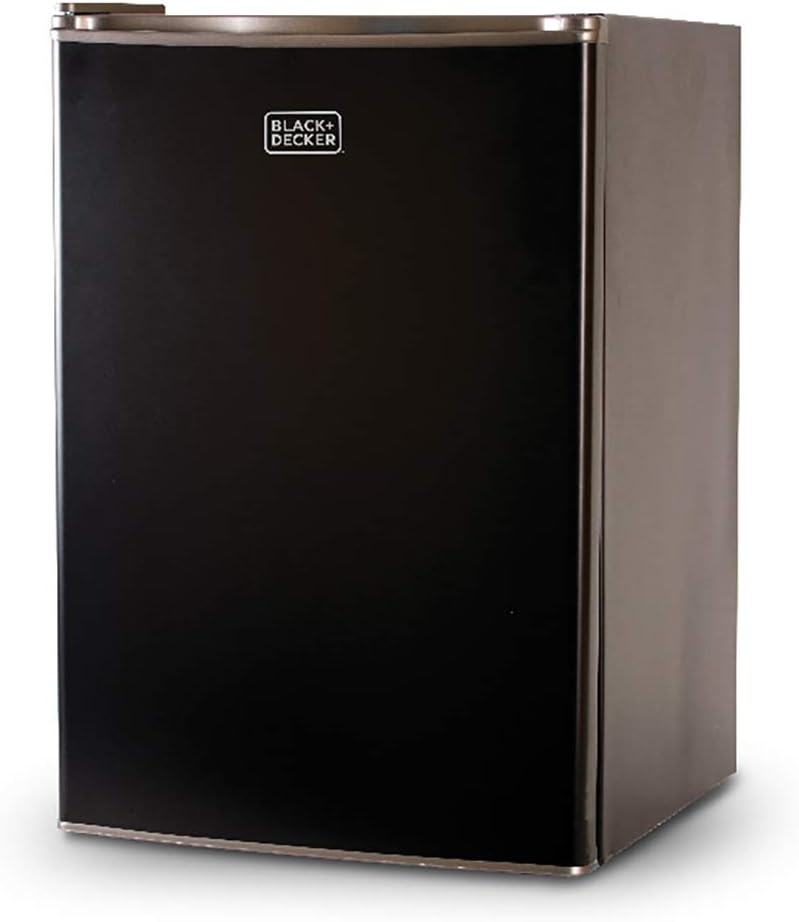
Image: The BLACK+DECKER 2.5 Cu. Ft. Compact Refrigerator in black, showcasing its sleek design.

Image: Visual representation of the refrigerator's dimensions: 26.6 inches in height, 18.5 inches in depth, and 17.5 inches in width.
Operating Your Refrigerator
Temperature Control
The refrigerator features an adjustable thermostat control dial located inside the unit. Settings typically range from 0 (off) to 7 (coldest). Adjust the dial to achieve your desired cooling level. A setting of 4 or 5 is often sufficient for general use.
Interior Storage
- Adjustable Shelves: The refrigerator includes two removable glass shelves that can be adjusted to accommodate items of various heights.
- Door Storage: The door features full and half-width bins designed to hold cans, small containers, and up to 2-liter bottles.
- Chiller Compartment: A small chiller compartment is located at the top of the main compartment, suitable for short-term freezing of items and includes an ice cube tray. Note that this is not a full freezer and is not designed for long-term storage of frozen goods (e.g., more than 5 days).

Image: The interior of the refrigerator, highlighting its 2.5 cubic feet capacity with main storage and door storage areas.

Image: A detailed view of the small freezer compartment, showing the ice tray and the temperature control dial.
Maintenance
Cleaning
Regularly clean the interior and exterior of your refrigerator. Unplug the unit before cleaning. Use a mild detergent and warm water to wipe down surfaces. Avoid abrasive cleaners or harsh chemicals. Dry thoroughly after cleaning.
Defrosting the Chiller Compartment
The chiller compartment will accumulate frost over time. When the frost layer becomes about 1/4 inch thick, it's time to defrost. Unplug the refrigerator, remove all food items, and allow the frost to melt naturally. You can place a towel at the bottom to absorb water. Do not use sharp objects to remove ice, as this can damage the cooling elements.
Troubleshooting
| Problem | Possible Cause | Solution |
|---|---|---|
| Refrigerator does not operate. | Not plugged in; circuit breaker tripped; thermostat set to '0' (off). | Ensure plug is firmly in outlet; reset circuit breaker; turn thermostat to a higher setting. |
| Refrigerator makes clicking noise but does not cool. | Compressor attempting to start but failing; possible refrigerant issue. | Unplug the unit for a few minutes, then plug back in. If issue persists, contact customer support. |
| Food is not cold enough. | Thermostat setting too low; door not closed properly; excessive door openings; warm food placed inside. | Adjust thermostat to a colder setting; ensure door is sealed; minimize door openings; allow hot food to cool before placing in fridge. |
| Excessive frost buildup in chiller compartment. | High humidity; frequent door openings; door seal not tight. | Defrost the unit as per maintenance instructions; ensure door is closed tightly; check door gasket for damage. |
Specifications
- Brand: BLACK+DECKER
- Model: BCRK25B
- Capacity: 2.5 Cubic Feet
- Dimensions (D x W x H): 18.5" x 17.5" x 26.6"
- Item Weight: 41.9 Pounds
- Color: Black
- Material Type: Steel
- Voltage: 115 Volts
- Installation Type: Freestanding
- Special Features: Adjustable Shelves, Compact, Reversible Door
- Certification: ENERGY STAR Certified
- Refrigerant: R600a
- Defrost System: Automatic (for main compartment), Manual (for chiller compartment)
Warranty and Support
Your BLACK+DECKER compact refrigerator is covered by a manufacturer's warranty. Please refer to the warranty card included with your purchase for specific terms and conditions. For technical assistance, troubleshooting, or to inquire about warranty service, please contact BLACK+DECKER customer support. Contact information can typically be found on the manufacturer's official website or on the product packaging.
You can also find additional support and resources by visiting the official BLACK+DECKER store on Amazon: BLACK+DECKER Store.
Ask a question about this manual
Ask about setup, troubleshooting, compatibility, parts, safety, or missing instructions. Manuals+ will review the question and use this page’s manual context to help answer it.