
1. Introduction
This manual provides essential instructions for the safe and efficient use of your Lampa 38872 Triple USB Car Charger. Please read this manual thoroughly before using the product and retain it for future reference.
2. Safety Information
- Do not disassemble or modify the charger.
- Avoid exposure to extreme temperatures, direct sunlight, or moisture.
- Keep out of reach of children.
- Ensure the car's power socket is clean and free of debris before insertion.
- Do not operate the charger if it appears damaged.
- Use only in vehicles with 12V or 24V DC power outlets.
3. Product Overview
The Lampa 38872 is a triple USB car charger designed to provide universal fast charging for your mobile devices in a vehicle. It features three USB ports, each capable of delivering 2.4A, for a total output of 7200mAh (7.2A) across all ports, with a maximum power output of 18 watts. It is compatible with both 12V and 24V vehicle power systems.

Image 1: The Lampa 38872 Triple USB Car Charger. This image shows the compact design of the charger with its three USB ports visible on the front face.
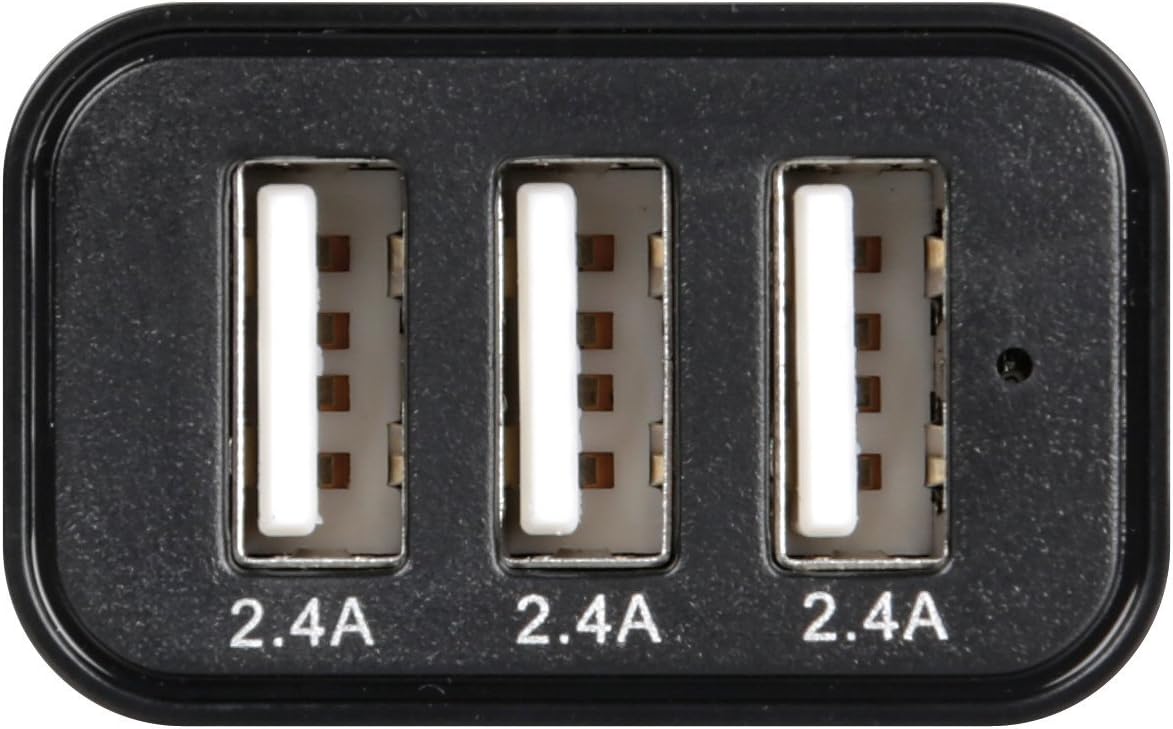
Image 2: Close-up view of the three USB ports on the Lampa 38872 charger. Each port is labeled '2.4A', indicating its individual output capability.
4. Specifications
| Feature | Detail |
|---|---|
| Brand | Lampa |
| Model | 38872 |
| Input Voltage | 12V / 24V DC |
| Output Current (per port) | 2.4A |
| Total Output Current | 7200mAh (7.2A) |
| Total Output Wattage | 18 Watts |
| Special Feature | Fast Charging |
| Compatible Devices | Smartphones, Tablets |
| Item Weight | 50 g |
5. Setup
- Locate Vehicle Power Outlet: Identify the 12V or 24V cigarette lighter socket in your vehicle.
- Insert Charger: Firmly insert the Lampa 38872 Triple USB Car Charger into the vehicle's power outlet. Ensure it is fully seated for a stable connection.
- Verify Power: Some vehicles require the ignition to be on for the power outlet to be active. Check if the charger's indicator light (if present) illuminates, or proceed to connect a device to confirm power.

Image 3: The Lampa 38872 charger correctly inserted into a vehicle's 12V power outlet, ready for use.
6. Operating Instructions
- Connect USB Cable: Plug one end of your device's USB charging cable into any of the three USB ports on the Lampa 38872 charger.
- Connect Device: Plug the other end of the USB charging cable into your smartphone, tablet, or other compatible USB-powered device.
- Charging Begins: Your device should immediately begin charging. The charger's intelligent design automatically detects the connected device and delivers optimal charging current up to 2.4A per port.
- Multiple Devices: You can charge up to three devices simultaneously. The total output of 7.2A (7200mAh) ensures efficient charging for multiple devices.

Image 4: The Lampa 38872 charger actively charging a smartphone and a tablet simultaneously within a vehicle's interior.
7. Maintenance
- Cleaning: Disconnect the charger from the power outlet before cleaning. Use a soft, dry cloth to wipe the exterior. Do not use liquid cleaners or solvents.
- Storage: When not in use, store the charger in a cool, dry place, away from direct sunlight and moisture.
- Cable Care: Ensure USB cables are not bent sharply or tangled, as this can damage them and affect charging performance.
8. Troubleshooting
- Device not charging:
- Ensure the charger is fully inserted into the vehicle's power outlet.
- Check if the vehicle's ignition is on (if required for the power outlet).
- Verify that the USB cable is securely connected to both the charger and your device.
- Try a different USB cable or a different USB port on the charger.
- Test the charger with another device to rule out a device-specific issue.
- Slow charging:
- Ensure your USB cable is in good condition and supports fast charging.
- Some devices may charge slower if multiple high-power devices are connected simultaneously, though the 7.2A total output is designed to minimize this.
- Check if your device's battery is extremely low, which can sometimes affect initial charging speed.
9. Disposal Information
This product should not be disposed of with household waste. Please recycle it at an appropriate collection point for electrical and electronic equipment. Contact your local authority for information on recycling and disposal options.