
Introduction
Thank you for purchasing the OttLite CY4009-FFP LED Desk Lamp. This manual provides important information regarding the setup, operation, maintenance, and troubleshooting of your new desk lamp. Please read these instructions carefully before use and retain them for future reference.
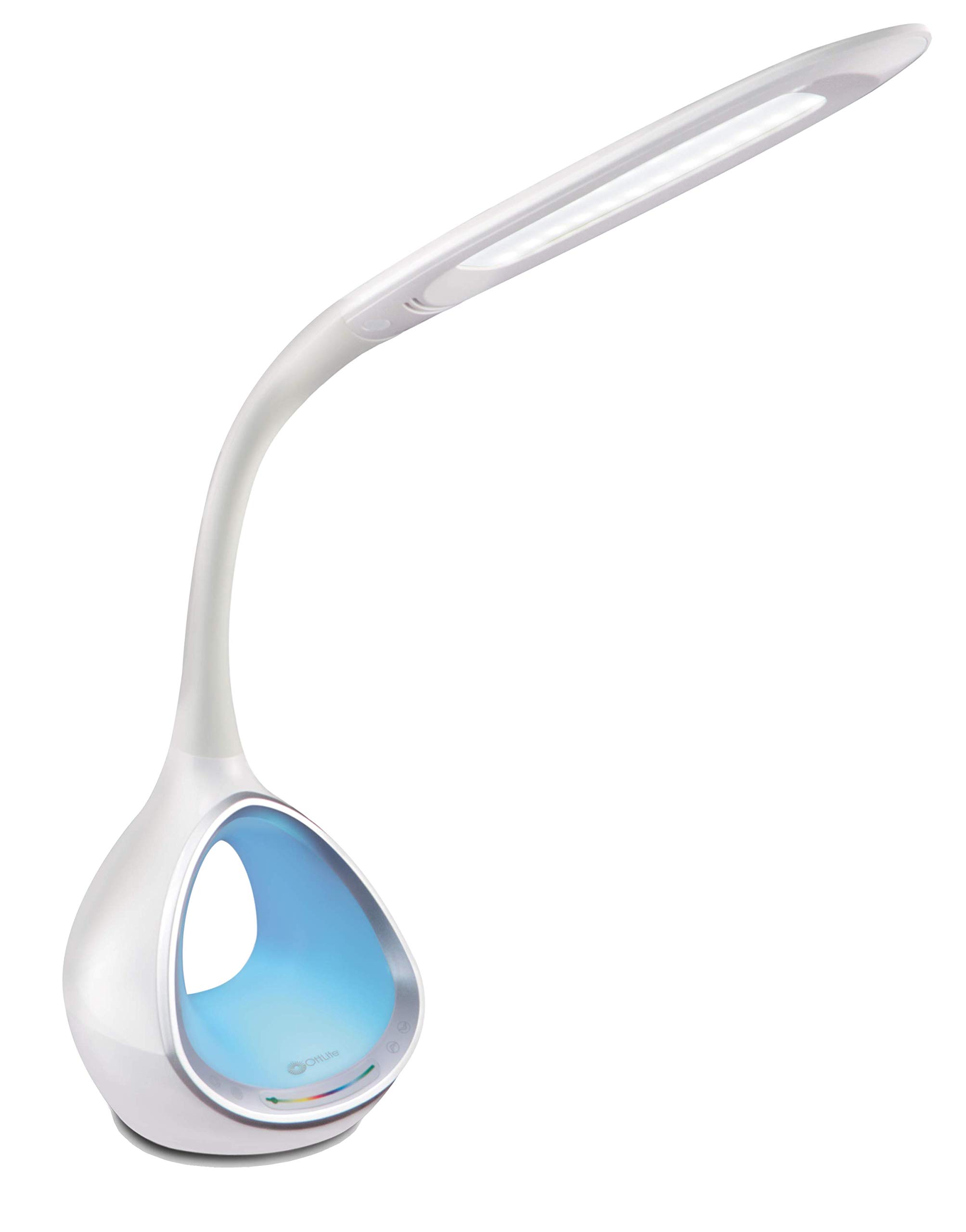
Image: The OttLite CY4009-FFP LED Desk Lamp, showcasing its sleek white design and flexible neck.
Safety Instructions
To ensure safe operation, please observe the following precautions:
- Do not operate the lamp with a damaged cord or plug.
- Do not modify the lamp or its components.
- Keep the lamp away from water or other liquids. This product is not water resistant.
- Ensure the lamp is placed on a stable, flat surface.
- Unplug the lamp before cleaning or performing any maintenance.
- This lamp is for indoor use only.
Package Contents
Verify that all items are present in the package:
- OttLite CY4009-FFP LED Desk Lamp
- AC/DC Power Adapter
Product Overview
Familiarize yourself with the main components of your desk lamp:
- Flexible Neck: Allows adjustment of the light head position.
- LED Light Head: Provides natural daylight illumination with adjustable brightness and color temperature.
- Control Panel: Touch-sensitive buttons for power, brightness, color temperature, and color-changing base.
- Color Changing Tunnel Base: Illuminates with a choice of colors or cycles through the spectrum.
- USB Charging Port: Located on the side of the base for charging devices.

Image: The OttLite CY4009-FFP LED Desk Lamp illustrating its adjustable height (11.75 to 16 inches) and base diameter (4.375 inches).
Setup
- Carefully remove the lamp and all components from the packaging.
- Place the lamp on a stable, flat surface.
- Connect the AC/DC power adapter to the power input port located at the back of the lamp base.
- Plug the power adapter into a standard electrical outlet.
- The lamp is now ready for operation.
Operating Instructions
Main Light Operation

Image: Close-up of the lamp base showing touch-activated controls for brightness and color settings.
- Power On/Off: Touch the Power button on the control panel to turn the main light on or off.
- Adjust Brightness: The lamp features 4 brightness settings. Repeatedly touch the Brightness button to cycle through the brightness levels.
- Change Color Temperature: The lamp offers 3 color temperature modes. Repeatedly touch the Mode button to switch between different light temperatures (e.g., warm white, bright white, cool white).

Image: Three different light outputs from the lamp head, demonstrating the warm, neutral, and cool color temperature settings.
Color Changing Tunnel Base Operation

Image: Four examples of the lamp's base glowing in different colors: blue, red, purple, and green.
- Activate Color Base: Touch the Color button on the control panel to turn on the color-changing base.
- Select a Color: Once activated, touch the color spectrum bar on the base to select a specific color.
- Cycle Colors: To have the base continuously cycle through the entire color spectrum, touch and hold the Color button until the colors begin to transition automatically.
- Turn Off Color Base: Touch the Color button again to turn off the color-changing base.
USB Charging Port
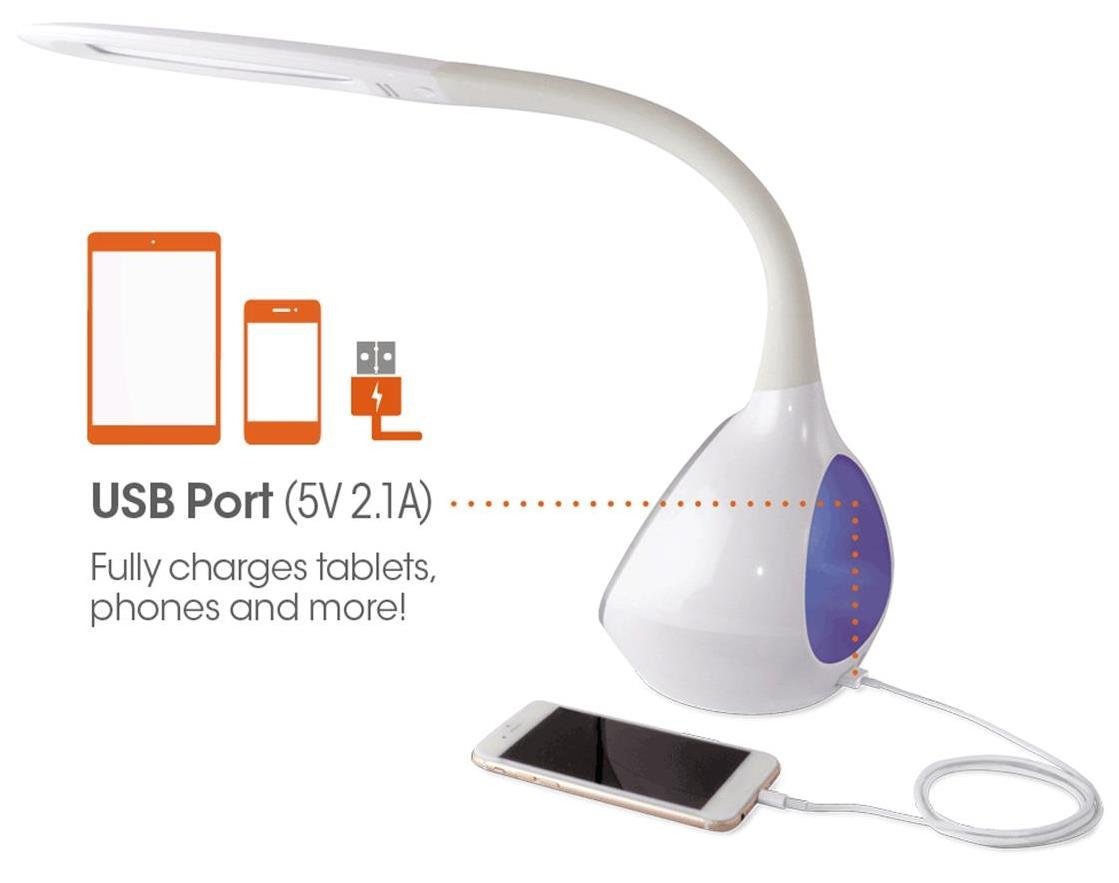
Image: The lamp's base with a smartphone connected to the 5V 2.1A USB charging port, illustrating its charging capability for phones and tablets.
The lamp includes a 5V, 2.1A USB charging port located on the side of the base. This port can be used to charge smartphones, tablets, and other USB-powered devices. Simply connect your device's USB charging cable to the port.
Maintenance
- Cleaning: Ensure the lamp is unplugged before cleaning. Use a soft, dry cloth to wipe down the lamp. Do not use abrasive cleaners or solvents.
- LEDs: The integrated LEDs are designed to last up to 40,000 hours and are not replaceable.
- Storage: If storing the lamp for an extended period, unplug it and store it in a cool, dry place.
Troubleshooting
| Problem | Possible Cause | Solution |
|---|---|---|
| Lamp does not turn on. | Power adapter not properly connected or no power from outlet. | Check if the power adapter is securely plugged into both the lamp and the wall outlet. Test the outlet with another device. |
| Main light works, but color-changing base does not. | Color button not activated. | Ensure the Color button on the control panel has been touched to activate the base light. |
| USB charging port not working. | Device not compatible or cable faulty. | Ensure your device is compatible with 5V, 2.1A charging. Try a different USB cable. |
| Touch controls are unresponsive. | Temporary electrical interference or power issue. | Unplug the lamp from the power outlet for 30 seconds, then plug it back in. |
Specifications
| Model Number: | CY4009-FFP |
| Brand: | OttLite |
| Light Source Type: | LED |
| Wattage: | 10 Watts |
| Brightness Settings: | 4 (up to 500 lumens) |
| Color Temperatures: | 3 |
| USB Port Output: | 5V, 2.1A |
| LED Lifespan: | Up to 40,000 hours |
| Product Dimensions (LxWxH): | 24.1D x 7W x 29.8H Centimeters |
| Item Weight: | 1.32 kg (2.91 lbs) |
| Power Source: | Corded Electric |
| Switch Type: | Touch |
| Color: | White |
| Water Resistance: | Not Water Resistant |
| UPC: | 761712012346 |
Warranty and Support
For warranty information or technical support, please refer to the documentation provided with your purchase or visit the official OttLite website. Keep your proof of purchase for warranty claims.
Manufacturer: Environmental Lighting Concepts