
1. Introduction
This manual provides essential instructions for the safe and efficient operation of your NutriChef PKFD06 Food Dehydrator. This appliance is designed to remove moisture from various foods, extending their shelf life and preserving nutrients and flavor. Please read this manual thoroughly before use and retain it for future reference.

The NutriChef PKFD06 Food Dehydrator, shown here with beef jerky on its five clear trays.
2. Safety Instructions
- Always ensure the appliance is unplugged before cleaning or assembly.
- Do not immerse the motor base in water or any other liquid.
- Keep out of reach of children.
- Use only on a stable, heat-resistant surface.
- Do not operate if the power cord or plug is damaged.
- Ensure proper ventilation around the unit during operation.
3. What's in the Box
Your NutriChef PKFD06 Food Dehydrator package includes the following components:
- Motor Base with power cord
- 5 Stackable Drying Trays
- Top Cover/Lid
- User Manual (this document)

Components included in the NutriChef PKFD06 Food Dehydrator package.
4. Setup
- Unpack: Carefully remove all components from the packaging.
- Clean: Wash the drying trays and lid in warm, soapy water. Rinse thoroughly and dry completely before first use. The motor base should only be wiped with a damp cloth.
- Assemble: Place the motor base on a stable, flat surface. Stack the desired number of drying trays onto the base. Ensure the trays are aligned correctly for proper air circulation. The trays can be stacked in two orientations: one for a taller stack (for larger items) and another for a thinner stack (for smaller items), achieved by rotating the tray 90 degrees.
- Place Lid: Position the top cover securely on the uppermost tray.
For a visual guide on unpacking and assembly, refer to the video below:
Product Overview Video: Demonstrates unpacking and basic assembly of the NutriChef Food Dehydrator.
5. Operating Instructions
- Prepare Food: Wash and prepare your food items. Slice them uniformly to ensure even drying. For best results, avoid overcrowding the trays to allow for optimal air circulation.
- Load Trays: Arrange the prepared food in a single layer on each drying tray.
- Power On: Plug the power cord into a standard 120V electrical outlet. Turn the main power switch to the 'ON' position. The indicator light will illuminate.
- Set Temperature: Use the temperature selector dial to choose the desired heat setting: Low, Medium, or High. The approximate temperature ranges are:
- Low: 104°F (40°C) - Ideal for delicate herbs and some fruits.
- Medium: 131°F (55°C) - Suitable for most fruits and vegetables.
- High: 176°F (80°C) - Recommended for meats and jerky.
- Dehydration Process: The dehydrator will begin circulating warm air. The drying time will vary depending on the type of food, thickness, and humidity.
- Monitor Progress: Periodically check the food for desired dryness. Rotate trays if necessary to ensure even drying.
- Finish: Once food is dried to your preference, turn the power switch to 'OFF' and unplug the unit. Allow food to cool before storing.

The NutriChef PKFD06 is versatile, capable of dehydrating a wide variety of foods.

The 360° air circulation technology ensures even dehydration across all trays.
Video demonstrating key features and operation of the NutriChef Food Dehydrator.
6. Maintenance and Cleaning
- Before Cleaning: Always unplug the dehydrator from the power outlet and allow it to cool completely.
- Trays and Lid: The drying trays and lid are not dishwasher safe. Wash them by hand in warm, soapy water. Rinse thoroughly and dry completely.
- Motor Base: Wipe the motor base with a soft, damp cloth. Do not use abrasive cleaners or immerse the base in water.
- Storage: Once clean and dry, store the dehydrator in a cool, dry place. The stackable design allows for compact storage.
7. Troubleshooting
If you encounter any issues with your NutriChef PKFD06 Food Dehydrator, refer to the following common problems and solutions:
| Symptom | Possible Cause | Solution |
|---|---|---|
| Dehydrator does not turn on | No power supply; Power switch off | Check power outlet; Ensure switch is ON. |
| Slow drying or uneven drying | Overloaded trays; Unevenly sliced food; Trays not rotated | Do not overload trays; Slice food uniformly; Rotate trays periodically. |
| Fan not running | Motor malfunction; Obstruction | Unplug and check for obstructions; Contact support if issue persists. |
For more detailed troubleshooting, please consult the user manual provided with your product.
8. Specifications
- Model: PKFD06
- Brand: NutriChef
- Power: 250 watts
- Voltage: 120V
- Number of Trays: 5
- Temperature Range: Up to 180°F (82°C)
- Product Dimensions (L x W x H): 11.0'' x 11.0'' x 10.2''
- Item Weight: 3.1 Pounds
- Material: Food Safe Plastic (Trays), Stainless Steel (Heating Element)
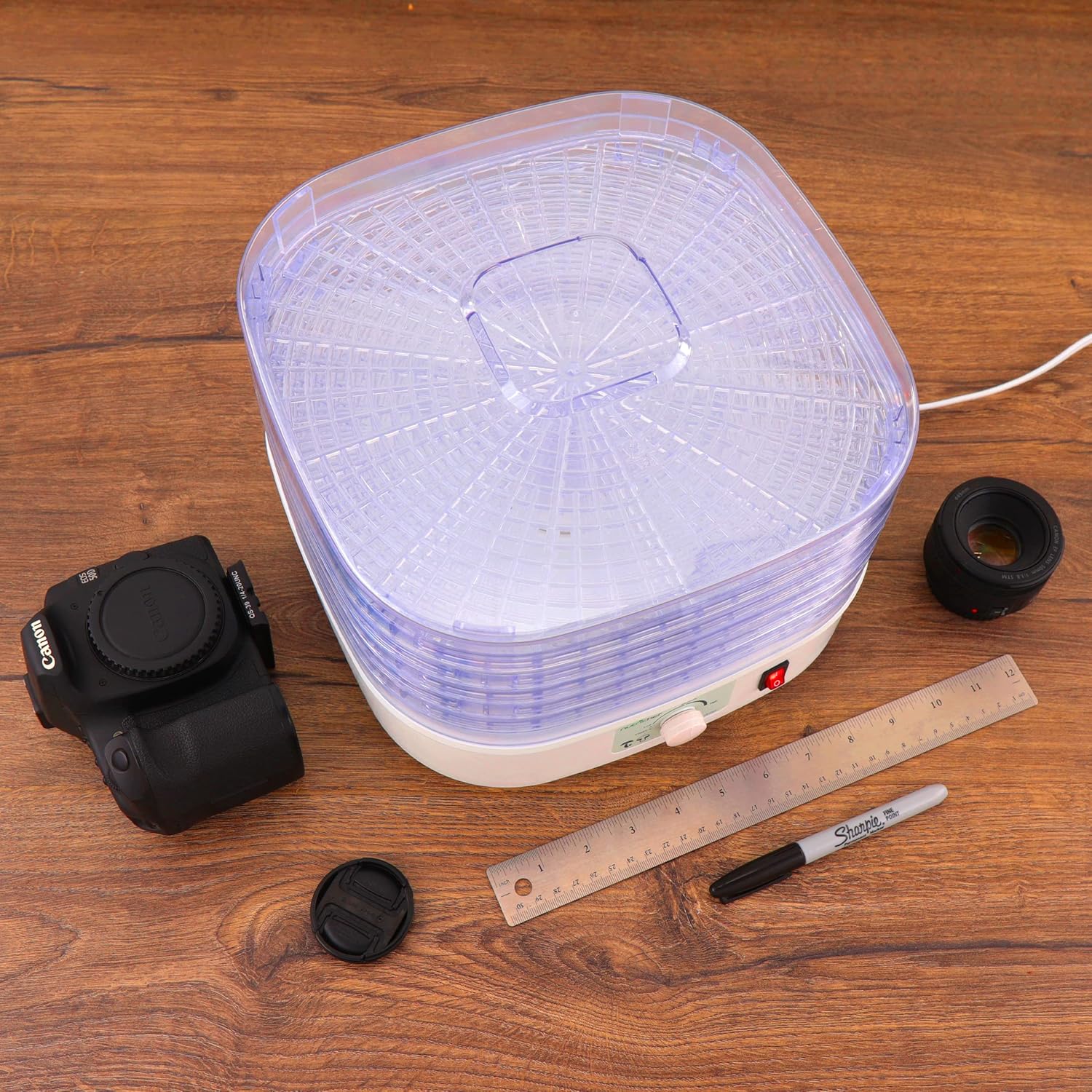
The compact design of the NutriChef PKFD06 makes it suitable for various kitchen spaces.
9. Warranty and Support
NutriChef offers a 1-year limited manufacturer's warranty for this product. To activate your warranty and register your product, please visit the NutriChef website or refer to the warranty information card included in your package.
For customer support, technical assistance, or warranty claims, please contact NutriChef directly through their official website or the contact information provided in your product packaging.