
Xprite SIREN-200W-CB
Contents
Xprite 200 Watt 8 Tones Emergency Warning Siren PA System Kit
User Instruction Manual
Introduction
This manual provides detailed instructions for the installation, operation, and maintenance of your Xprite 200 Watt 8 Tones Emergency Warning Siren PA System Kit. This system is designed for use in vehicles as a PA system or audio warning device, offering multiple tones and auxiliary control for additional lighting.
Key features include:
- 200W amplifier (Actual output power: 150W)
- 8 distinct warning tones
- 2 Auxiliary Switches for controlling external 12V LED lights (Maximum 80Watts/output)
- Handheld Microphone with Push-To-Talk (PTT) function
- Compatibility with any 100 - 200 Watt siren speaker (Speaker Not Included)
Product Overview

Figure 1: Xprite 200 Watt Emergency Warning Siren PA System Kit.

Figure 2: Multi-function design highlighting the On/Off Volume, Microphone input, Sound Selector, Horn Button, Horn/Siren Switch, and two Additional LED Accessory Switches.
Setup and Installation
The Xprite Siren PA System is designed for easy installation in vehicles with a 12V DC power source. A compatible siren speaker (100-200 Watt) is required and sold separately.
Wiring Instructions:
- Ensure the vehicle's power is off before beginning installation.
- Connect the main power wires: Red wire to positive (+) 12V DC power source, Black wire to negative (-) ground.
- Connect the Green wires to your siren speaker. This system supports a 100-200 Watt siren speaker.
- For auxiliary lights: The system includes two auxiliary switches. Connect your 12V LED lights (maximum 80 Watts per output) to the designated accessory wires. Refer to Figure 3 for wiring details.
- Mount the siren unit securely using the bail strap bracket in a location that allows easy access to controls and microphone.

Figure 3: Auxiliary function wiring. Red is Positive, Black is Negative, and Green wires connect to the siren.

Figure 4: The compact design allows for easy installation and operation within a vehicle's cabin.
Operating Instructions
Power On/Off and Volume:
Rotate the "On/Off Volume" knob clockwise to power on the unit and adjust the volume. Rotate counter-clockwise to power off.
Siren Tones:
The unit features 8 distinct warning tones. Use the "Sound Selector" knob to choose your desired tone. The available tones are typically labeled on the unit (e.g., Wail, Yelp, Hi-Lo, Traffic, Tool, Horn-1, Horn-2, Aux).
Horn and Siren Activation:
- Use the "Horn/Siren Switch" to toggle between horn and siren modes.
- Press the "Horn Button" (red button) for momentary horn activation.
Public Address (PA) Function:
Connect the handheld microphone to the "MIC" input. Press and hold the Push-To-Talk (PTT) button on the microphone to speak through the connected siren speaker.
Auxiliary Light Control:
The two red toggle switches on the right side of the unit control the two auxiliary outputs. Flip these switches to power on or off any connected 12V LED lights or other compatible accessories (up to 80 Watts per output).
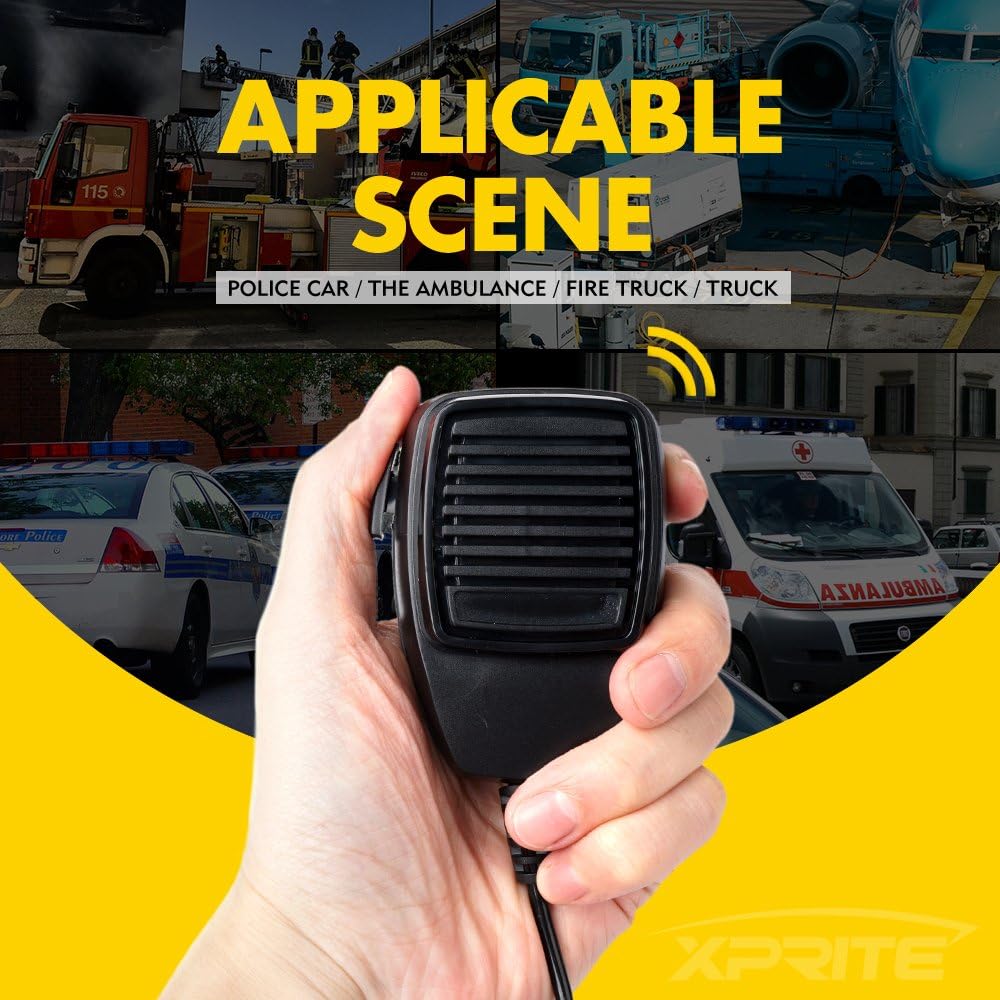
Figure 5: The system is suitable for various applications including police cars, ambulances, fire trucks, and other utility vehicles.
Maintenance
The Xprite Siren PA System is designed for durability and requires minimal maintenance. Follow these guidelines to ensure optimal performance:
- Cleaning: Use a soft, dry cloth to clean the exterior of the unit. Avoid abrasive cleaners or solvents that could damage the finish or internal components.
- Connections: Periodically check all wiring connections to ensure they are secure and free from corrosion. Loose connections can affect performance.
- Storage: If the unit is to be stored for an extended period, disconnect it from the power source and store it in a cool, dry place.
- Speaker Compatibility: Always ensure that any connected siren speaker meets the 100-200 Watt requirement to prevent damage to the amplifier.
Troubleshooting
If you encounter issues with your Xprite Siren PA System, refer to the following common problems and solutions:
| Problem | Possible Cause | Solution |
|---|---|---|
| No power to the unit. | Loose power connection, blown fuse, no 12V DC supply. | Check power and ground connections. Inspect vehicle's fuse box and replace any blown fuses. Verify 12V DC power is present. |
| No sound from speaker. | Speaker not connected, faulty speaker, volume too low, incorrect tone selected. | Ensure speaker is properly connected. Test speaker with another audio source if possible. Increase volume. Rotate sound selector knob. |
| Microphone not working. | Microphone not plugged in, PTT button not pressed, faulty microphone. | Ensure microphone is fully plugged into the "MIC" port. Press and hold the PTT button firmly. |
| Auxiliary lights not working. | Auxiliary switch off, loose wiring, faulty light, exceeding wattage limit. | Flip the auxiliary switch to the ON position. Check wiring to the lights. Ensure lights are functional. Verify total wattage does not exceed 80W per output. |
If the problem persists after attempting these solutions, please contact Xprite customer support for further assistance.
Specifications
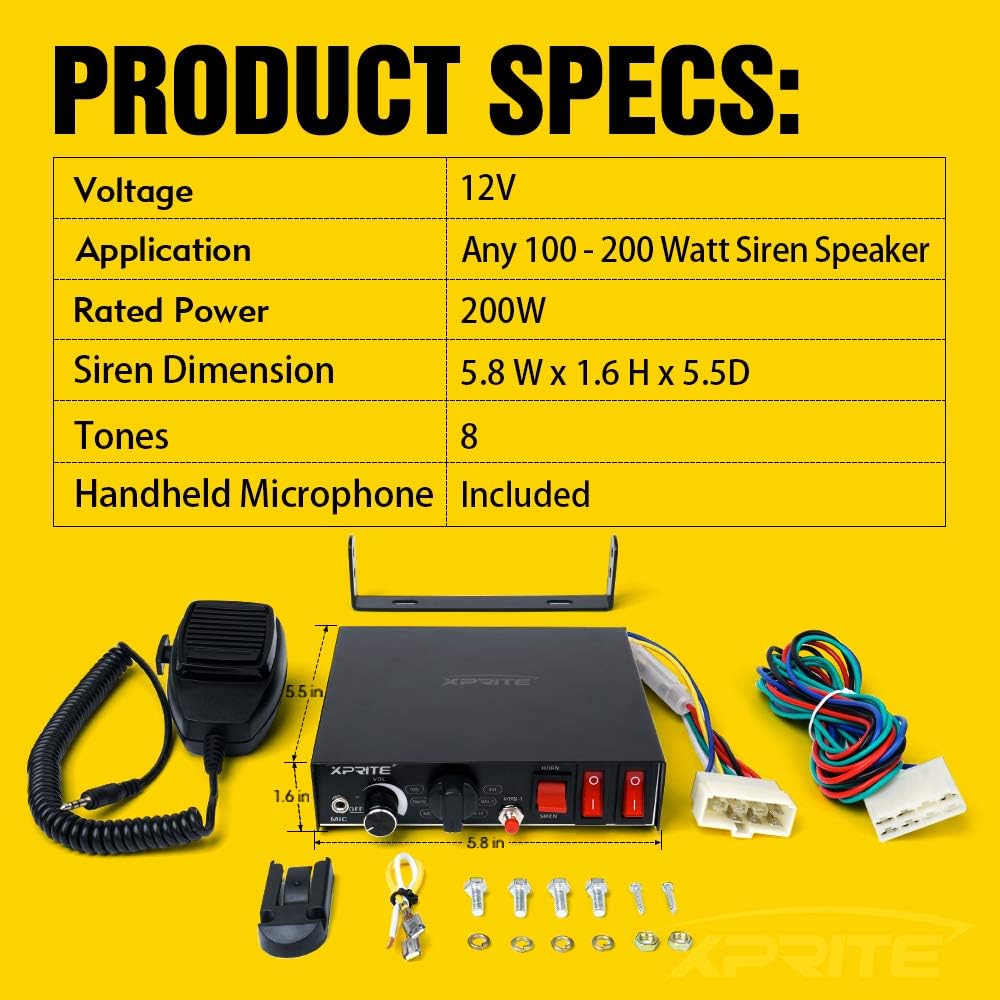
Figure 6: Visual representation of product specifications and dimensions.
| Feature | Detail |
|---|---|
| Model Number | SIREN-200W-CB |
| Output Wattage | 200 Watts (Actual output: 150W) |
| Voltage | 12 Volts DC |
| Number of Tones | 8 |
| Auxiliary Switches | 2 (Max 80W/output for 12V LED lights) |
| Compatible Speaker | Any 100 - 200 Watt Siren Speaker (Not Included) |
| Dimensions (L x W x H) | 9 x 8 x 9 inches (Product Dimensions) |
| Item Weight | 2.29 pounds |
| Connectivity Technology | AUX |
| Color | Black |
Warranty and Support
For information regarding product warranty, returns, or technical support, please refer to the official Xprite website or contact their customer service directly. Specific warranty details are not provided within this manual.
You can typically find support information on the manufacturer's website or through the retailer where the product was purchased.
Ask a question about this manual
Ask about setup, troubleshooting, compatibility, parts, safety, or missing instructions. Manuals+ will review the question and use this page’s manual context to help answer it.