
1. Introduction
This manual provides instructions for the assembly, operation, and maintenance of your Audibax Onyx 130 Double Articulated Keyboard Stand. Please read this manual thoroughly before use to ensure proper setup and safe operation.
2. Safety Information
- Ensure all components are securely fastened before placing any instrument on the stand.
- Do not exceed the maximum load capacity of 50 kg.
- Always adjust the height with care, ensuring the locking mechanism is fully engaged.
- Keep hands and fingers clear of moving parts during adjustment.
- Place the stand on a stable, level surface to prevent tipping.
- Regularly inspect the stand for any signs of wear or damage. Discontinue use if damage is found.
3. Package Contents
Verify that all the following components are present in your package:
- Audibax Onyx 130 Double Articulated Keyboard Stand frame
- Hexagonal key for assembly
- User Manual (this document)
4. Setup and Assembly
The Audibax Onyx 130 keyboard stand is designed for quick and easy assembly. Follow these steps:
- Unfold the main X-frame structure of the stand.
- Identify the upper and lower support arms.
- Using the provided hexagonal key, securely attach the upper support arms to the top section of the X-frame.
- Similarly, attach the lower support arms to the bottom section of the X-frame. Ensure all screws are tightened to prevent wobbling.
- Confirm that the non-slip elastic pads are correctly positioned on both the upper and lower arms. These pads provide stability for your instrument and protect your floor.
The assembly process typically takes less than 10 minutes.

Figure 1: Fully assembled Audibax Onyx 130 Keyboard Stand.
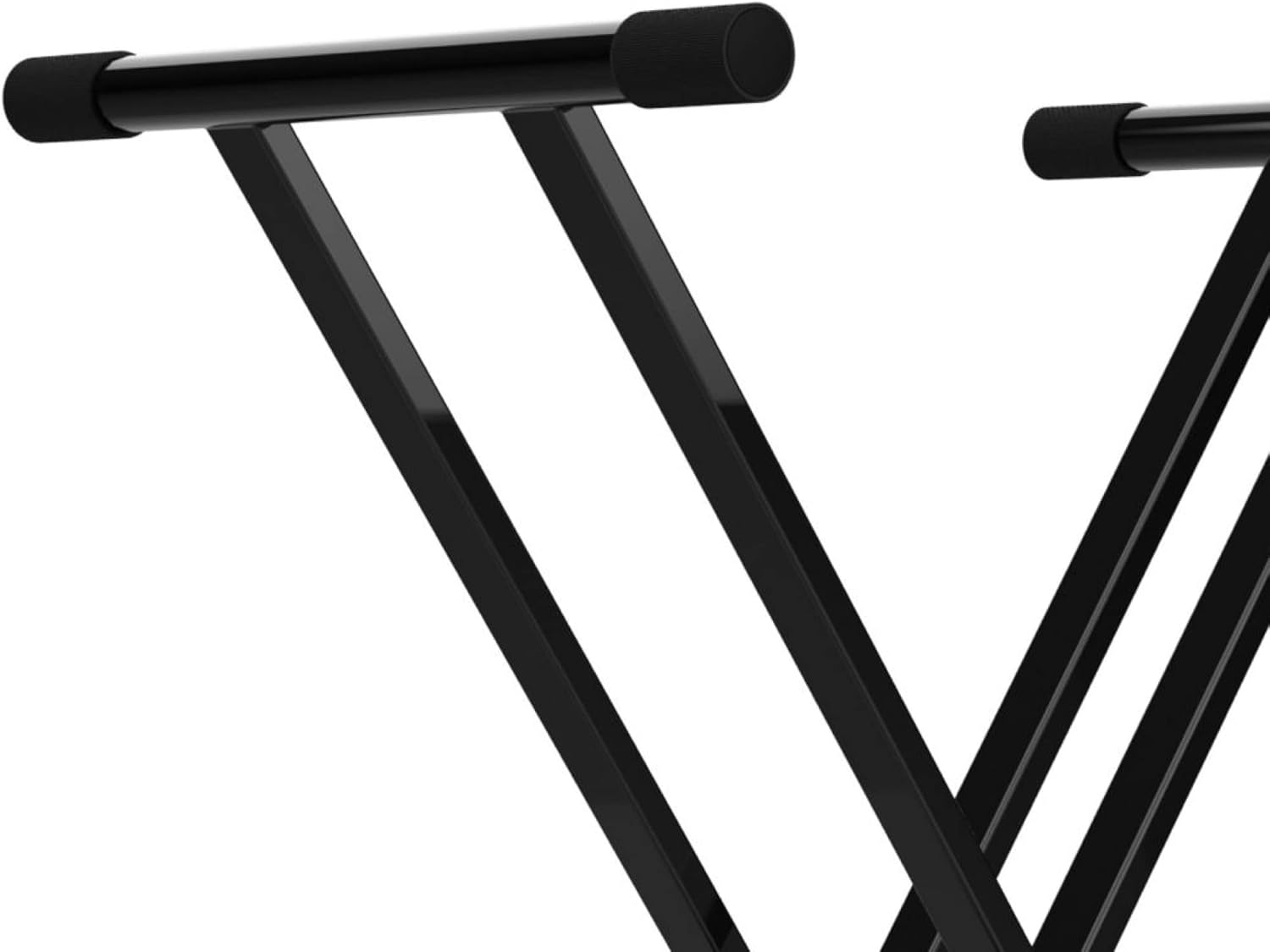
Figure 2: Detail of the non-slip elastic pads on the upper support arm.
5. Operating Instructions
5.1 Height Adjustment
The Audibax Onyx 130 features an integrated adjustment system with an Easy Lock mechanism for precise height settings.
- Locate the Easy Lock lever and adjustment mechanism at the center joint of the X-frame.
- To adjust the height, gently lift the Easy Lock lever. This will disengage the locking pins.
- While holding the lever, carefully move the X-frame to your desired height. The stand can be adjusted up to a maximum height of 97 cm.
- Once the desired height is reached, release the Easy Lock lever. Ensure the locking pins fully engage into one of the preset positions to secure the stand's height.
- Before placing your instrument, gently press down on the stand to confirm it is stable and locked in position.
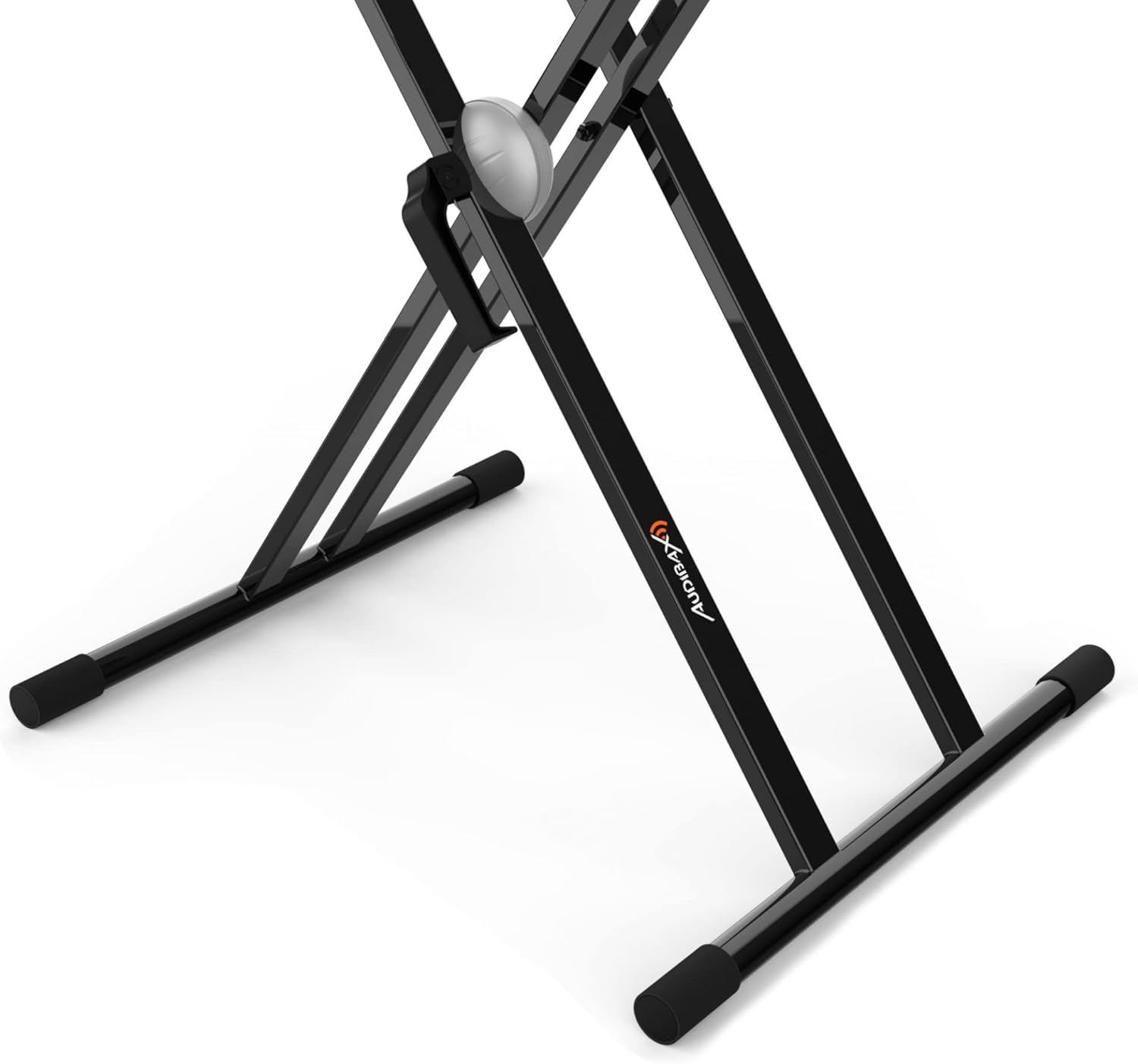
Figure 3: Easy Lock height adjustment mechanism.
5.2 Folding for Transport and Storage
The stand is designed to be foldable for easy transport and storage.
- Remove any instrument from the stand.
- Lift the Easy Lock lever and fully collapse the X-frame to its lowest and most compact position.
- Release the lever to lock it in the folded position.
- The stand can now be easily stored or transported due to its compact size and light weight (4.5 kg).

Figure 4: Front view of the stand in its folded configuration.
6. Maintenance
- Cleaning: Wipe the stand with a soft, dry cloth. For stubborn dirt, a slightly damp cloth can be used, followed by immediate drying. Avoid abrasive cleaners or solvents.
- Inspection: Periodically check all screws and bolts for tightness. Ensure the Easy Lock mechanism operates smoothly and engages fully. Inspect the non-slip pads for wear or damage.
- Storage: Store the stand in a dry environment, away from extreme temperatures and direct sunlight, to prolong its lifespan.
7. Troubleshooting
- Stand feels unstable:
- Ensure all assembly screws are fully tightened.
- Verify the Easy Lock mechanism is fully engaged at the desired height.
- Check that the stand is placed on a flat, level surface.
- Confirm the non-slip pads are intact and properly positioned.
- Difficulty adjusting height:
- Ensure the Easy Lock lever is fully lifted before attempting to adjust.
- Check for any obstructions in the adjustment mechanism.
8. Specifications
| Feature | Specification |
|---|---|
| Brand | Audibax |
| Model | Onyx 130 (10053606) |
| Material | Alloy Steel |
| Color | Black |
| Type | Double X-frame (Double Articulated) |
| Maximum Height | 97 cm |
| Product Dimensions (L x W x H) | 50 x 7 x 101 cm (folded/max height) |
| Weight | 4.5 kg |
| Maximum Load Capacity | 50 kg |
| Assembly Required | Yes |
| UPC | 643415966921 |
9. Warranty and Support
For warranty information and customer support, please refer to the documentation provided at the point of purchase or visit the official Audibax website. Keep your purchase receipt as proof of purchase.