
1. Introduction
Thank you for choosing the Rapoo 3500P 5.8Ghz Wireless Optical Mouse. This manual provides detailed instructions for setting up, operating, and maintaining your device. The 3500P mouse features reliable 5.8Ghz wireless technology, an adjustable DPI optical tracking engine, and an ergonomic design for comfortable use.
The 5.8Ghz wireless technology helps prevent interference from common 2.4Ghz wireless devices, ensuring a stable connection.
2. Package Contents
Please verify that all items are present in your package:
- 1 x Rapoo 3500P Wireless Optical Mouse
- 1 x Nano USB Receiver
- 1 x AA Alkaline Battery (pre-installed)
- 1 x Quick Start Guide
3. Setup
Follow these steps to set up your Rapoo 3500P Wireless Optical Mouse:
-
Insert the Nano USB Receiver: Locate the Nano USB receiver stored in the battery compartment of the mouse. Remove it and plug it into an available USB port on your computer.

Image: Bottom view of the Rapoo 3500P mouse. The image displays the battery compartment cover, the slot for the Nano USB receiver, the ON/OFF power switch, and the optical sensor.
- Power On the Mouse: Locate the ON/OFF switch on the bottom of the mouse. Slide the switch to the "ON" position. The mouse is pre-installed with one AA alkaline battery.
- System Recognition: Your computer should automatically detect and install the necessary drivers for the mouse. This process may take a few moments. No additional software installation is typically required.
The mouse is compatible with Windows 7, 8, 10, Vista, and XP operating systems.
4. Operating Instructions
Your Rapoo 3500P mouse is designed for intuitive use. Here are some key operational features:
-
Basic Functionality: The mouse features standard left-click, right-click, and scroll wheel functions.

Image: Top view of the Rapoo 3500P mouse, highlighting the left and right click buttons and the central scroll wheel.
- DPI Adjustment: The mouse features an adjustable 500/1000 DPI high-definition tracking engine. To switch between DPI settings, press the button located behind the scroll wheel. Each press will cycle between 500 DPI (for precise control) and 1000 DPI (for faster movement).
-
Ambidextrous Design: The symmetrical design of the mouse allows for comfortable use by both left-handed and right-handed users.
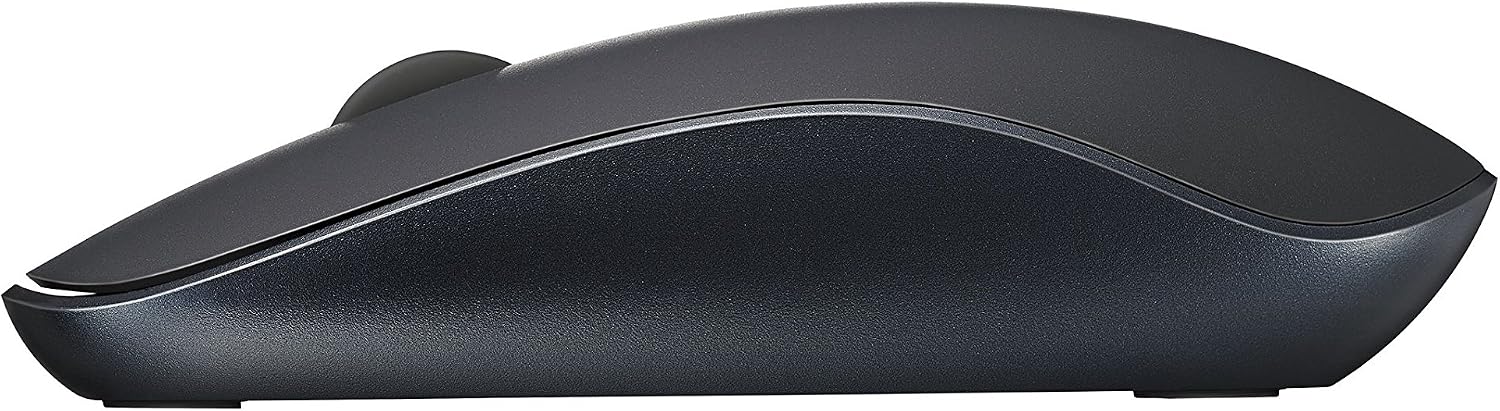
Image: Side view of the Rapoo 3500P mouse, illustrating its ergonomic and ambidextrous contour.
- Energy Saving: The mouse incorporates Rapoo's energy-saving technology. Always switch the mouse to the "OFF" position when not in use to conserve battery life.
5. Maintenance
Proper maintenance ensures the longevity and optimal performance of your mouse:
- Battery Replacement: When the mouse performance degrades or stops responding, it may be time to replace the battery. Open the battery compartment on the bottom of the mouse, remove the old AA battery, and insert a new one, ensuring correct polarity.
- Cleaning: Use a soft, dry cloth to clean the exterior of the mouse. For the optical sensor, use a cotton swab lightly dampened with rubbing alcohol, ensuring no liquid enters the mouse's interior.
- Storage: When not in use for extended periods, store the Nano USB receiver inside the mouse's battery compartment to prevent loss. Switch the mouse to the "OFF" position.
6. Troubleshooting
If you encounter issues with your Rapoo 3500P mouse, please refer to the following common solutions:
-
Mouse Not Responding:
- Ensure the mouse is switched "ON".
- Check the battery. Replace it if necessary.
- Ensure the Nano USB receiver is securely plugged into a working USB port on your computer. Try a different USB port.
- Restart your computer.
-
Intermittent Connection or Lag:
- Move the mouse closer to the Nano USB receiver.
- Ensure there are no large metal objects or other wireless devices (especially 2.4Ghz devices) directly between the mouse and the receiver that could cause interference.
- The 5.8Ghz technology is designed to minimize interference, but extreme conditions can still affect performance.
-
Cursor Movement is Erratic:
- Clean the optical sensor on the bottom of the mouse.
- Ensure you are using the mouse on a suitable surface. Highly reflective or transparent surfaces may affect tracking.
7. Specifications
| Feature | Detail |
|---|---|
| Model Number | 3500P (also known as 5325779) |
| Connectivity | 5.8Ghz Wireless (USB Nano Receiver) |
| Movement Detection | Optical |
| DPI Resolution | Adjustable 500/1000 DPI |
| Buttons | 3 (Left, Right, Scroll Wheel/Middle Button) |
| Hand Orientation | Ambidextrous |
| Battery Type | 1 x AA Alkaline Battery |
| Battery Life | Up to 9 months (depending on usage) |
| Compatible Operating Systems | Windows 7/8/10, Windows Vista, Windows XP |
| Compatible Devices | Personal Computer, Laptop |
| Dimensions | 113(L) x 64(W) x 30(H) mm +/- 0.5 mm |
| Weight | Approximately 0.55 Pounds (including battery) |
8. Warranty and Support
Rapoo products are manufactured to high-quality standards. For specific warranty information, please refer to the warranty card included with your product or visit the official Rapoo website. Keep your purchase receipt as proof of purchase.
For technical support or further assistance, please contact Rapoo customer service through their official channels. Contact information can typically be found on the manufacturer's website or in the product packaging.


