
1. Introduction
Thank you for choosing the Exquisit EMW 2539 Hi Built-in Microwave Oven. This manual provides essential information for the safe and efficient use of your appliance. Please read these instructions carefully before installation and operation, and keep them for future reference.
The Exquisit EMW 2539 Hi is a versatile built-in microwave with a 25-liter capacity, 900W microwave power, 1100W grill, and hot air (convection) function. It features a digital display, multiple power levels, and a 31.5 cm turntable, designed for modern kitchens.
2. Important Safety Instructions
When using electrical appliances, basic safety precautions should always be followed to reduce the risk of fire, electric shock, burns, or injury to persons.
- Read all instructions before using the appliance.
- Do not attempt to operate this oven with the door open as this can result in harmful exposure to microwave energy.
- Do not place any object between the oven front face and the door or allow soil or cleaner residue to accumulate on sealing surfaces.
- Do not operate the oven if it is damaged. It is particularly important that the oven door closes properly and that there is no damage to the: (1) door (bent), (2) hinges and latches (broken or loosened), (3) door seals and sealing surfaces.
- Only qualified service personnel should adjust or repair the oven.
- Do not heat liquids or other foods in sealed containers since they are liable to explode.
- Do not use corrosive chemicals or vapors in this appliance.
- This appliance is intended for household use only.
- Always ensure the turntable and roller ring are correctly in place before operation.
- Use only microwave-safe cookware.
- Supervise children closely when the appliance is in use.
3. Product Overview
The Exquisit EMW 2539 Hi is designed for seamless integration into your kitchen cabinetry. It combines microwave, grill, and hot air functions for versatile cooking.
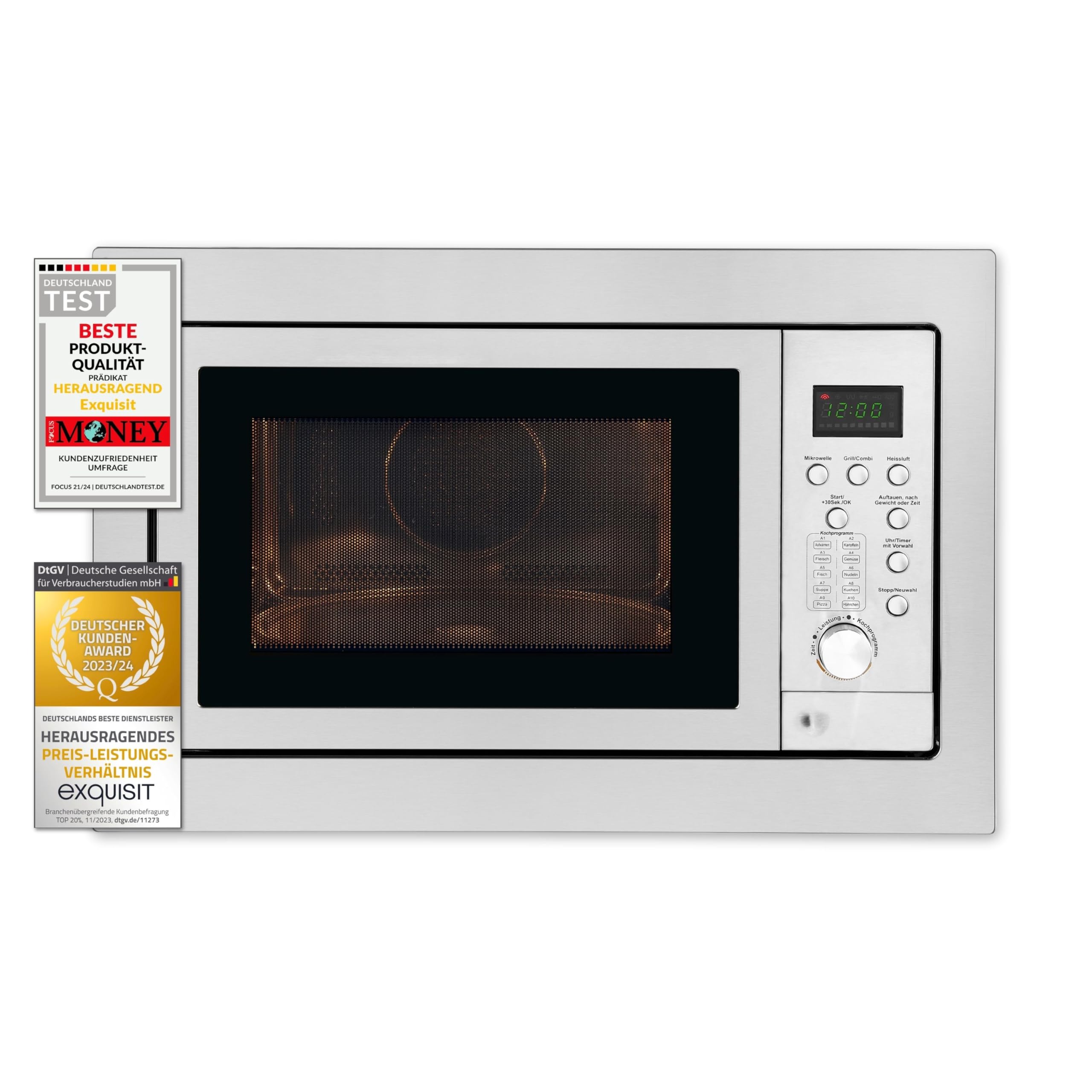
Figure 3.1: Front view of the Exquisit EMW 2539 Hi Built-in Microwave with the door open, revealing the interior cavity and glass turntable.
Key Components:
- Control Panel: Digital display with touch controls and a rotary knob for setting time and power.
- Oven Door: Features a viewing window and safety interlock system.
- Oven Cavity: Spacious 25-liter interior, made of stainless steel for easy cleaning.
- Glass Turntable: 31.5 cm diameter, ensures even cooking.
- Turntable Support: Roller ring to support the turntable.
- Grill Element: Located at the top of the oven cavity.
- Ventilation Openings: Essential for proper air circulation during operation.

Figure 3.2: Close-up of the control panel, showing the digital display, function buttons, and rotary selector.
4. Setup and Installation
This microwave oven is designed for built-in installation. Ensure that installation is performed by a qualified technician in accordance with local regulations and the provided installation diagram.
Location Requirements:
- The appliance must be placed in a cabinet opening that meets the specified dimensions.
- Ensure adequate ventilation around the appliance. Do not block any ventilation openings.
- The cabinet material must be heat-resistant.
- The power outlet should be easily accessible after installation.
Installation Steps:
- Refer to the installation diagram (Figure 4.1) for precise cabinet opening dimensions.
- Carefully slide the microwave oven into the prepared cabinet opening.
- Secure the oven to the cabinet using the provided screws and brackets.
- Ensure the appliance is level and stable.
- Connect the power cord to a grounded electrical outlet (220V, 50Hz).
- Before first use, clean the interior of the oven with a damp cloth.

Figure 4.1: Installation dimensions for the Exquisit EMW 2539 Hi microwave. Dimensions are in millimeters.
Note: The product dimensions are approximately 59.5 cm (width) x 38.2 cm (height) x 41.3 cm (depth). The required cabinet opening should accommodate these dimensions with appropriate clearances for ventilation.
5. Operating Instructions
Familiarize yourself with the control panel before operating the microwave.

Figure 5.1: Control panel and interior view during operation.
5.1 Setting the Clock
- When the microwave is first plugged in, the display will show "0:00".
- Press the "Clock" button (if available, or refer to specific button for time setting).
- Turn the rotary knob to set the hour, then press "Clock" again.
- Turn the rotary knob to set the minutes, then press "Clock" to confirm.
5.2 Microwave Cooking
- Place food in a microwave-safe container on the turntable.
- Close the door.
- Press the "Microwave" button.
- Turn the rotary knob to select the desired power level (5 levels available, up to 900W).
- Turn the rotary knob to set the cooking time.
- Press "Start/+30sec.OK" to begin cooking.
5.3 Grill Function
- Place food on the grill rack (if provided) or a heat-resistant dish.
- Close the door.
- Press the "Grill/Combi" button repeatedly to select the grill function (1100W).
- Turn the rotary knob to set the grilling time.
- Press "Start/+30sec.OK" to begin grilling.
5.4 Hot Air (Convection) Function
- Place food in a heat-resistant dish.
- Close the door.
- Press the "Hot Air" button.
- Turn the rotary knob to select the desired temperature.
- Turn the rotary knob to set the cooking time.
- Press "Start/+30sec.OK" to begin convection cooking.
5.5 Combination Cooking
The appliance offers combination modes (e.g., Microwave + Grill, Microwave + Hot Air) for faster and more even cooking. Refer to the specific button for "Grill/Combi" or "Hot Air" and cycle through options to select combination modes.
5.6 Defrost Function
The defrost function allows you to defrost food by weight or by time.
- Press the "Defrost by Weight" or "Defrost by Time" button.
- Turn the rotary knob to select the weight or time.
- Press "Start/+30sec.OK" to begin defrosting.
5.7 Quick Start Function
Pressing the "Start/+30sec.OK" button will immediately start cooking at full microwave power for 30 seconds. Each subsequent press adds 30 seconds to the cooking time.

Figure 5.2: Digital timer display during operation.
6. Maintenance and Cleaning
Regular cleaning and maintenance will ensure the longevity and optimal performance of your microwave oven.
6.1 Cleaning the Oven Interior
- Always unplug the appliance before cleaning.
- Wipe the interior cavity with a damp cloth after each use. For stubborn stains, use a mild detergent.
- The stainless steel interior is designed for easy cleaning. Avoid abrasive cleaners or scouring pads.
- Remove the glass turntable and roller ring for separate cleaning in warm, soapy water. Rinse and dry thoroughly before placing them back in the oven.
- Do not immerse the appliance in water.

Figure 6.1: Clean interior cavity with glass turntable.
6.2 Cleaning the Exterior
- Wipe the exterior surfaces with a soft, damp cloth.
- Clean the control panel gently with a soft, dry cloth. Do not use excessive water.
- Ensure the ventilation openings are free from dust and debris.
7. Troubleshooting
If you encounter problems with your microwave oven, refer to the following table for common issues and solutions. If the problem persists, contact customer support.
| Problem | Possible Cause | Solution |
|---|---|---|
| Oven does not start | Power cord not plugged in; Door not closed properly; Fuse blown or circuit breaker tripped. | Ensure power cord is securely plugged in; Close the door firmly; Check household fuse or reset circuit breaker. |
| Food not heating | Incorrect power level or cooking time set; Door not closed properly; Microwave-safe cookware not used. | Adjust power level and cooking time; Ensure door is fully closed; Use appropriate cookware. |
| Turntable not rotating | Turntable or roller ring not correctly placed; Debris under turntable. | Ensure turntable and roller ring are correctly positioned; Clean under the turntable. |
| Unusual noise during operation | Food container touching oven walls; Turntable not correctly seated. | Ensure food container is not too large; Re-seat the turntable and roller ring. |
8. Technical Specifications
| Feature | Specification |
|---|---|
| Model Number | EMW 2539.1 HI |
| Type | Built-in Microwave Oven |
| Capacity | 25 Liters |
| Microwave Power | 900 Watts |
| Grill Power | 1100 Watts |
| Convection/Hot Air Power Consumption | 2500 Watts (Max) |
| Power Levels | 5 |
| Turntable Diameter | 31.5 cm |
| Control Type | Touch, Rotary Knob |
| Interior Material | Stainless Steel |
| Exterior Color | Stainless Steel |
| Product Dimensions (L x W x H) | 51.5 x 47.3 x 34 cm (Product); 41.3P x 57l x 34H cm (Article) |
| Weight | 20 Kilograms |
| Voltage | 220 Volts |
| Frequency | 50 Hz |
9. Warranty and Customer Support
Exquisit products are manufactured to high-quality standards. For information regarding warranty coverage, please refer to the warranty card included with your product or visit the official Exquisit website.
If you require technical assistance, spare parts, or have any questions about your appliance, please contact Exquisit customer support. Contact details can typically be found on the manufacturer's website or in the product packaging.
Please have your model number (EMW 2539.1 HI) and purchase date ready when contacting support.