1. Introduction
This user manual provides essential information for the safe and effective use of your Tranquil Ease Raffel Compact 2 PIN Switching Power Supply Transformer, model IVP2900-2000. This device is designed to provide stable power to compatible electronic equipment, typically found in applications such as power recliners or other low-voltage devices requiring a 2-pin connection.
2. Safety Information
- Always ensure the power supply is disconnected from the main power outlet before connecting or disconnecting it from your device.
- Do not expose the power supply to water, moisture, or extreme temperatures.
- Do not attempt to open or repair the power supply. Refer all servicing to qualified personnel.
- Ensure the voltage and current ratings of your device are compatible with this power supply (refer to specifications).
- Keep out of reach of children.
- Avoid placing the power supply in areas with poor ventilation, as this can lead to overheating.
3. Product Overview
The Tranquil Ease Raffel Compact 2 PIN Switching Power Supply Transformer consists of a main transformer unit, an integrated power cord with a standard two-prong wall plug, and an output cable terminating in a 2-pin connector designed for specific devices.

Figure 3.1: Top view of the power supply, highlighting the compact design and integrated wall plug.
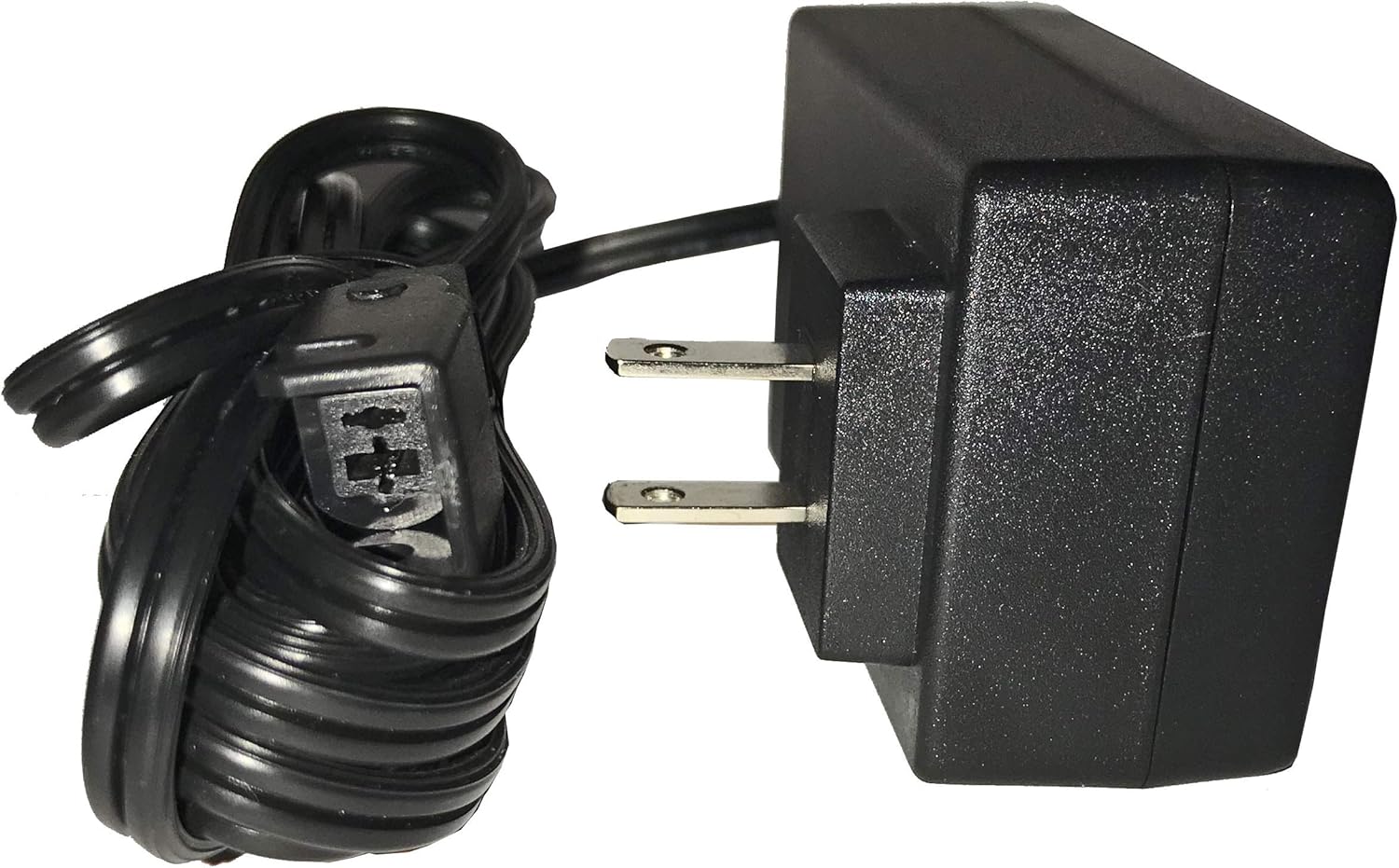
Figure 3.2: Side view illustrating the two-pin wall plug for direct insertion into an electrical outlet.

Figure 3.3: Complete view of the power supply, including the output cable and its 2-pin connector.
4. Setup
- Identify Compatibility: Before connecting, ensure your device requires a 2-pin power supply and that its power requirements (voltage and current) match the specifications of this transformer.
- Connect to Device: Locate the power input port on your electronic device. Carefully align the 2-pin connector from the power supply with the device's input port and push firmly until it is securely seated.
- Connect to Power Outlet: Plug the two-prong wall plug of the power supply into a standard, grounded electrical outlet.
- Verify Connection: Ensure all connections are snug and there are no loose wires.
5. Operating Instructions
Once the power supply is correctly connected to both your device and a power outlet, it will begin supplying power. There are no user-operable controls on the power supply itself. The operation of your device will depend on its own controls and functions.
- Ensure the power supply is placed in a location where it can dissipate heat effectively and is not covered.
- If your device has an on/off switch, use that to control the power to the device.
6. Maintenance
The Tranquil Ease power supply requires minimal maintenance.
- Cleaning: Disconnect the power supply from the wall outlet before cleaning. Use a soft, dry cloth to wipe the exterior. Do not use liquid cleaners or abrasive materials.
- Storage: When not in use for extended periods, store the power supply in a cool, dry place, away from direct sunlight and moisture.
- Cable Inspection: Periodically inspect the power cord and output cable for any signs of damage, fraying, or kinks. If damage is observed, discontinue use immediately and replace the unit.
7. Troubleshooting
| Problem | Possible Cause | Solution |
|---|---|---|
| Device not receiving power. | Power supply not plugged in. | Ensure the power supply is securely plugged into a live electrical outlet. |
| Device not receiving power. | Loose connection at the device. | Check that the 2-pin connector is fully inserted into your device's power input. |
| Device not receiving power. | Faulty electrical outlet. | Test the outlet with another known working appliance. |
| Device not receiving power. | Damaged power supply or cable. | Inspect the power supply and cables for visible damage. If damaged, replace the unit. Do not attempt to repair. |
| Power supply feels hot. | Normal operation or poor ventilation. | It is normal for power supplies to generate some heat. Ensure it is in a well-ventilated area and not covered. If it is excessively hot to touch, disconnect immediately and contact support. |
8. Specifications
| Feature | Detail |
|---|---|
| Brand | Tranquilease |
| Model Number | IVP2900-2000 |
| Power Source | Corded Electric |
| Mounting Type | Wall Mount |
| Specification Met | CE, FCC, UL |
| Item Weight | 9.9 ounces (0.28 Kilograms) |
| Package Dimensions | 5.08 x 3.39 x 3.23 inches |
| UPC | 722589268885 |
| ASIN | B01D51QQGC |
| Date First Available | March 17, 2016 |
9. Warranty and Support
For warranty information or technical support regarding your Tranquil Ease Raffel Compact 2 PIN Switching Power Supply Transformer, please contact the manufacturer directly. Refer to the product packaging or the manufacturer's official website for contact details.
Note: This manual is for informational purposes only. Specifications are subject to change without notice.