
BN-LINK SU107
Contents
BN-LINK Indoor Countdown Timer with Repeat Function
Model: SU107
Introduction
The BN-LINK Indoor Countdown Timer is designed to provide convenient and energy-saving control over your indoor electrical appliances. This compact device features multiple countdown settings and a repeat function, making it ideal for various household uses, from charging devices to automating lights and small appliances. Its simple push-button operation ensures ease of use for all users.
Key Features
- Fully Adjustable Countdown: Offers countdown options up to 6 hours (15 minutes, 30 minutes, 1 hour, 2 hours, 4 hours, 6 hours).
- Repeat Function: Allows the timer to automatically run the previously set countdown again.
- Simple Operation: Features dedicated buttons for each countdown time, an ON/OFF override, and a Repeat button for straightforward control.
- Versatile Applications: Suitable for a wide range of indoor appliances such as curling irons, hair straighteners, coffee makers, slow cookers, crafting tools, Panini grills, lights, fans, and chargers.
- Energy Saving: Helps reduce electricity consumption by automatically turning off devices after a set period.
- Safety Certified: ETL listed and conforms to UL Std. No. 917, ensuring reliable and safe operation.
Safety Information
Please read and understand all safety instructions before using this product. Failure to follow these instructions may result in electric shock, fire, or serious injury.
- For indoor use only. Do not expose to water or moisture.
- Do not exceed the electrical ratings: 125V, 60Hz, 1875W/15A General Purpose, 15A Resistive, 8A Tungsten, 1/2 HP, TV-5.
- Ensure the device is fully inserted into a grounded 3-prong outlet.
- Do not use with appliances that could cause a hazardous condition if left unattended (e.g., heating appliances without automatic shut-off).
- Keep out of reach of children.
- Do not disassemble or modify the device.
Product Overview
Familiarize yourself with the components of your BN-LINK Indoor Countdown Timer.

Figure 1: Front View of the BN-LINK Indoor Countdown Timer. This image shows the white timer unit with its six countdown buttons (15 Min, 30 Min, 1 Hour, 2 Hour, 4 Hour, 6 Hour), an ON/OFF button, and a REPEAT button. An LED indicator is visible above each button. The 3-prong grounded outlet is on the left side of the unit.

Figure 2: Dimensions of the BN-LINK Indoor Countdown Timer. This image illustrates the compact size of the timer, showing its approximate dimensions: 2.05 inches deep, 2.99 inches wide, and 3.23 inches high. A hand is shown holding the timer for scale, emphasizing its compact design.

Figure 3: Labeled Components of the BN-LINK Indoor Countdown Timer. This diagram highlights the key parts of the timer, including the grounded socket, LED indicators, ON/OFF button, timer program buttons (15 Min, 30 Min, 1 Hour, 2 Hour, 4 Hour, 6 Hour), and the Repeat button.
Components:
- Grounded Outlet: Standard 3-prong outlet for connecting your appliance.
- Countdown Buttons: Six buttons labeled 15 Min, 30 Min, 1 Hour, 2 Hour, 4 Hour, and 6 Hour.
- ON/OFF Button: Manually turns the connected appliance on or off, overriding any set timer.
- Repeat Button: Activates the last set countdown cycle to run again.
- LED Indicators: Small lights above each button that illuminate to show the active setting.
Setup
- Plug in the Timer: Insert the BN-LINK Countdown Timer into a standard 3-prong grounded wall outlet. Ensure it is securely plugged in.
- Connect Your Appliance: Plug the appliance you wish to control into the grounded outlet on the side of the timer.
- Initial State: When first plugged in, the timer will be in the OFF state.

Figure 4: Timer Plugged into a Wall Outlet. This image shows the BN-LINK timer plugged into a standard wall outlet, with an appliance cord plugged into the side of the timer. This demonstrates how the timer's design allows for other outlets to remain accessible.
Operating Instructions
Setting a Countdown:
- Ensure your appliance is plugged into the timer.
- Press the desired countdown button (15 Min, 30 Min, 1 Hour, 2 Hour, 4 Hour, or 6 Hour).
- The LED indicator above the selected button will illuminate, indicating the timer has started. The connected appliance will turn ON.
- Once the set time expires, the appliance will automatically turn OFF. The LED indicator will turn off.

Figure 5: Activating the Countdown Function. This image shows a hand pressing one of the countdown buttons on the timer, with the text "Press a desired time and the LED will illuminate." This illustrates the simple user interaction for setting the timer.
Using the ON/OFF Override:
- To manually turn the appliance ON or OFF at any time, press the ON/OFF button.
- If a countdown is active, pressing the ON/OFF button will cancel the current countdown and toggle the power state.
Using the Repeat Function:
- After a countdown cycle has completed, or if you wish to repeat the last set countdown, press the REPEAT button.
- The timer will initiate the previously selected countdown duration. The LED indicator for that duration will illuminate.
- This function is useful for daily recurring tasks, such as charging a device for a specific duration each day.

Figure 6: Timer in Use for Holiday Lighting. This image shows the timer controlling Christmas lights, highlighting its features: Daily Repeat, Countdown, Auto & Manual operation, and ETL Listing. This demonstrates a practical application of the timer's repeat function.
Applications and Versatility
The BN-LINK Indoor Countdown Timer is highly versatile and can be used to automate various devices in your home, contributing to energy savings and convenience.
- Device Charging: Prevent overcharging of phones, tablets, and other electronic devices by setting a specific charge duration.
- Small Appliances: Control coffee makers, slow cookers, or Panini grills to ensure they operate only for the required time.
- Personal Care Tools: Automate hair straighteners, curling irons, or hair dryers to turn off after use, enhancing safety.
- Lighting: Manage indoor lights for security or ambiance, ensuring they turn off automatically.
- Fans: Use with fans to cool a room for a set period, saving energy.
- Crafting Tools: Ideal for tools that require specific operating times.
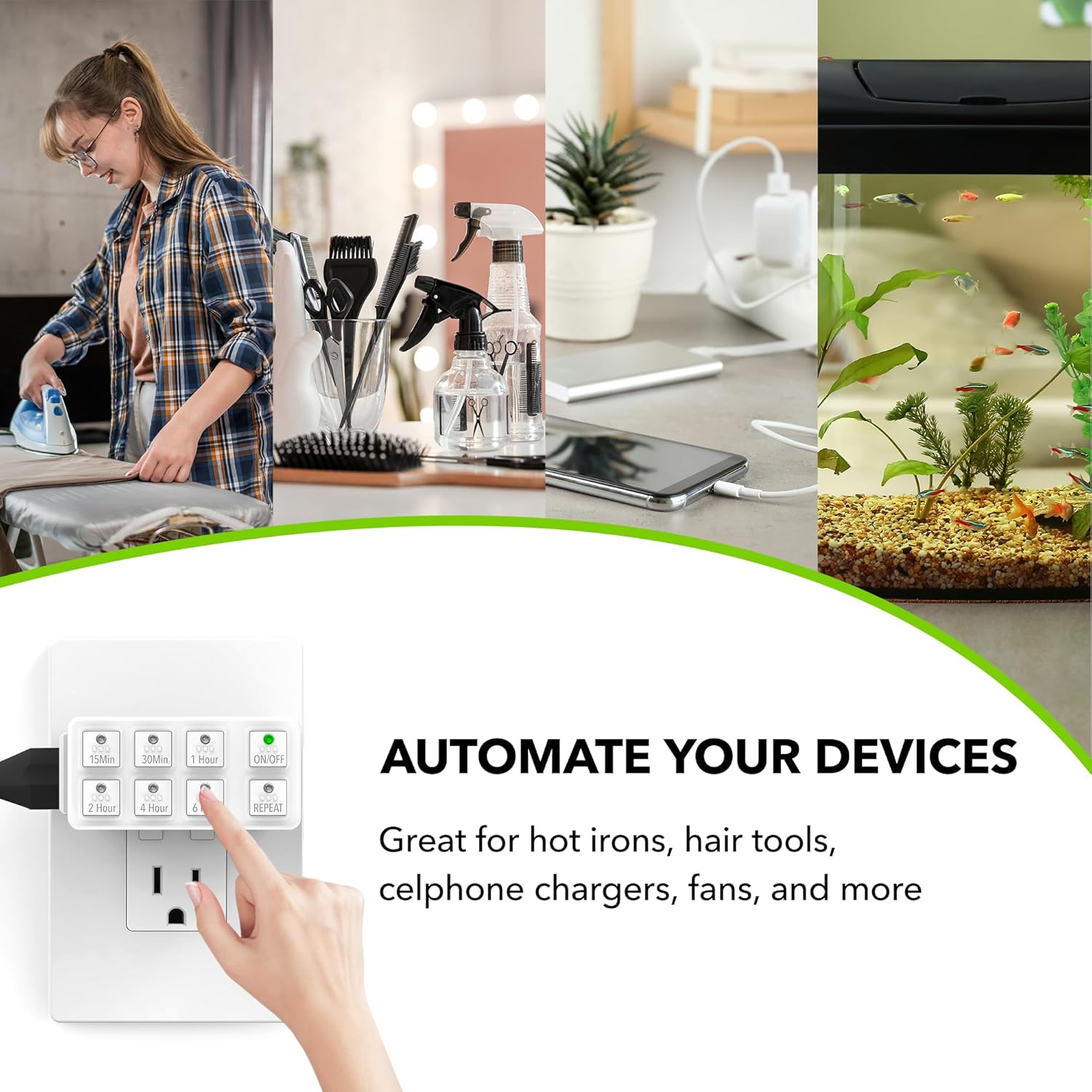
Figure 7: Multiple Uses for the Timer. This collage demonstrates the wide range of applications for the BN-LINK timer, including controlling reptile lights, hair straighteners, coffee machines, aquarium equipment, electric fans, and hair dryers. This highlights the product's adaptability for various household needs.

Figure 8: Energy Saving and Safety with the Timer. This image depicts the timer in a modern home environment, illustrating how it contributes to energy saving and safety by automatically managing power to devices. The green lines emanating from the timer symbolize energy efficiency.
Maintenance
The BN-LINK Indoor Countdown Timer requires minimal maintenance to ensure long-lasting performance.
- Cleaning: Disconnect the timer from the power outlet before cleaning. Wipe the exterior with a soft, dry cloth. Do not use abrasive cleaners or immerse in water.
- Storage: When not in use for extended periods, store the timer in a cool, dry place away from direct sunlight and moisture.
- Inspection: Periodically inspect the timer and its cord for any signs of damage. If damage is found, discontinue use and contact customer support.
Troubleshooting
| Problem | Possible Cause | Solution |
|---|---|---|
| Appliance does not turn ON. |
|
|
| Timer does not turn OFF. |
|
|
| Repeat function not working. |
|
|
Specifications
| Model Number | SU107 |
| Color | White |
| Product Dimensions (D x W x H) | 2.05" x 2.99" x 3.23" |
| Item Weight | 0.22 Pounds (approx. 3.52 ounces) |
| Number of Settings | 6 (15min, 30min, 1hr, 2hr, 4hr, 6hr) |
| Voltage | 125 Volts |
| Wattage | 1875 Watts |
| Amperage | 15A General Purpose, 15A Resistive, 8A Tungsten |
| Horsepower Rating | 1/2 HP |
| Certifications | ETL Listed, Conforms to UL Std. No. 917 |
| UPC | 680474115709 |
Warranty and Support
For product support, warranty information, or to download the official user manual, please visit the BN-LINK official website or refer to the resources below:
- Official User Manual (PDF): Download Here
- BN-LINK Brand Store: Visit the Official Store on Amazon
- For further assistance, please contact BN-LINK customer service.
Ask a question about this manual
Ask about setup, troubleshooting, compatibility, parts, safety, or missing instructions. Manuals+ will review the question and use this page’s manual context to help answer it.