
1. Introduction
Thank you for choosing the BLACK+DECKER Vitessa Advanced Steam Iron, Model ICR2020. This manual provides essential information for the safe and efficient operation, maintenance, and care of your new steam iron. Please read all instructions carefully before use and retain this manual for future reference.
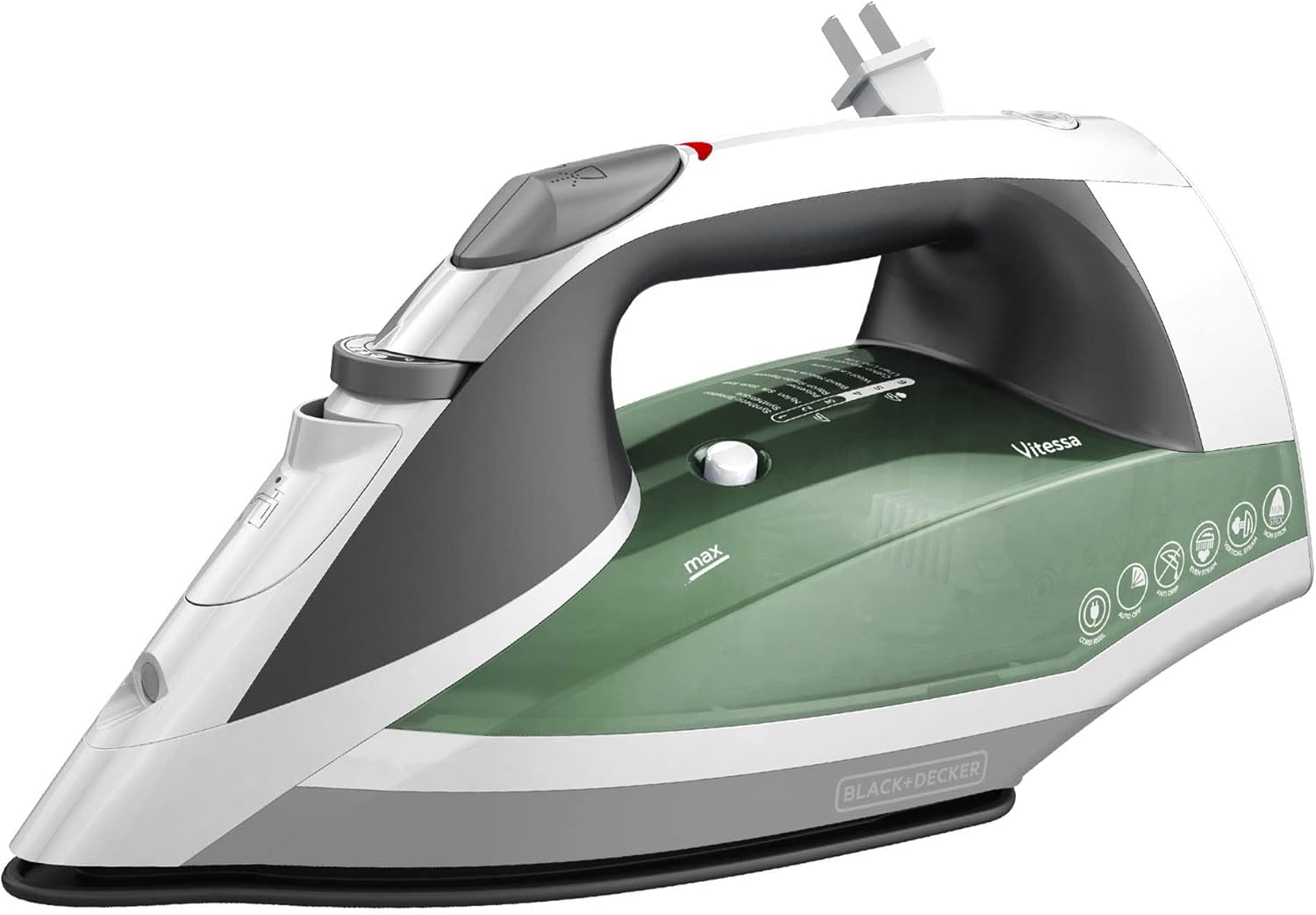
Figure 1: The BLACK+DECKER Vitessa Advanced Steam Iron, Model ICR2020, in green and white.
2. Important Safety Instructions
- Read all instructions before using the iron.
- Use the iron only for its intended household use.
- To protect against risk of electric shock, do not immerse the iron in water or other liquids.
- The iron should always be turned to 'Min' before plugging or unplugging from the outlet. Never yank cord to disconnect from the outlet; instead, grasp plug and pull to disconnect.
- Do not allow cord to touch hot surfaces. Let iron cool completely before putting away. Loop cord loosely around the iron when storing.
- Always disconnect iron from electrical outlet when filling with water or emptying, and when not in use.
- Do not operate iron with a damaged cord or if the iron has been dropped or damaged. To avoid the risk of electric shock, do not disassemble the iron; take it to a qualified service person for examination and repair. Incorrect reassembly can cause a risk of electric shock when the iron is used.
- Close supervision is necessary for any appliance being used by or near children. Do not leave iron unattended while connected or on an ironing board.
- Burns can occur from touching hot metal parts, hot water, or steam. Use caution when you turn a steam iron upside down – there may be hot water in the reservoir.
- The iron must be used and rested on a stable surface.
- When placing the iron on its heel rest, ensure that the surface on which it is placed is stable.
3. Product Overview and Features
The BLACK+DECKER Vitessa Advanced Steam Iron is designed for efficient and convenient garment care. It incorporates several features to enhance your ironing experience.
Key Features:
- TrueGlide Nonstick Soleplate: The enhanced nonstick soleplate is engineered to glide smoothly across all types of fabrics, preventing snags and sticking.
- SmartSteam Technology: This intelligent system automatically optimizes the amount of steam based on the temperature you select, eliminating guesswork and ensuring optimal results for various fabrics.
- Vertical Steaming: Use the iron as a steamer for quick touch-ups on hanging garments, drapes, or curtains, providing versatility beyond traditional ironing.
- Automatic Shutoff: For added peace of mind, the iron features a motion-sensitive automatic shutoff. It turns off when left unattended for 30 seconds on its side or soleplate, and after 8 minutes on the heel rest.
- Tangle-Free Retractable Cord: The spring-loaded cord unwinds and retracts quickly with a push button, ensuring easy use and clutter-free storage.

Figure 2: Close-up of the Even Steam Soleplate Design, showing the distribution of steam vents for consistent steam flow.

Figure 3: The TrueGlide Nonstick Soleplate, designed for smooth gliding over fabrics.

Figure 4: The iron highlighting its Anti-Drip and Automatic Shutoff features for safety and convenience.
4. Setup
Before First Use:
- Remove any labels, tags, or stickers from the iron body and soleplate.
- Wash the water tank before first use.
- It is recommended to iron an old piece of fabric (cotton towel or sheet) for a few minutes to ensure any manufacturing residue is removed from the soleplate.
Filling the Water Tank:
- Ensure the iron is unplugged from the electrical outlet.
- Open the water fill cover located on the top of the iron.
- Using a clean measuring cup, slowly pour tap water into the opening until the water level reaches the 'MAX' line indicated on the water tank. Do not overfill.
- Close the water fill cover securely.

Figure 5: Top view of the iron, indicating the water fill opening and controls.
5. Operating Your Iron
Selecting Temperature and Steam Settings (SmartSteam):
- Plug the iron into a standard electrical outlet. The indicator light will illuminate.
- Turn the temperature dial to the desired fabric setting. The SmartSteam Technology will automatically adjust the steam output based on your selected temperature. Refer to the fabric guide on the iron for appropriate settings (e.g., 1 for Synthetics, 6 for Cotton/Linen).
- Allow the iron to heat up. The indicator light will turn off when the selected temperature is reached.

Figure 6: The iron demonstrating SmartSteam Technology, which automatically regulates and optimizes steam based on the fabric setting.
Dry Ironing:
For dry ironing, ensure the steam selector is set to the 'Dry' position (no steam icon). Select the desired temperature and wait for the iron to heat up.
Steam Ironing (Continuous Steam, Burst of Steam, Vertical Steam):
- Continuous Steam: For continuous steam, select a temperature setting within the steam range (typically 4-6 on the dial). The SmartSteam feature will automatically provide the appropriate steam level.
- Burst of Steam: For an extra burst of steam to tackle stubborn wrinkles, press the 'Burst of Steam' button located on the handle. Wait a few seconds between bursts to allow steam to regenerate.
- Vertical Steam: Hold the iron in a vertical position, about 1 inch from the fabric. Press the 'Burst of Steam' button to release steam for vertical steaming of hanging garments or drapes.
Using the Spray Mist:
To dampen fabrics, press the 'Spray Mist' button located on the handle. This is useful for removing tough wrinkles or for fabrics that require moisture before ironing.
Automatic Shutoff Feature:
The iron is equipped with a 3-way automatic shutoff for safety:
- If left motionless on its soleplate or side, the iron will shut off after 30 seconds.
- If left motionless on its heel rest, the iron will shut off after 8 minutes.
To reset the iron after an automatic shutoff, simply move the iron. The indicator light will turn on, and the iron will begin reheating to the selected temperature.
6. Care and Maintenance
Emptying and Storing:
- Unplug the iron and allow it to cool completely.
- Open the water fill cover and invert the iron over a sink to empty any remaining water.
- Close the water fill cover.
- To store, press the retractable cord button to retract the cord fully into the iron. Store the iron upright on its heel rest to prevent damage to the soleplate.

Figure 7: The iron's base showing the push-button retractable cord for easy storage.
Self-Cleaning Function:
To maintain optimal performance and prevent mineral buildup, use the self-cleaning function regularly (e.g., once a month or as needed).
- Fill the water tank to the 'MAX' line.
- Plug in the iron and set the temperature dial to 'MAX'.
- Once the iron heats up (indicator light turns off), unplug it.
- Hold the iron horizontally over a sink. Press and hold the 'Self-Clean' button. Hot water and steam will flush out minerals.
- Gently rock the iron back and forth until the water tank is empty.
- Release the 'Self-Clean' button and place the iron on its heel rest to cool.
Cleaning the Soleplate:
- To clean the soleplate, use a damp cloth and a mild, non-abrasive cleaner.
- Never use abrasive scouring pads or metal cleaners, as these can scratch the nonstick coating.
External Cleaning:
Wipe the exterior of the iron with a soft, damp cloth. Do not use harsh chemicals or abrasive cleaners.
7. Troubleshooting
| Problem | Possible Cause | Solution |
|---|---|---|
| Iron does not heat up. | Iron is unplugged or power outlet is not working. Automatic shutoff activated. | Check power connection. Move iron to reset automatic shutoff. |
| No steam or insufficient steam. | Water tank is empty. Temperature setting is too low for steam. Steam vents are clogged. | Fill water tank. Set temperature to steam range (4-6). Perform self-clean cycle. |
| Water leaks from soleplate. | Temperature is too low for steam. Water tank is overfilled. | Increase temperature to steam range. Do not fill past 'MAX' line. |
| Iron sticks to fabric. | Soleplate is dirty or damaged. Temperature setting is too high for fabric. | Clean soleplate. Adjust temperature according to fabric type. |
8. Specifications
| Feature | Detail |
|---|---|
| Brand | BLACK+DECKER |
| Model Name | Steam Iron |
| Model Number | ICR2020 |
| Color | Green |
| Special Features | Auto Shutoff, Lightweight, SmartSteam Technology, Vertical Steaming, Retractable Cord |
| Product Dimensions | 12.3"L x 5.8"W |
| Item Weight | 2 pounds |
| Base Material | Stainless Steel (TrueGlide Nonstick Soleplate) |
| Wattage | 1200 watts |
| UPC | 050875816305 |
| GTIN | 00050875816305 |

Figure 8: Visual representation of the iron's dimensions.
9. Warranty and Customer Support
Warranty Information:
This BLACK+DECKER Vitessa Advanced Steam Iron (Model ICR2020) comes with a 2-year limited warranty. This warranty covers any defects in material or workmanship under normal household use from the date of original purchase. Please retain your receipt as proof of purchase to validate your warranty.
The warranty does not cover damage resulting from misuse, abuse, neglect, commercial use, or any use not in conformity with the instructions provided in this manual. It also does not cover normal wear and tear.
Customer Support:
For warranty service, technical assistance, or product information, please contact BLACK+DECKER customer support. Refer to the contact information provided on the product packaging or visit the official BLACK+DECKER website for the most up-to-date support details.
Please have your model number (ICR2020) and proof of purchase available when contacting customer support.


