1. Product Overview
The VIVO Mobile TV Display Stand (Model: STAND-TV07W) is a versatile rolling floor stand designed to support LED LCD flat panel screens ranging from 13 to 50 inches. It features height adjustability, screen tilt, and lockable wheels for mobility and stability.
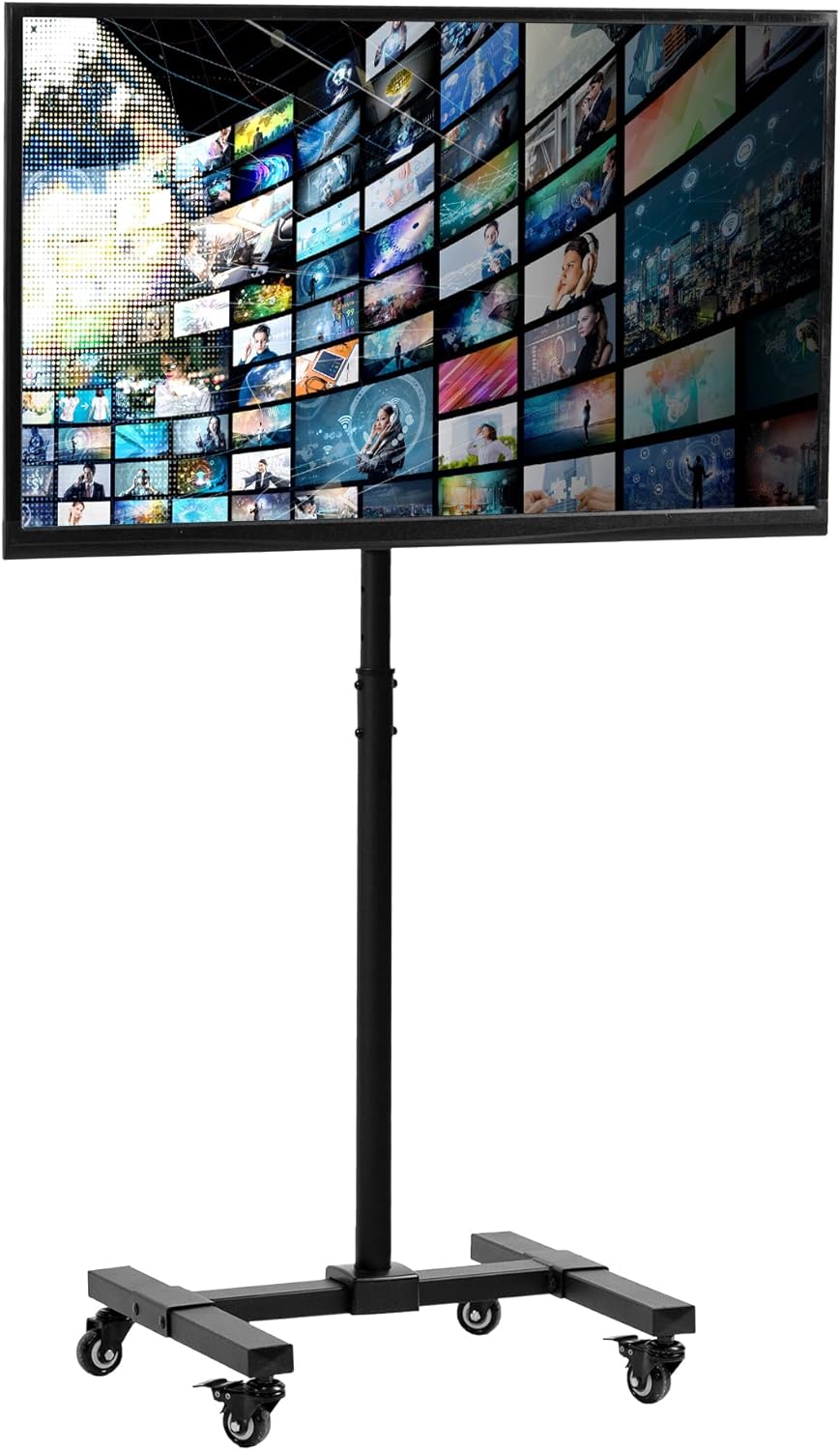
Image 1: Front view of the VIVO Mobile TV Display Stand with a television mounted.
2. Safety Information
Please read and understand all instructions before installation and use. Failure to follow these instructions may result in property damage, serious injury, or death. If you do not understand the instructions or have any doubts or questions, please contact VIVO Customer Support.
- Weight Capacity: Do not exceed the maximum weight capacity of 44 lbs (20 kg).
- Screen Size: Compatible with screens from 13 to 50 inches.
- VESA Compatibility: Ensure your TV's VESA pattern (75x75mm, 100x100mm, 200x100mm, or 200x200mm) matches the stand.
- Stability: Always lock the wheels when the stand is stationary to prevent accidental movement.
- Assembly: Assemble the product exactly as described in the instructions. Incorrect assembly may lead to instability.
- Children: Keep children away from the stand during assembly and operation.
3. Package Contents
Verify that all components listed below are present and undamaged. If any parts are missing or defective, please contact VIVO Customer Support for assistance.
- Base Assembly (with wheels)
- Main Support Pole
- TV Mounting Plate
- VESA Adapters (for larger VESA patterns)
- Mounting Hardware (bolts, washers, nuts, Allen key, wrench)
4. Assembly Instructions
Follow these steps carefully to assemble your VIVO Mobile TV Display Stand. For a visual guide, please refer to the official assembly video below.
Assembly Video Guide
Video 1: Official VIVO Mobile TV Display Stand (STAND-TV07W) Assembly Guide. This video provides step-by-step instructions for setting up the stand and mounting your television.
- Assemble the Base: Connect the base components and attach the four wheels. Ensure the two lockable wheels are positioned at the front for easy access.
- Attach the Main Support Pole: Secure the main support pole to the assembled base using the provided hardware.
- Prepare the TV Mounting Plate: If your TV requires a VESA pattern larger than 100x100mm, attach the VESA adapters to the TV mounting plate.
- Attach Mounting Plate to TV: Secure the TV mounting plate to the back of your television using the appropriate screws and washers from the hardware kit. Ensure the "VIVO" logo on the plate is right side up.
- Mount TV to Stand: Carefully lift the television and hook the mounting plate onto the top of the main support pole. Secure it in place with the locking mechanism.

Image 2: The mobile TV stand positioned in a room, demonstrating its portability.
5. Operating Instructions
Height Adjustment
The stand features 11 set points for telescopic height adjustment, allowing you to position your screen from 32.4 inches to 52 inches from the floor. To adjust the height:
- Loosen the two bolts, four washers, and two nuts from the center pole.
- Adjust the pole to your desired height.
- Replace and tighten the bolts, washers, and nuts securely.

Image 3: Visual representation of the height adjustment range and screen tilt capability.
Screen Tilt
The screen can be tilted from 0° to +30° to optimize viewing angles and reduce glare. Adjust the tilt by loosening the tilt mechanism on the mounting plate, setting the desired angle, and then tightening it securely.
Mobility and Locking Wheels
The 20-inch by 18-inch base is equipped with four wheels for easy mobility. Two of the front wheels are lockable. To secure the stand in place, press down on the locking levers of the front wheels.

Image 4: Detail of the lockable wheel casters for securing the stand.
6. Maintenance
Regular maintenance ensures the longevity and safe operation of your TV stand.
- Cleaning: Wipe the stand with a soft, damp cloth. Avoid abrasive cleaners or solvents.
- Hardware Check: Periodically check all bolts and connections to ensure they are tight and secure. Retighten if necessary.
- Wheel Inspection: Ensure wheels roll smoothly and locking mechanisms function correctly. Clean any debris from the wheels.
7. Troubleshooting
If you encounter any issues with your VIVO Mobile TV Display Stand, refer to the following common troubleshooting tips:
- Stand is Wobbly: Ensure all assembly bolts are securely tightened. Check that the TV weight and size are within the specified limits. Make sure the wheels are locked when stationary.
- Difficulty Adjusting Height: Loosen the adjustment bolts completely before attempting to slide the pole. Ensure no cables are obstructing the movement.
- TV Not Level: Adjust the screen leveling mechanism on the mounting plate. Ensure the VESA plate is correctly installed on the TV.
- Wheels Not Rolling Smoothly: Check for debris or hair caught in the wheel casters. Clean as needed. Ensure the locking mechanism is disengaged.
If problems persist, please contact VIVO Customer Support for further assistance.
8. Specifications
| Feature | Specification |
|---|---|
| Model Number | STAND-TV07W |
| Brand | VIVO |
| Material | Alloy Steel |
| Color | Black |
| Compatible TV Sizes | 13" to 50" |
| Weight Capacity | 44 lbs (20 kg) |
| VESA Compatibility | 75x75mm, 100x100mm, 200x100mm, 200x200mm |
| Height Adjustment Range | 32.4" to 52" (from floor to center of screen) |
| Screen Tilt | 0° to +30° |
| Base Dimensions | 20" x 18" |
| Item Weight | 15.4 lbs |
| UPC | 641020645958 |

Image 5: Detailed measurements and VESA compatibility information for the stand.
9. Warranty and Support
VIVO products are designed to meet high standards and are backed by U.S.-based sales and technical support. While specific warranty details are not provided in this manual, VIVO offers product protection and customer support for any inquiries or issues you may have.
For assistance, please visit the official VIVO website or contact their customer service team.
Video 2: VIVO STAND-TV07W Feature Overview. This video highlights key features and benefits of the mobile TV cart.


