
Elinchrom ELC-EL19370
Contents
Elinchrom EL-Skyport Transmitter Plus Instruction Manual
Model: ELC-EL19370
Introduction
The Elinchrom EL-Skyport Transmitter Plus offers simplicity, durability, and reliability for remote control and triggering of Elinchrom flash units. Operating on the 2.4 GHz bandwidth, this transmitter provides extensive control over 16 frequency channels, each with 4 groups, extending its range up to 200 meters (656 feet). It is designed for seamless integration with various Elinchrom units, including RX, ELC, and ELB series.
What's in the Box
- EL-Skyport Transmitter Plus
- Wrist strap
- 2.5 mm sync cord to PC
- 2-year warranty information
Setup
Install Batteries: The EL-Skyport Transmitter Plus requires AA batteries for operation. Open the battery compartment located on the underside of the unit and insert two AA batteries, ensuring correct polarity.

Image: Elinchrom EL-Skyport Transmitter Plus with its battery compartment open, revealing two AA batteries correctly inserted. This view helps in understanding battery installation.
Mount on Camera: Slide the transmitter onto your camera's hot shoe mount. Ensure it is securely seated.

Image: The Elinchrom EL-Skyport Transmitter Plus securely mounted on the hot shoe of a DSLR camera, ready for use.
Connect to Flash Unit (Optional): For flash units without built-in Skyport receivers, use the provided 2.5 mm sync cord to connect the transmitter to the flash unit's PC sync port.
Power On: Locate the ON/OFF switch on the side of the transmitter and slide it to the 'ON' position. The indicator lights on the transmitter will illuminate.
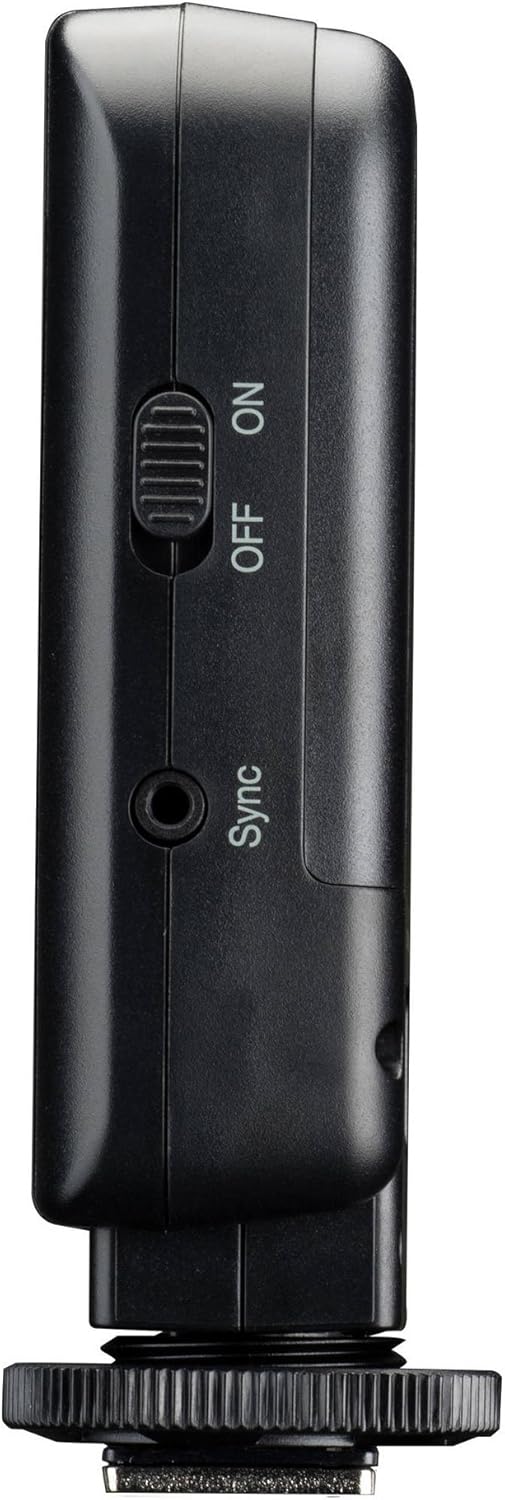
Image: A close-up side view of the Elinchrom EL-Skyport Transmitter Plus, highlighting the power switch and the 2.5mm sync port.
Operating Instructions
The EL-Skyport Transmitter Plus allows for reliable triggering and power adjustment of your Elinchrom flash units.
Channel and Group Selection: The transmitter features 16 different channels (8 in normal mode and 8 in speed mode) and 4 groups per channel. Use the 'CH' button to cycle through channels and the 'Group' button to select the desired group (1-4). Ensure your flash units are set to the same channel and group as the transmitter.

Image: Top-down view of the Elinchrom EL-Skyport Transmitter Plus, clearly showing the control panel with buttons for Group, Mode, Channel (CH), and power adjustment (+/-).
Adjusting Flash Power: Use the '+' and '-' buttons on the transmitter to quickly increase or decrease the flash power for the selected group. This adjustment is reflected on compatible Elinchrom units.
Triggering: Once connected and configured, simply press the test button on the transmitter or trigger your camera's shutter to fire the connected flash units. The transmitter provides a reliable trigger up to 200 meters (656 feet) away.

Image: The main front view of the Elinchrom EL-Skyport Transmitter Plus, showcasing its display and primary control buttons.
Optimizing Reception: For best performance and extended range, optimize reception by rotating the transmitter on the camera's hot shoe.

Image: A visual representation of the Elinchrom EL-Skyport Transmitter Plus rotating on its hot shoe mount, illustrating its adjustable orientation for improved signal reception.
Maintenance
- Keep the transmitter clean and free from dust and moisture. Use a soft, dry cloth for cleaning.
- Store the unit in its protective case when not in use to prevent damage.
- Remove batteries if the unit will not be used for an extended period to prevent leakage.
Troubleshooting
- Unit not powering on: Check if the batteries are correctly inserted and have sufficient charge. Replace if necessary.
- Flash not triggering:
- Ensure the transmitter and flash unit are set to the same channel and group.
- Verify the sync cord connection if using one.
- Check the distance between the transmitter and flash unit; ensure it's within the operational range (up to 200m).
- Confirm the flash unit is powered on and ready to fire.
- Intermittent triggering: Try rotating the transmitter for optimal signal reception. Ensure there are no major obstructions between the transmitter and receiver.
Specifications
| Feature | Detail |
|---|---|
| Product Dimensions | 4.53 x 3.54 x 2.24 inches |
| Item Weight | 3.88 ounces |
| Model Number | ELC-EL19370 |
| Brand | Elinchrom |
| Compatible Mountings | Hot Shoe Mount |
| Flash Sync Speed | 1/250 |
| Color | Black |
| Country of Origin | China |
Warranty and Support
The Elinchrom EL-Skyport Transmitter Plus comes with a 2-year warranty. For warranty claims, technical support, or any inquiries regarding your product, please contact Elinchrom customer service directly. Refer to the documentation included in your product packaging for specific contact details or visit the official Elinchrom website.
Ask a question about this manual
Ask about setup, troubleshooting, compatibility, parts, safety, or missing instructions. Manuals+ will review the question and use this page’s manual context to help answer it.