
1. Introduction
This manual provides essential information for the safe and efficient operation of your Unold 48480 Quadro Sandwich Toaster. Please read all instructions carefully before first use and retain this manual for future reference.
Important Safety Instructions
- Always ensure the appliance is unplugged before cleaning or when not in use.
- Do not immerse the appliance in water or any other liquid.
- Keep the appliance out of reach of children.
- Ensure the power cord is not damaged and does not come into contact with hot surfaces.
- Use the appliance only for its intended purpose.
2. Product Overview
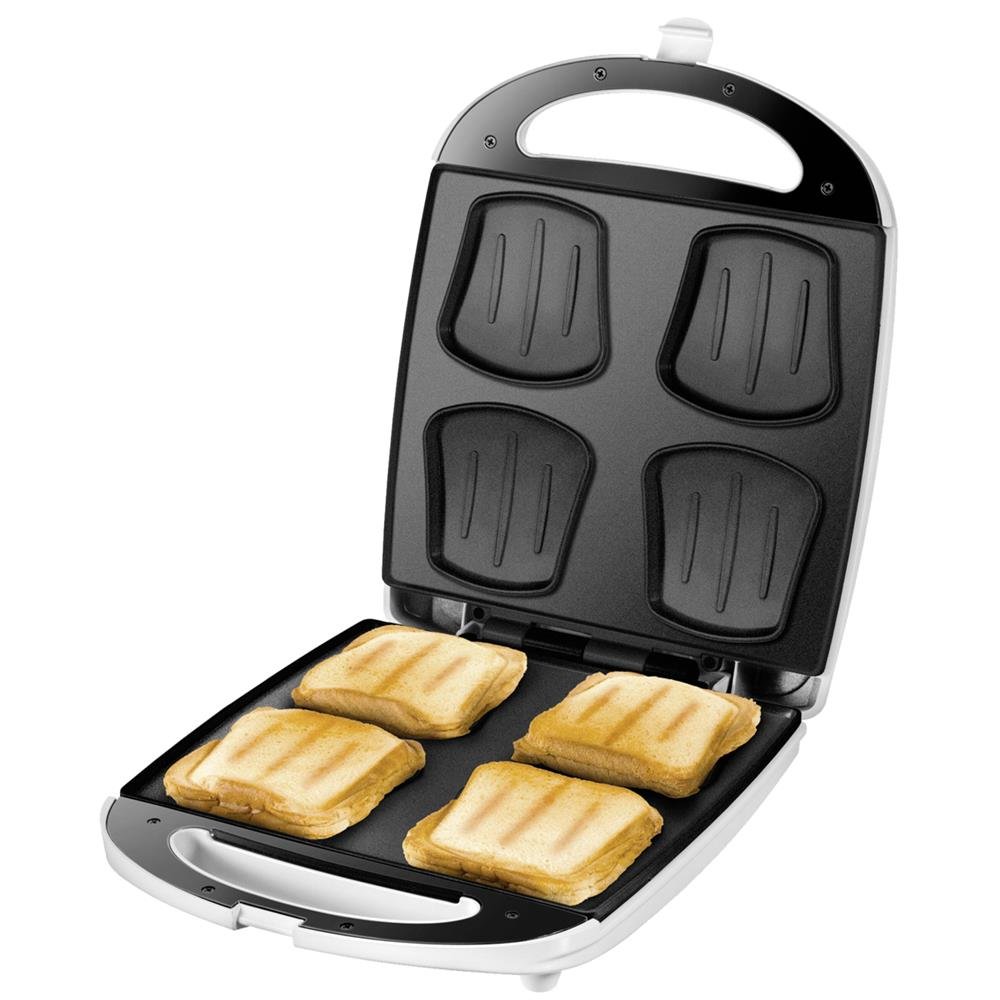
The Unold 48480 Quadro Sandwich Toaster is designed for preparing up to four sandwiches simultaneously. Its features include:
- Non-stick plates for easy cleaning.
- Heat-insulated handles with locking mechanism for safe operation.
- Integrated cable storage for convenience.
- Automatic temperature regulation for consistent results.
- Indicator lights for power on/off and readiness.

3. Setup
- Unpacking: Carefully remove the sandwich toaster from its packaging. Remove all packaging materials, stickers, and labels.
- Initial Cleaning: Before first use, wipe the cooking plates with a damp cloth. Ensure the appliance is completely dry before plugging it in.
- Placement: Place the sandwich toaster on a stable, heat-resistant, and dry surface. Ensure there is adequate ventilation around the appliance.
- Power Connection: Plug the power cord into a suitable grounded electrical outlet (240V). The power indicator light will illuminate.
4. Operating Instructions
Follow these steps to prepare delicious sandwiches:
- Preheating: Close the sandwich toaster and plug it into the power outlet. The red indicator light will turn on, signaling that the appliance is heating. Wait until the green indicator light illuminates, indicating that the toaster has reached the optimal cooking temperature.
- Preparing Sandwiches: While the toaster is preheating, prepare your sandwiches. For best results, use standard sandwich bread and your preferred fillings.
- Cooking: Once the green light is on, carefully open the toaster. Place your prepared sandwiches onto the hot plates. Close the lid and engage the locking mechanism on the handle.
- Monitoring: The green light may cycle on and off during cooking as the automatic temperature regulation maintains the desired heat. Cooking time typically ranges from 3-5 minutes, depending on your desired crispness and filling.
- Removal: Once cooked, carefully open the toaster and remove the sandwiches using a heat-resistant plastic or wooden spatula. Avoid using metal utensils to prevent damage to the non-stick coating.
- Repeat: Close the toaster to maintain heat for subsequent batches. Unplug the appliance when finished.
5. Maintenance and Cleaning
Proper cleaning ensures the longevity and performance of your sandwich toaster.
- Cool Down: Always unplug the appliance and allow it to cool completely before cleaning.
- Cleaning Plates: The non-stick plates can be wiped clean with a damp cloth or sponge. For stubborn residue, a small amount of mild dish soap can be used. Avoid abrasive cleaners or scouring pads that could damage the non-stick coating.
- Exterior Cleaning: Wipe the exterior of the appliance with a soft, damp cloth. Do not use harsh chemicals or abrasive materials.
- Storage: Once clean and dry, store the sandwich toaster in a cool, dry place. The integrated cable storage helps keep the cord tidy.
6. Troubleshooting
If you encounter issues with your sandwich toaster, refer to the following common problems and solutions:
| Problem | Possible Cause | Solution |
|---|---|---|
| Appliance does not heat up. | Not plugged in, power outlet malfunction, appliance fault. | Check power connection. Test outlet with another device. If problem persists, contact customer support. |
| Food sticks to the plates. | Insufficient preheating, damaged non-stick coating, too much sugar in batter (for waffles). | Ensure appliance is fully preheated (green light on). Lightly grease plates if necessary. Avoid overfilling. |
| Sandwiches are not evenly browned. | Uneven placement of bread, insufficient cooking time. | Ensure bread is centered on the plates. Increase cooking time slightly. |
7. Specifications
| Feature | Detail |
|---|---|
| Brand | Unold |
| Model | 48480 |
| Power | 1100 Watts |
| Voltage | 240 Volts |
| Dimensions (D x W x H) | 32.9 cm x 27.2 cm x 10.5 cm |
| Weight | 2.3 Kilograms |
| Material | Plastic (housing), Non-stick coating (plates) |
| Color | White/Stainless Steel |
| Special Feature | Cool-touch exterior |
8. Warranty and Support
This Unold appliance comes with a manufacturer's warranty. For specific details regarding the warranty period and coverage, please refer to the documentation included with your purchase or contact Unold customer service.
Spare parts availability: 1 Year.
For technical support, service, or warranty claims, please contact the retailer where you purchased the product or visit the official Unold website for contact information.