Introduction
The Polaroid SX-70 Sonar Instant Film Camera is a classic folding single-lens reflex (SLR) camera designed for instant photography. It features a glass lens and an automatic variable speed/aperture shutter system, providing a unique photographic experience. This manual provides essential information for setting up, operating, maintaining, and troubleshooting your SX-70 Sonar camera.
Key Features:
- Accepts SX-70 Type Instant Film
- Four Element 116mm f/8 Glass Lens
- Professional folding SLR instant camera design
- Sonar Type Autofocus for precise focusing
Setup
Unfolding the Camera
To prepare your SX-70 Sonar camera for use, gently pull up on the top part of the camera until it locks into its open position. An arm on the side will secure the camera, preventing accidental folding during use. To fold it back, push the side arm to unlock and gently press down until it collapses into its compact form.
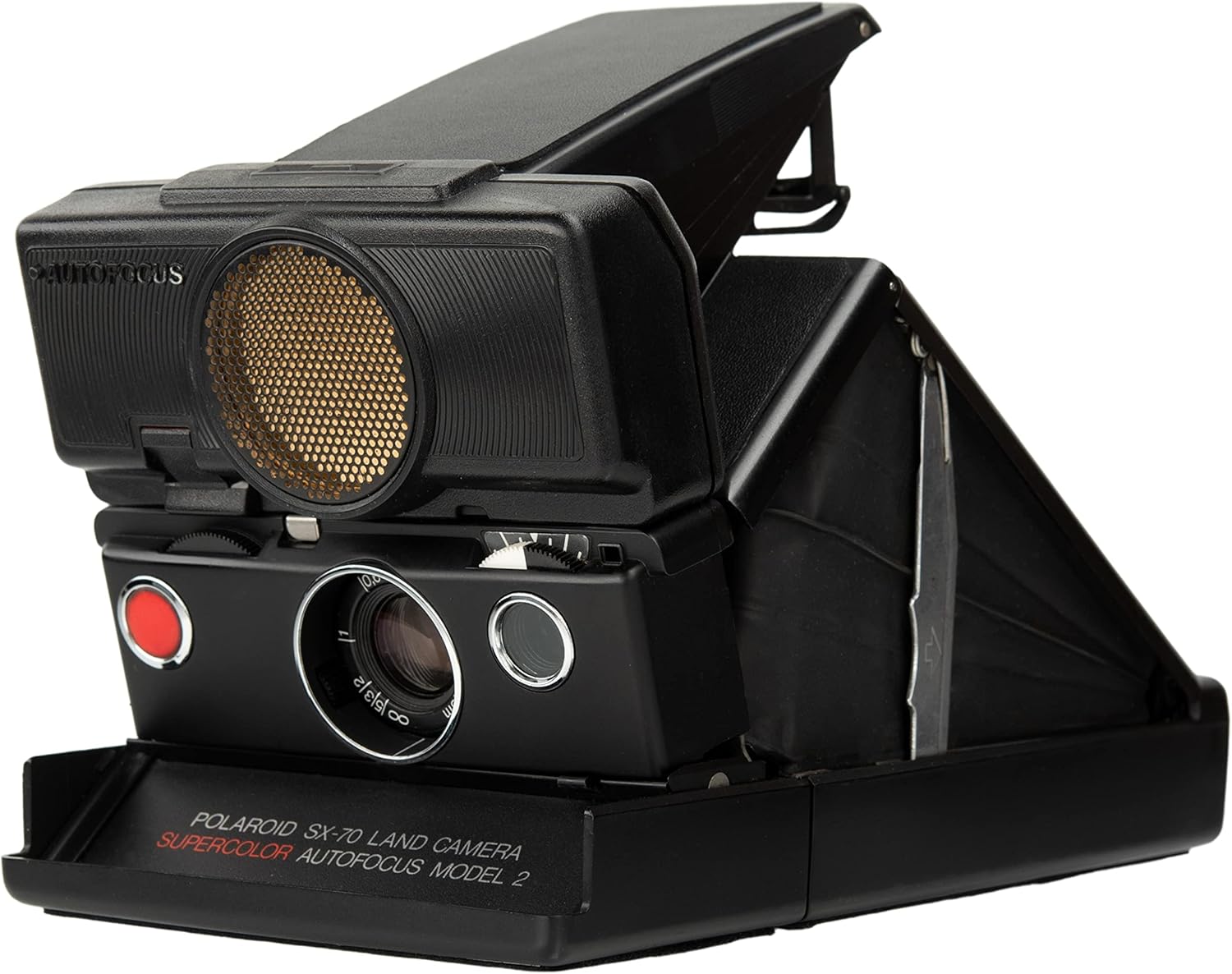
Image: The Polaroid SX-70 Sonar Instant Film Camera in its unfolded, ready-to-use state, showcasing the lens and the distinctive sonar autofocus mechanism.
Loading Film
The SX-70 Sonar camera uses SX-70 type instant film packs. To load film:
- Locate the film door release button, typically on the side or bottom of the camera.
- Open the film door.
- Insert a new film pack, ensuring it is oriented correctly. The darkslide will eject automatically upon insertion if the camera is functioning.
- Close the film door securely.
The film pack contains a battery that powers the camera. A film counter on the back of the camera indicates the number of pictures remaining.
Visual Guide: Film Loading and First Shot
Video: This video demonstrates the process of unfolding the Polaroid SX-70 Sonar camera, loading a film pack, and taking the first picture, which ejects the darkslide.
Operating Instructions
Taking a Picture
Once the camera is unfolded and film is loaded, you are ready to take a picture:
- Look through the viewfinder to compose your shot.
- The SX-70 Sonar features an autofocus system. Point the camera at your subject, and the sonar unit will assist in focusing.
- Press the red shutter button to capture the image. The camera will automatically eject the developed photo.
Focusing
The SX-70 Sonar camera offers both automatic and manual focusing. The sonar autofocus system simplifies focusing by emitting sound waves to determine distance. For manual focusing, the camera has a split-image rangefinder in the viewfinder. To achieve sharp focus, align the two halves of the image in the center of the viewfinder by rotating the focusing wheel.
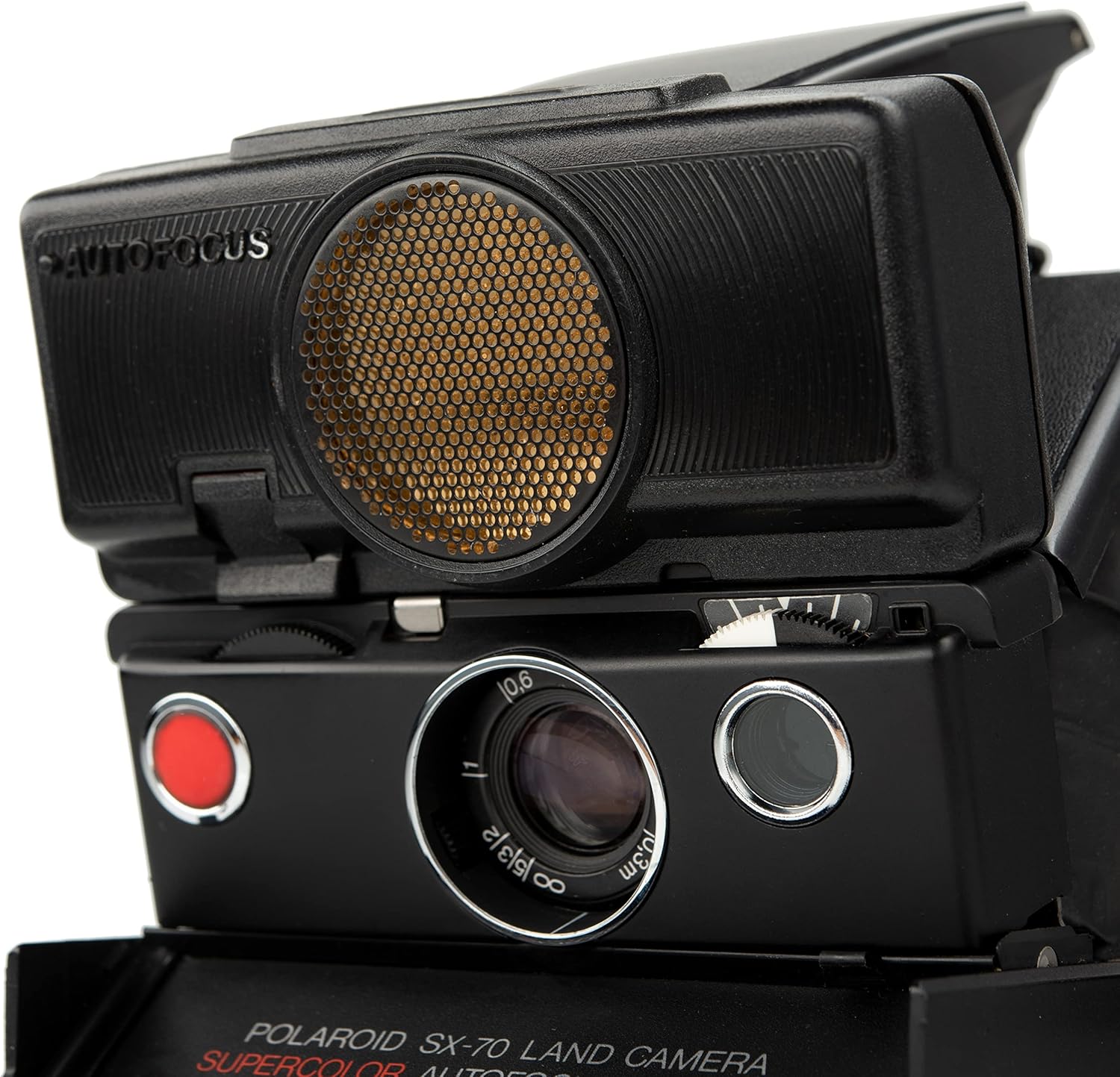
Image: A detailed view of the Polaroid SX-70 Sonar camera's front, highlighting the lens, the red shutter button, and the exposure adjustment wheel.
Exposure Compensation
The camera features an exposure compensation dial, often referred to as the lighten/darken wheel, located near the lens. This dial allows you to adjust the exposure for brighter or darker results. Moving the dial towards the white indicator will lighten the image (overexpose), while moving it towards the black indicator will darken the image (underexpose). Experimentation is recommended to achieve desired results, especially with modern film types which may react differently than original Polaroid film.
Film Development
After a photo is ejected, it will begin to develop. It is crucial to protect the developing photo from light immediately after ejection. Many refurbished models include a 'frog tongue' accessory, a thin plastic shield that covers the photo as it exits the camera. If your camera has this, allow the photo to develop under its protection. Avoid bending or shaking the developing print. Development times vary by film type and temperature; refer to your film's packaging for specific instructions.
Maintenance
Proper maintenance ensures the longevity and optimal performance of your Polaroid SX-70 Sonar camera.
Cleaning Rollers
The film rollers are critical for proper film development. Over time, chemical residue can accumulate on them, leading to streaks or uneven development on your photos. To clean the rollers:
- Open the film door.
- Using a soft, damp cloth or a Q-tip, gently wipe the rollers to remove any residue.
- Ensure the rollers are completely dry before closing the film door or loading new film.
General Care
- Keep the camera clean and free from dust and debris. Use a soft, dry cloth for the exterior.
- Store the camera in a cool, dry place, away from direct sunlight and extreme temperatures.
- Avoid exposing the camera to excessive moisture.
- Handle the folding mechanism with care to prevent damage to the bellows or hinges.
Troubleshooting
Here are some common issues and their potential solutions:
Film Not Ejecting or Developing Properly
- Dead Film Pack Battery: The film pack contains the battery for the camera. If the camera does not power on or eject film, the battery in the film pack may be depleted. Replace the film pack.
- Dirty Rollers: Streaks or uneven development are often caused by dirty rollers. Refer to the Maintenance section for cleaning instructions.
- Expired or Damaged Film: Ensure you are using fresh, unexpired film. Improper storage or handling of film can also lead to development issues.
- Light Exposure During Development: Always protect the photo from light immediately after ejection.
Images Too Dark or Too Bright
- Exposure Compensation Dial: Adjust the lighten/darken wheel. If images are consistently too dark, move the dial towards the white indicator. If too bright, move it towards the black indicator.
- Lighting Conditions: Ensure adequate lighting for your shots. For indoor photography, flash accessories are often necessary.
Focusing Issues
- Sonar Autofocus Obstruction: Ensure the sonar unit is not obstructed.
- Manual Focus Adjustment: For precise focus, use the manual focusing wheel and the split-image rangefinder in the viewfinder.
Camera Not Unfolding/Folding Smoothly
- Obstruction: Check for any foreign objects obstructing the folding mechanism.
- Gentle Handling: Always unfold and fold the camera gently, ensuring the locking arm engages correctly.
Specifications
| Model Name | Polaroid SX-70 Sonar Camera Black |
| Item Model Number | 1514 |
| Brand | Polaroid |
| Film Format Type | Instant (SX-70 Type) |
| Special Feature | Sonar Autofocus |
| Lens | Four Element 116mm f/8 Glass Lens |
| Product Dimensions | 11.7 x 6.6 x 3.1 inches |
| Item Weight | 2.2 pounds |
| Included Components | Camera Body Only |
Warranty and Support
Warranty Information
This Polaroid SX-70 Sonar Camera is typically offered with an Impossible Limited 1 Year warranty. Please refer to your purchase documentation for specific warranty terms and conditions.
Important Legal Disclaimer Regarding Vintage Cameras
The Vintage Polaroid SX-70 Sonar Instant Film Camera (Black) is a vintage camera that may have been previously owned or used. While we strive to provide accurate and up-to-date information, we cannot guarantee the condition, functionality, or availability of this specific product. Please note that the availability of vintage cameras can vary, and the Vintage Polaroid SX-70 Sonar Instant Film Camera may not be readily available in new or pristine condition. It is important to carefully review the product listing, including any descriptions and images provided by the seller, to understand the condition and specifications of the camera before making a purchase. We recommend consulting with reputable vintage camera sellers or online marketplaces to obtain the most accurate and reliable information regarding the Vintage Polaroid SX-70 Sonar Instant Film Camera (Black). Additionally, it is essential to review any warranty or return policies provided by the seller or platform where the camera is being purchased.


