
Introduction
Thank you for choosing the Mebus 51461 Digital Alarm Clock. This manual provides essential information for setting up, operating, and maintaining your new alarm clock. Please read these instructions carefully before use and keep them for future reference.
Safety Instructions
- Do not expose the device to extreme temperatures, direct sunlight, or high humidity.
- Avoid dropping or subjecting the device to strong impacts.
- Do not attempt to disassemble or repair the device yourself. Refer all servicing to qualified personnel.
- Dispose of used batteries according to local regulations. Do not mix old and new batteries or different types of batteries.
- Keep the device out of reach of children.
Package Contents
- Mebus 51461 Digital Alarm Clock (1)
- Instruction Manual (1)
Product Overview
The Mebus 51461 is a compact digital alarm clock designed for clear readability and ease of use. It features a large LCD display and radio-controlled time synchronization.

Top-down view of the Mebus 51461 alarm clock, highlighting the 'Snooze/Light' button on top.

Front view of the Mebus 51461 alarm clock, showing its display and approximate dimensions of 12cm width and 7cm height.
Display Elements:
- Time: Large digits for current time.
- Date & Day: Displays current date (day, month) and day of the week.
- Temperature: Shows indoor temperature in Celsius.
- Moon Phase: Indicates the current moon phase.
- Radio Signal Indicator: Shows status of DCF77 radio signal reception.
- Alarm Indicator: Icon to show if the alarm is active.
- Low Battery Indicator: Icon to warn when batteries are low.
Buttons:
- Snooze/Light Button: Located on top, activates snooze and display backlight.
- (Other buttons for Time Set, Alarm Set, Up/Down, Mode are typically located on the back or side, though not explicitly detailed in product information.)
Setup
1. Battery Installation
The Mebus 51461 alarm clock requires 2x AAA batteries (not included) for operation.
- Open the battery compartment cover on the back of the unit.
- Insert two new AAA batteries, ensuring correct polarity (+ and -).
- Close the battery compartment cover securely.

The alarm clock requires 2x AAA batteries for power.
2. Initial Power On and Radio-Controlled Time Synchronization
Upon battery installation, the clock will automatically attempt to synchronize with the DCF77 radio signal to set the correct time, date, and day. This process may take a few minutes.
- Place the clock near a window for better signal reception.
- The radio signal indicator on the display will flash during synchronization and become solid once the signal is successfully received.
- The clock automatically adjusts for Daylight Saving Time (Sommerzeit).
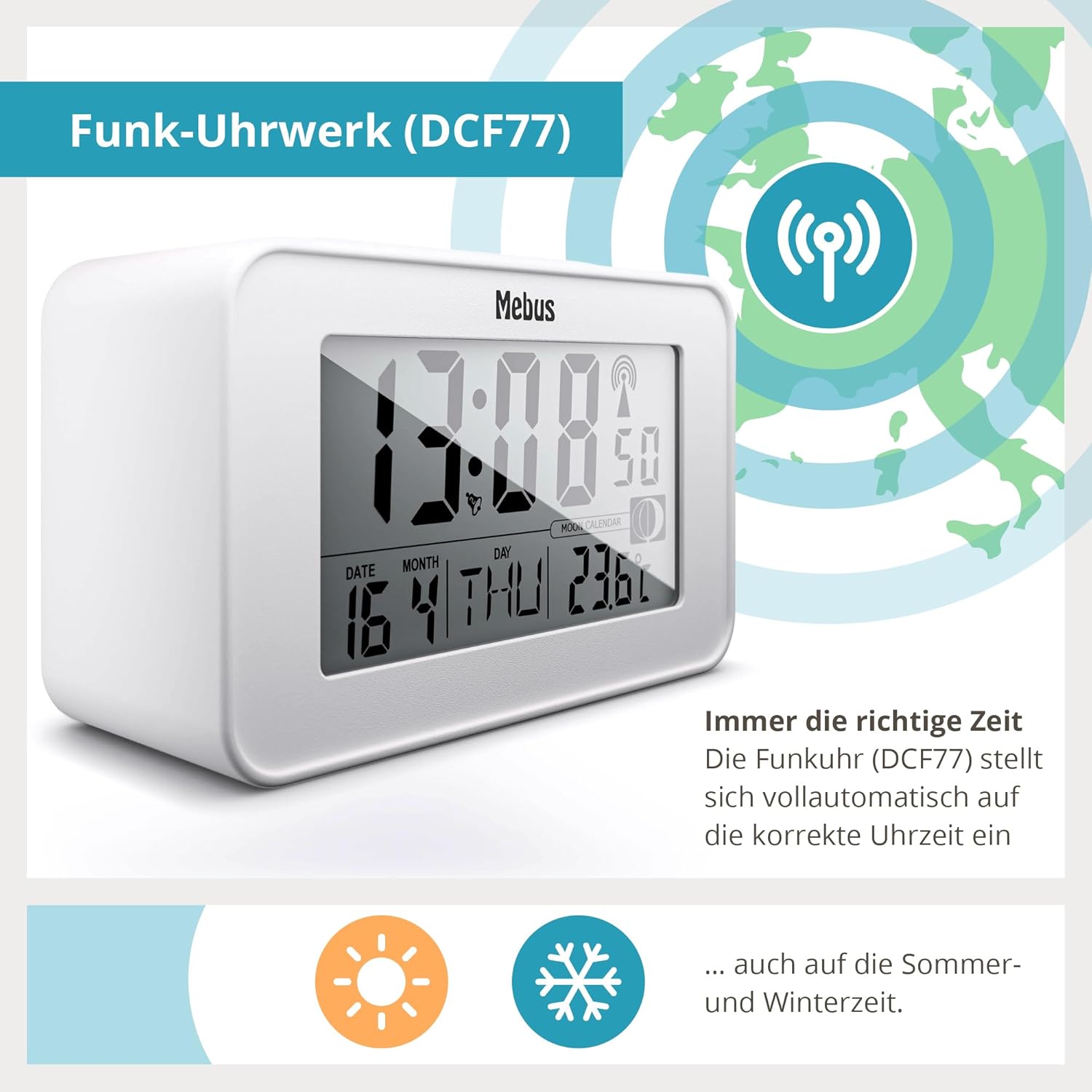
The clock features a radio-controlled movement (DCF77) for automatic time setting, including summer and winter time adjustments.
Operating
1. Manual Time and Date Setting (if radio signal is unavailable)
If the radio signal cannot be received, you can set the time and date manually.
- Press and hold the 'MODE' button (location not specified, typically on back/side) to enter time setting mode.
- Use the 'UP' and 'DOWN' buttons (location not specified) to adjust the flashing digits (hours, then minutes).
- Press 'MODE' again to confirm each setting and move to the next (e.g., year, month, day).
- Exit setting mode by pressing 'MODE' one last time or waiting for the display to time out.
2. Alarm Setting
- Press the 'ALARM' button (location not specified) once to display the current alarm time.
- Press and hold the 'ALARM' button to enter alarm setting mode. The hour digits will flash.
- Use the 'UP' and 'DOWN' buttons to set the desired alarm hour.
- Press 'ALARM' again to set the minutes, then use 'UP' and 'DOWN' buttons.
- Press 'ALARM' one more time to confirm and exit alarm setting.
- To activate/deactivate the alarm, press the 'ALARM' button briefly. An alarm icon will appear/disappear on the display.

The alarm clock features snooze, display illumination, and radio-controlled time.
3. Snooze Function and Display Backlight
When the alarm sounds, press the large 'Snooze/Light' button on top of the clock.
- The alarm will pause for approximately 5 minutes before sounding again.
- Pressing the 'Snooze/Light' button at any other time will activate the blue display backlight for a few seconds, allowing you to read the time in the dark.
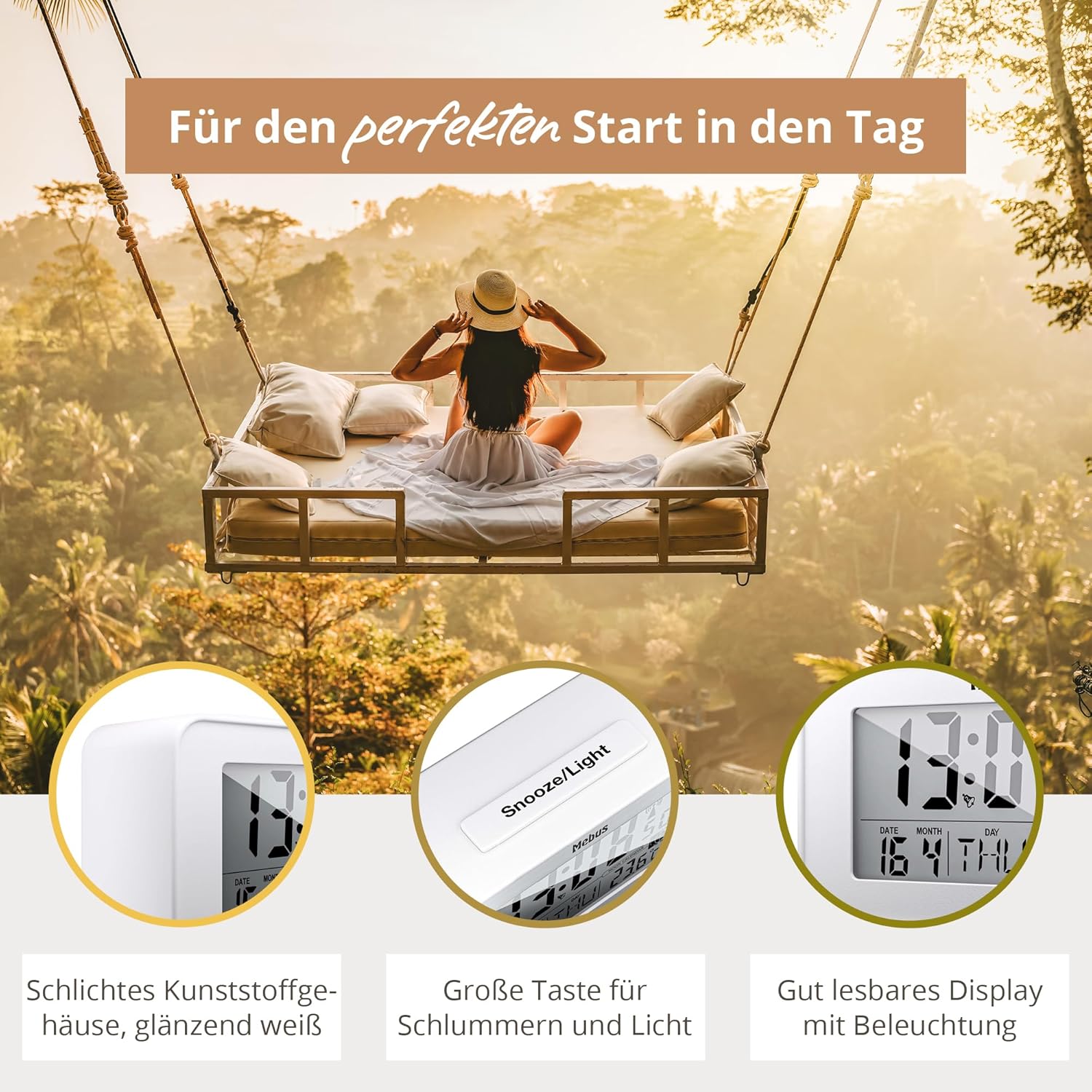
The large 'Snooze/Light' button provides easy access to both functions.

The blue display backlight ensures readability in low-light conditions.
4. Temperature Display
The clock continuously displays the indoor temperature in Celsius.

The display includes an indoor temperature reading and other useful indicators.
5. Moon Phase Display
The integrated moon calendar automatically calculates and displays the current moon phase.
Maintenance
Cleaning
Wipe the clock with a soft, dry cloth. Do not use abrasive cleaners or solvents, as they may damage the surface.
Battery Replacement
When the low battery indicator appears on the display, replace both AAA batteries promptly to ensure continuous operation and accurate timekeeping. Follow the battery installation steps outlined in the 'Setup' section.
Troubleshooting
| Problem | Possible Cause | Solution |
|---|---|---|
| Display is blank or dim. | Batteries are dead or incorrectly inserted. | Replace batteries with new AAA batteries, ensuring correct polarity. |
| Time is incorrect or not updating. | Poor DCF77 radio signal reception or interference. | Move the clock to a different location, preferably near a window, away from electronic devices that may cause interference. Allow time for synchronization. If signal remains poor, set time manually. |
| Alarm does not sound. | Alarm is not activated or set incorrectly. | Check if the alarm icon is visible on the display. Re-set the alarm time as per 'Operating' instructions. |
Specifications
| Model: | Mebus 51461 |
| Display Type: | LCD Digital |
| Power Source: | 2 x AAA batteries (not included) |
| Dimensions (W x H x D): | Approx. 120 mm x 71 mm x 48 mm |
| Weight: | Approx. 160 grams |
| Material: | Plastic (Kunststoff) |
| Special Features: | Radio-controlled time (DCF77), Alarm, Snooze, Temperature display, Date display, Day of week display, Moon phase display, Blue backlight, Low battery indicator, Automatic Daylight Saving Time adjustment. |
Warranty Information
No specific warranty information is provided in the product details. Please refer to your purchase receipt or contact the retailer for details regarding warranty coverage.
Support Information
For further assistance or inquiries, please refer to the retailer where you purchased the Mebus 51461 Digital Alarm Clock or visit the official Mebus website for customer support contact details.