
1. Product Overview
This manual provides essential information for the safe and effective use of your BLACK+DECKER IR1010 Light 'N Easy Compact Steam Iron. Please read all instructions before use and retain for future reference.
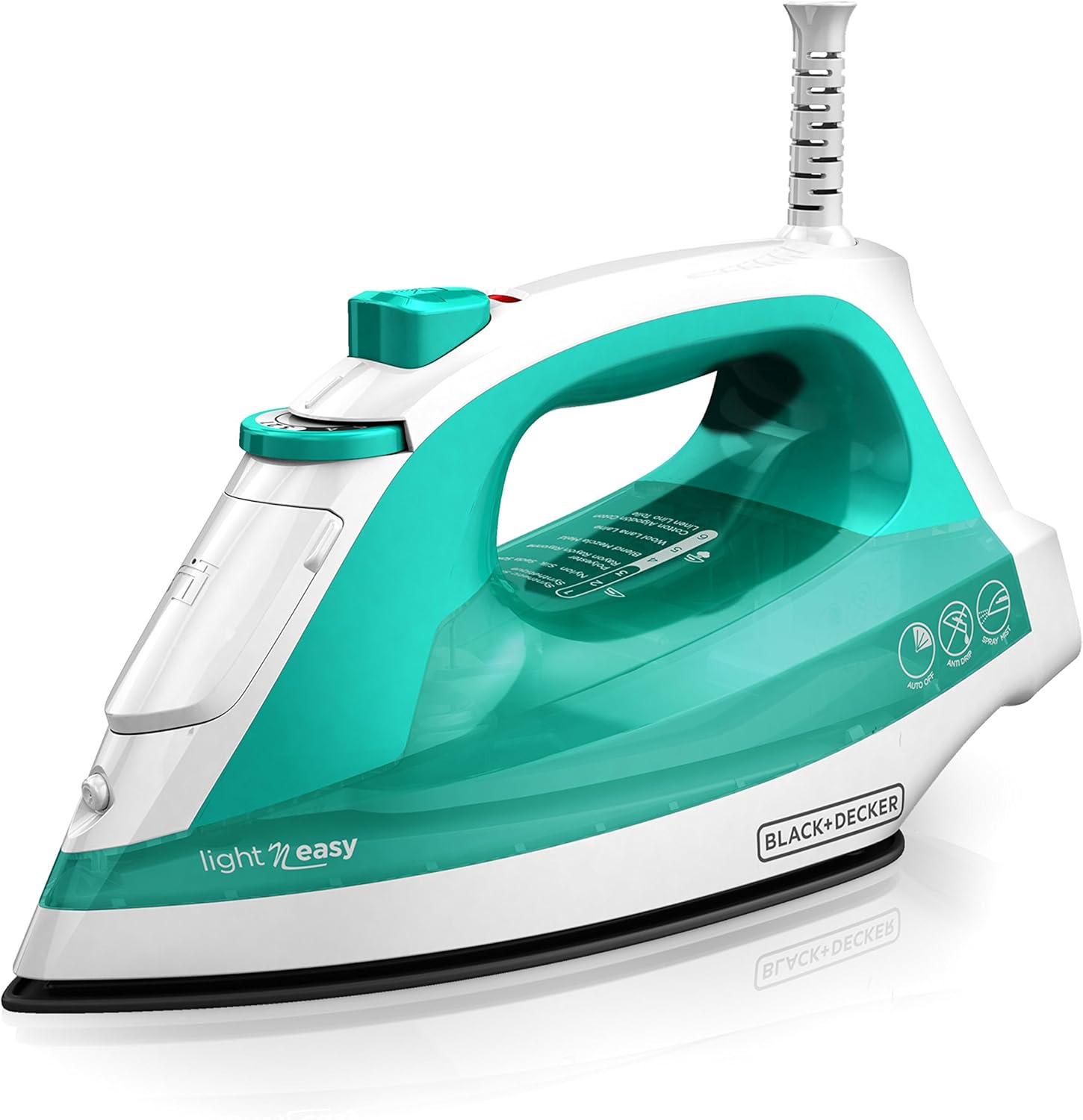
Image 1.1: The BLACK+DECKER IR1010 Light 'N Easy Compact Steam Iron, featuring a teal water tank and white body.
2. Setup
2.1 Unpacking
Carefully remove the iron from its packaging. Remove any temporary labels or protective covers from the soleplate or body of the iron. Keep packaging materials away from children.
2.2 Filling the Water Tank
Ensure the iron is unplugged before filling. Open the water fill cover located on the top of the iron. For optimal performance and to prevent mineral buildup, use filtered water. Fill the water tank up to the 'MAX' line. Close the water fill cover securely.

Image 2.1: Top view of the iron, highlighting the water fill opening and control dial.
2.3 Cord Management
The iron features convenient cord management for easy storage. After use, the cord can be retracted or wrapped around the heel rest for neat storage.

Image 2.2: Detail of the cord management system at the base of the iron.
3. Operating Instructions
3.1 Powering On and Temperature Selection
Plug the iron into a standard electrical outlet. Use the SmartSteam Technology dial to select the appropriate temperature setting for your fabric type. The iron automatically optimizes steam based on your selection. Allow the iron to heat up until the indicator light turns off, signaling it has reached the desired temperature.

Image 3.1: The SmartSteam Technology dial, which automatically regulates steam based on the selected fabric setting.
3.2 Steam and Spray Functions
For stubborn wrinkles, press the steam burst button for an extra shot of steam. The spray mist button can be used to moisten fabrics, aiding in wrinkle removal.
3.3 TrueGlide Nonstick Soleplate
The iron features a TrueGlide nonstick soleplate designed for smooth gliding over various fabric types, ensuring efficient and effortless ironing.

Image 3.2: The TrueGlide nonstick soleplate, designed for smooth movement across fabrics.
3.4 Anti-Drip System
The iron is engineered with an anti-drip system that regulates water temperatures to prevent dripping and spotting on your garments.

Image 3.3: The iron's design, emphasizing the anti-drip functionality and ergonomic handle.
3.5 Automatic Shutoff
For safety, the iron is equipped with a 3-way automatic shutoff feature. It will turn off if left unattended for 30 seconds on its side or soleplate, or after 8 minutes on the heel rest.

Image 3.4: The automatic shutoff feature, providing enhanced safety during use.
3.6 Vertical Steam
The iron supports vertical steaming, allowing you to remove wrinkles from hanging garments or drapes without needing an ironing board.
Video 3.1: This video demonstrates various features of a steam iron, including water filling, thermostat dial adjustment, strong steam bursts, powerful water spray, the ceramic soleplate, vertical steaming, and its suitability for all fabric types.
4. Maintenance
4.1 Cleaning the Iron
The iron is equipped with an auto-clean button to help maintain its performance and prevent mineral buildup. Refer to the detailed instructions in the full user manual for specific auto-clean procedures. For external cleaning, ensure the iron is unplugged and cool. Wipe the exterior with a damp cloth.
4.2 Water Recommendations
Always use filtered water in your steam iron to prolong its life and prevent mineral deposits that can clog steam vents and stain fabrics.
5. Troubleshooting
If your iron is not performing as expected, check the following:
- No Power: Ensure the iron is securely plugged into a working outlet. Check the circuit breaker.
- No Steam: Verify the water tank is filled and the temperature dial is set to a steam-appropriate setting (usually higher heat settings).
- Water Leaking: Ensure the water fill cover is closed properly and the iron is not overfilled. Use the anti-drip feature as intended.
- Iron Not Heating: Confirm the temperature dial is set correctly and allow sufficient time for preheating.
For further assistance, refer to the complete troubleshooting guide in the full product manual or contact customer support.
6. Specifications
- Brand: BLACK+DECKER
- Model Name: IR1010
- Special Features: Auto Shutoff, Lightweight
- Color: Teal (IR1010)
- Product Dimensions: 10"L x 5.1"W
- Recommended Uses: Wrinkle Removal
- Base Material: Ceramic
- Voltage: 120 Volts
- Wattage: 1500 watts
- Item Weight: 2.46 pounds
- UPC: 050875817579

Image 6.1: Visual representation of the iron's length and width dimensions.
7. Warranty & Support
This product comes with a 2-year limited warranty. For warranty claims or technical support, please refer to the contact information provided in your product packaging or visit the official BLACK+DECKER website.


