
Important Safety Instructions
Please read all instructions carefully before beginning installation. Failure to follow these instructions could result in electric shock, fire, or personal injury. Keep this manual for future reference.
- Always disconnect power at the main fuse box or circuit breaker before installing or servicing the fan.
- All wiring must be in accordance with national and local electrical codes. If you are unfamiliar with wiring, consult a qualified electrician.
- The fan must be mounted to a structurally sound outlet box or support system capable of supporting a minimum of 35 lbs (15.9 kg).
- Ensure that the fan blades are at least 7 feet (2.1 meters) from the floor and have adequate clearance from walls or other obstructions.
- Do not operate the fan with damaged wiring or components.
Package Contents
Carefully unpack your fan and inspect the contents. You should have the following items:
- Fan Motor Assembly
- Fan Blades (5)
- Mounting Bracket
- Downrod and Canopy
- Blade Holders/Brackets
- Hardware Pack (screws, washers, wire nuts)
- Instruction Manual
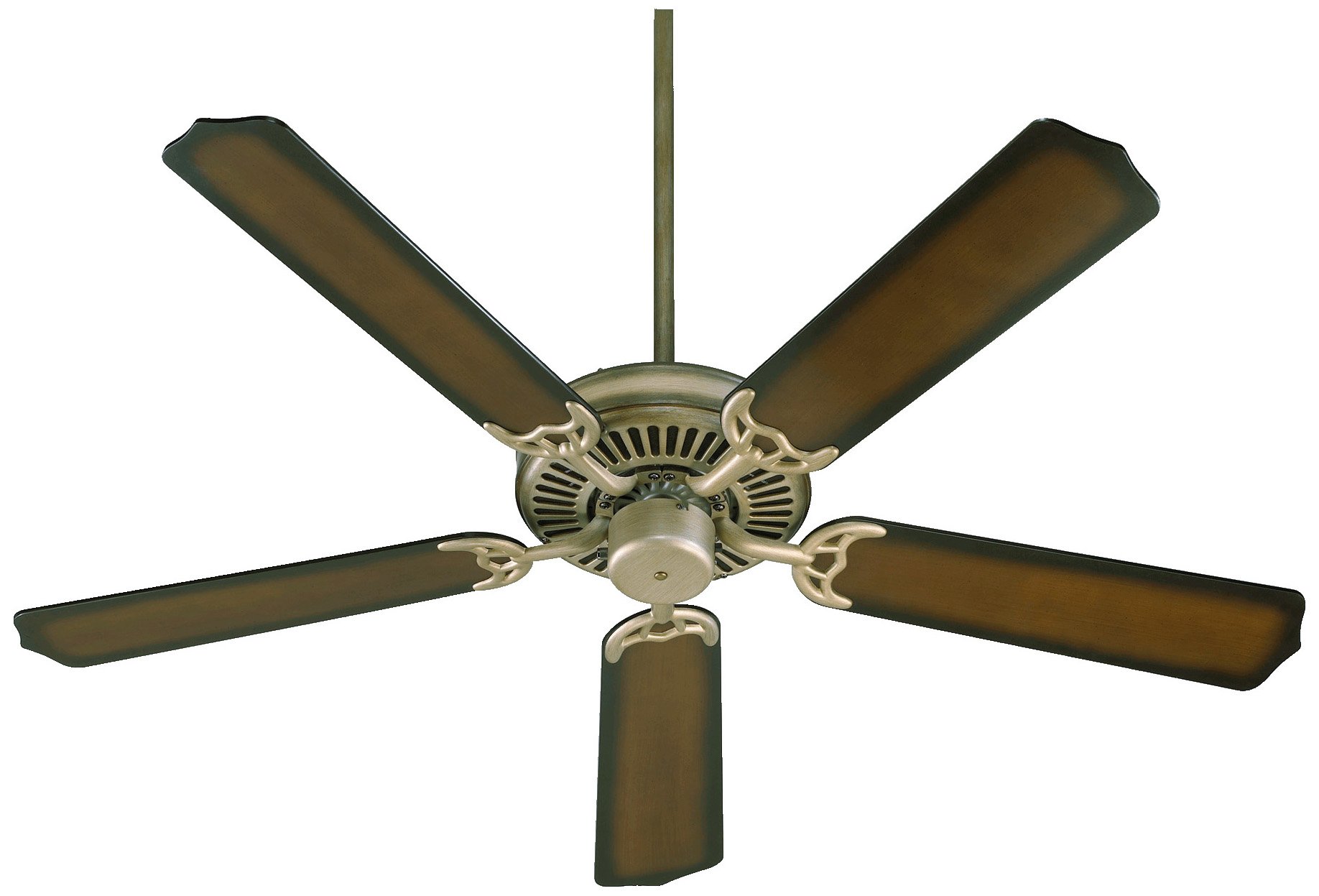
Image: The Quorum International Capri 52-inch 5-Blade Ceiling Fan, Model 77525-22, showcasing its Antique Flemish finish and five blades.
Setup
Tools Required
- Phillips Head Screwdriver
- Flat Head Screwdriver
- Adjustable Wrench
- Wire Strippers
- Electrical Tape
- Step Ladder
Mounting the Fan
- Secure the mounting bracket to the ceiling outlet box using the screws provided with the outlet box. Ensure the bracket is firmly attached.
- Carefully lift the fan motor assembly and hang it on the mounting bracket hook. This will allow for hands-free wiring.
Wiring the Fan
- Connect the green wire from the fan to the bare copper (ground) wire from the ceiling.
- Connect the white wire from the fan to the white (neutral) wire from the ceiling.
- Connect the black wire from the fan to the black (hot) wire from the ceiling.
- Secure all connections with wire nuts and electrical tape.
Attaching the Blades
- Attach each blade to a blade holder using the screws provided. Ensure they are tightened securely.
- Attach the blade holders to the fan motor assembly using the screws provided. Do not overtighten.
Operating Instructions
Powering On
Once installation is complete and power is restored at the circuit breaker, the fan is ready for operation.
Speed Control
The fan speed is typically controlled by a pull chain located on the fan motor housing. Pull the chain repeatedly to cycle through different speed settings (e.g., High, Medium, Low, Off).
Reversible Function
A slide switch on the fan motor housing controls the direction of airflow. For summer operation, set the switch to allow downward airflow, creating a cooling effect. For winter operation, set the switch to allow upward airflow, circulating warm air trapped near the ceiling.
Maintenance
Cleaning
To clean the fan, wipe with a soft, damp cloth. Do not use abrasive cleaners or solvents, as these may damage the finish. Ensure power is disconnected before cleaning.
Blade Tightness
Periodically check all blade screws for tightness. Over time, screws may loosen due to fan vibration. Tighten as necessary to prevent wobbling and noise.
Lubrication
The fan motor features permanently lubricated bearings and does not require additional oiling.
Troubleshooting
| Problem | Possible Cause | Solution |
|---|---|---|
| Fan does not start | No power to the fan; Loose wire connections; Blown fuse/tripped breaker | Check power supply; Verify all wire connections are secure; Check fuse/reset breaker |
| Fan is noisy | Loose motor housing screws; Loose blade screws; Improperly balanced blades | Tighten all screws; Ensure blades are securely attached; Use a blade balancing kit (not included) |
| Fan wobbles | Loose mounting bracket; Unevenly tightened blade screws; Bent blade holder | Ensure mounting bracket is secure; Tighten all blade screws evenly; Check blade holders for bends and adjust or replace |
Specifications
| Feature | Detail |
|---|---|
| Brand | Quorum International |
| Model Number | 77525-22 |
| Size | 52 inches |
| Number of Blades | 5 |
| Finish | Antique Flemish |
| Item Weight | 14.54 Pounds |
| Included Components | Capri 5 Blade Fan (Motor Assembly, Blades, Mounting Hardware) |
| Manufacturer | Lumtopia--DROPSHIP |
Warranty Information
Quorum International products are manufactured to the highest quality standards and are backed by a limited warranty. Specific warranty terms and conditions may vary. Please refer to the official Quorum International website or contact customer support for detailed warranty information applicable to your product.
Customer Support
For technical assistance, replacement parts, or any questions regarding your Quorum International Capri ceiling fan, please visit the official Quorum International website or contact their customer service department. Contact details can typically be found on the manufacturer's website or product packaging.


