
Amazon Basics B0025LDFNQ-WT
Amazon Basics 3-Ring Binder Instruction Manual
Model: B0025LDFNQ-WT
Brand: Amazon Basics
1. Introduction
This manual provides essential information for the proper use and care of your Amazon Basics 3-Ring Binder. Designed for light, everyday use, this binder is ideal for organizing projects, presentations, and various documents. Please read through this guide to ensure optimal performance and longevity of your product.

Image 1.1: Four Amazon Basics 3-Ring Binders.
2. Product Features
The Amazon Basics 3-Ring Binder offers a range of features designed for efficient document organization:
- 3-ring binder in White (4-pack): Suitable for light, everyday use; ideal for organizing projects, presentations, and more.
- 1-inch round rings: Designed to open and close easily for convenient access.
- 175 sheet capacity: Accommodates a substantial number of documents.
- 2 interior pockets: Provides additional storage for loose sheets, notes, or unpunched documents.
- Holds 8.5 x 11-inch documents: Standard letter size compatibility.
- Transparent plastic overlay: Allows for customizing the front, back cover, and spine with personalized inserts.
- Product Dimensions: 11.8 x 10.1 x 1.6 inches (LxWxH).

Image 2.1: Key features of the binder.
3. Setup
The Amazon Basics 3-Ring Binder is designed for immediate use with minimal setup required.
3.1 Initial Preparation
Place the binder on a flat, stable surface before inserting or removing documents.
3.2 Customization
The transparent plastic overlay on the front, back, and spine allows for personalization. To customize, simply slide your printed cover page, spine label, or other decorative inserts into the clear pockets. This feature helps in quick identification and organization of your binders.

Image 3.1: Binder showing interior pockets and customization potential.
4. Operating Instructions
4.1 Opening the Rings
To open the 1-inch round rings, locate the two metal tabs at the top and bottom of the ring mechanism. Gently pull these tabs apart to release the rings. The rings should spring open smoothly.
4.2 Inserting and Removing Pages
Align the punched holes of your 8.5 x 11-inch documents with the open rings. Carefully slide the pages onto the rings. To remove pages, reverse this process by gently sliding them off the open rings.

Image 4.1: Hands demonstrating how to open the binder rings.
4.3 Closing the Rings
Push the metal tabs back together until the rings snap securely shut. Ensure all rings are fully closed and aligned to prevent pages from falling out or getting damaged.
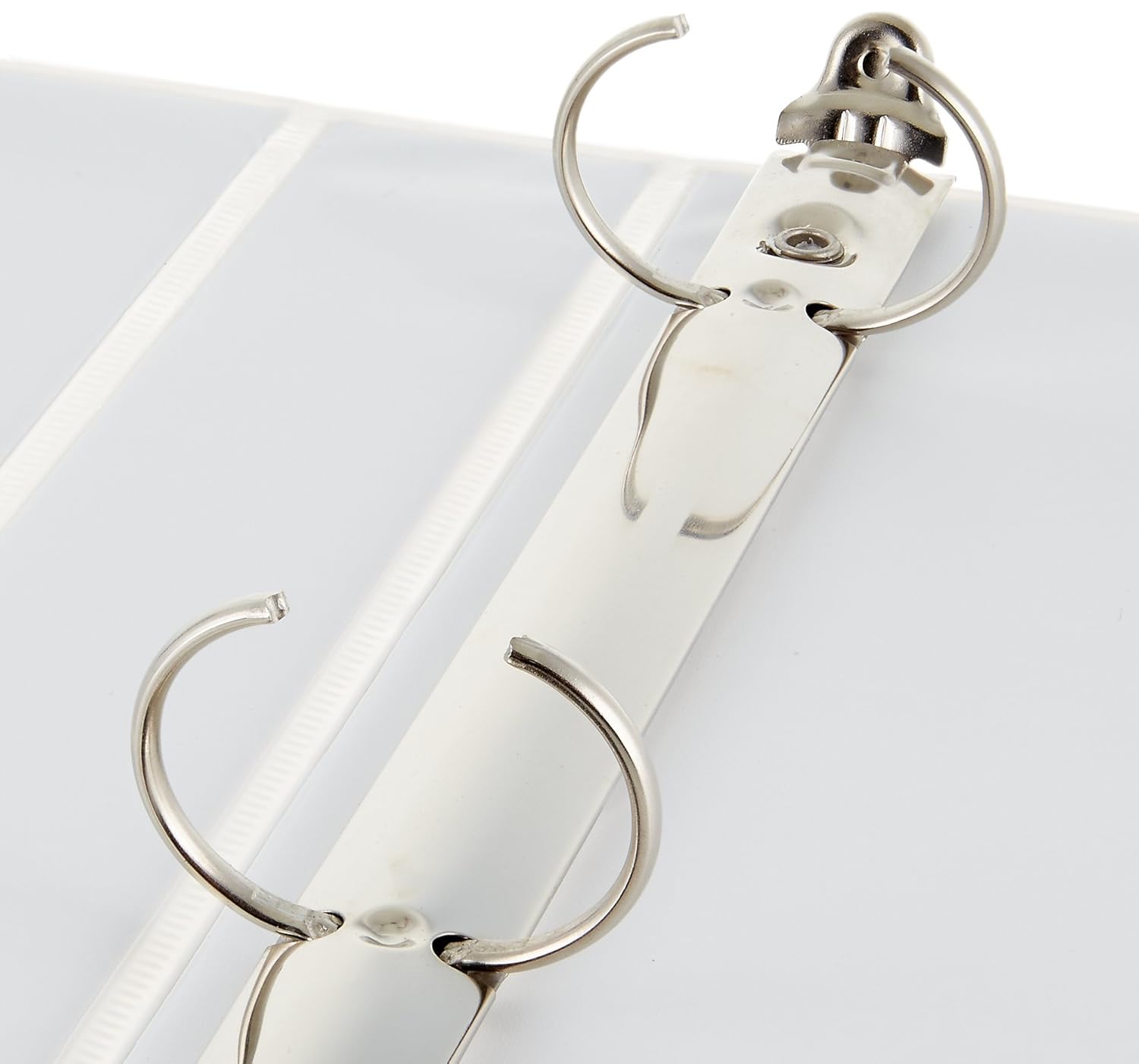
Image 4.2: Close-up of the 1-inch round rings.
4.4 Using Interior Pockets
The two interior pockets are designed for convenient storage of loose papers, unpunched documents, or small accessories. Simply slide items into the pockets on the inside front and back covers.
5. Maintenance
5.1 Cleaning
To clean the exterior of your binder, wipe it with a soft, damp cloth. For tougher marks, a mild soap solution can be used, followed by wiping with a clean, damp cloth. Ensure the binder is completely dry before storing or using. Avoid using abrasive cleaners, harsh chemicals, or solvents, as these may damage the plastic material.
5.2 Storage
Store the binder upright on a shelf or in a drawer to help maintain its shape and prevent damage to the rings or covers. Avoid placing heavy objects on top of the binder when stored horizontally, as this can deform the covers or bend the rings.
6. Troubleshooting
6.1 Rings Do Not Close Properly
If the rings do not align or close securely, gently press them together until they snap into place. Avoid forcing the rings, as this may cause permanent damage. Inspect the ring mechanism for any obstructions, such as stray paper fragments, or deformities. If the rings are bent, they may not close correctly and the binder may need to be replaced.
6.2 Pages Tear at Holes
Ensure pages are properly aligned with the rings before closing them. Overfilling the binder beyond its 175-sheet capacity can put excessive strain on the pages and rings, leading to tearing. For frequently accessed documents or those requiring extra durability, consider using reinforced paper or hole protectors.
7. Specifications
| Attribute | Detail |
|---|---|
| Product Dimensions | 11.8 x 10.1 x 1.6 inches; 10.9 ounces |
| Item Model Number | B0025LDFNQ-WT |
| Date First Available | July 1, 2016 |
| Manufacturer | Amazon |
| Color | White |
| Material | Plastic |
| Capacity | 1 Inches (ring size) |
| Sheet Size | 8.5 x 11 Inches |

Image 7.1: Binder dimensions.
8. Warranty and Support
For detailed warranty information and additional product support, please refer to the official Amazon Basics website or contact Amazon customer service directly.
You can also find a copy of the warranty document here.
Related documentsB0025LDFNQ-WT

Ask a question about this manual
Ask about setup, troubleshooting, compatibility, parts, safety, or missing instructions. Manuals+ will review the question and use this page’s manual context to help answer it.