
Introduction
The Skullcandy Uproar Wireless On-Ear Headphones provide a comfortable and convenient audio experience. Designed for extended wear, these headphones feature Bluetooth connectivity and a built-in microphone for hands-free control.
Key Features:
- Bluetooth Wireless Technology
- Up to 10 Hours of Battery Life
- Plush On-Ear Cushions for Comfort
- Built-in Microphone with Call, Track, and Volume Control
Package Contents
Ensure all items are present in your Skullcandy Uproar Wireless Headphone package:
- Skullcandy Uproar Wireless Headphones
- USB Charging Cable
- User Guide (this document)
Product Overview

Figure 1: Front view of the Skullcandy Uproar Wireless On-Ear Headphones in Royal Blue.
Controls and Ports:
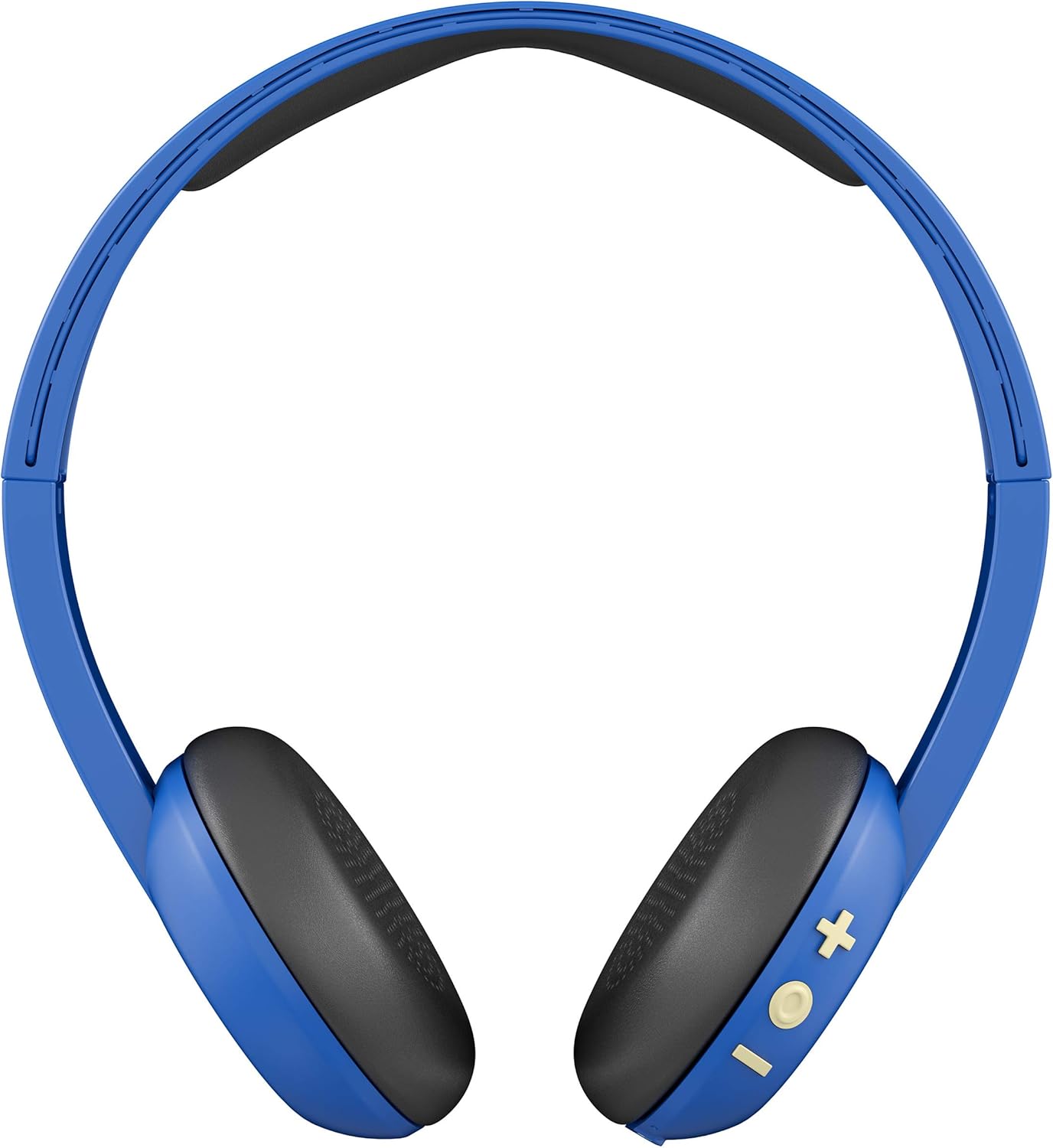
Figure 2: Back view showing the control buttons (+, -, and multi-function) on the right ear cup.

Figure 3: Detailed view of the control buttons (+ for volume up/track forward, - for volume down/track backward, and multi-function button for power/play/pause/calls).

Figure 4: Side profile of the Skullcandy Uproar Wireless On-Ear Headphones, highlighting the adjustable headband.
- Multi-function Button: Power On/Off, Play/Pause, Answer/End Call.
- Volume Up (+) Button: Increase volume, Track forward.
- Volume Down (-) Button: Decrease volume, Track backward.
- Microphone: Integrated for calls.
- USB Charging Port: For recharging the headphones.
Setup
1. Charging Your Headphones:
- Locate the USB charging port on your Uproar headphones.
- Connect the provided USB charging cable to the headphone's charging port and to a USB power source (e.g., computer, wall adapter).
- The LED indicator will illuminate during charging and change color or turn off when fully charged.
2. Bluetooth Pairing:
- Ensure your headphones are powered off.
- Press and hold the Multi-function Button for approximately 5 seconds until the LED indicator flashes blue and red, indicating pairing mode.
- On your device (smartphone, tablet, computer), enable Bluetooth and search for available devices.
- Select "Uproar Wireless" from the list of available devices.
- Once connected, the LED indicator on the headphones will flash blue periodically.
Video 1: Official Skullcandy Uproar product overview and features, including a visual demonstration of the headphones.
Operating Instructions
Power On/Off:
- Power On: Press and hold the Multi-function Button for 3 seconds.
- Power Off: Press and hold the Multi-function Button for 5 seconds.
Music Controls:
- Play/Pause: Press the Multi-function Button once.
- Volume Up: Press the Volume Up (+) Button.
- Volume Down: Press the Volume Down (-) Button.
- Track Forward: Press and hold the Volume Up (+) Button for 2 seconds.
- Track Backward: Press and hold the Volume Down (-) Button for 2 seconds.
Call Controls:
- Answer/End Call: Press the Multi-function Button once.
- Reject Call: Press and hold the Multi-function Button for 2 seconds.
Maintenance
- Cleaning: Use a soft, dry cloth to clean the headphones. Avoid using harsh chemicals or abrasive materials.
- Storage: Store the headphones in a cool, dry place away from extreme temperatures and direct sunlight.
- Water Resistance: These headphones are not water resistant. Avoid exposure to liquids.
Troubleshooting
| Issue | Solution |
|---|---|
| Headphones not powering on | Ensure the headphones are fully charged. Connect them to a power source using the USB cable. |
| Unable to pair via Bluetooth |
|
| No sound or low volume |
|
Specifications
| Feature | Detail |
|---|---|
| Model Name | Uproar |
| Item Model Number | S5URJW-546 |
| Connectivity Technology | Bluetooth |
| Wireless Communication Technology | Bluetooth |
| Bluetooth Range | 10 Meters |
| Battery Life | 10 Hours |
| Audio Driver Type | Dynamic Driver |
| Impedance | 32 Ohm |
| Control Type | Volume Control, Remote |
| Microphone | Built-in |
| Noise Control | None (Passive Noise Isolation from On-Ear design) |
| Water Resistance Level | Not Water Resistant |
| Material | Faux Leather |
| Item Weight | 9.4 ounces (0.27 Kilograms) |
| Product Dimensions | 7.3 x 3.1 x 7.3 inches |
Warranty and Support
The Skullcandy Uproar Wireless On-Ear Headphones come with a one-year manufacturer's warranty. For warranty claims or technical support, please visit the official Skullcandy website or contact their customer service.
For additional support and product information, you may visit the Skullcandy Store on Amazon.


