1. Introduction
This instruction manual provides essential information for the proper use, care, and maintenance of your Michael Kors Lexington MK8603 Men's Stainless Steel Chronograph Watch. Please read this manual thoroughly before using your watch to ensure optimal performance and longevity.

Figure 1: Front view of the Michael Kors Lexington MK8603 watch, showcasing the black sunray chronograph dial with gold-tone indexes and the black IP bracelet.
2. Product Overview
The Michael Kors Lexington MK8603 is a sophisticated men's chronograph watch featuring a black sunray dial with gold-tone indexes, a textured black IP case, and a 5-link black IP bracelet. It is equipped with quartz movement, chronograph analog display, a date window, and three subdials for tracking minutes, seconds, and 24-hour time.

Figure 2: Angled view of the Michael Kors Lexington MK8603 watch, highlighting the textured black IP case and the intricate details of the dial.
3. Setup and Initial Use
3.1. Unboxing and Inspection
Carefully remove the watch from its packaging. Inspect the watch for any visible damage or defects. Ensure all protective films are removed from the crystal and case back.

Figure 3: The Michael Kors Lexington MK8603 watch presented in its original white packaging box.
3.2. Adjusting the Watch Band
The stainless steel bracelet band has a width of 22mm. Links can be removed or added by a professional jeweler to achieve a customized fit for your wrist. This ensures comfort and prevents excessive movement of the watch.
3.3. Setting Time and Date
- Time Setting: Pull the crown (the knob on the side of the watch) out to the outermost position. Rotate the crown to set the hour and minute hands to the correct time. Push the crown back in to the normal position to start timekeeping.
- Date Setting: Pull the crown out to the middle position. Rotate the crown to adjust the date. Avoid setting the date between 9 PM and 3 AM, as this may interfere with the automatic date change mechanism. Push the crown back in to the normal position.
4. Operating the Chronograph Function
The chronograph feature allows for precise timing of events. Your watch includes three subdials for this purpose.
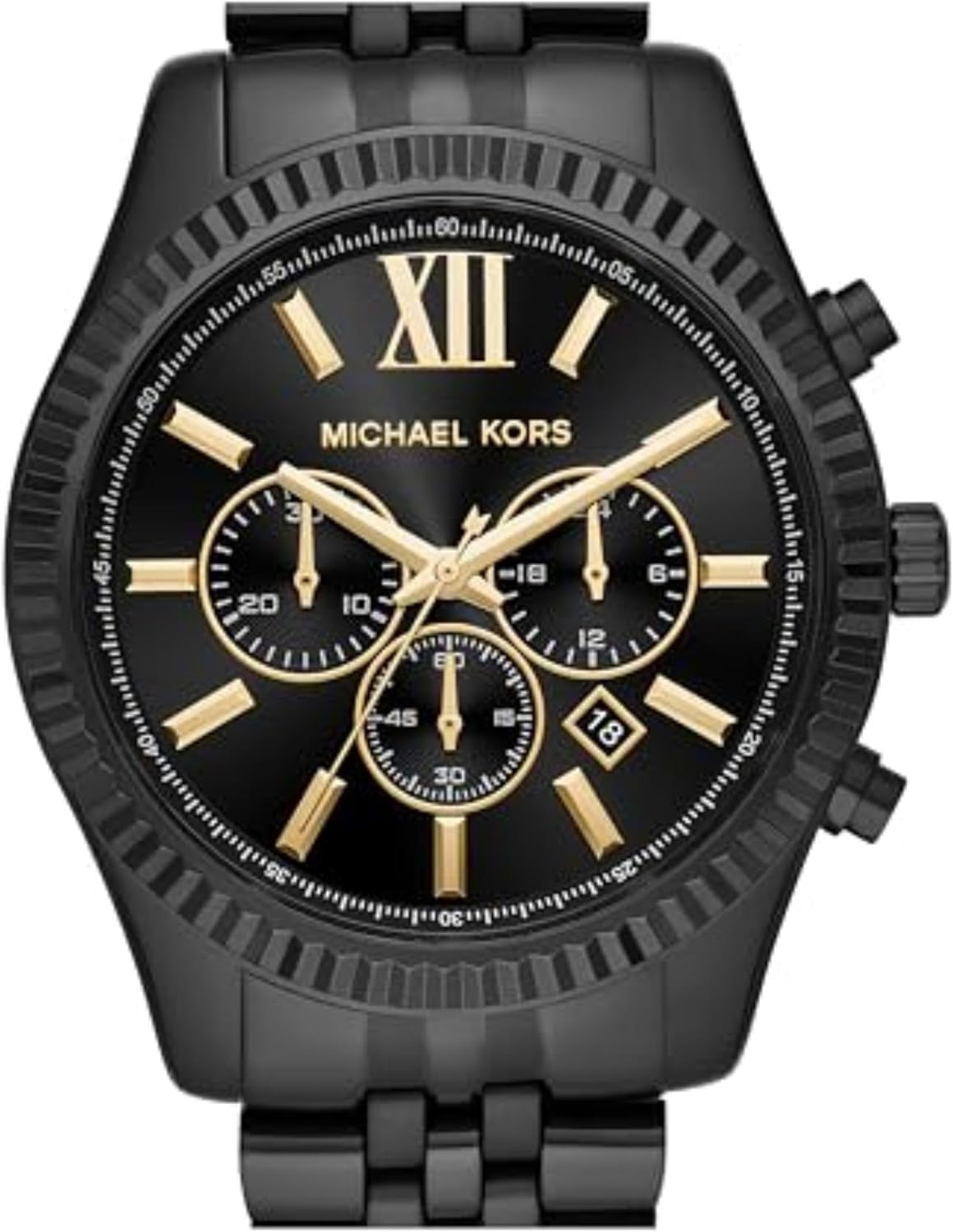
Figure 4: Side view of the watch, illustrating the crown and the two pushers used to operate the chronograph functions.
- Starting the Chronograph: Press the upper pusher to start the chronograph. The chronograph second hand will begin to move.
- Stopping/Pausing: Press the upper pusher again to stop or pause the chronograph. The elapsed time will be displayed on the subdials.
- Resetting: While the chronograph is stopped, press the lower pusher to reset all chronograph hands to their zero positions.
5. Water Resistance
This watch is water resistant up to 100 meters (330 feet), or 10 ATM. This means it can be worn during bathing, swimming, snorkeling, and shallow diving. It is not suitable for high-impact water sports or deep-sea diving.
- Do not operate the crown or pushers while the watch is wet or submerged in water.
- After exposure to saltwater, rinse the watch with fresh water and dry it thoroughly.
6. Maintenance and Care
6.1. Cleaning
To maintain the appearance of your watch, regularly wipe the case and bracelet with a soft, damp cloth. For deeper cleaning, a soft brush (like a toothbrush) with mild soap and water can be used, especially for the bracelet. Ensure the watch is thoroughly dried afterward.
6.2. Battery Replacement
The watch is powered by 1 Lithium Metal battery (included). When the watch stops running, it indicates that the battery needs to be replaced. It is recommended to have the battery replaced by a qualified jeweler or watch repair specialist to ensure the water resistance seal is maintained.
6.3. General Care
- Avoid exposing the watch to extreme temperatures, direct sunlight for prolonged periods, or strong magnetic fields.
- Protect the watch from impacts and drops.
- Store the watch in a dry, safe place when not in use.
7. Troubleshooting
7.1. Watch Not Running
If the watch stops running, the battery may need replacement. Refer to section 6.2 for battery replacement information.
7.2. Incorrect Time/Date
If the time or date is incorrect, refer to section 3.3 for instructions on how to set them properly.
7.3. Chronograph Malfunction
If the chronograph hands do not reset to zero or function incorrectly, try resetting the time and date, then re-attempt the chronograph operation. If the issue persists, professional service may be required.
8. Specifications
| Brand | Michael Kors |
| Model Number | MK8603 |
| Case Material | Stainless Steel |
| Case Diameter | 44mm |
| Dial Color | Black Sunray |
| Movement | Quartz Chronograph |
| Water Resistance | 10 ATM (100 meters / 330 feet) |
| Band Material | Stainless Steel |
| Band Width | 22mm |
| Crystal Material | Mineral Crystal |
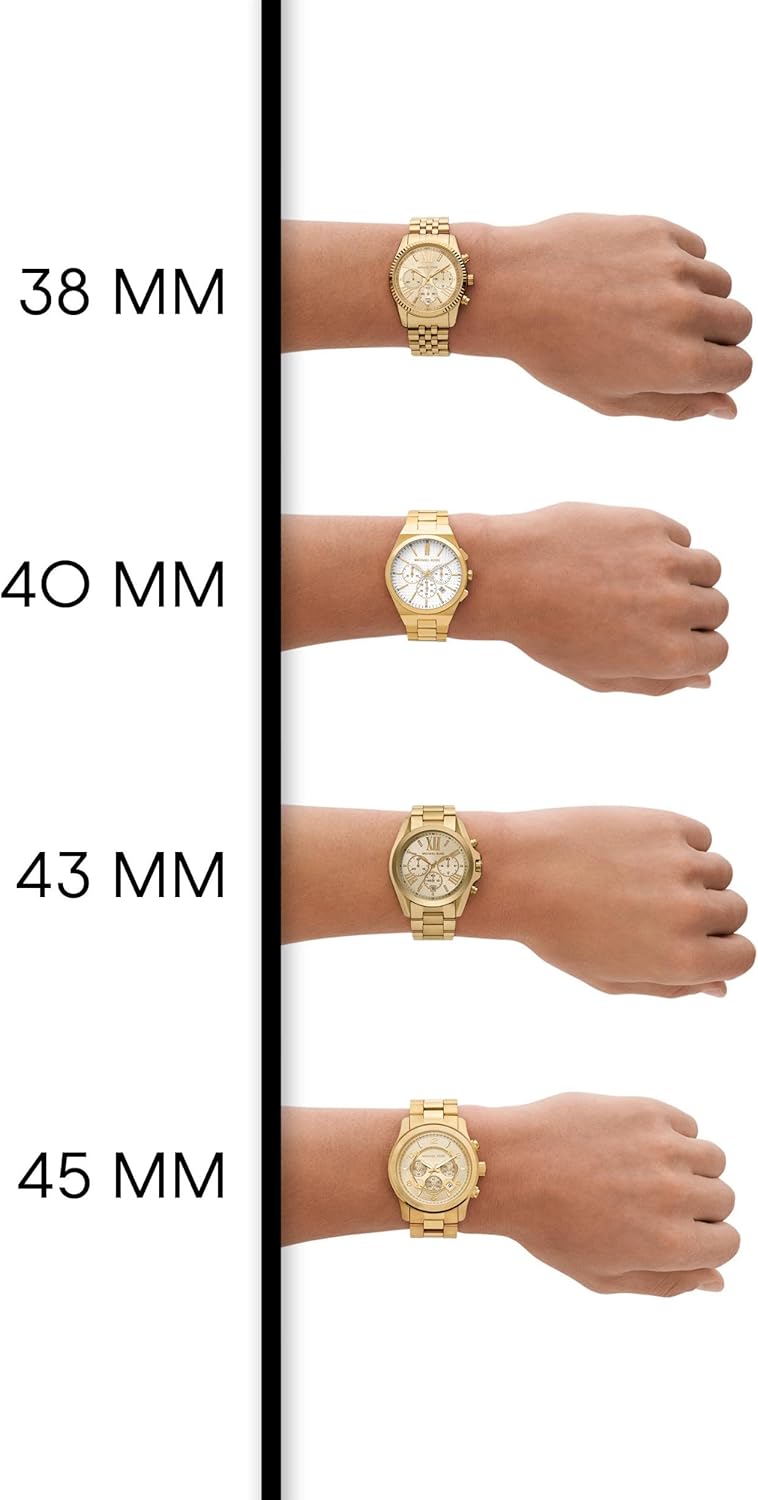
Figure 5: A visual size guide demonstrating various Michael Kors watch sizes on a wrist, for reference.
9. Official Product Video
Video 1: A brief overview of the Michael Kors Men's Lexington Analog-Quartz Watch with Stainless-Steel Strap, Black, highlighting its design and features.
10. Warranty and Support
Warranty information for your Michael Kors Lexington watch is typically included with your purchase documentation. Please refer to these documents for details regarding coverage and duration. For any service, repairs, or further assistance, please contact an authorized Michael Kors service center or the retailer where the watch was purchased.


