
Introduction
Thank you for purchasing the Shark Rocket Ultra-Lightweight Corded Stick Vacuum. This manual provides essential information for the safe and efficient operation, maintenance, and care of your new vacuum cleaner. Designed for versatile floor-to-ceiling cleaning, this ultra-lightweight unit converts to a handheld vacuum and features swivel steering for enhanced maneuverability. Please read these instructions thoroughly before first use and keep them for future reference.
Important Safety Instructions
When using an electrical appliance, basic precautions should always be observed, including the following:
- Read all instructions before using this vacuum cleaner.
- Always unplug the power cord from the electrical outlet when not in use and before servicing.
- Do not use outdoors or on wet surfaces.
- Do not allow to be used as a toy. Close attention is necessary when used by or near children.
- Use only as described in this manual. Use only manufacturer’s recommended attachments.
- Do not use with a damaged cord or plug. If the appliance is not working as it should, has been dropped, damaged, left outdoors, or dropped into water, return it to SharkNinja Operating LLC for examination, repair, or adjustment.
- Do not pull or carry by cord, use cord as a handle, close a door on cord, or pull cord around sharp edges or corners. Do not run appliance over cord. Keep cord away from heated surfaces.
- Do not unplug by pulling on cord. To unplug, grasp the plug, not the cord.
- Do not handle plug or vacuum cleaner with wet hands.
- Do not put any object into openings. Do not use with any opening blocked; keep free of dust, lint, hair, and anything that may reduce airflow.
- Keep hair, loose clothing, fingers, and all parts of body away from openings and moving parts.
- Turn off all controls before unplugging.
- Use extra care when cleaning on stairs.
- Do not use to pick up flammable or combustible liquids, such as gasoline, or use in areas where they may be present.
- Do not pick up anything that is burning or smoking, such as cigarettes, matches, or hot ashes.
- Do not use without dust cup and/or filters in place.
What's in the Box
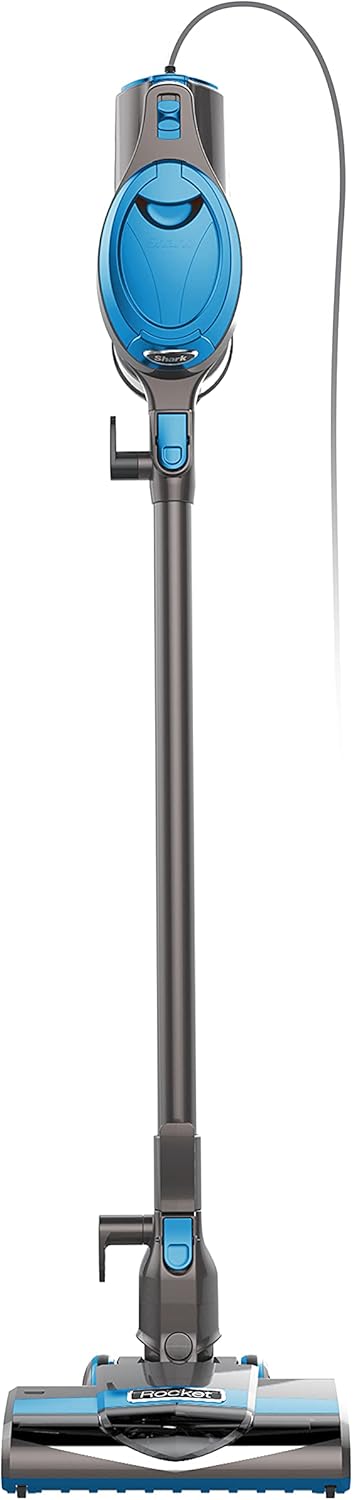
Your Shark Rocket Ultra-Lightweight Corded Stick Vacuum includes the following components:
- Main Vacuum Unit (Handheld)
- Extension Wand
- Motorized Floor Nozzle
- Crevice Tool
- Dusting Brush
- Pet/Upholstery Tool
Setup
Assembling the Stick Vacuum
- Insert the extension wand into the motorized floor nozzle until it clicks securely into place.
- Insert the handheld vacuum unit onto the top of the extension wand until it clicks securely into place.
- Ensure all connections are firm before use.
Attaching Accessories
To attach any accessory (crevice tool, dusting brush, pet/upholstery tool), simply insert it directly into the nozzle of the handheld vacuum unit or the end of the extension wand until it fits snugly.

Operating Instructions
Powering On/Off and Mode Selection
Plug the power cord into a 120V electrical outlet. The vacuum features fingertip controls on the handheld unit for easy operation:
- 'O' (Off): Turns the vacuum off.
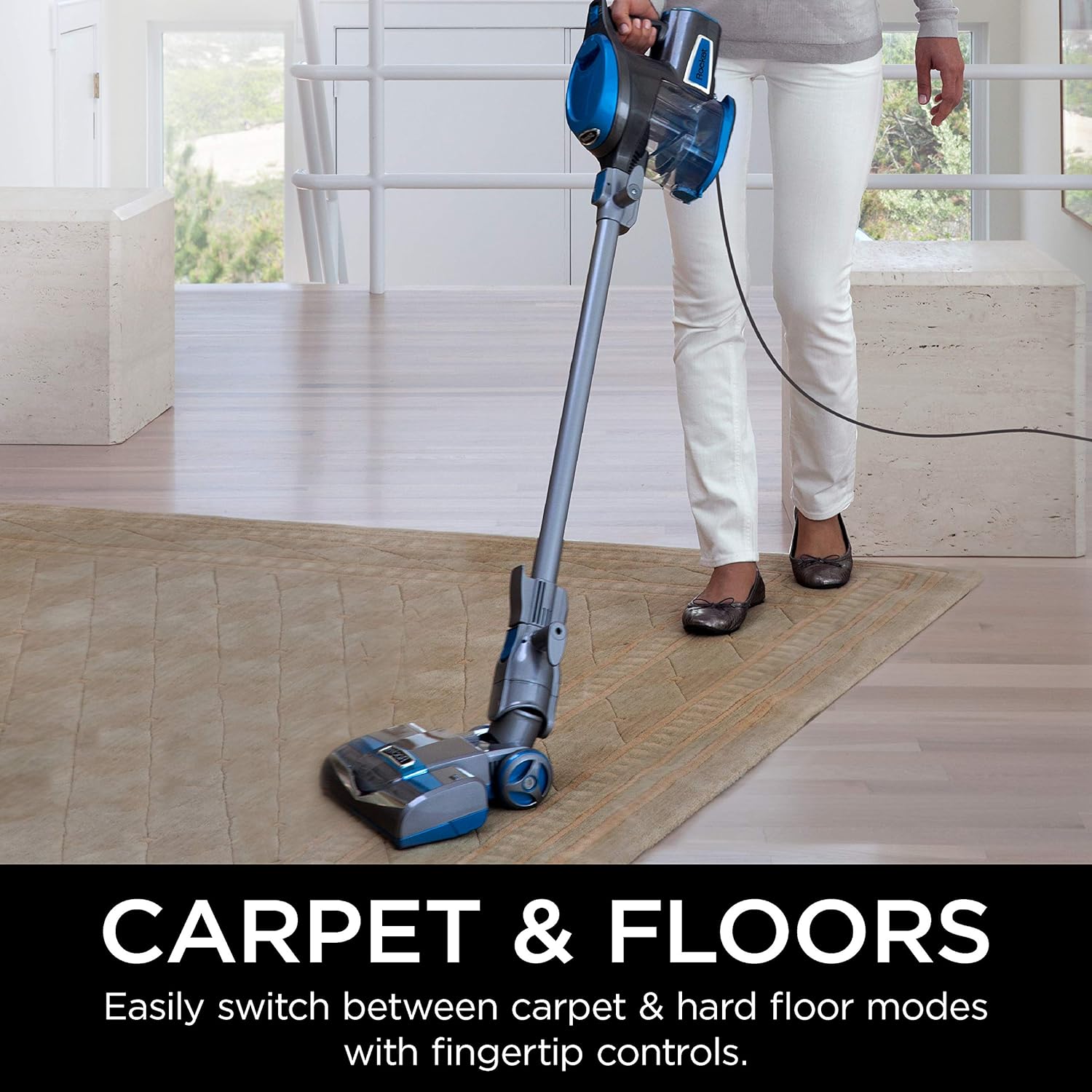
- 'I' (Hard Floor): Provides gentle suction and brush-roll speed for bare floors and delicate area rugs.
- 'II' (Carpet): Provides powerful suction and a faster brush-roll speed for deep cleaning carpets.

Using as a Stick Vacuum
For floor cleaning, ensure the extension wand and motorized floor nozzle are attached. Select the appropriate floor setting using the fingertip controls. The swivel steering allows for easy maneuvering around furniture and obstacles.

Converting to Handheld Vacuum
To convert to a handheld vacuum, press the wand release button located near the top of the extension wand. This detaches the handheld unit, allowing you to attach accessories directly for above-floor cleaning, such as upholstery, stairs, or car interiors.

Extended Reach Cleaning
For high-reach areas, keep the extension wand attached to the handheld unit and remove the floor nozzle. Attach a suitable accessory, such as the crevice tool or dusting brush, to the end of the wand for cleaning ceilings, fan blades, or curtain tops.

Maintenance
Regular maintenance ensures optimal performance of your Shark Rocket vacuum.
Emptying the Dust Cup
Empty the dust cup after each use or when debris reaches the MAX FILL line. To empty, hold the handheld unit over a trash bin and press the dust cup release latch. The bottom flap will open, allowing debris to fall out. Close the flap securely until it clicks.

Cleaning Filters
The Shark Rocket HV300C uses washable foam and felt filters. For optimal suction, rinse filters every 3 months or as needed. Allow filters to air dry completely for at least 24 hours before reinstalling. Do not operate the vacuum without filters in place.
Cleaning the Brush-roll
Periodically check the brush-roll for any hair, string, or debris that may be wrapped around it. Use scissors to carefully cut away any entangled material. Ensure the brush-roll is clear for effective cleaning.
Storage
The Shark Rocket HV300C offers two convenient storage options:
- Compact Storage: Detach the handheld unit and store it separately, or hang the entire unit on a wall mount (if included or purchased separately).
- Upright Storage: The vacuum can stand upright when the handheld unit is attached to the wand and the floor nozzle is engaged.
Troubleshooting
| Problem | Possible Cause | Solution |
|---|---|---|
| Vacuum not turning on | Power cord not securely plugged in; no power in outlet. | Ensure cord is fully plugged in. Check circuit breaker or try another outlet. |
| Loss of suction | Dust cup full; filters need cleaning; blockage in nozzle, wand, or hose. | Empty dust cup. Clean and dry filters. Check for and clear any blockages. |
| Brush-roll not spinning | Brush-roll jammed; incorrect floor setting. | Clear any obstructions from the brush-roll. Ensure the vacuum is on the 'Carpet' setting for brush-roll activation. |
| Vacuum shuts off | Overheating due to blockage or dirty filters. | Turn off and unplug the vacuum. Clear blockages and clean filters. Allow to cool for at least 60 minutes before restarting. |
Specifications
| Feature | Detail |
|---|---|
| Model Number | HV300C |
| Item Weight | 3.72 kg (Under 9 lbs) |
| Form Factor | Handheld / Stick |
| Power Source | Corded Electric |
| Voltage | 120 Volts |
| Capacity | 1.2 Liters |
| Filter Type | Foam |
| Cord Length | 25 feet |
| Surface Recommendation | Carpets, Above Floor, Hardfloor |
Warranty & Support
This Shark Rocket Ultra-Lightweight Corded Stick Vacuum (Model HV300C) comes with a 5-Year Limited Warranty. For warranty details, product registration, or customer support, please visit the official Shark website or contact their customer service department. Keep your purchase receipt as proof of purchase for warranty claims.
Manufacturer: Fujia
Place of Business: MISSISSAUGA, ON, L5N 6A6 CA