
1. Introduction
This manual provides instructions for the setup, operation, and maintenance of your AcuRite 02059M Digital Thermometer. This device offers precise indoor and outdoor temperature monitoring with an easy-to-read LCD display. It tracks daily high and low temperatures and includes a 12-hour clock. The system consists of a main display unit and one wireless outdoor sensor.
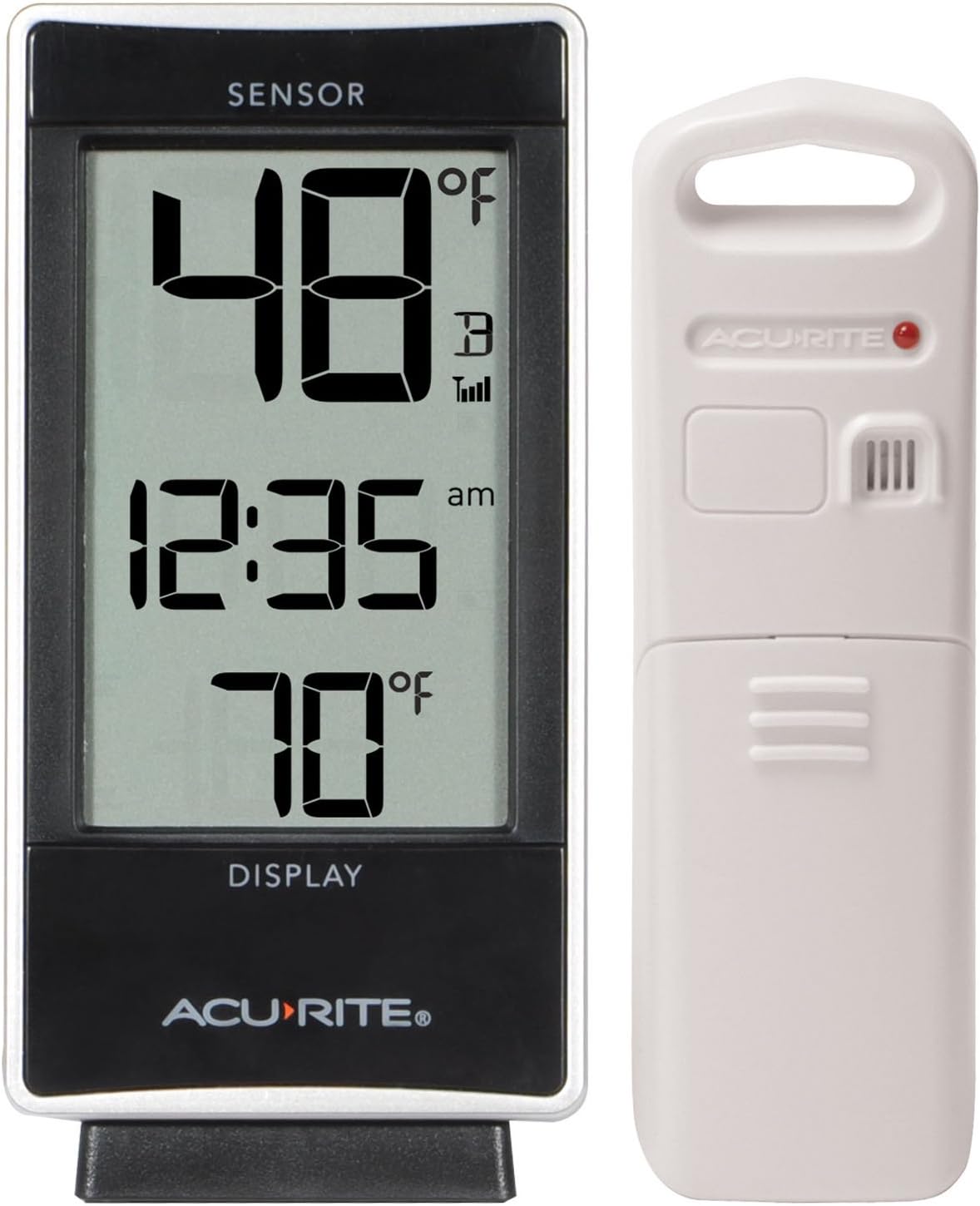
Figure 1: AcuRite 02059M Digital Thermometer display unit and wireless sensor. The display shows 48 degrees Fahrenheit for the sensor, 12:35 AM, and 70 degrees Fahrenheit for the indoor temperature. The wireless sensor is white with a red indicator light.
2. Package Contents
- Digital Thermometer Display Unit
- Wireless Outdoor Temperature Sensor
- Instruction Manual (this document)
3. Setup
3.1. Battery Installation
Important: Install batteries in the outdoor sensor first, then in the display unit.
- Wireless Sensor:
- Remove the battery compartment cover on the back of the sensor.
- Insert 2 x AA alkaline or lithium batteries (not included) according to the polarity markings (+/-).
- Replace the battery compartment cover.

Figure 2: The wireless outdoor sensor is designed for easy placement, such as hanging from a branch. Ensure it is protected from direct sunlight and precipitation for accurate readings.
- Display Unit:
- Remove the battery compartment cover on the back of the display unit.
- Insert 3 x AAA alkaline or lithium batteries (not included) according to the polarity markings (+/-).
- Replace the battery compartment cover.

Figure 3: Front view of the AcuRite Digital Thermometer display unit, showing the large LCD screen with temperature and time readings.
The display unit will automatically search for a signal from the wireless sensor. This may take a few minutes. Once connected, the outdoor temperature will appear on the display.
3.2. Placement Guidelines
- Display Unit: Place the display unit indoors, away from direct sunlight and heat sources. It can stand upright on a tabletop or be wall-mounted.
- Wireless Sensor: For accurate outdoor temperature readings, place the sensor in a shaded area, protected from direct sunlight and precipitation. The maximum wireless range is 330 feet (100 meters). Avoid placing the sensor near large metal objects, thick walls, or other electronic devices that may interfere with the wireless signal.
4. Operation
4.1. Display Overview
The LCD display shows the following information:
- Outdoor Temperature (from wireless sensor)
- Indoor Temperature (from built-in sensor)
- Current Time
- Daily High/Low Temperature Records
- Wireless Signal Strength Indicator

Figure 4: The display unit positioned on a desk, showing its compact size and clear digital readout for easy viewing in an indoor environment.
4.2. Setting Time and Units
Refer to the buttons on the back of the display unit to adjust settings.
- Time Setting: Press the "SET" button to enter time setting mode. Use the "UP" or "DOWN" buttons to adjust hours and minutes. Press "SET" again to confirm each setting.
- Temperature Units: Press the "°F/°C" button to toggle between Fahrenheit and Celsius temperature display.
4.3. Viewing High/Low Records
The display automatically records daily high and low temperatures for both indoor and outdoor readings.
- Press the "HIGH/LOW" button once to view the daily high temperatures.
- Press the "HIGH/LOW" button a second time to view the daily low temperatures.
- Press the "HIGH/LOW" button a third time to return to current temperature display.
- To clear daily high/low records, press and hold the "HIGH/LOW" button while viewing the records.
4.4. Multi-Sensor Operation (Optional)
The AcuRite 02059M can monitor up to three additional wireless sensors (model 06002RM, sold separately).
- Install batteries in the additional sensor(s) as described in Section 3.1.
- On the display unit, press the "CHANNEL" button to cycle through available sensor channels (1, 2, 3).
- To enable auto-cycle mode, press the "CHANNEL" button until the auto-cycle icon (usually an arrow or rotating symbol) appears on the display. The display will then automatically switch between all active sensor readings.
5. Maintenance
5.1. Care and Cleaning
- Wipe the display unit and sensor with a soft, damp cloth. Do not use abrasive cleaners or solvents.
- Ensure the battery compartments are sealed properly to prevent moisture ingress.
5.2. Battery Replacement
Replace batteries when the low battery indicator appears on the display. Always replace all batteries in a unit at the same time with new batteries of the same type. Dispose of old batteries responsibly.
6. Troubleshooting
| Problem | Possible Solution |
|---|---|
| No outdoor temperature reading (dashes on display) |
|
| Inaccurate temperature readings |
|
| Display is blank or dim |
|
7. Specifications
- Model: 02059M
- Display Type: LCD
- Indoor Temperature Range: Not explicitly stated, but typically 32°F to 122°F (0°C to 50°C)
- Outdoor Temperature Range: -40°F to 158°F (-40°C to 70°C)
- Wireless Range: 330 feet (100 meters)
- Connectivity: Wireless (433 MHz)
- Power Source:
- Display Unit: 3 x AAA alkaline or lithium batteries (not included)
- Wireless Sensor: 2 x AA alkaline or lithium batteries (not included)
- Display Dimensions: 5.7" H x 2.8" W x 1.8" D (14.5 cm H x 7.1 cm W x 4.6 cm D)
- Care Instructions: Wipe Clean
8. Warranty and Support
For product support, warranty information, or to purchase additional sensors (Model 06002RM), please visit the official AcuRite website or contact their customer service. Specific warranty details are typically provided with the product packaging or on the manufacturer's website.


