
Wheeler 710907
Contents
Wheeler Engineering Trigger Guard Install Tool User Manual
Model: 710907 | Brand: Wheeler
1. Product Overview
The Wheeler Engineering Trigger Guard Install Tool is designed to simplify the installation and changing of trigger guards, particularly on AR-15 lower receivers. This tool provides precise control over the roll pin during installation, significantly reducing the risk of damage to the receiver's ears.

Figure 1: The Wheeler Engineering Trigger Guard Install Tool, showing its main body, adjustable screw, and T-handle, with the two pins (install and removal) displayed below it.
2. Components Included
- Wheeler Engineering Trigger Guard Install Tool main body
- Install Pin (stored within the tool)
- Un-install Pin (stored within the tool)
The pins are conveniently stored within the tool's frame to prevent misplacement.

Figure 2: The Trigger Guard Install Tool with its two specialized pins, one for installation and one for removal, shown stored within the tool's body.
3. Setup and Operation
This tool is specifically designed for the installation and removal of trigger guard roll pins on AR-15 lower receivers. It eliminates the need for a hammer and punch, thereby preventing potential damage to the receiver's trigger guard ears.
3.1. Removing an Existing Trigger Guard
- Ensure the firearm is unloaded and safe.
- Select the un-install pin from the tool's storage.
- Position the tool over the trigger guard and the roll pin to be removed. The un-install pin should align with the roll pin.
- Slowly turn the T-handle to apply pressure, pushing the old roll pin out. The tool's design ensures even pressure and prevents damage.
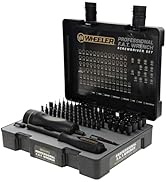
Figure 3: Hands demonstrating the use of the tool to work on a trigger guard, highlighting the precise application of force.
3.2. Installing a New Trigger Guard
- Ensure the new trigger guard is correctly positioned on the lower receiver.
- Select the install pin from the tool's storage.
- Place the new roll pin into the trigger guard hole.
- Position the tool over the trigger guard and the new roll pin, ensuring the install pin aligns with the roll pin.
- Slowly turn the T-handle to press the roll pin into place. The tool provides support to the trigger guard ears, preventing bending or breaking.
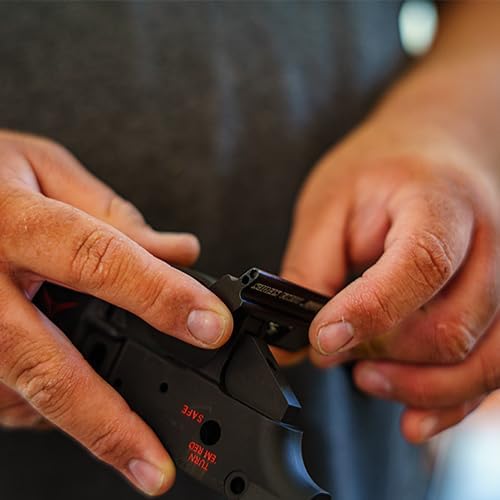
Figure 4: A close-up view of hands using the Wheeler Trigger Guard Install Tool to install a trigger guard on a firearm's lower receiver, demonstrating the tool's compact size and ease of use.
4. Maintenance
The Wheeler Engineering Trigger Guard Install Tool is constructed from durable aluminum with a MIL-SPEC anodized finish, requiring minimal maintenance.
- After each use, wipe down the tool with a clean, dry cloth to remove any debris or residue.
- Store the tool in a dry environment to prevent corrosion.
- Ensure the install and un-install pins are securely stored within the tool's frame when not in use.
5. Troubleshooting
While designed for reliability, minor issues may arise. Here are some common points to check:
- Pin not moving smoothly: Ensure the tool is properly aligned with the roll pin and the trigger guard. Check for any obstructions. Do not force the pin.
- Tool slipping: Verify that the tool is securely seated against the receiver and trigger guard. The design provides stability, but proper positioning is crucial.
- Rubber pad detachment: Some units may experience the rubber pad detaching. While the tool can still function, re-adhere the pad with a suitable adhesive if desired for added protection against marring.
If issues persist, refer to the official Wheeler Engineering support resources.
6. Specifications
| Item Package Dimensions L x W x H | 8.27 x 5.31 x 0.63 inches |
| Item Dimensions LxWxH | 7 x 5 x 1 inches |
| Item Weight | 3.2 ounces |
| Material | Aluminum with MIL-SPEC anodized finish |
| Color | Black, Silver |
| Model Name | Wheeler Engineering Trigger Guard Install Tool |
| Part Number | 710907 |
| Manufacturer | Battenfeld Technologies |
7. Warranty and Support
This Wheeler Engineering Trigger Guard Install Tool comes with a 1-year manufacturer warranty.
For technical support, warranty claims, or additional product information, please visit the official Wheeler website or contact their customer service department. You can also visit the Wheeler Store on Amazon for more products and resources.
Ask a question about this manual
Ask about setup, troubleshooting, compatibility, parts, safety, or missing instructions. Manuals+ will review the question and use this page’s manual context to help answer it.