
1. Introduction
This user manual provides detailed instructions for the setup, operation, maintenance, and troubleshooting of your Nettech Sharp GB004WJSA Universal Remote Control. This remote is designed for seamless compatibility with all Sharp brand TVs and Smart TVs, offering a straightforward user experience without complex programming.
2. Product Overview
The Sharp GB004WJSA remote control features a user-friendly layout with clearly labeled buttons for intuitive navigation and control of your television. Its ergonomic design ensures comfortable handling.

Figure 2.1: Front view of the remote control, showing the power button, number pad, navigation buttons, and dedicated function keys.
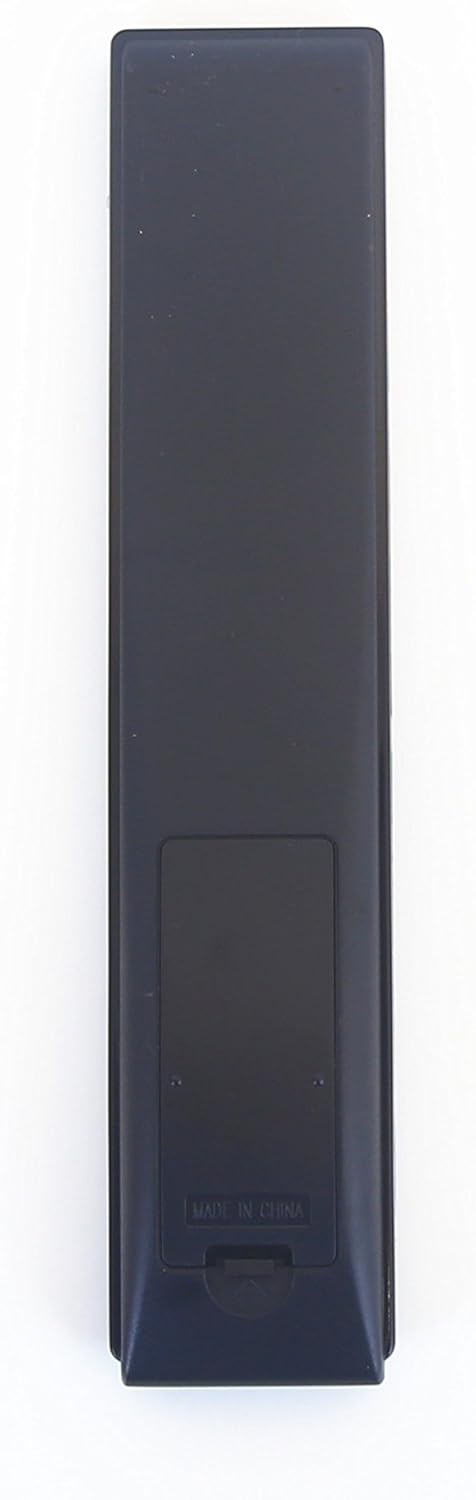
Figure 2.2: Back view of the remote control, highlighting the battery compartment cover.

Figure 2.3: Angled view of the remote control, showcasing its slim profile and button arrangement.
3. Setup
The Sharp GB004WJSA Universal Remote Control is designed for immediate use with compatible Sharp TVs and Smart TVs without requiring any complex programming or pairing steps.
3.1. Battery Installation
- Locate the battery compartment on the back of the remote control (refer to Figure 2.2).
- Slide the battery compartment cover downwards and lift it off.
- Insert two (2) AA batteries, ensuring the positive (+) and negative (-) terminals align correctly with the indicators inside the compartment.
- Replace the battery compartment cover by sliding it back into place until it clicks securely.
Important: Ensure batteries are inserted with correct polarity. Do not mix old and new batteries, or different types of batteries.
4. Operating Instructions
Point the remote control directly at your Sharp TV's infrared receiver. Ensure there are no obstructions between the remote and the TV.
4.1. Basic Functions
- POWER: Turns the TV on or off.
- DISPLAY (SOURCE): Cycles through available input sources (HDMI, AV, Component, etc.).
- NETFLIX / AQUOS: Dedicated buttons for quick access to Netflix or Sharp's AQUOS Smart TV features.
- Number Pad (0-9): Directly enters channel numbers.
- VOL +/-: Adjusts the volume level.
- CH +/-: Changes the television channel.
- MUTE: Mutes or unmutes the TV audio.
- MENU: Opens the TV's main menu.
- Navigation Buttons (Up, Down, Left, Right, ENTER): Used to navigate through menus and confirm selections.
- EXIT / RETURN: Exits the current menu or returns to the previous screen.
- FAV APP (Colored Buttons): These colored buttons (Red, Green, Yellow, Blue) may correspond to specific favorite apps or functions depending on your TV model.
4.2. Media Playback Controls
- Play/Pause, Stop, Fast Forward, Rewind, Next/Previous Track: Controls media playback on compatible devices or Smart TV apps.
- REC: Initiates recording if your TV supports this feature with an attached storage device.
5. Maintenance
Proper care and maintenance will extend the life of your remote control.
- Cleaning: Wipe the remote with a soft, dry cloth. For stubborn dirt, slightly dampen the cloth with water or a mild, non-abrasive cleaner. Do not use harsh chemicals or immerse the remote in liquid.
- Battery Replacement: Replace batteries when the remote's response becomes sluggish or it stops functioning. Always replace both batteries simultaneously.
- Storage: If the remote will not be used for an extended period, remove the batteries to prevent leakage and potential damage. Store in a cool, dry place.
6. Troubleshooting
If you experience issues with your remote control, try the following solutions:
| Problem | Possible Cause | Solution |
|---|---|---|
| Remote not responding. | Dead or incorrectly inserted batteries. | Replace batteries with new AA batteries, ensuring correct polarity. |
| Remote works intermittently. | Weak batteries or obstruction. | Replace batteries. Ensure clear line of sight between remote and TV. |
| Specific buttons not working. | Button stuck or internal issue. | Gently press the button multiple times. If issue persists, consider replacing the remote. |
| Remote does not control TV. | Not a Sharp TV or TV's IR receiver is blocked. | Confirm your TV is a Sharp brand. Ensure nothing is blocking the TV's infrared receiver. |
7. Specifications
- Model Number: NTR-001
- Compatible Devices: Sharp Televisions (including Smart TVs)
- Power Source: 2 x AA Batteries (not included)
- Special Feature: No Programming Required
- Product Dimensions: Approximately 3 x 3 x 3 inches
- Item Weight: Approximately 3.04 ounces
- Manufacturer: Nettech
8. Warranty and Support
This Nettech Sharp GB004WJSA Universal Remote Control comes with a 1-year warranty from the date of purchase. For warranty claims or technical support, please refer to the contact information provided by your retailer or visit the official Nettech support website.
Please retain your proof of purchase for warranty purposes.