
1. Introduction
Thank you for choosing the SOLEM BL-NR Bluetooth Tap Controller. This device allows for smart and efficient garden watering directly from your smartphone or tablet via Bluetooth connectivity. Please read this manual carefully before installation and operation to ensure proper use and longevity of your product.
2. Safety Information
- Do not immerse the device in water. It is designed to be water-resistant, not submersible.
- Ensure all connections are secure to prevent leaks and water damage.
- Use only the specified battery type and ensure correct polarity during installation.
- Keep the device out of reach of children.
- Do not attempt to disassemble or repair the unit yourself. Contact qualified personnel for service.
- Protect the device from extreme temperatures and direct sunlight for prolonged periods.
3. Package Contents
Verify that all items are present in your package:
- SOLEM BL-NR Bluetooth Tap Controller (Model ZM-25)
- User Manual (this document)
- (Batteries typically sold separately, check packaging)
4. Setup and Installation
Follow these steps to set up your SOLEM BL-NR controller:
- Install Batteries: Open the battery compartment (usually located on the back or side) and insert the required batteries (e.g., 2 x AA or 9V, refer to device markings) ensuring correct polarity. Close the compartment securely.
- Attach to Tap: Screw the BL-NR controller onto your outdoor garden tap. Ensure the connection is hand-tight to prevent leaks. Do not overtighten.
- Connect Hose: Attach your garden hose to the outlet of the BL-NR controller.
- Download App: Download the official SOLEM app from your smartphone's app store (iOS or Android). Search for "SOLEM" or "MySOLEM".
- Pair Device: Open the SOLEM app, enable Bluetooth on your phone, and follow the in-app instructions to discover and pair with your BL-NR controller. You may need to be within close proximity to the device during pairing.
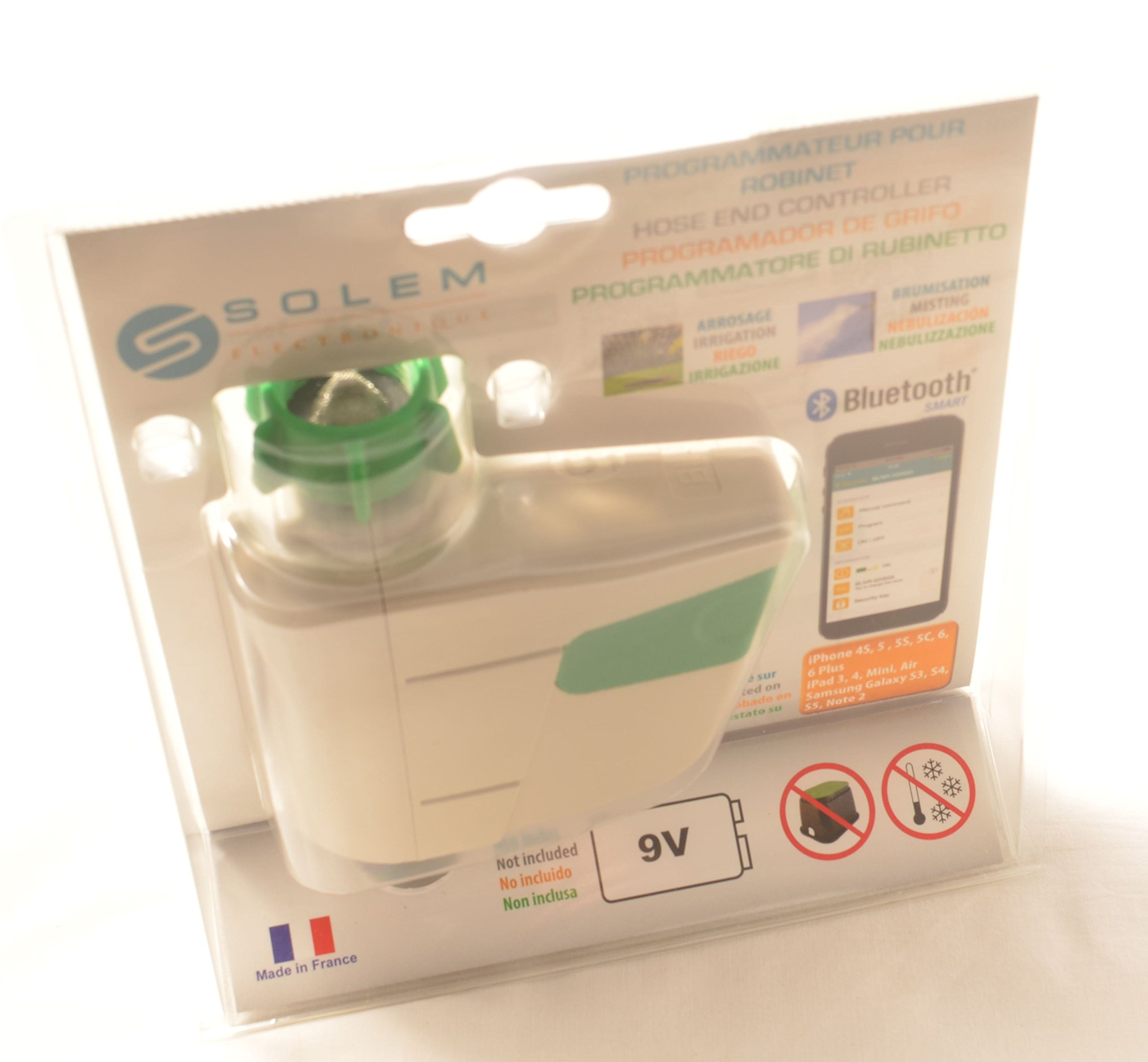
An image showing the SOLEM BL-NR Bluetooth Tap Controller. The device is off-white with a green cap on one end and a black threaded connector on the other. A label with the SOLEM logo and model information is visible on the side.
5. Operating Instructions
Once paired, you can control your BL-NR controller via the SOLEM app:
- Scheduling: Use the app to set up automatic watering schedules. You can typically define start times, duration, and frequency (e.g., daily, specific days of the week).
- Manual Control: The app allows for immediate manual watering. Select the controller and choose to turn the water ON or OFF, or set a specific duration for manual watering.
- Rain Delay: Most SOLEM apps include a rain delay function, allowing you to pause scheduled watering for a set period (e.g., 24, 48, 72 hours) to conserve water after rainfall.
- Battery Status: The app will display the current battery level of your BL-NR controller, allowing you to anticipate battery replacement.
6. Maintenance
- Battery Replacement: Replace batteries when the app indicates a low battery level. Always use fresh, high-quality batteries of the specified type.
- Cleaning: Periodically clean the exterior of the controller with a damp cloth. Do not use abrasive cleaners or solvents.
- Winterization: Before the first frost, disconnect the BL-NR controller from the tap and hose. Remove the batteries and store the unit indoors in a dry, frost-free location. Failure to do so can result in damage due to freezing water.
- Filter Cleaning: Check the inlet filter (if present) periodically for debris and clean it to ensure optimal water flow.
7. Troubleshooting
- No Water Flow:
- Check if the tap is fully open.
- Ensure batteries are installed correctly and have sufficient charge.
- Verify that a watering schedule is active or manual watering is initiated via the app.
- Check for blockages in the hose or the controller's inlet filter.
- Bluetooth Connection Issues:
- Ensure Bluetooth is enabled on your smartphone.
- Be within close range of the BL-NR controller (typically up to 10 meters, line of sight).
- Restart the SOLEM app or your smartphone.
- Check battery level; low batteries can affect Bluetooth range.
- Leaks at Connections:
- Ensure all connections are hand-tight.
- Check for damaged washers or O-rings and replace if necessary.
- App Not Responding:
- Close and reopen the app.
- Check for app updates in your app store.
- Ensure your smartphone's operating system is up to date.
8. Specifications
| Model Number | ZM-25 |
| Brand | SOLEM |
| Manufacturer | DVS Beregnung |
| ASIN | B01B1LDZIK |
| Item Weight | 1.1 pounds (approx. 0.5 kg) |
| Connectivity | Bluetooth |
9. Warranty and Support
For warranty information, technical support, or service inquiries, please refer to the documentation provided with your purchase or visit the official SOLEM website. Keep your proof of purchase for warranty claims.


