
1. Introduction
This manual provides essential information for the safe and efficient operation of your ANCHEER Electric Mountain Bike, model AM001907_P. Please read it thoroughly before your first ride and retain it for future reference. This electric bicycle is designed for adults, featuring a 26-inch wheel size, a 250W high-speed brushless motor, and a 21-speed gear system, offering three distinct riding modes.
Video: Overview of the ANCHEER Electric Bike, detailing its features and capabilities.
2. Safety Information
Always wear a helmet and appropriate safety gear when riding. Ensure all components are securely fastened and brakes are functioning correctly before each use. Adhere to local traffic laws and regulations. Avoid riding in adverse weather conditions or on unsuitable terrain. Do not modify the bike's electrical system or components, as this may void the warranty and pose safety risks. The maximum weight capacity for this bike is 265 lb.
3. Package Contents
Upon opening the package, verify that all components are present and undamaged. The package should include:
- ANCHEER Electric Mountain Bike (partially assembled)
- Removable 10.4ah Lithium-Ion Battery
- Battery Charger
- E-Bike Accessory Kit (tools for assembly)
- User Manual
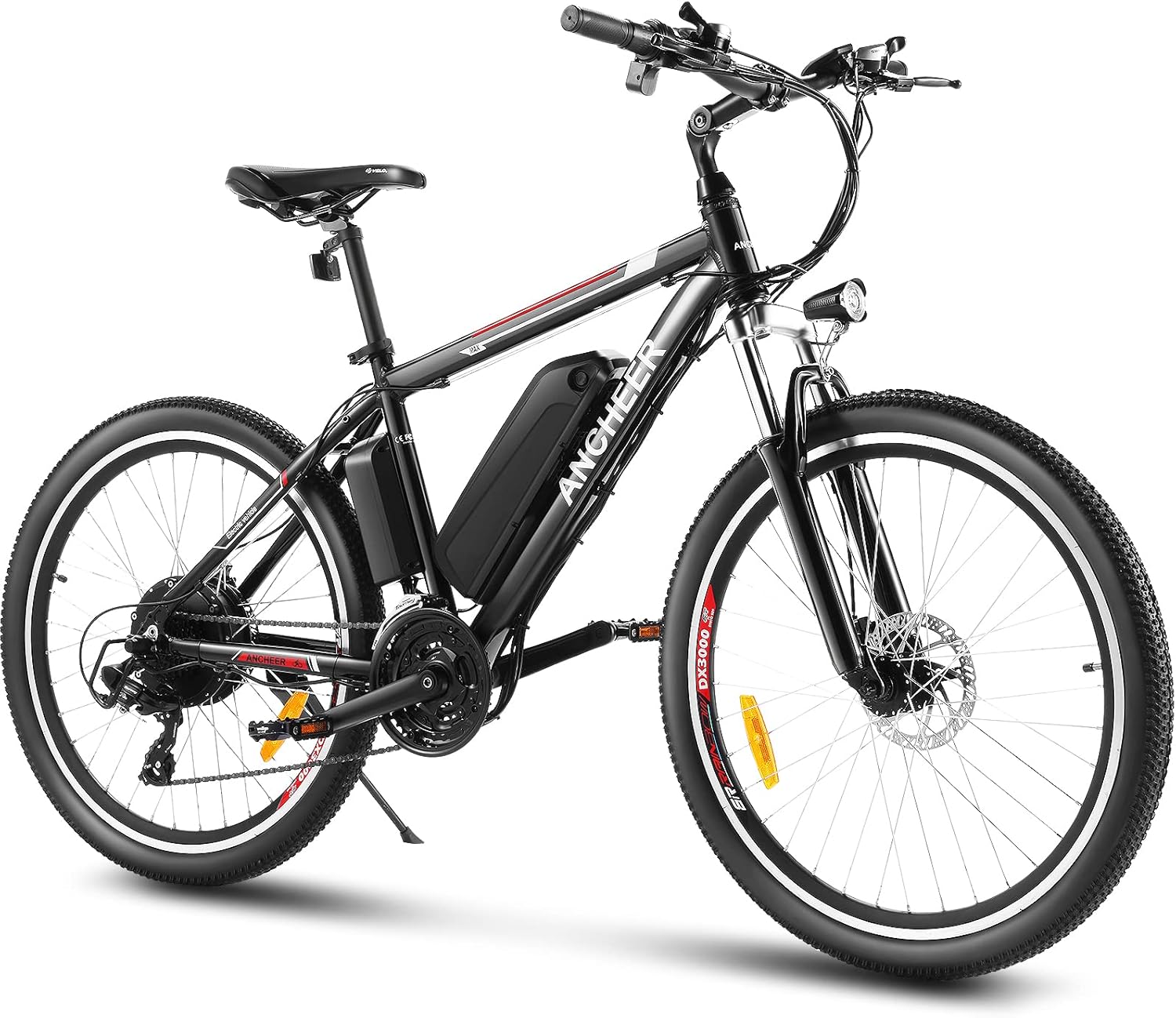
Image: The ANCHEER Electric Mountain Bike as it appears fully assembled.
4. Assembly Instructions
Your ANCHEER Electric Mountain Bike comes partially assembled. Follow these steps to complete the assembly:
- Unpack the Bike: Carefully remove all packaging materials and protective wraps from the bike frame and components.
- Install the Handlebar: Attach the handlebar to the stem, ensuring it is centered and tightened securely. Adjust the angle for comfortable riding.
- Install the Seat Tube and Saddle: Insert the seat tube into the frame and adjust the height. Attach the saddle to the seat tube and tighten. Ensure the seat height is between the two safety lines marked on the seat post.
- Install the Front Wheel: Secure the front wheel to the fork, ensuring the disc brake rotor is correctly aligned with the caliper.
- Install the Pedals: Attach the pedals to the crank arms. Note that pedals are marked 'L' for left and 'R' for right. Tighten them firmly.
- Install the Front Light: Mount the LED headlamp to the front fork.
- Install the Kickstand: Attach the kickstand to the bike frame.
- Install the Battery: Insert the removable battery into its designated slot on the frame and lock it with the provided key.
- Perform Initial Checks: Verify that all bolts and quick releases are tightened, brakes are responsive, and tires are inflated to the recommended pressure.
Video: Detailed instructions on how to assemble your ANCHEER Electric Bike.

Image: Handlebar control panel, showing the display for pedal-assist levels and battery status.
5. Components Overview
- Frame: Made from durable aluminum alloy, providing a lightweight yet sturdy structure.
- Fork: Carbon steel fork with front suspension for improved ride comfort on varied terrain.
- Motor: 250W high-speed brushless gear motor, integrated into the rear hub, assisting speeds up to 15 MPH.
- Battery: Removable 10.4ah Lithium-Ion battery, offering a mileage range of 25 to 50 km depending on the mode and terrain.
- Brakes: Front and rear disc brakes for reliable stopping power.
- Gears: Professional 21-speed transmission system for versatile riding.
- Headlamp: Bright LED headlamp for enhanced visibility during night riding.
- Saddle: Height-adjustable saddle for rider comfort.

Image: The 250W stable hub motor and rear cassette, indicating speed and torque capabilities.

Image: Key features including the double disc brake, adjustable saddle, and integrated LED light.
6. Operating Modes
Your ANCHEER Electric Mountain Bike offers three distinct operating modes:
- Normal Bicycle Mode: Ride the bike like a traditional bicycle, using pedal power only. The 21-speed gears are fully functional in this mode.
- Pedal-Assist Mode: The motor provides assistance as you pedal. You can select different levels of assistance (low, mid, high) via the handlebar control panel to match your desired effort and terrain. This mode is ideal for extending your range and making climbs easier.
- E-bike Mode (Electric Throttle): Engage the throttle on the handlebar for full electric power without pedaling. This mode is suitable for cruising or when you need an extra boost without physical exertion.

Image: Visual representation of the three cycling modes and their application.
7. Battery Information
The ANCHEER Electric Mountain Bike is equipped with a removable 10.4ah Lithium-Ion battery. The battery can be charged both on and off the bike frame. It has a life expectancy of approximately 500 charge cycles. To ensure longevity, avoid completely draining the battery regularly and store it in a cool, dry place when not in use for extended periods.
- Charging: Use only the smart lithium battery charger provided with your bike. Charging typically takes 4-6 hours.
- Removal: Unlock the battery with the key and slide it out of its frame mount.
- Safety: Prevent internal short circuits. Do not immerse the battery in liquids. Do not disassemble the battery.
8. Maintenance
Regular maintenance ensures the optimal performance and longevity of your electric bike.
- Tires: Check tire pressure before each ride. Recommended pressure is usually indicated on the tire sidewall.
- Brakes: Regularly inspect brake pads and rotors for wear. Adjust brake cables as needed to ensure responsive braking.
- Chain: Keep the chain clean and lubricated to prevent rust and ensure smooth gear changes.
- Gears: Periodically check and adjust the 21-speed gear system for precise shifting.
- Battery: Store the battery in a cool, dry place. If storing for extended periods, charge it to about 50-70% and recharge every few months.
- Fasteners: Periodically check all bolts, nuts, and quick releases for tightness.
9. Troubleshooting
If you encounter issues with your ANCHEER Electric Mountain Bike, consider the following common troubleshooting steps:
- Bike Not Powering On: Ensure the battery is fully charged, correctly installed, and the battery switch is turned on. Check all cable connections.
- Motor Not Assisting: Verify that pedal-assist mode is selected and the assistance level is not set to zero. Check if the cadence sensor is clean and unobstructed.
- Poor Braking Performance: Inspect brake pads for wear and ensure they are properly aligned. Check brake cables for tension and adjust if necessary.
- Difficulty Shifting Gears: Check the derailleur alignment and cable tension. Ensure the chain is clean and lubricated.
- Unusual Noises: Inspect for loose components, rubbing parts (e.g., brake pads on rotor), or issues with the motor or drivetrain.
For persistent issues, please contact ANCHEER customer support.
10. Specifications
| Feature | Specification |
|---|---|
| Bike Type | Electric Mountain Bike |
| Model Name | AM001907_P |
| Brand | ANCHEER |
| Age Range | Adult |
| Wheel Size | 26 Inches |
| Number of Speeds | 21 |
| Frame Material | Aluminum Alloy |
| Suspension Type | Front Suspension |
| Brake Style | Disc |
| Electric Assist Type | Hub Motor |
| Wattage | 250 watts |
| Battery | Removable 10.4ah Lithium-Ion |
| Item Weight | 20 Kilograms |
| Assembly Required | Yes |
11. Warranty and Support
ANCHEER provides a one-year service warranty for the electric motor, battery, and charger. For any inquiries or support needs, please refer to the contact information provided with your product packaging or visit the official ANCHEER website.